
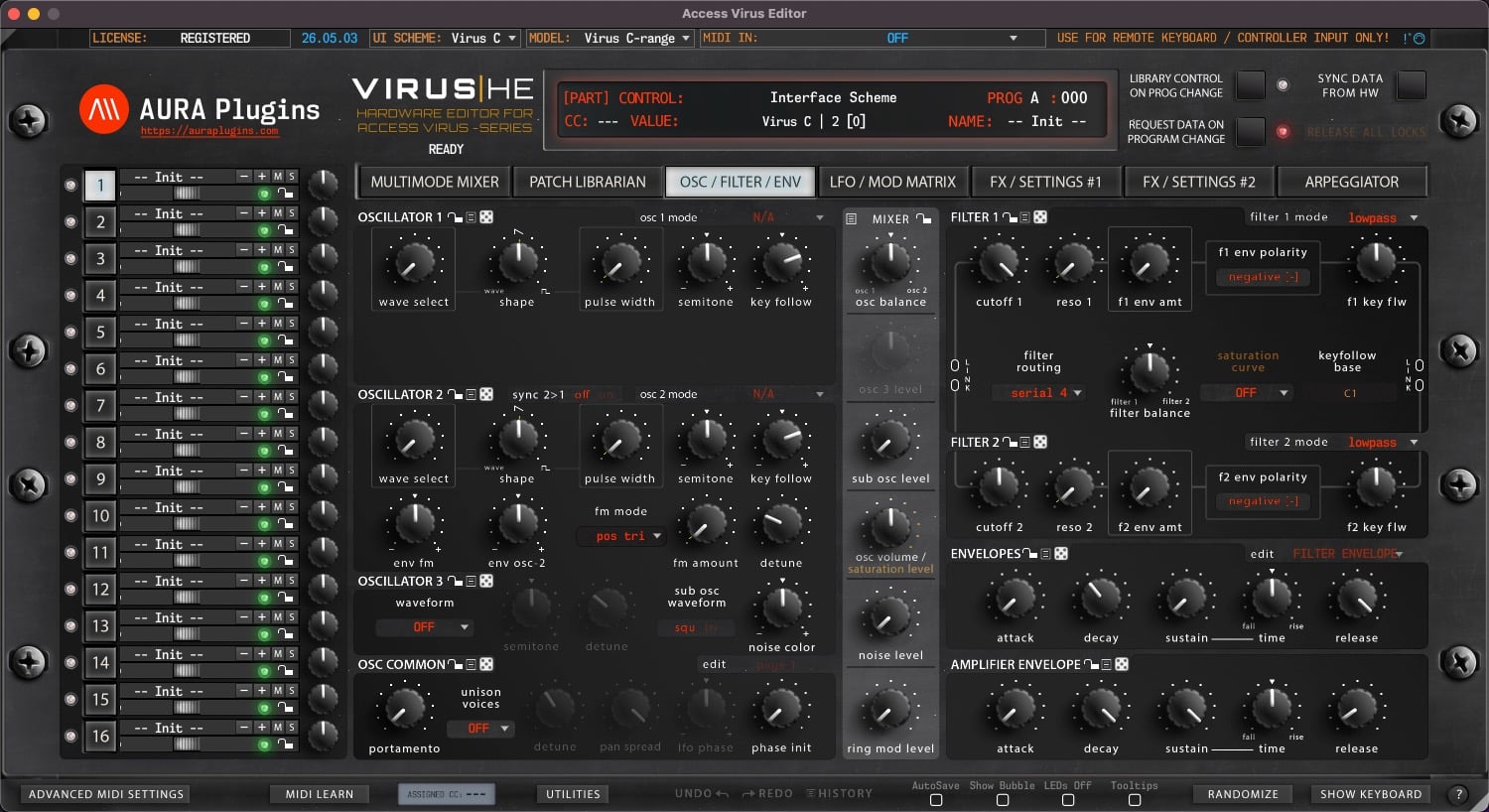
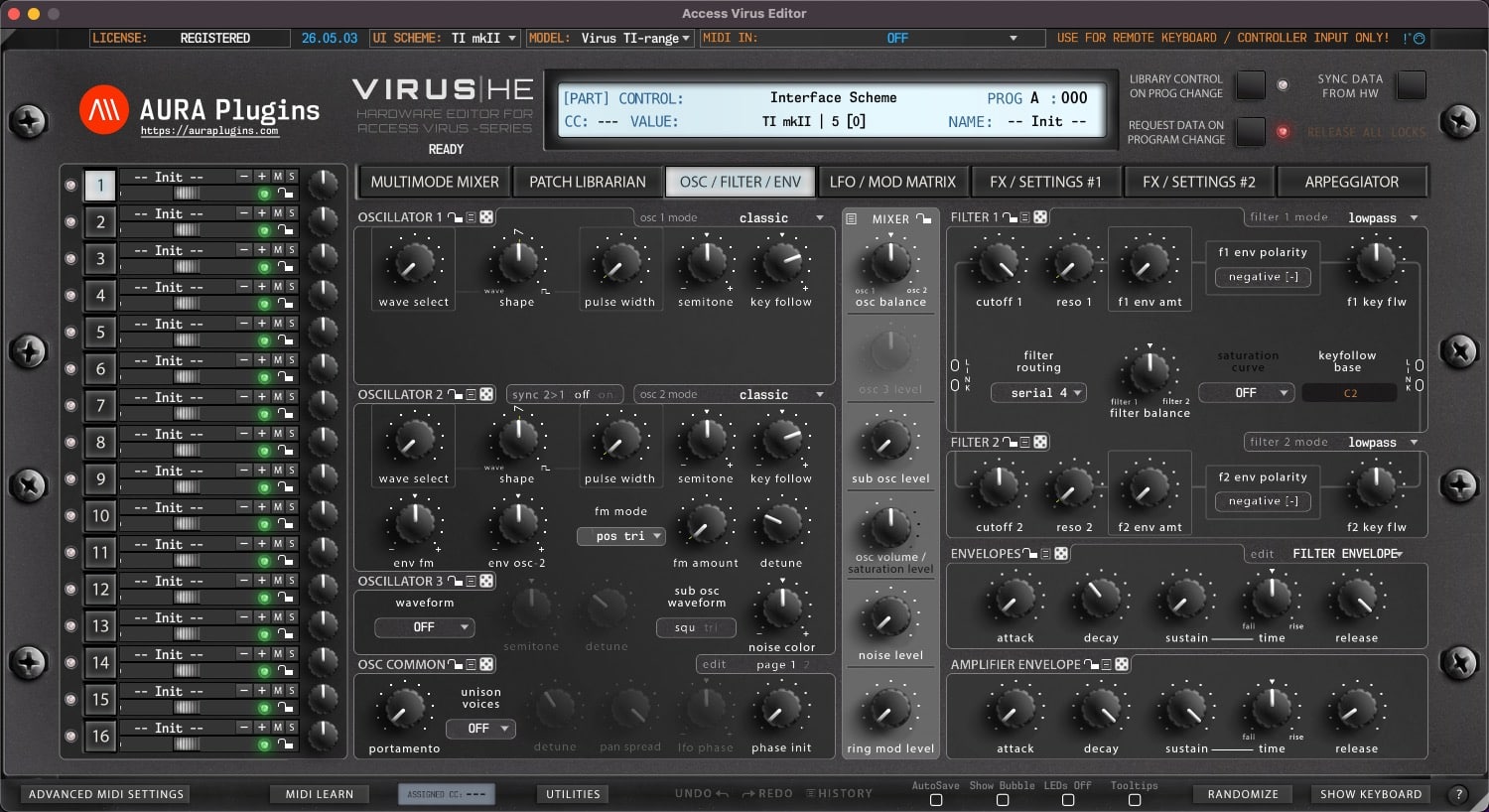
Download Access Virus Editor & Librarian
Hardware Editor and Librarian for Access Virus (all models).
It is time to reconnect – don’t leave the hardware behind
Hardware requirements
– Any of the following Access Virus models: A, B, KB, Indigo, Rack, Classic, C, KC, Indigo 2, Rack XL, TI, TI Snow, TI2 or TI Pølar
– MIDI Interface with SysEx support OR
– Direct USB connection to computer
Virus TI users with macOS 10.15 or greater:
Option #1: Use our “Virus TI USB Plugin I/O” driver after install. USB Audio stream works too. Full details here.
Option #2: Unplug the USB from the Virus TI and use regular MIDI cables.
Option #3: Get a good USB to MIDI interface, like ESI MIDIMATE EX
Latest version: 26-05-03 | 2026-May-03
User Manual
Can’t see your license and downloads?
Refresh page after login to view FULL downloads and license
FULL Downloads require license purchase from our store.
Demo Limitations to be aware of:
- Parameters can not be automated from your DAW.
- Parameter MIDI CC Mapping is disabled.
- Parts 2-15 are disabled (if applicable).
- Total Recall is disabled.
- UI Data can not be saved or loaded.
- MIDI CC Mapping Data can not be saved or loaded.
- Librarian Bank Edits can not be saved.
- Librarian "Store Data to Hardware" is disabled.
- Demo can not be registered.
Install and Launch instructions
Download the installer for macOS or Windows.
- Extract the zip file on Windows.
Open the installer executable and run it.
- Select all plugin formats to install - otherwise it will fail.
- Read the hardware and DAW configuration guides from our documentation site. Link below.
Optional:
If you have banks you've purchased for the specific product, copy them to:
~/Music/AURA Plugins/(product name)/Patches/ folder.
- Open the plugin or Standalone application and you can view your banks in the Patch Librarian tab.
- Enjoy!
- Support our continuous development via https://ko-fi.com/auraplugins!
Available plug-in formats
- VST2 (macOS and Windows)
- VST3 (macOS and Windows)
- AAX (macOS and Windows)
- Audio Unit (macOS)
- Standalone Application (macOS and Windows)
64-bit macOS or Windows
System requirements
Windows 7 or greater (64 bit)
macOS 10.12 (High Sierra) or greater with Metal graphics
Intel & Apple Silicon
Please ensure system and DAW compatibility with the plug-in or standalone application DEMO before committing to purchasing a full license. All purchases are final.




VST is a trademark and software of Steinberg Media Technologies GmbH.
Recent changes:
[ New ] Velocity Assignment can be added to dedicated controls with shift+mouse drag.
[ New ] Editor has dedicated 20-to-50 step Edit History with Undo and Redo.
[ New ] Librarian has dedicated 20-to-50 step Edit History with Undo and Redo.
[ New ] Improved menu icons for buttons and UI where menu will be opened.
[ New ] MIDI Learn can be activated with right clicking on parameter.
[ New ] LED is lit below parameter if MIDI CC is assigned.
[ New ] Randomizer dice added to randomize each section with one click.
[ New ] Multi selection of items in librarian with shift+click or shift+arrow keys.
[ New ] Added option to disable program sending via Librarian when using arrow keys.
[ New ] Copy and Paste items with normal copy / paste commands.
[ New ] Enable Automatic Update check from Utilities -> Editor Preferences menu.
[ New ] Enable to use current MIDI ports as defaults when inserting the Editor (plug-in only).
[ New ] Librarian Search function extended to both file types.
[ New ] Editor now shows a message if Lib Control is on & Librarian is in Multimode and user attempts to click -/+ buttons.
[ New ] Editor now shows a message with instructions, if Librarian data is dragged incorrectly.
[ New ] Logging Enabled HUD now shows Editor transfer statuses.
[ New ] Filter area has notification shown if Vocoder is active.
[ New ] Randomizer Settings are now stored in PREFS file.
[ New ] Section save as has part program name as a prefix.
[ New ] Option in Utilities menu for Send All Notes Off on program change command.
[ New ] Panning and Volume can be excluded from Randomizer.
[ New ] All graphics elements had rework done to them.
[ Fixed ] Resolved issue where Demo Limitation layer was shown incorrectly.
[ Fixed ] Multi data can now be stored to librarian, however, this method doesn't store parts. Use Save / Load UI Data from Utilities menu instead.
[ Fixed ] Release All Locks button is no longer hidden from the view.
[ Fixed ] Controls could have been stuck after hardware data was received.
[ Fixed ] Resolved issue where Category and Search files were not copied properly from lower to upper list.
[ Fixed ] Resolved issue where Editor would crash on Program Change messages.
[ Fixed ] Resolved issue where Load UI Data function changed MIDI I/O, DeviceID, Global MIDI Ch, Hardware Model, UI SKIN and Main tab values.
[ Fixed ] Resolved issue where Quick Edit view crashed Editor under certain conditions.
[ Fixed ] Resolved issue where MIDI velocity meters crashed Editor under certain conditions.
[ Fixed ] Resolved issue where double clicking item from the librarian would show a warning message under certain circumstances.
[ Fixed ] Resolved an issue where Editor would crash opening the UI while DAW playback was on.
[ Fixed ] Discard changes button was not visible after certain librarian modifications.
[ Fixed ] Show Keyboard toggle is now turned off when loading UI Data to prevent graphical glitches.
[ Improvement ] AAX loads faster with better stability.
[ Improvement ] Loading data via librarian works a bit faster.
[ Improvement ] Librarian functions and stability improved.
[ Improvement ] Librarian Category filtering can be done with cat 1 or cat 2 individually.
[ Improvement ] Reworked Utilities menu. Librarian related items moved to Bank Edit menu.
[ Improvement ] Reworked Bank Edit menu. Non-librarian items moved to Utilities menu.
[ Improvement ] TUS Osirus / OsTIrus compatibility improved.
[ Improvement ] Other small performance tweaks.
[ Other ] Quick Edit view removed from Multimode Mixer view.
[ Other ] Product URLs updated. Use tooltips to show function purpose. Most are self-explanatory.
[ Other ] Windows: Our signing certificate expired, so use right click -> open to install.
Issues with Editor? Open Support Ticket
Join our Access Virus Editor community over at Discord
Want to support our development and free updates? Buy us a coffee
Complete change log: https://auraplugins.com/kb/article/access-virus-editor-changelog/
Share this with fellow producers



