AURA Plugins Download Manager
a dedicated desktop app for macOS and Windows that handles signing in, installing your editors, updating them, and keeping demos and full builds in one place.
Until now, downloads lived as individual product pages and all-in-one .dmg / .zip archives
System requirements
Windows 7 or greater (64 bit)
macOS 10.14 or greater with Metal graphics
Intel & Apple Silicon
Latest version: 26-11-01 | 2026-Nov-01
Internet connection
Download Manager will connect to AURA Plugins store if you login, to fetch your purchased products and licenses. Skip sign in to use Demo versions




VST is a trademark and software of Steinberg Media Technologies GmbH.
Install and Launch instructions
Download the installer for macOS or Windows.
- Extract the zip file on Windows.
Open the installer executable and run it.
Install locations:
macOS: /Applications/AURA Plugins/
Windows: C:\Program Files\AURA Plugins\
Open the AURA Plugins Download Manager Application after install finishes. Login with AURA Plugins account credentials to get your purchased products and licenses. You can set default Install formats from Prefereces tab

Recent changes:
[ New ] Initial Release.
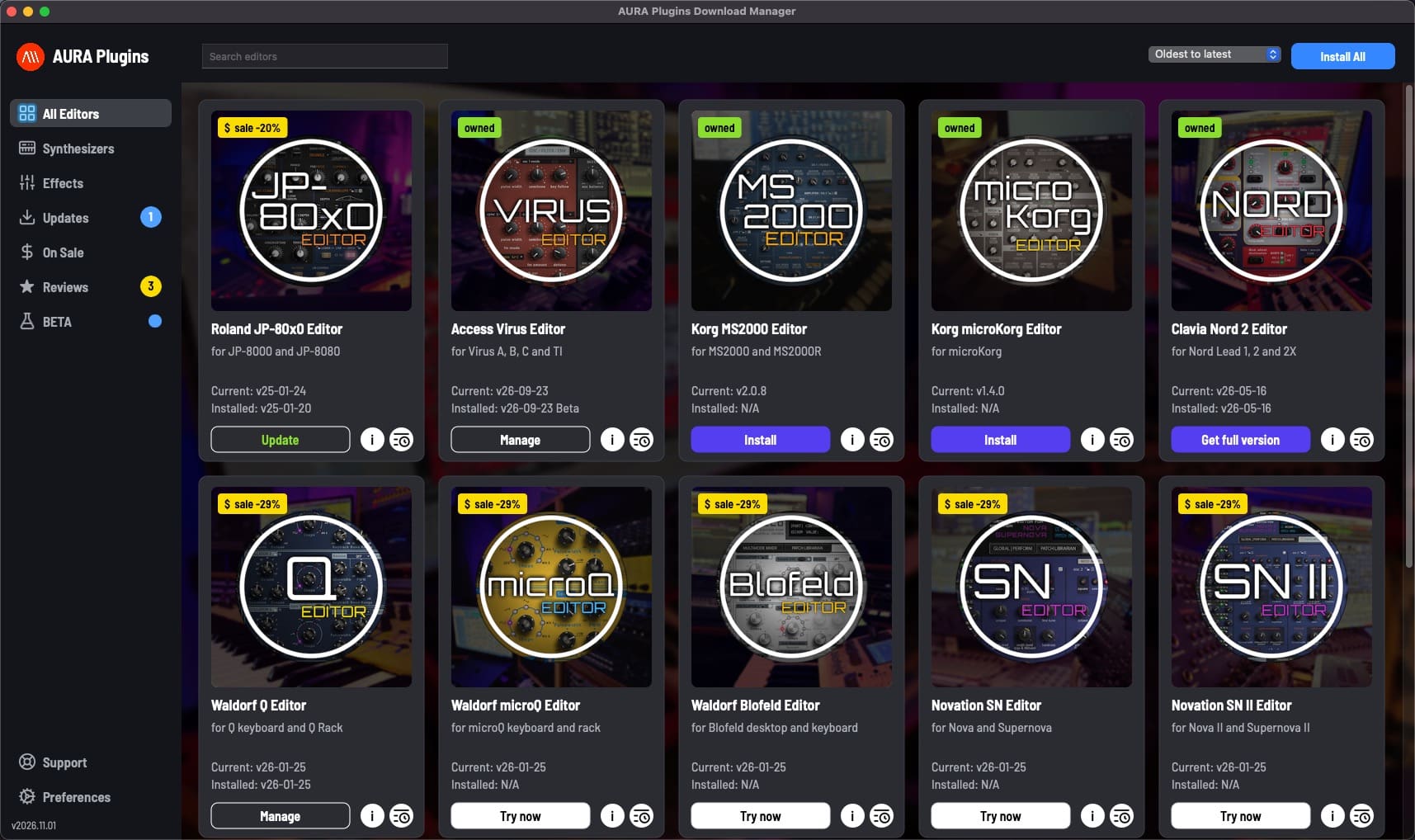
- Browse every AURA Plugins editor in one place, with search, oldest-to-latest sorting and Synthesizers, Effects and On Sale views.
- Try any editor with a free demo, or install the full version of the editors you own. Each card shows the current and installed version.
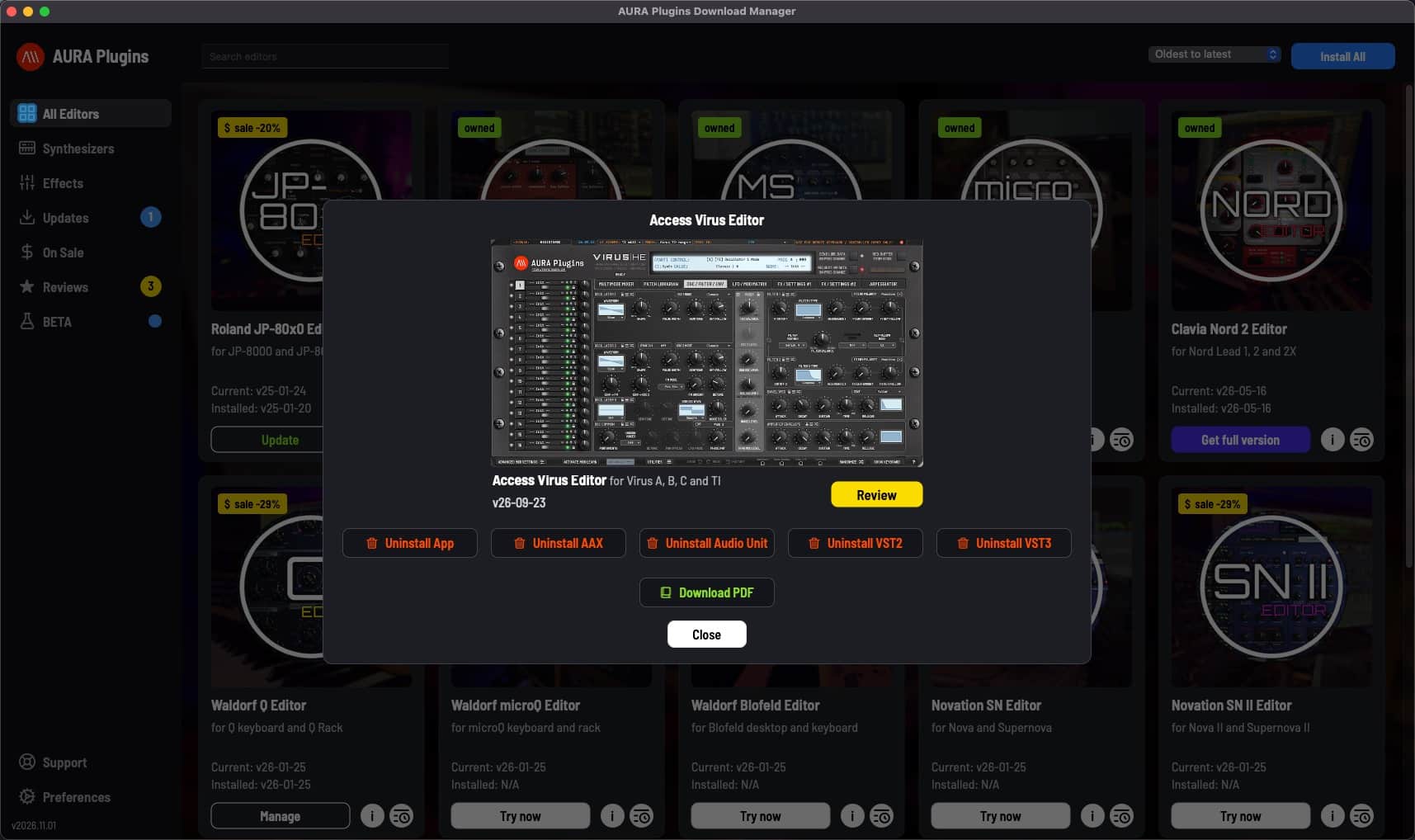
- Install AAX, Audio Unit (macOS), VST2, VST3, the standalone app and the user manual in one go, or pick only the formats you need.
- Licenses for the editors you own are installed automatically.
- Finds editors that are already installed, including ones installed before Download Manager, and checks installed files against the published builds.
- Uninstall any format. When you remove the last one, choose to keep the editor's data folder, open it, or remove it.
- Choose the default install formats and locations, where editor data is installed, and the text size.
- Keep your editors up to date: Updates lists the editors that have a newer version, and one click updates every installed format. Install All installs or updates every editor at once.
- Read each editor's changelog and specs, and see current sales and upgrade offers.
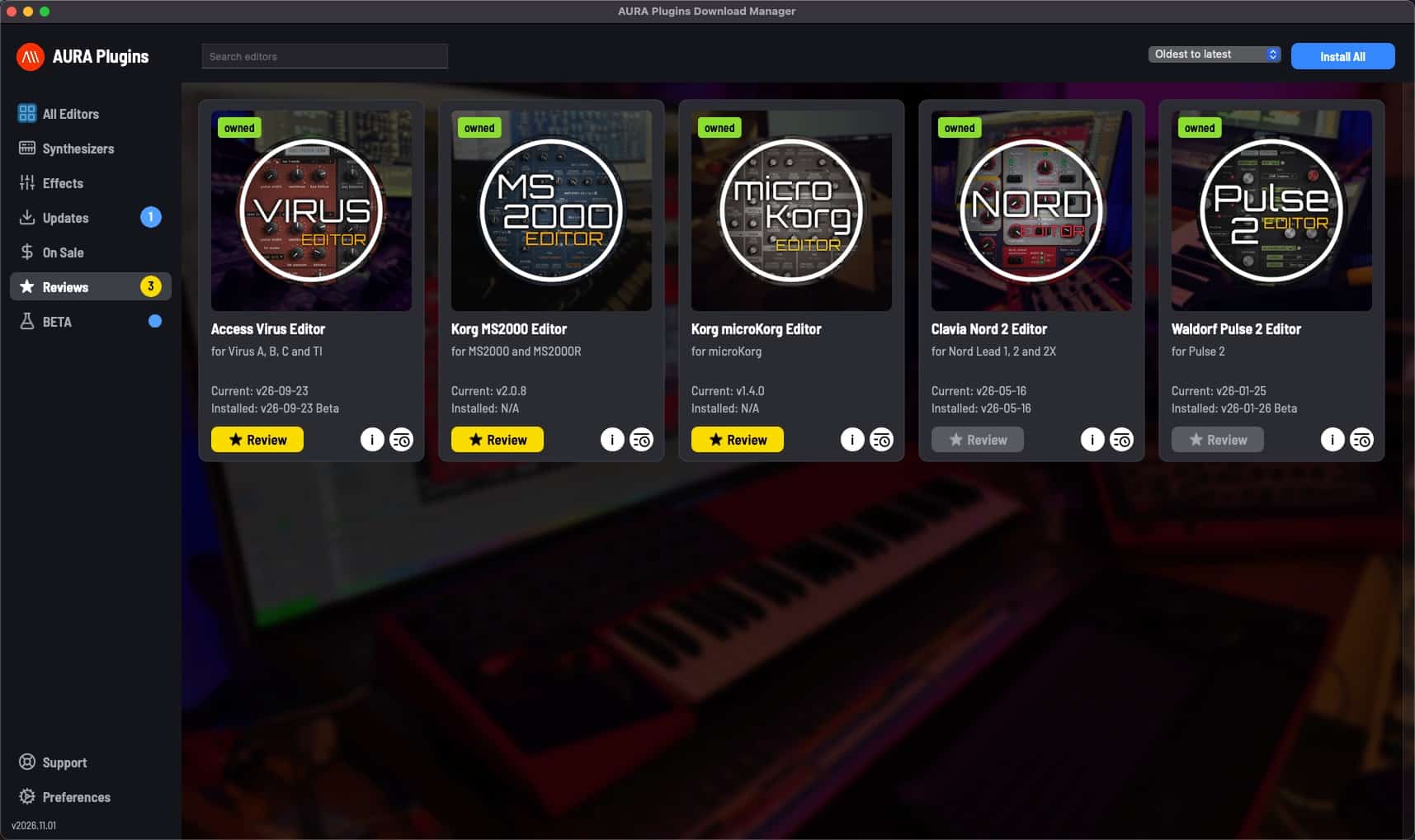
- Write and edit reviews for the editors you own.
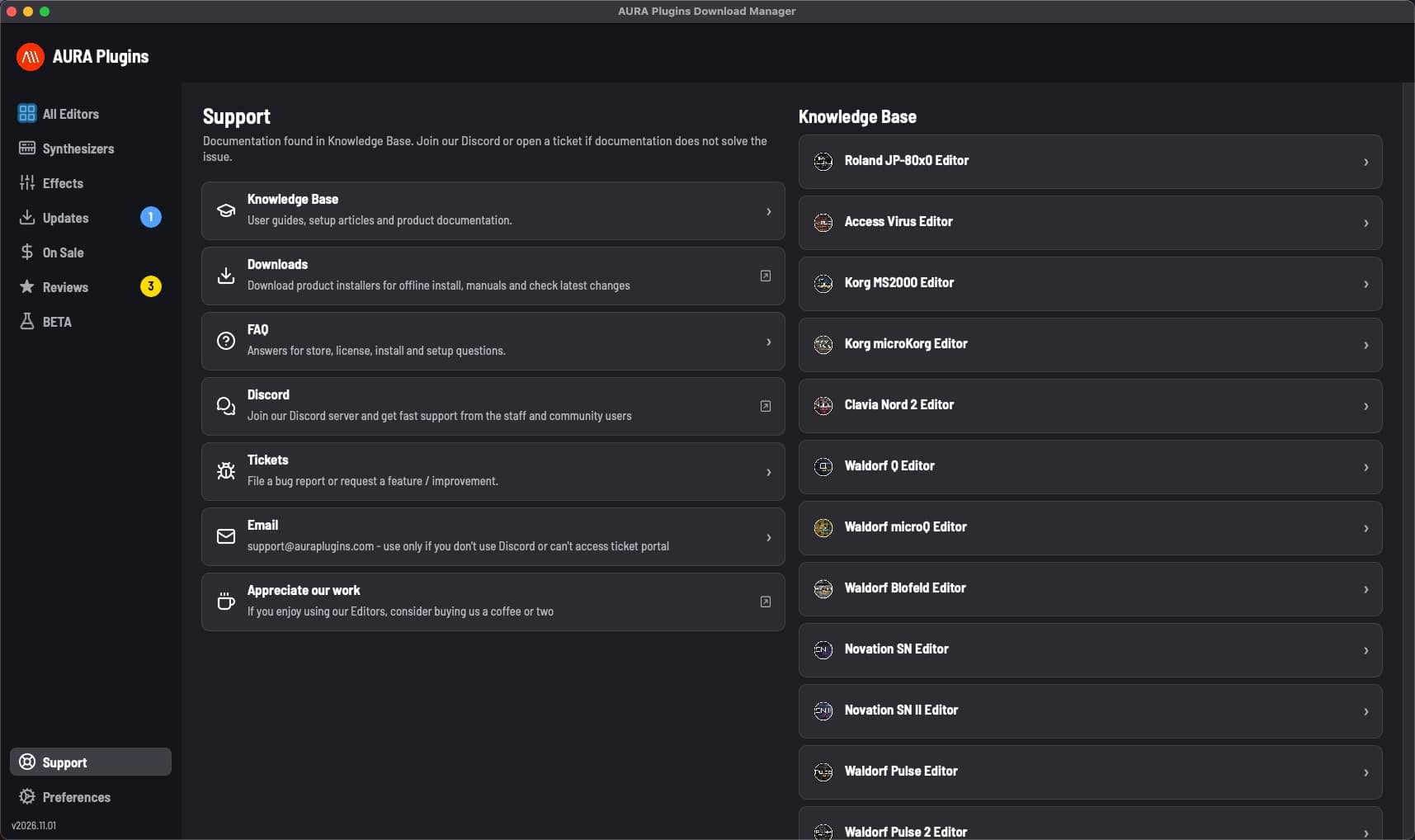
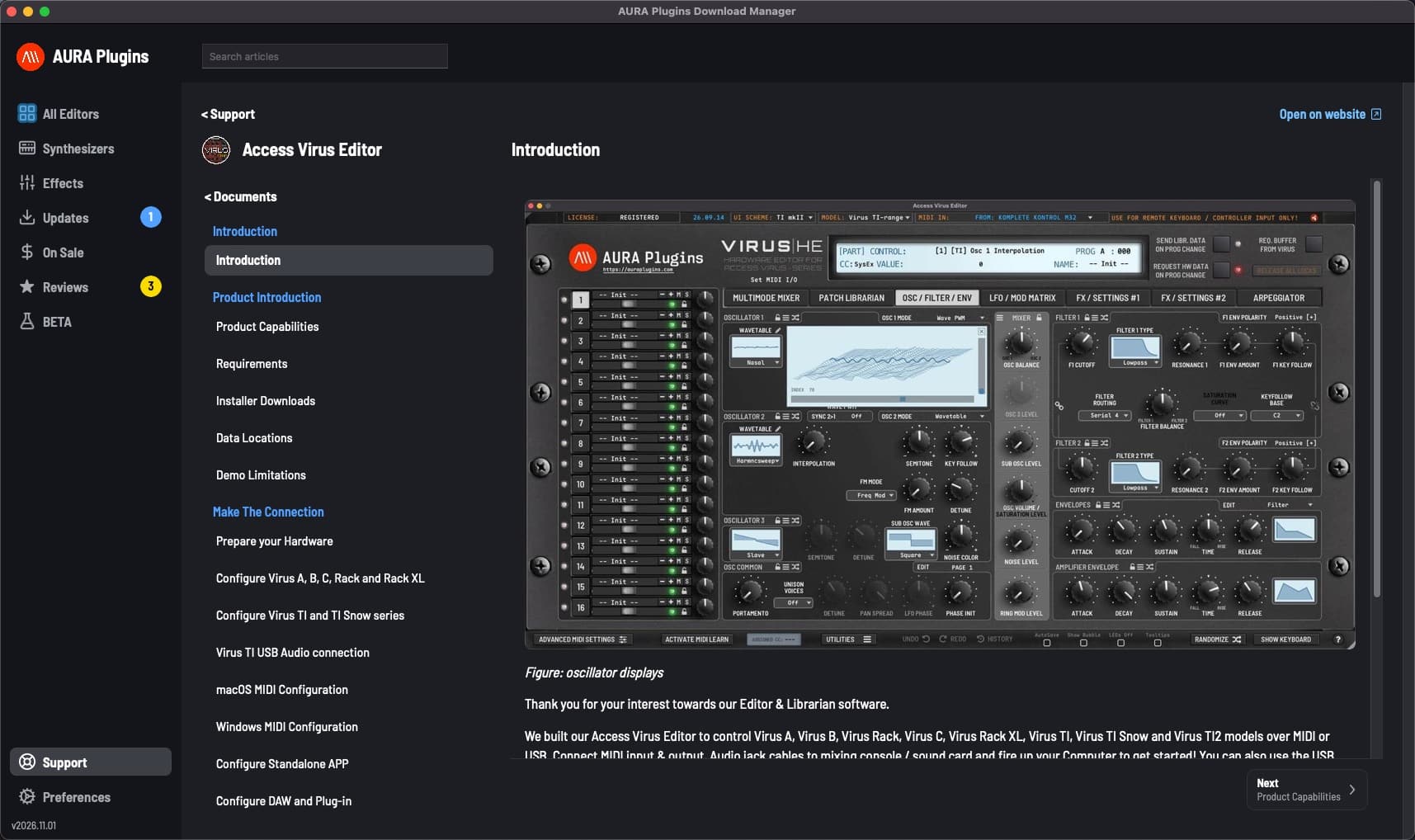
- Support inside the app: search the Knowledge Base and FAQ, open tickets, read and reply to them, close or reopen them, and send email. The sidebar shows how many tickets are waiting for your reply.
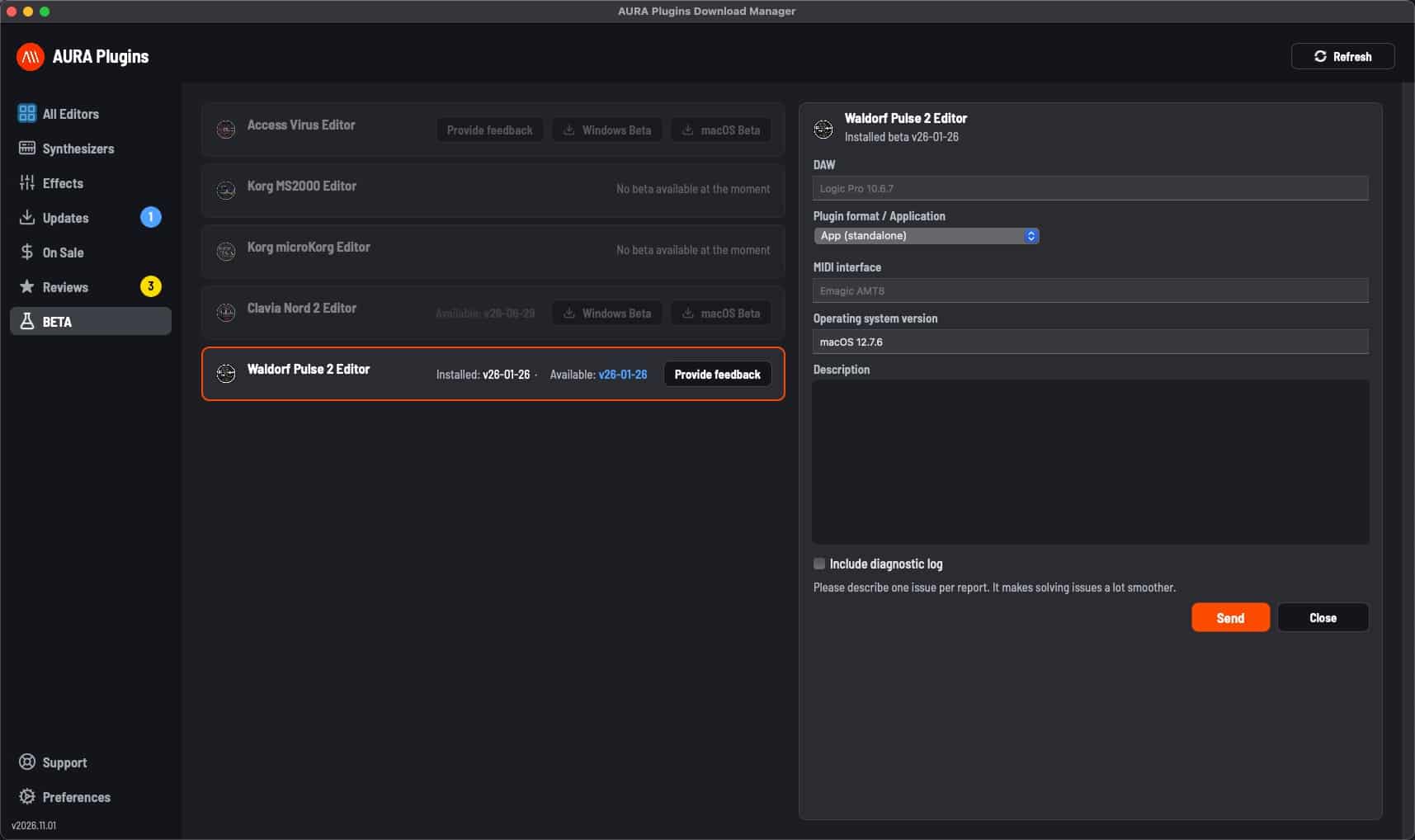
- Beta members get a BETA page to install beta builds and send feedback, and are told when a new beta is out. Apply or re-apply to a beta group in Preferences.
- Stay signed in between launches. Password AutoFill works on macOS.
- See your account details and your Registered computers with their last login, and reset machine IDs.
- Sign out of this computer, or use Logout from all devices.
- Minimize to the menu bar (macOS) or the system tray (Windows). Downloads and installs keep running.
- Download Manager checks for its own updates at launch and installs a new version with one click.
- Runs on macOS 10.14 or later and Windows 7 SP1 or later.
Issues with Download Manager? Use the app to create tickets!
Join our Discord community over at https://discord.gg/TeG7ukYcVW
Want to support our development? https://auraplugins.com/?ff_landing=6
Share this with fellow producers