
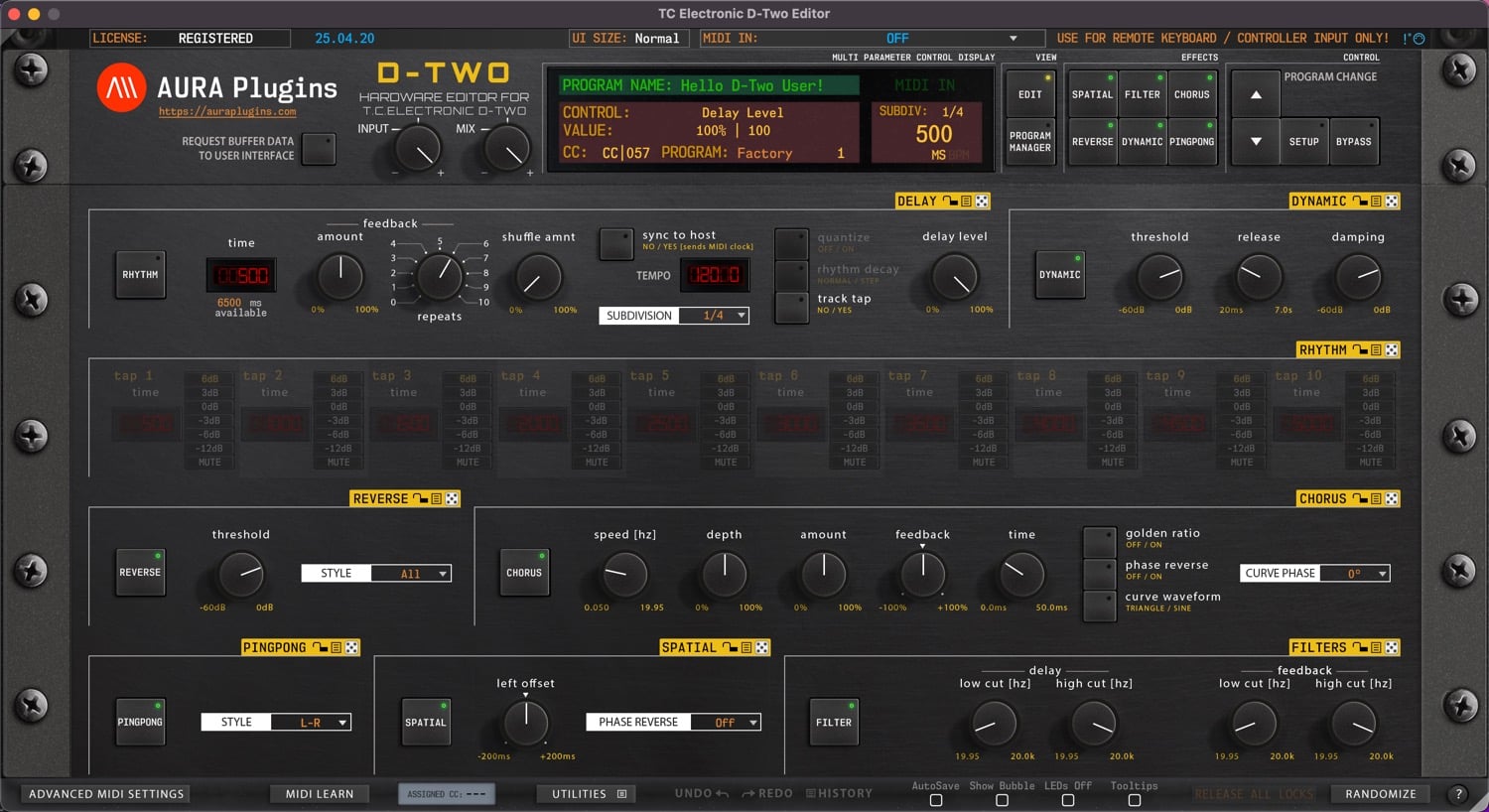
Download TC Electronic D-Two Editor & Librarian
Hardware Editor and Librarian for TC Electronic D-Two.
It is time to reconnect – don’t leave the hardware behind
Hardware requirements
– TC Electronic D-Two
– MIDI Interface with SysEx support
MIDI Clock note
TC Electronic D-Two Editor works the best when you set MIDI Clock to External in the hardware.
Note: Get a good USB to MIDI interface, like ESI MIDIMATE EX to connect your hardware with your DAW
Latest version: 26-05-14 | 2026-May-14
Can’t see your license and downloads?
Refresh page after login to view FULL downloads and license
FULL Downloads require license purchase from our store.
Demo Limitations to be aware of:
- Parameters can not be automated from your DAW.
- Parameter MIDI CC Mapping is disabled.
- Parts 2-15 are disabled (if applicable).
- Total Recall is disabled.
- UI Data can not be saved or loaded.
- MIDI CC Mapping Data can not be saved or loaded.
- Librarian Bank Edits can not be saved.
- Librarian "Store Data to Hardware" is disabled.
- Demo can not be registered.
Install and Launch instructions
Download the installer for macOS or Windows.
- Extract the zip file on Windows.
Open the installer executable and run it.
- Select all plugin formats to install - otherwise it will fail.
- Read the hardware and DAW configuration guides from our documentation site. Link below.
Optional:
If you have banks you've purchased for the specific product, copy them to:
~/Music/AURA Plugins/(product name)/Patches/ folder.
- Open the plugin or Standalone application and you can view your banks in the Patch Librarian tab.
- Enjoy!
- Support our continuous development via https://ko-fi.com/auraplugins!
Available plug-in formats
- VST2 (macOS and Windows)
- VST3 (macOS and Windows)
- AAX (macOS and Windows)
- Audio Unit (macOS)
- Standalone Application (macOS and Windows)
64-bit macOS or Windows
System requirements
Windows 7 or greater (64 bit)
macOS 10.12 (High Sierra) or greater with Metal graphics
Intel & Apple Silicon
Download the DEMO first to ensure system and DAW compatibility with the plug-in or standalone application before committing to purchasing a full license. All sales are final.

VST is a trademark and software of Steinberg Media Technologies GmbH.
Recent changes:
[ Fixed ] Resolved issue where MIDI learn didn't work properly.
Issues with Editor? Open Support Ticket.
Join our TC Electronic D-Two Editor community over at Discord!
Want to support our development and free updates? Buy us a coffee!
Full list of changes: https://auraplugins.com/kb/article/tc-electronic-d-two-editor-changelog/
Share this with fellow producers



