
Knowledge Base forAccess Virus Editor

Documentation
Resources
Access Virus Editor – How To Sync Data From Hardware
Multi data and individual parts
Method #1
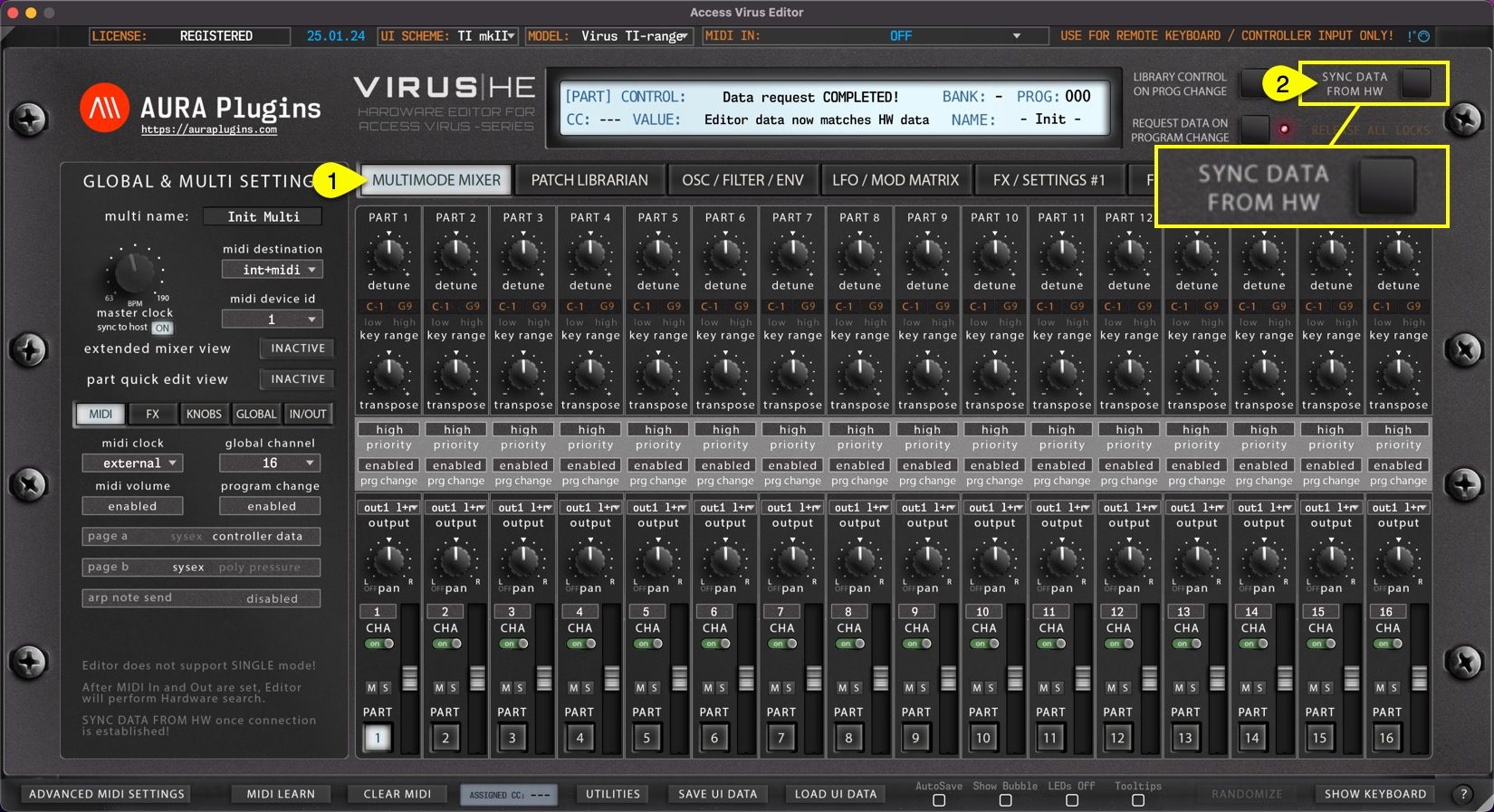
If MULTIMODE MIXER [1] view is toggled on, Sync Data from HW [2] button will request MULTI data and individual parts to the user interface like discussed earlier. This will take some time depending on the selected Virus model. Virus TI and Virus TI Snow requests take a bit longer due to differences in the data package. Virus TI USB sync is much slower than DIN sync.
Method #2
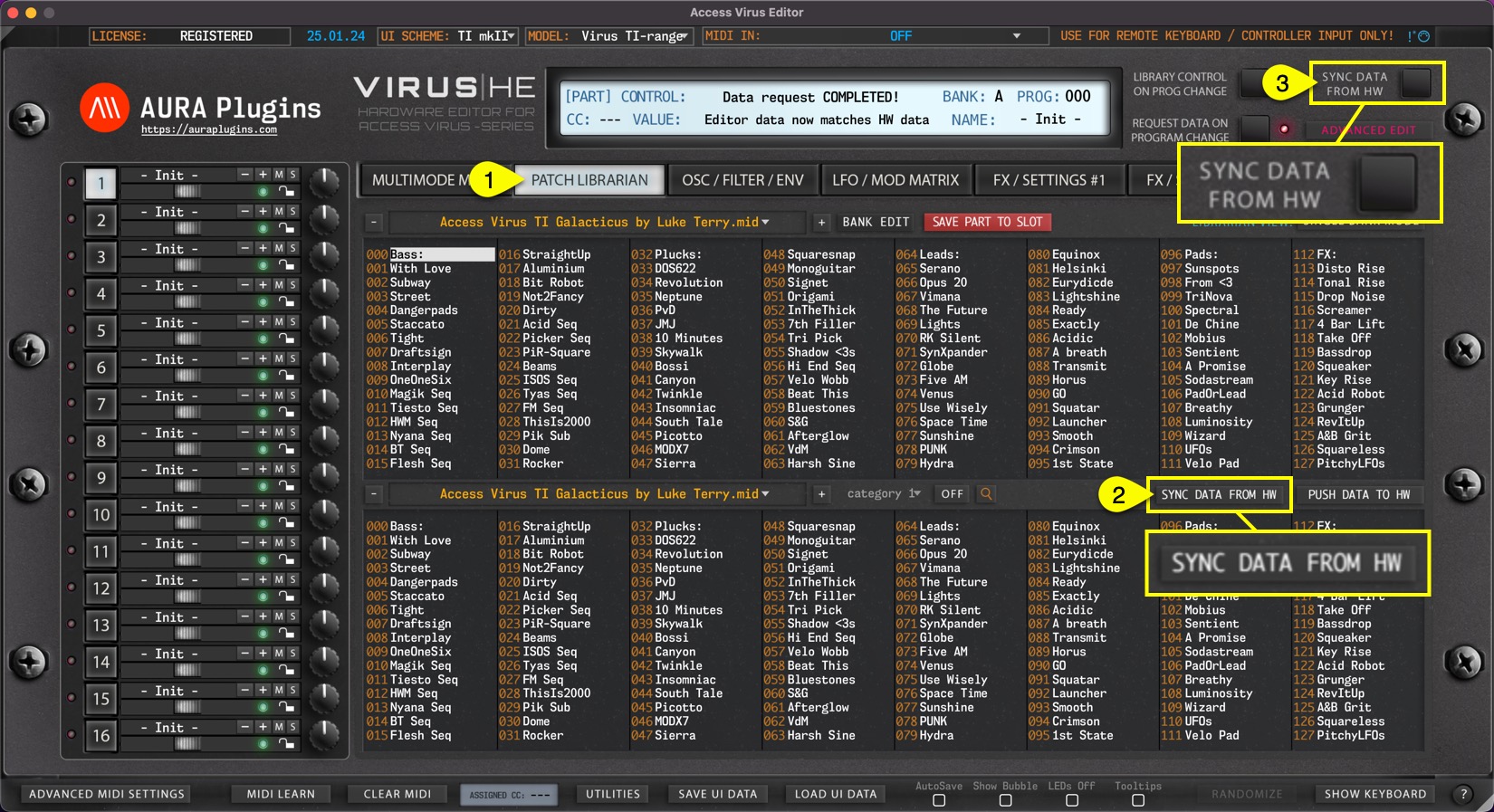
If PATCH LIBRARIAN [1] view is toggled on, Sync Data from HW [2] button will request MULTI data and individual parts to the user interface just like the previous method. Data mode change doesn’t have a play here. Sync Data From HW [3] button will request single data to the selected part.
Individual Parts
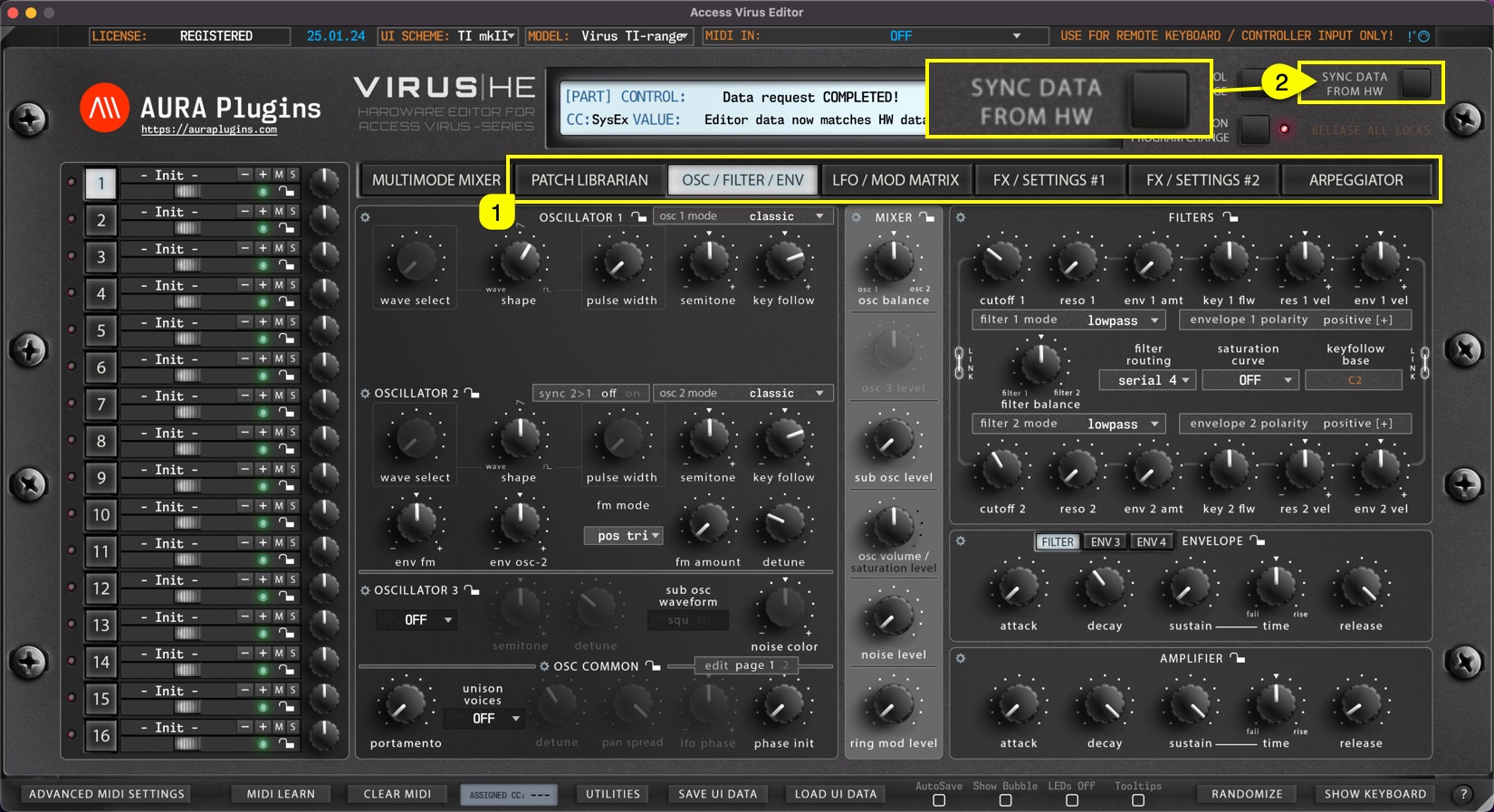
You can also make a quick request for individual parts when the TAB [1] button is toggled between PATCH LIBRARIAN -> ARPEGGIATOR. Sync Data from HW [2] will request data from the currently selected part.
TIP : Be patient and do not disturb the data flow with any knob movements or so. This will ensure the data packages are being sent and received as expected and you are not going to receive any SysEx error messages!
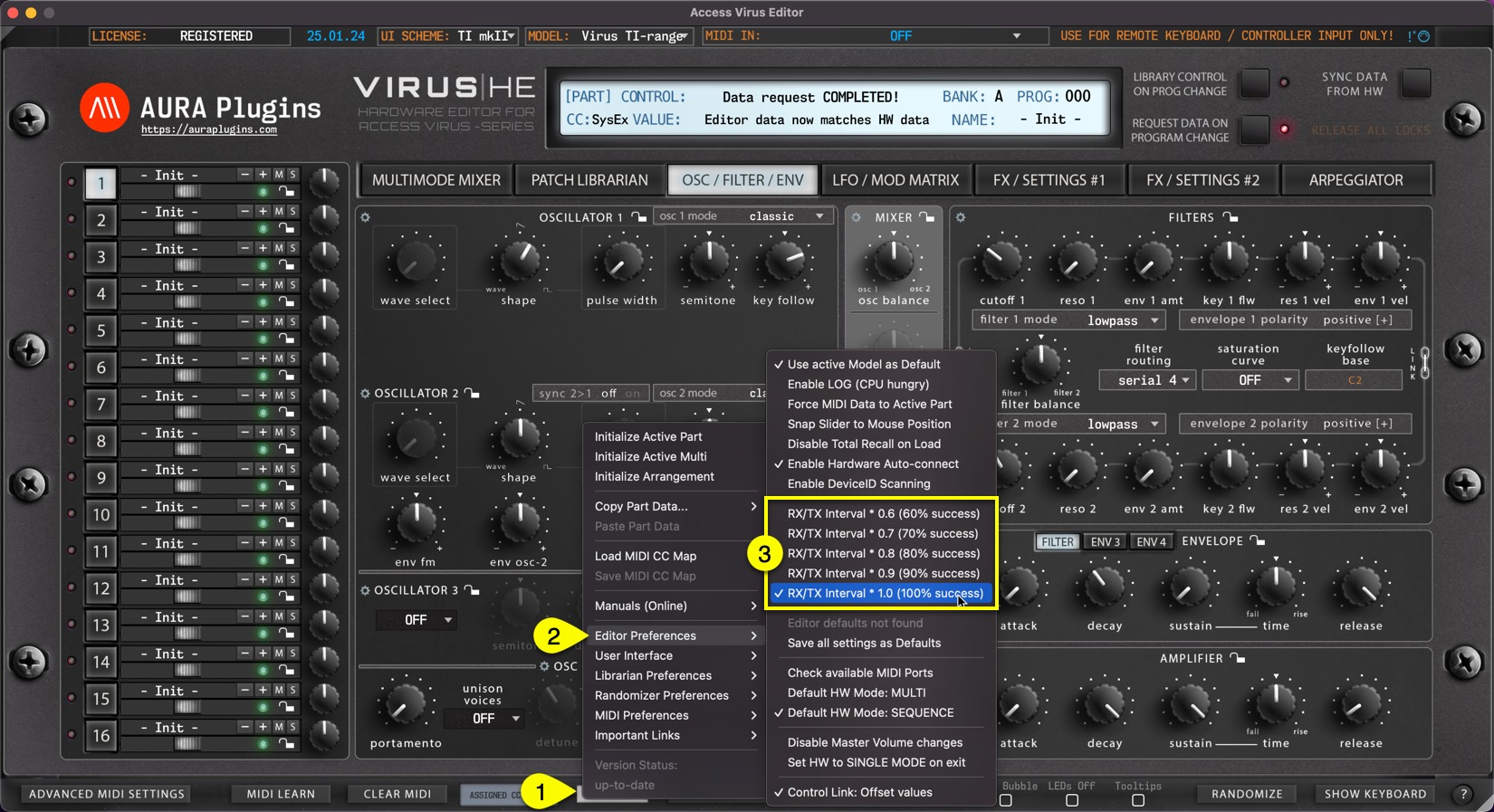
If you feel like your MIDI device can do faster requests than what we have set, you can try to play around with the Request Interval multiplier. Open Utilities [1] menu, select Editor Preferences [2] and select first value from the options [3] available. The editor will automatically increase the value if it experiences drop-outs during the request process.
Share this with fellow producers



