
Knowledge Base for
Access Virus Editor

access virus ti slave osc synced
Latest version: 26-09-23 | 2026-Sep-23

Access Virus Editor – How To Use Show Bubble Function

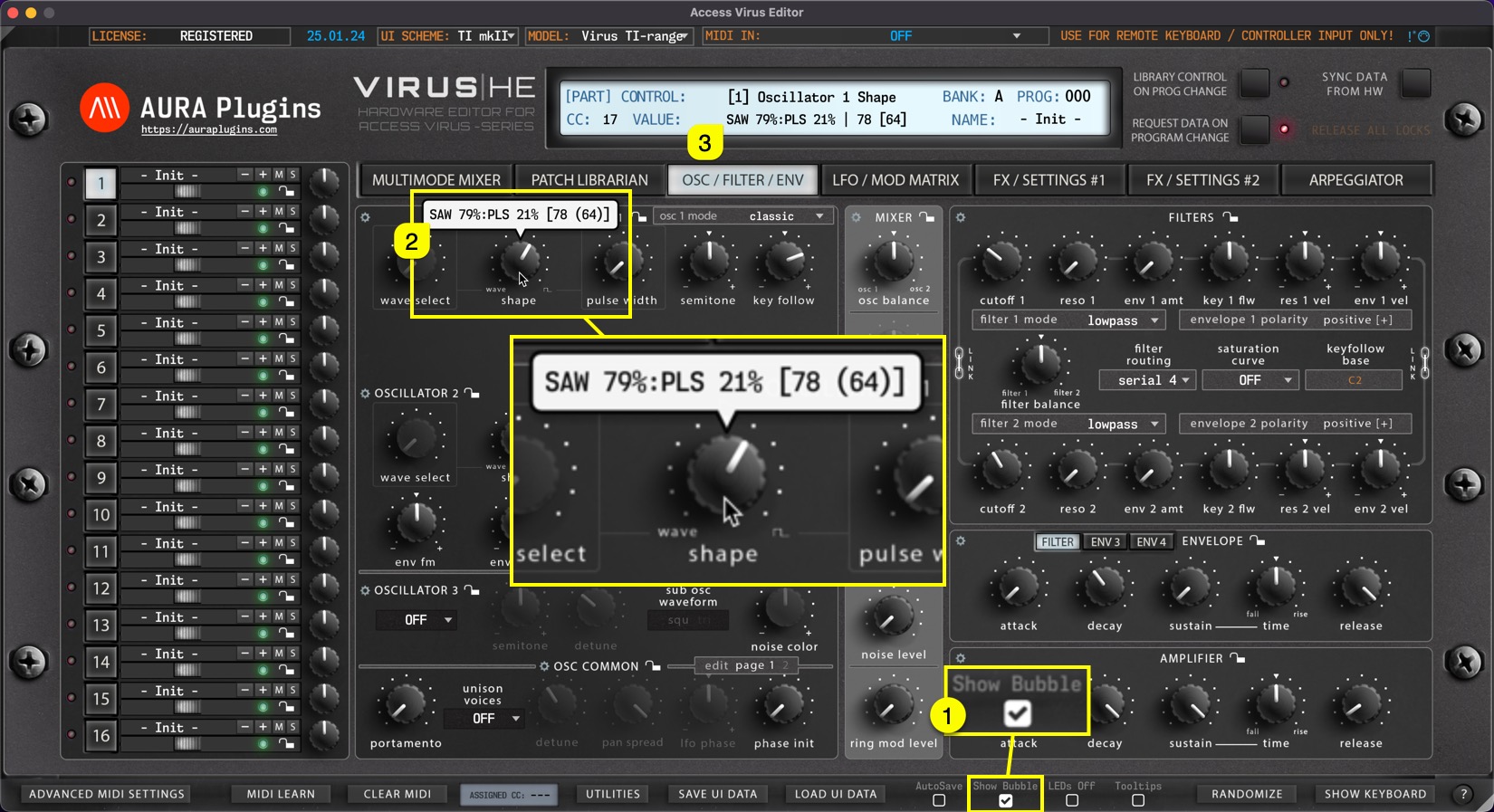
Show Bubble [1] does what it says, when the parameter is adjusted with the mouse, a bubble [2] will pop up above the parameter displaying the parameter value as you change it. You can also see the parameter name and value in the Editor control display [3] .
access virus editor how to use show bubble function

Share this with fellow producers

Rate this Article
0
0
288
WordPress Cookie Plugin by Real Cookie Banner
AURA Plugins

AURA Plugins

Drop us a message, we will get back to you shortly!

Leave a message, we'll be back 09:00 EEST 😴

Contact Us

Contact Form
AURA Plugins
Hi! Before you send a message, try search function and read our FAQ which is up-to-date.

Join our Discord server for Developer & Community help.

Thanks,
AURA Plugins Team
Start Chat with:
chat Need Help?
Share to...

