
Knowledge Base forAccess Virus Editor

Documentation
Resources
Access Virus Editor – Insert Plug-in in Live
VST2 (legacy)
You have the option to use the legacy VST2 format if you wish to do so. We would recommend using VST3 for parameter automation simplicity and it has a modern SDK (developer framework) under the hood. VST3 MIDI integration isn’t that great, but we can’t fix that.
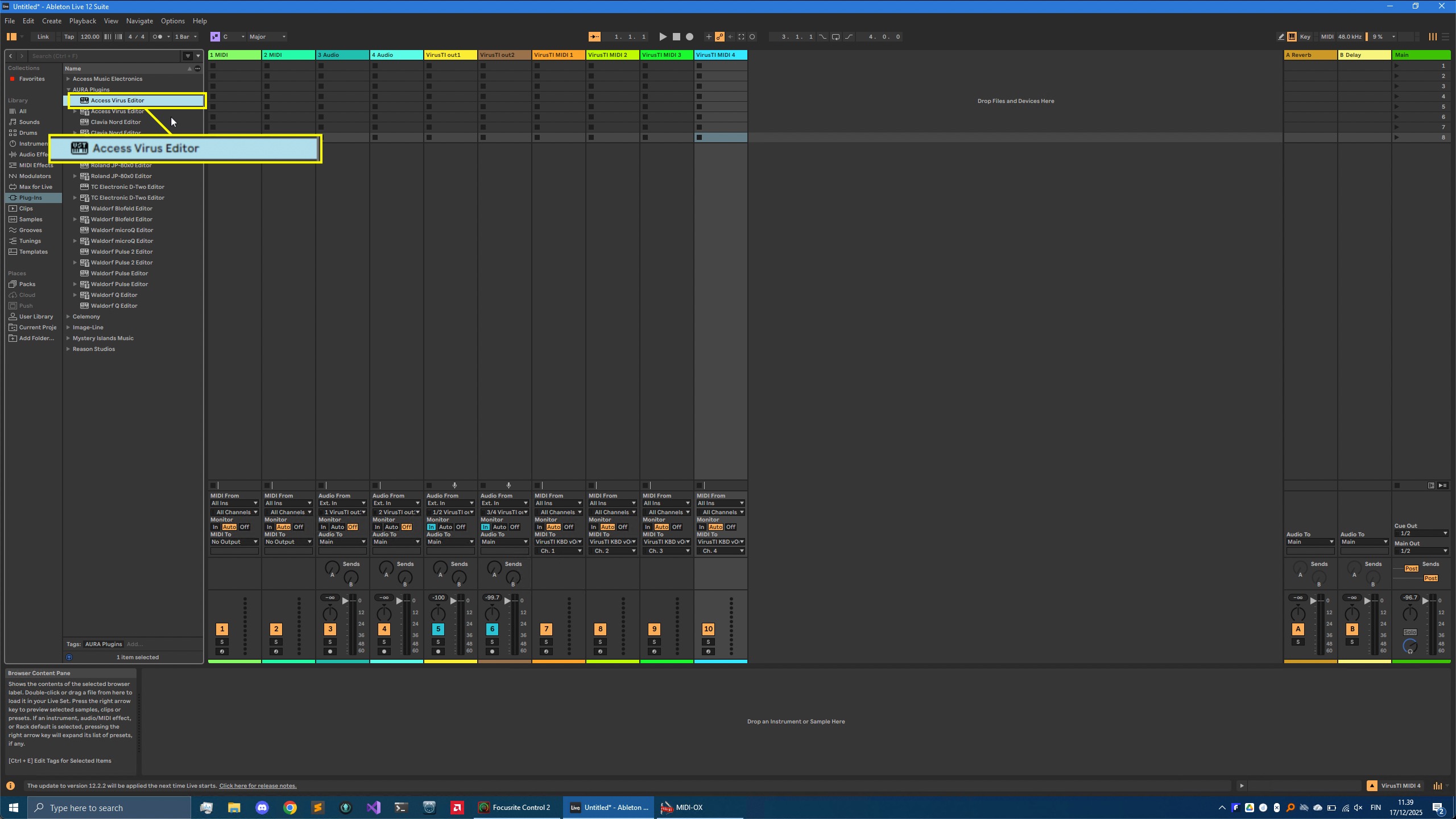
You can find the VST2 version from the VST -> AURA Plugins folder.
VST3
You can find the VST3 version from VST3 -> AURA Plugins folder. In this guide, we are using VST3

Insert the plug-in to Empty track
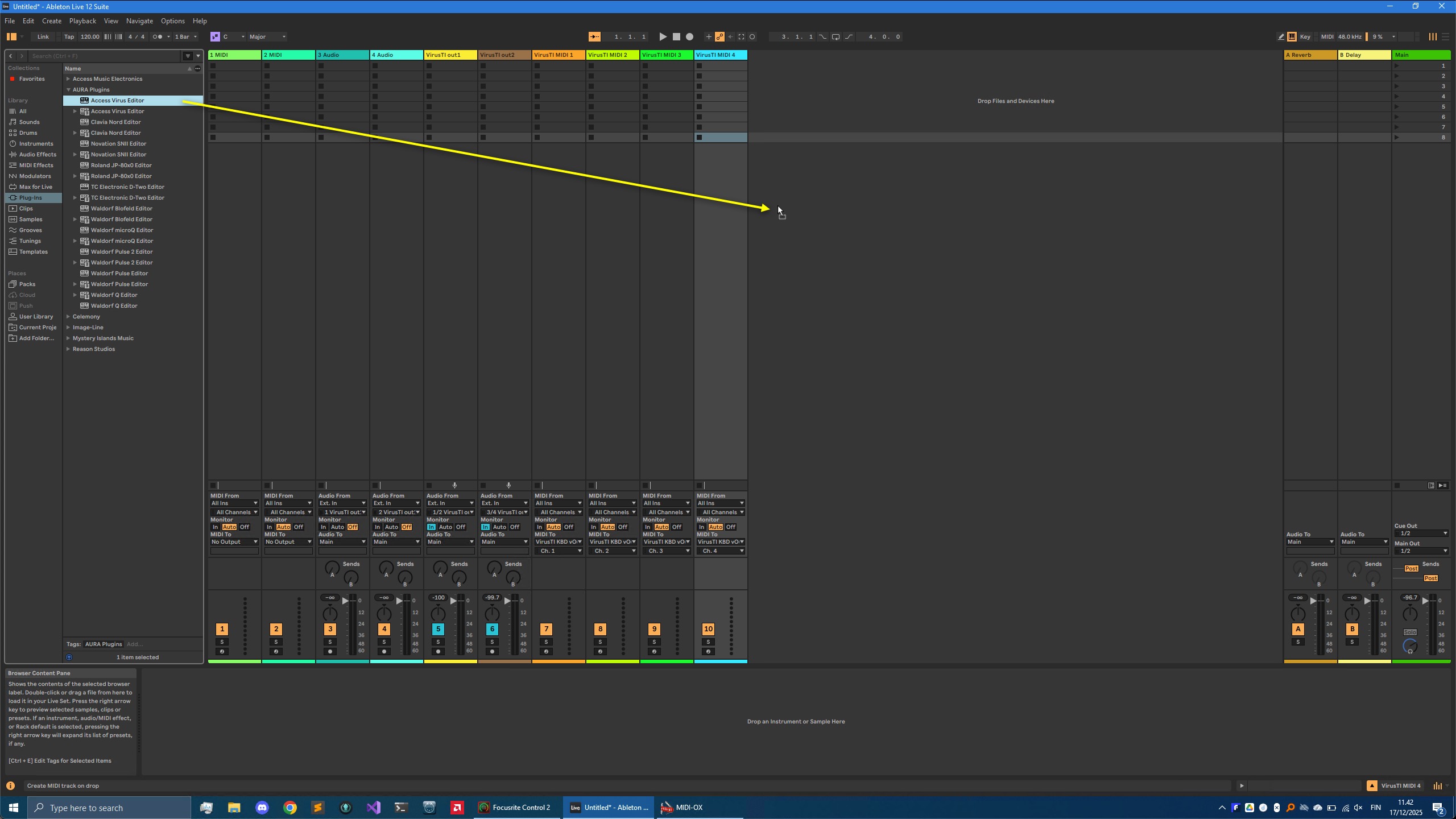
Drag the Editor to the empty area in your Live session view.
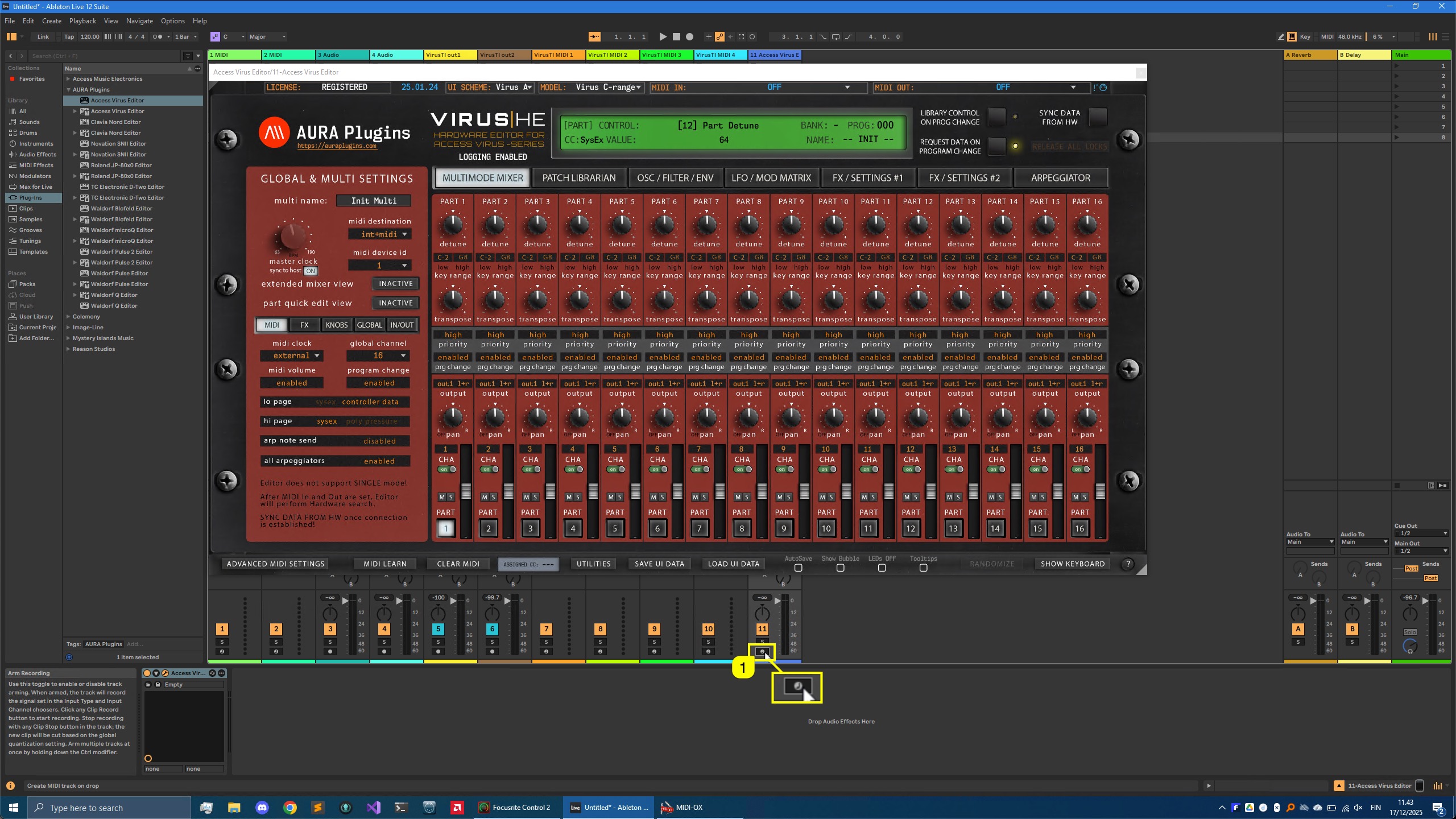
Once the Editor is added to Live, the User Interface will open with Default settings. You should disable arm record [1] toggle, before you start messing around with the Editor!
Configuring Editor
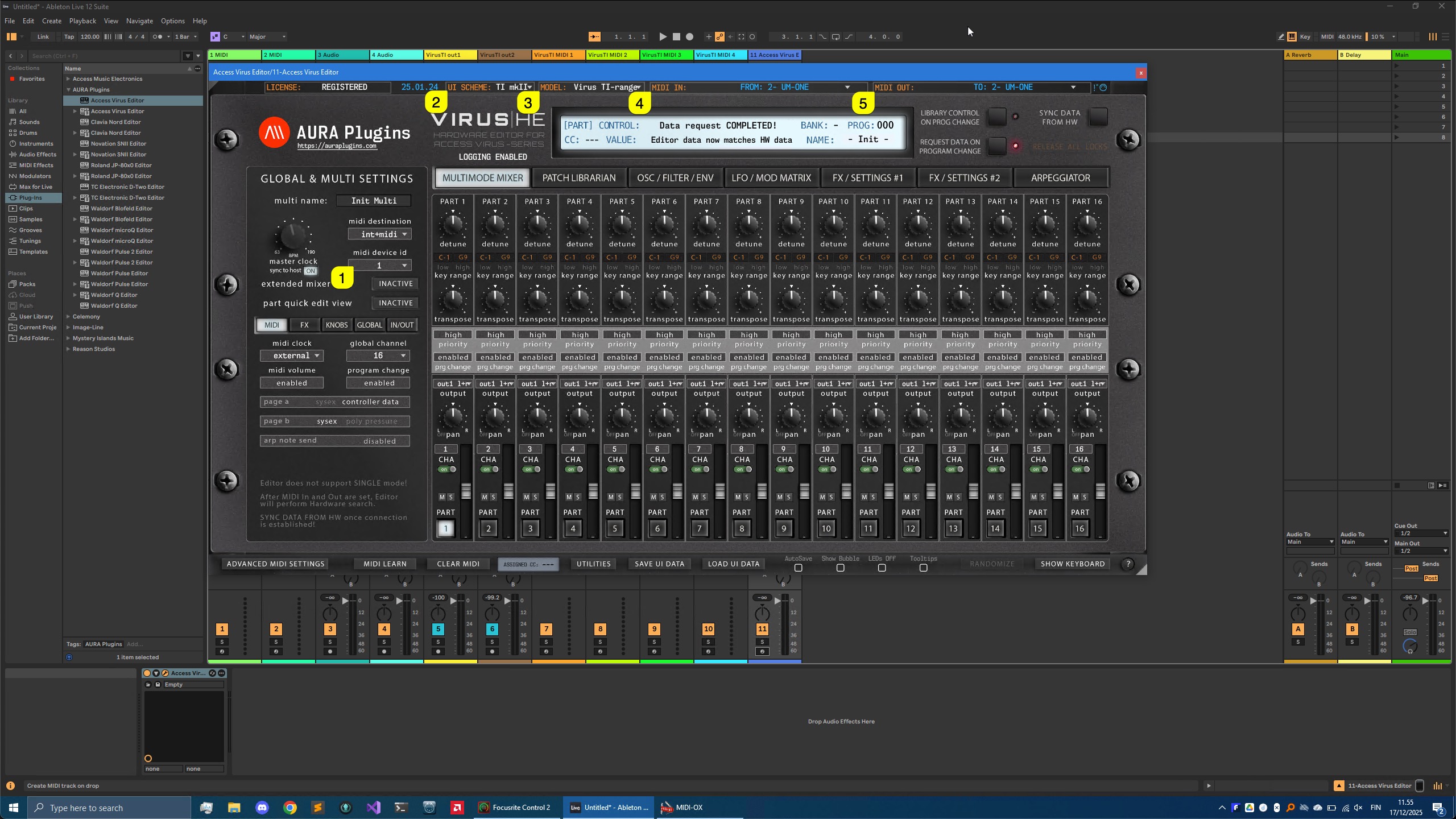
BEFORE setting the MIDI ports, double check the DeviceID setting in your Virus and make sure it matches with the Editor DeviceID [1] . Next you can choose a different User Interface scheme [2] and your hardware model [3] .
Set MIDI IN [4] and MIDI OUT [5] ports to match the ones used with your MIDI Interface. In our example Virus TI is connected to the Roland UM-ONE mkII MIDI interface.
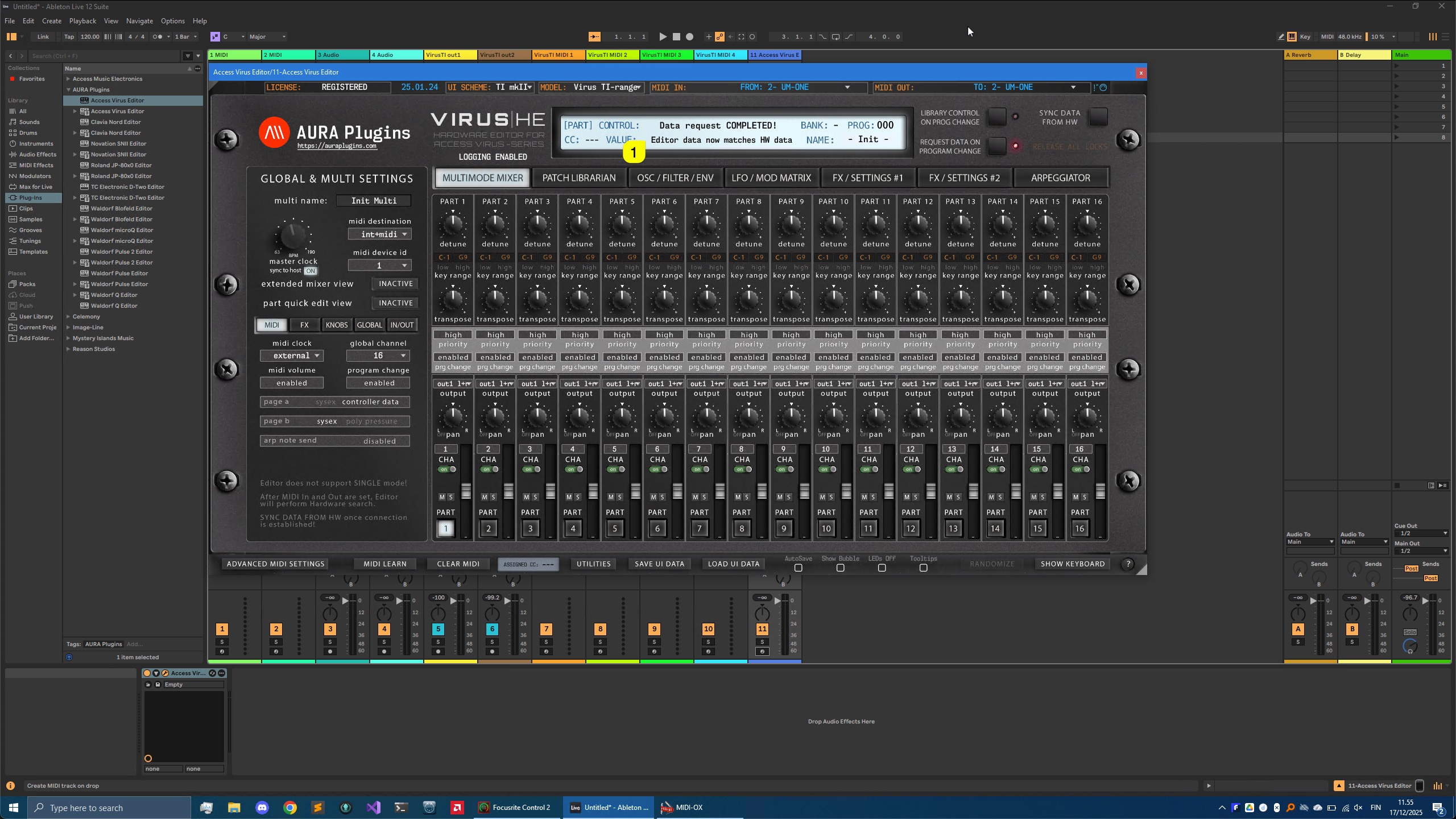
Data request COMPLETED
If everything was set up correctly, you should see the Data request COMPLETED! [1] text in the Editor User Interface.
This means our Editor has requested global settings and 16 individual parts from the Virus hardware to the User Interface.
Check Main Functions and Librarian guides to learn more about the Editor usage.
Share this with fellow producers



