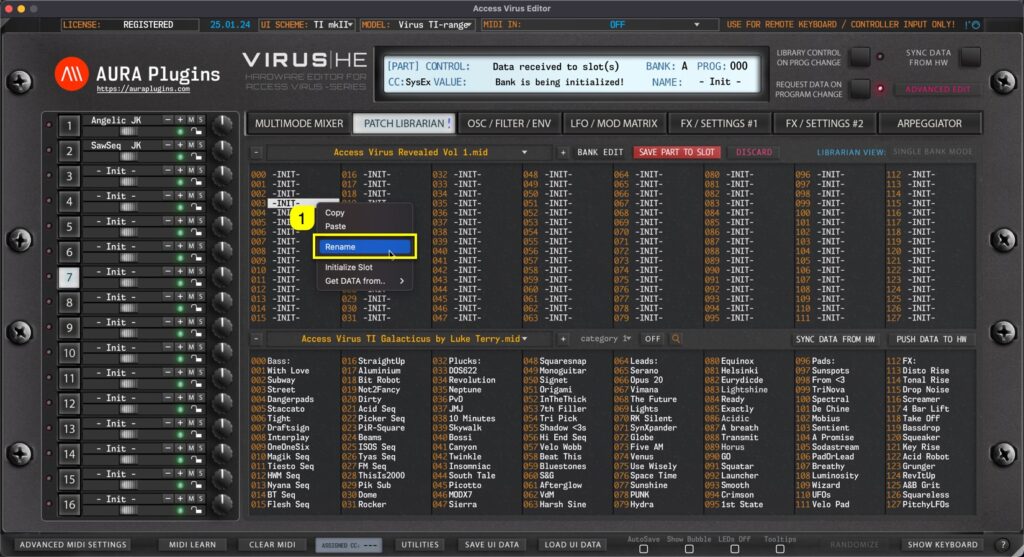
If you want / need to rename items in the Librarian View, it can be done simply with Right mouse click [1] on a slot you want to rename and choose Rename… This will open a small window, where you have to click on the slot name [1] to activate renaming. Keep in...
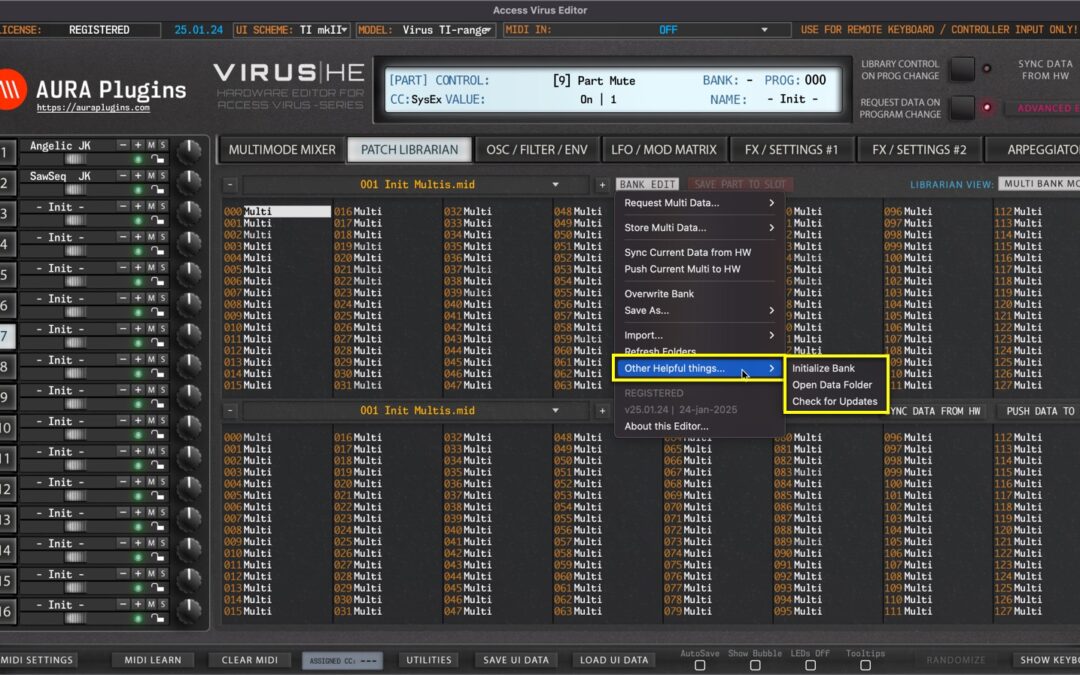
Other Helpful things menu gives additional tools to speed up your sound-design work, ability to open your Data folder quickly & check for any updates from our server. Examples below. Initialize Bank Open BANK EDIT menu and choose Other Helpful things … ->...
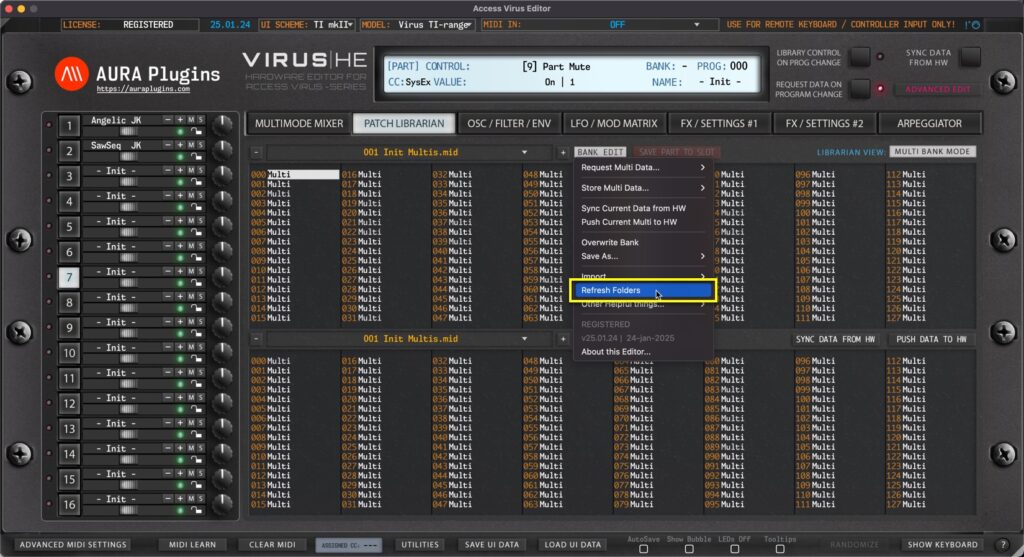
Open BANK EDIT menu and choose Refresh Folders to manually trigger PATCHES folder rescan. This is helpful in case you have copied files over or bought new content and placed it in but can’t see it when opening the Librarian View. NOTE #1: If the Editor hangs or...
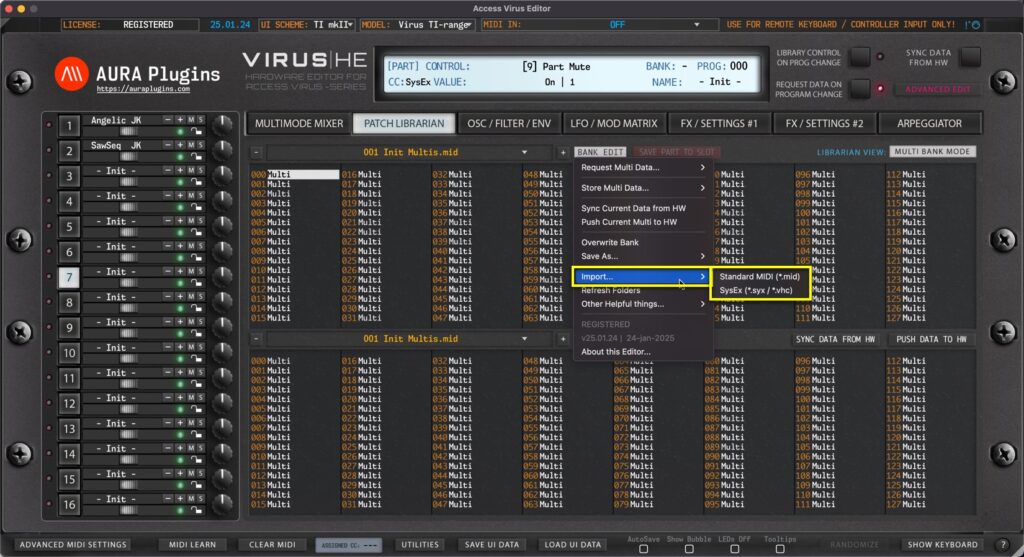
Open BANK EDIT menu and choose Import … to import Multi / Single Patch banks into the Librarian. We have variety of options to choose for import: MID, SYX and VHC file formats. VHC files are basically sysex files, but we’ve kept the format in to build our...
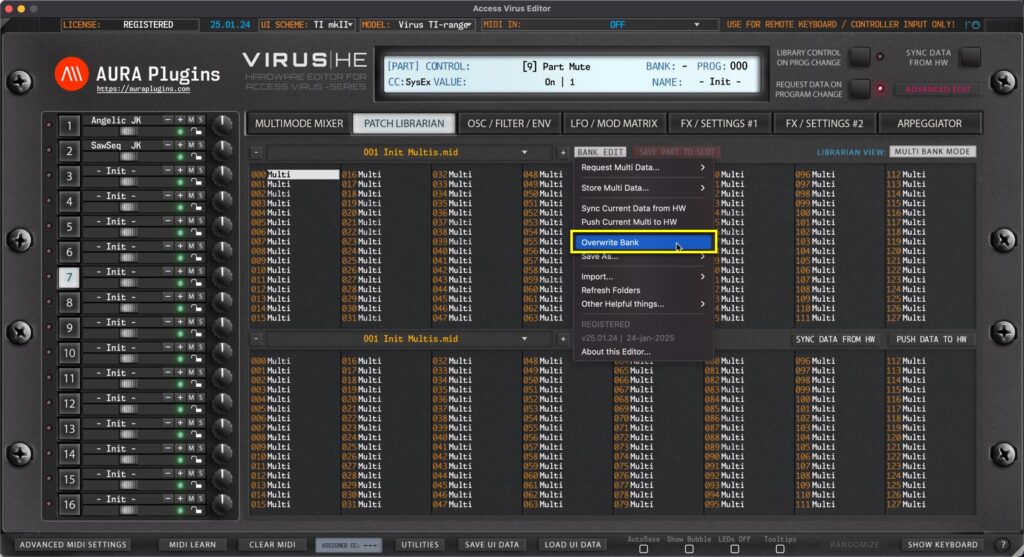
Overwrite Bank Open BANK EDIT menu and choose Overwrite Bank to overwrite any changes you’ve made to the current Bank. This will permanently overwrite the currently selected bank in your HDD which in this case would be 001 Init Multis.mid. Save As… Open...