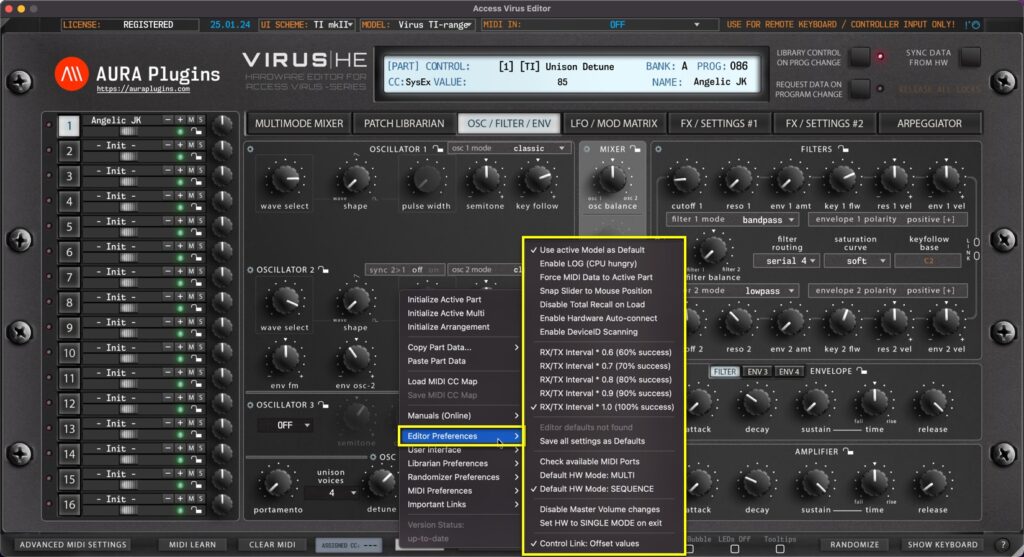
Utilities Menu – Editor Preferences Breakdown Use active Model as Default If you have only synth in your setup, you can toggle on “Use active Model as Default” AFTER you have chosen your model from the top row dropdown list. This way each new...
Load MIDI CC Map This function loads your custom CC mapping to the Editor and over-rides the default CC assignments. Utilities Menu -> Load MIDI CC Map [1] to open the file load dialog. Save MIDI CC Map If you have learned MIDI CC controls from your master...
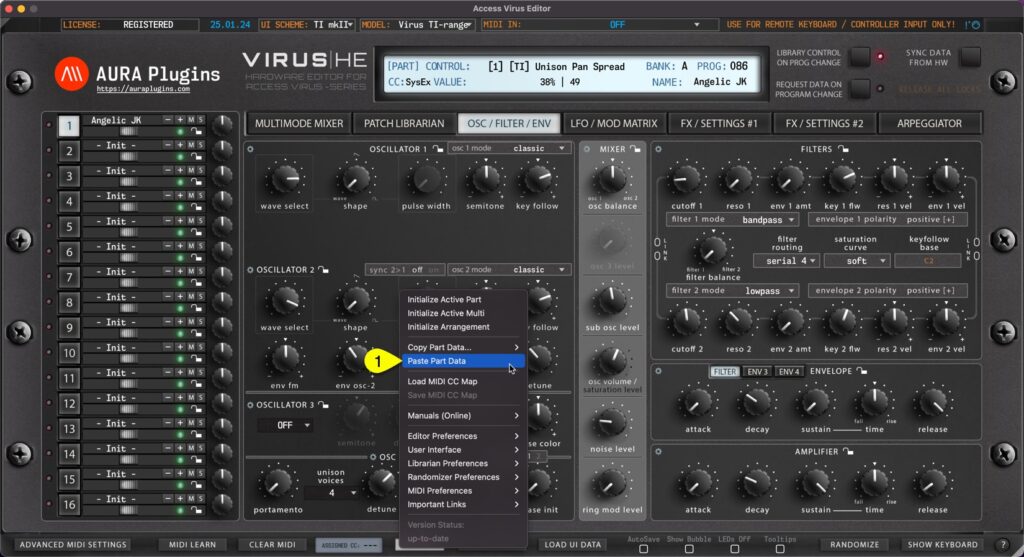
Paste Part Data You can paste currently copied Part data from the clipboard. Open Utilities Menu and select Paste Part Data… [1]. See previous page for explanation for each copy function and what they include. You can achieve this the same result if you right...
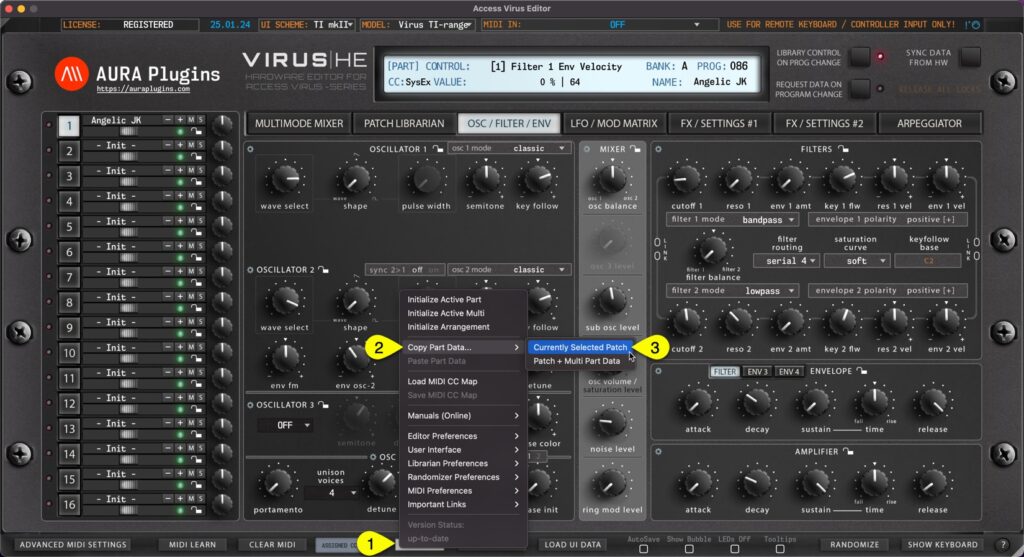
Currently Selected Patch You can copy currently selected Part data to clipboard and paste the data to another Part for further processing. Here is how you can do it: Open Utilities Menu [1], select Copy Part Data… [2] and then select Currently Selected Patch...
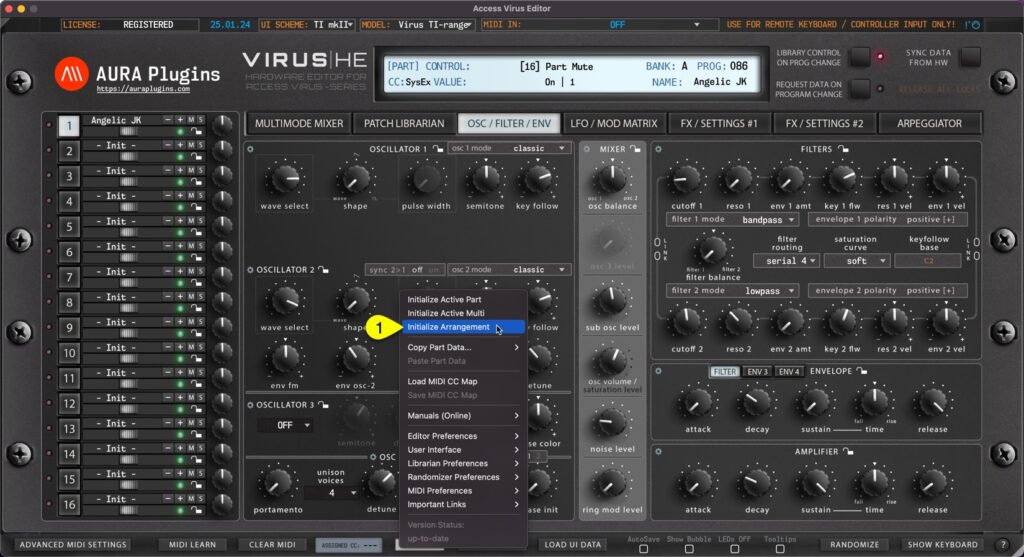
You can Initialize Arrangement by clicking Utilities Menu [1] and then Initialize Arrangement [2]. This function will initialize the whole Editor to initial state. Multi / Seq and each part are set to default values. Start from clean slate! Initialize Active Multi...