by Jani | AURA Plugins | Dec 23, 2025
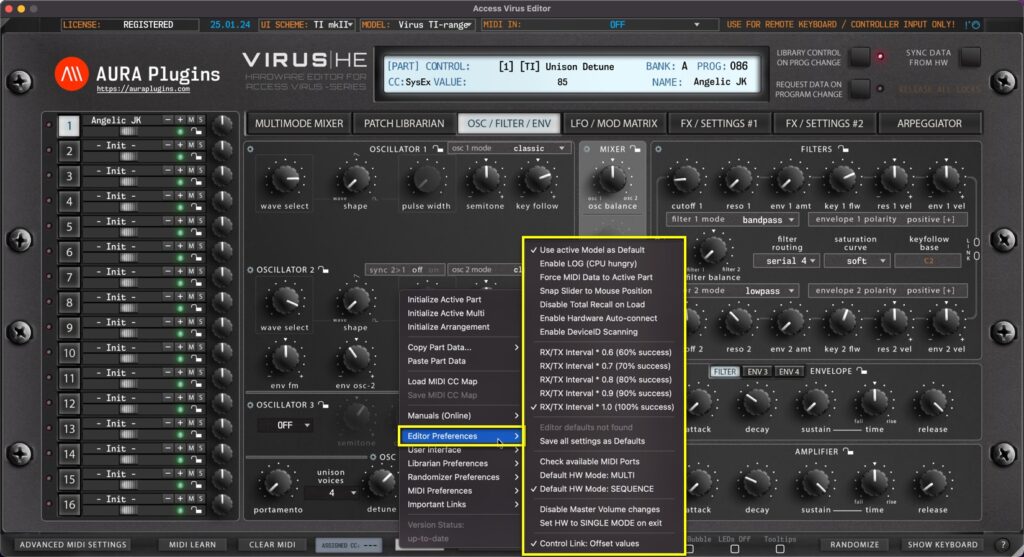
Utilities Menu – Editor Preferences Breakdown Use active Model as Default If you have only synth in your setup, you can toggle on “Use active Model as Default” AFTER you have chosen your model from the top row dropdown list. This way each new instance is...
by Jani | AURA Plugins | Dec 23, 2025
Load MIDI CC Map: This function loads your custom CC mapping to the Editor and over-rides the default CC assignments. Utilities Menu -> Load MIDI CC Map [1] to open the file load dialog. Save MIDI CC Map: If you have learned MIDI CC controls from your master...
by Jani | AURA Plugins | Dec 23, 2025
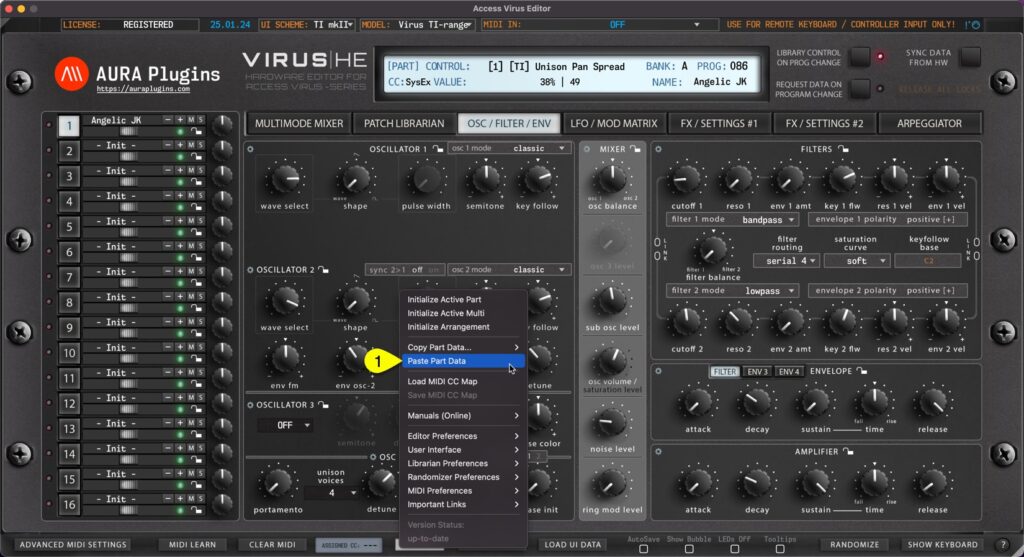
Paste Layer Data You can paste currently copied Part data from the clipboard. Open Utilities Menu and select Paste Part Data… [1]. See previous page for explanation for each copy function and what they include. You can achieve the same result if you right click...
by Jani | AURA Plugins | Dec 23, 2025
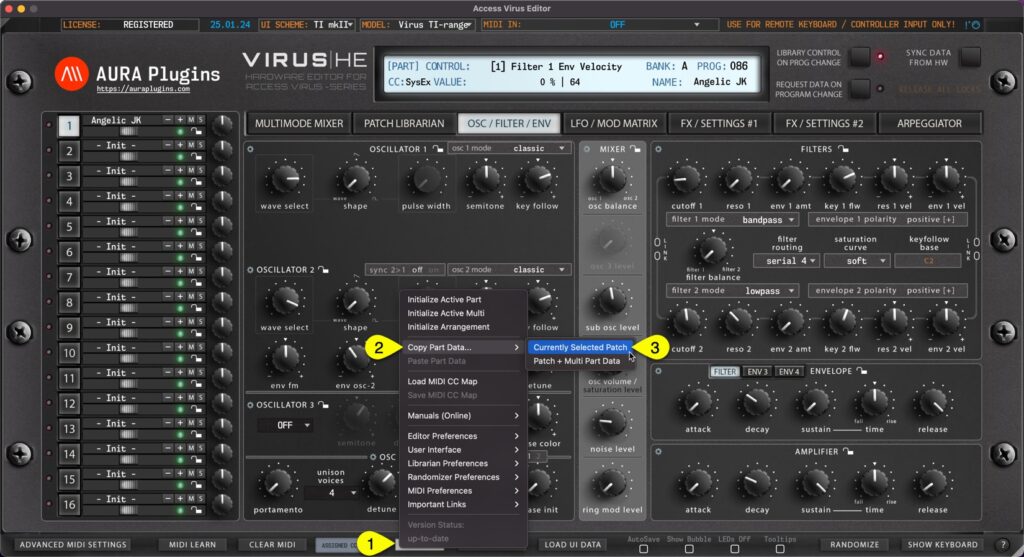
Currently Selected Patch You can copy currently selected Part data to clipboard and paste the data to another Part for further processing. Here is how you can do it: Open Utilities Menu [1] , select Copy Part Data… [2] and then select Currently Selected Patch [3] ....
by Jani | AURA Plugins | Dec 23, 2025
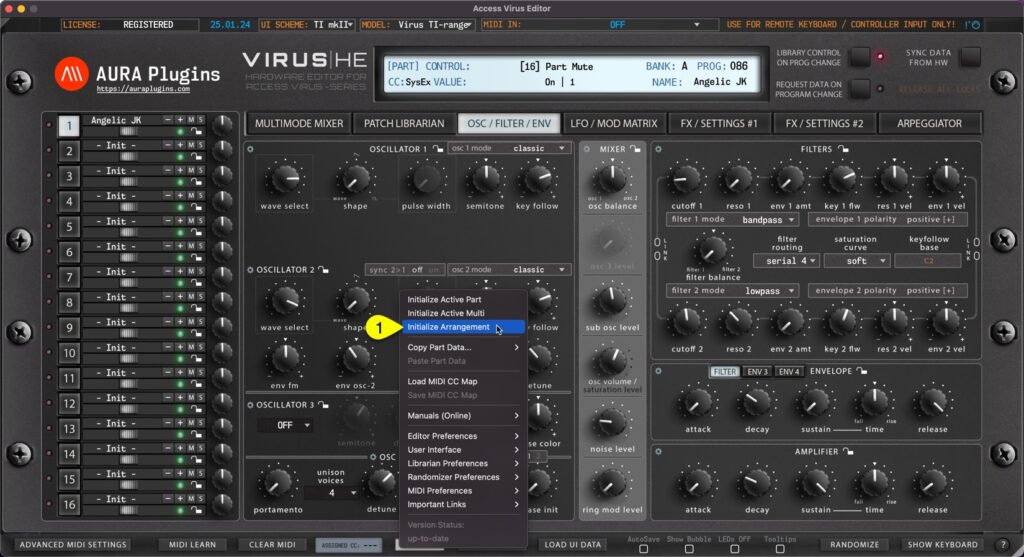
You can Initialize Arrangement by clicking Utilities Menu [1] and then Initialize Arrangement [2] . This function will initialize the whole Editor to initial state. Multi / Seq and each part are set to default values. Start from a clean slate! Initialize Active Multi...