by Jani | AURA Plugins | Nov 14, 2025
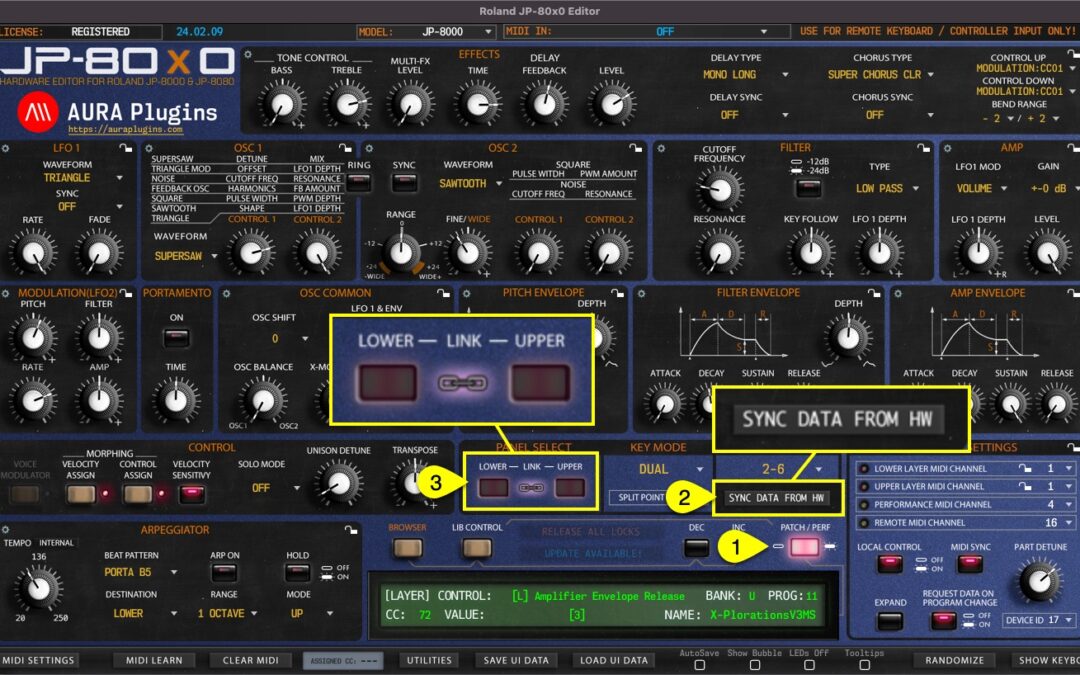
Performance data and individual layers Method #1 If PERFORMANCE [1] mode is toggled on, Sync Data from HW [2] button will request performance data [3] and individual layers to the user interface like discussed earlier. This will take some time depending on the...
by Jani | AURA Plugins | Nov 14, 2025
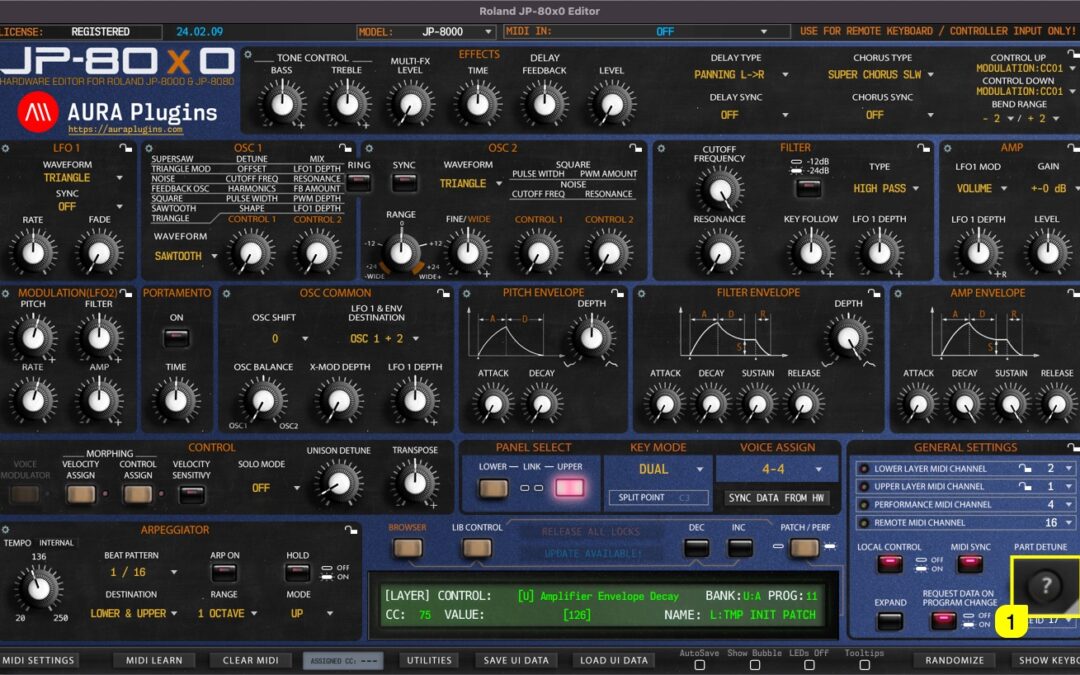
Get quick tips of the bottom bar functions when you click the ? [1] mark in the bottom bar. Use the same button to close the quick tips view. How To Show Keyboard (Part Focus) How To Sync Data From...
by Jani | AURA Plugins | Nov 14, 2025
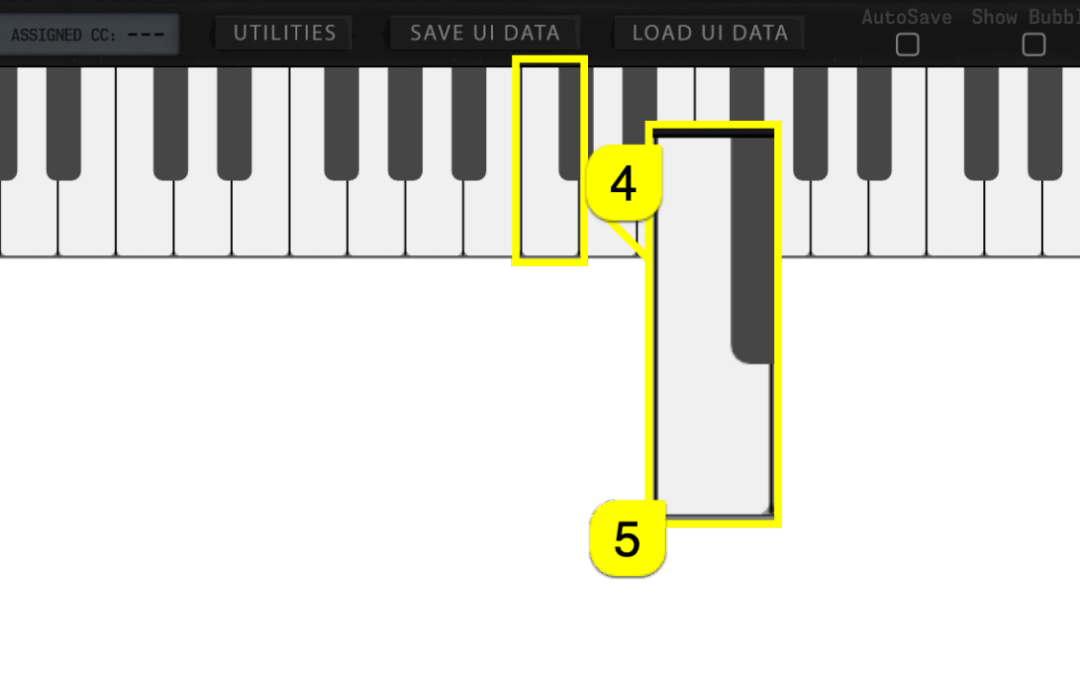
Toggle on SHOW KEYBOARD [1] to display “on-screen” keyboard, Pitch Wheel [2] and Modulation wheel [3]. You can play individual keys with mouse click or you can use your computer “QWERTY”-keyboard, in other words: normal typing keyboard to play in notes. Keyboard also...
by Jani | AURA Plugins | Nov 14, 2025
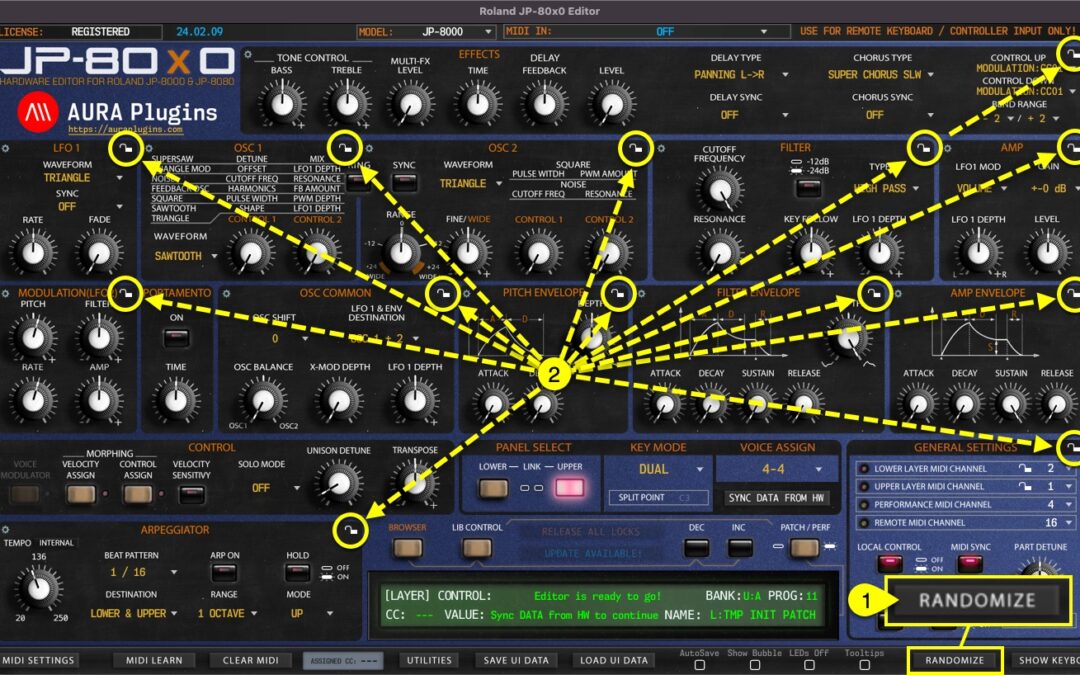
With the RANDOMIZE [1] button, you can trigger randomization on the currently active part. Different Sections [2] can be locked individually to prevent changes during randomize / patch change process. More about Section Locks further below. By default, Randomize...
by Jani | AURA Plugins | Nov 14, 2025
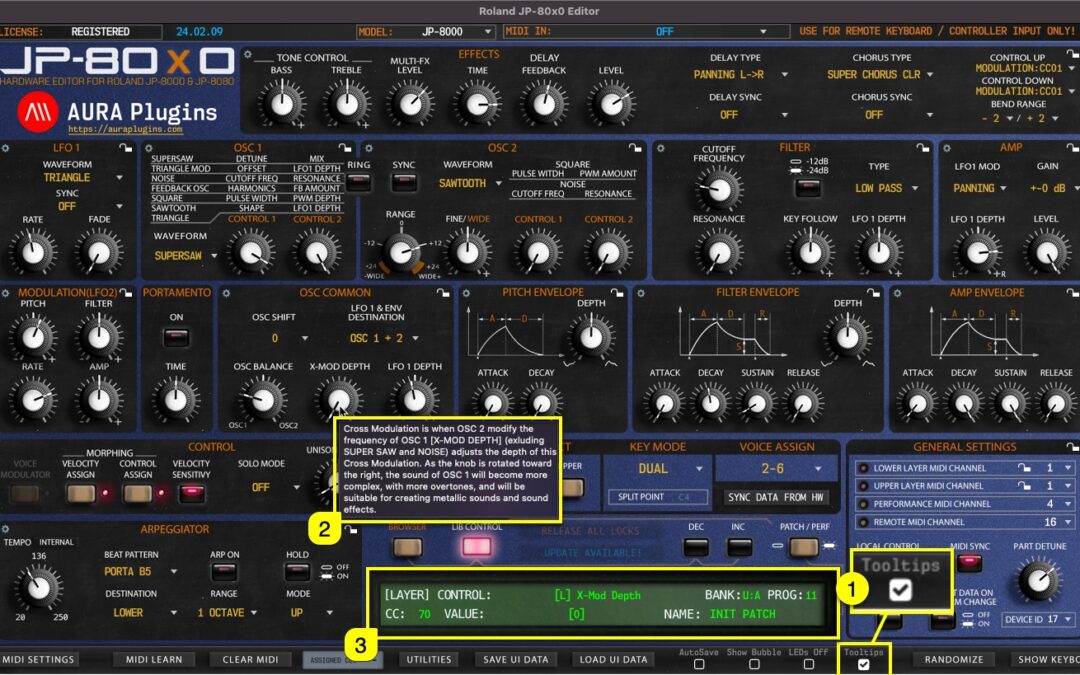
When Tooltips [1] is toggled on, tooltip text [2] will appear if you hold your mouse cursor steadily over the parameter. You also get parameter info displayed in the Editor control display [3] while hovering over parameters, like CC number assigned by default,...