by Jani | AURA Plugins | Nov 12, 2025
VST2 (legacy) You have the option to use the legacy VST2 format if you wish to do so. We would recommend using VST3 for parameter automation simplicity and it has a modern SDK (developer framework) under the hood. VST3 MIDI integration isn’t that great, but we can’t...
by Jani | AURA Plugins | Nov 12, 2025
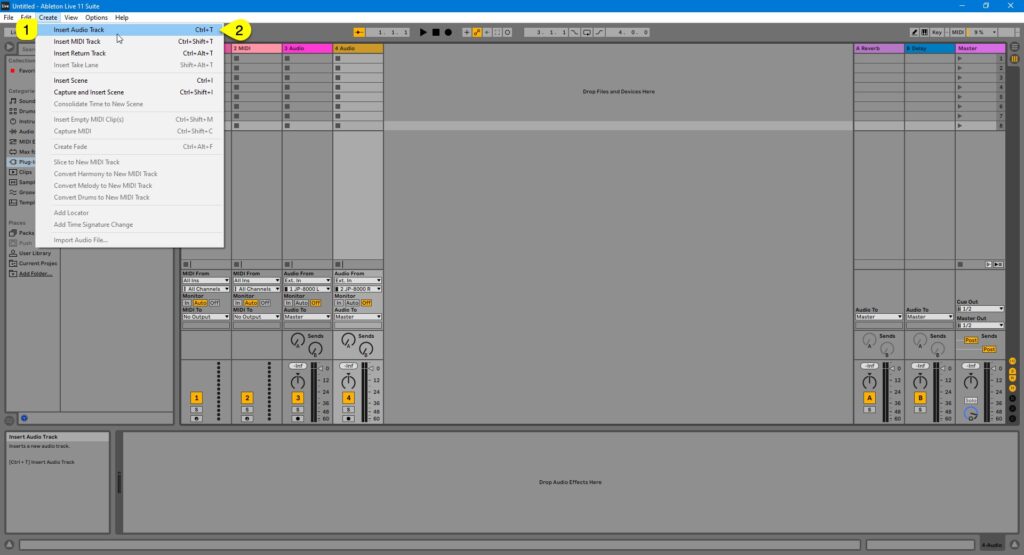
Before we add the Editor to the session, let’s add AUDIO tracks and MIDI tracks for the JP. Creating Audio track(s) Click Create [1] and select Insert Audio Track [2] to create Audio track or use key command Ctrl+T. Assign input [1] accordingly so that you get...
by Jani | AURA Plugins | Nov 12, 2025
DISCLAIMER Our company & product has nothing to do with Ableton AG.If there is an issue with our product, open a support ticket in your account page.You can find support details at the end of this document.Support and updates are free to anyone who has bought the...
by Jani | AURA Plugins | Nov 12, 2025
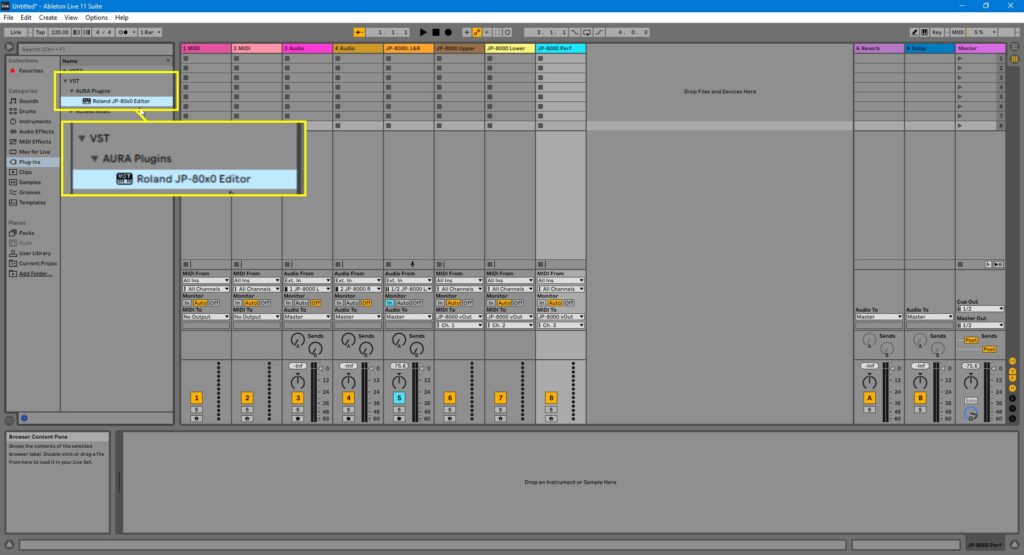
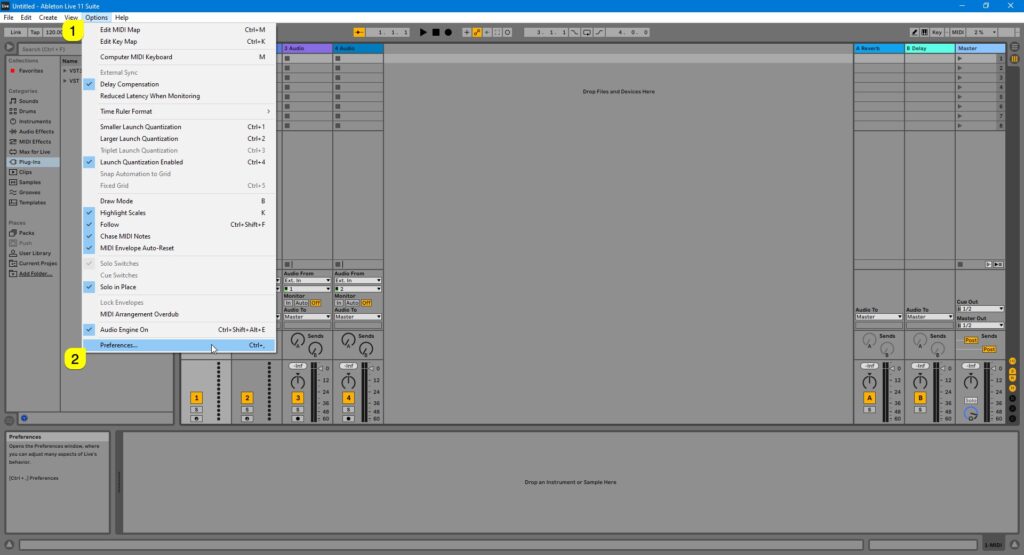
In the guide series below, we are going to use Ableton Live in Windows to demonstrate how to configure your DAW audio ports, midi ports and how to insert the Editor into your project + apply all the settings needed. If you are not using Ableton Live, check the...
by Jani | AURA Plugins | Nov 12, 2025
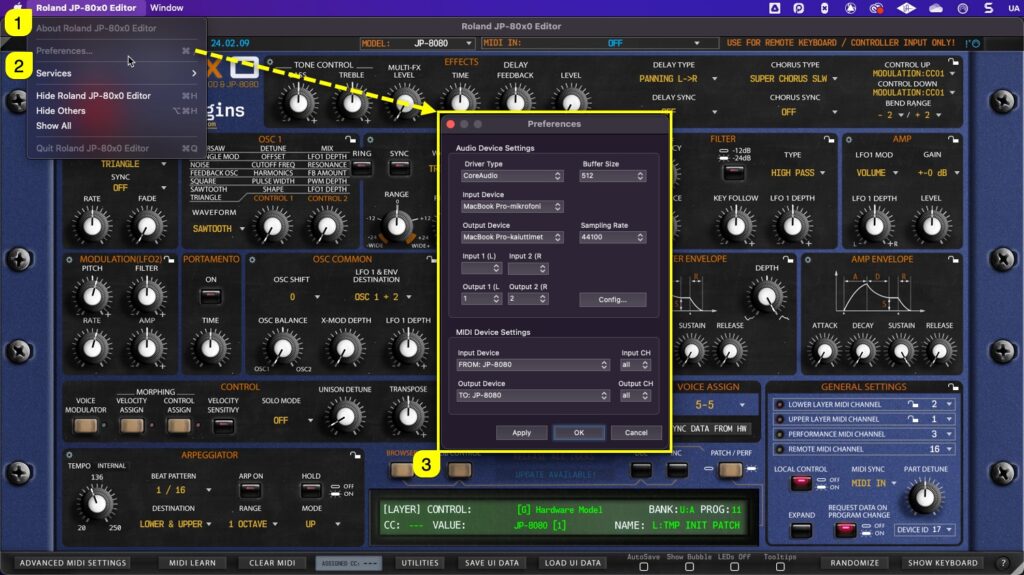
If DAW is not your thing and you just want to edit JP right from your computer, you can use the standalone application. Below is a guide to connect the Editor to the JP and do all the fun stuff DAW users do (without automation). Select MIDI ports with Standalone...