by Jani | AURA Plugins | Dec 21, 2025
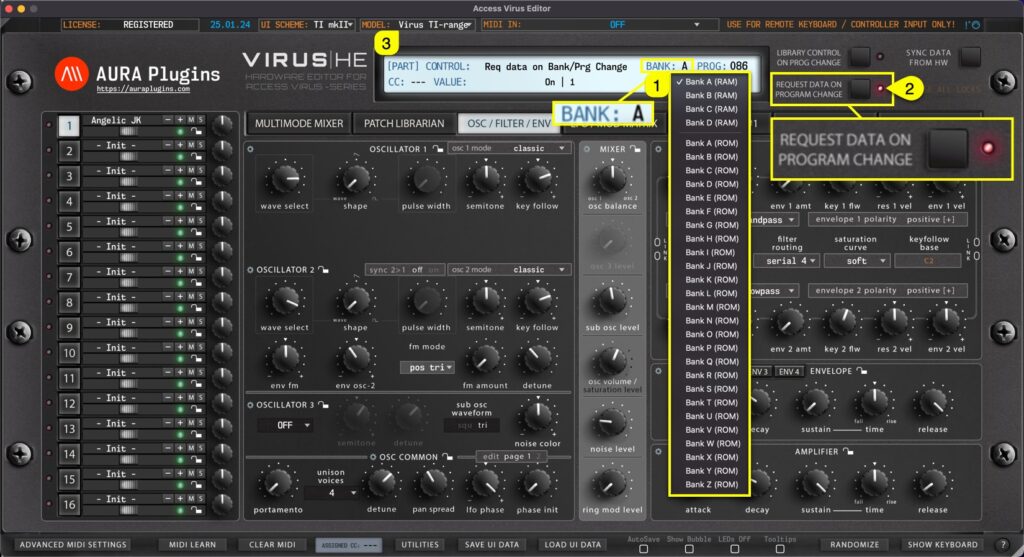
BANK Display [1] acts as a menu as well as a display to show the active Part Patch bank number. You can navigate to different banks based on your selected Virus model. If your model is set to Virus TI, the bank menu does not have as many options as when Virus C is set...
by Jani | AURA Plugins | Dec 21, 2025
PROGRAM CHANGE BUTTONS – [1] button will change to previous program.+ [2] button will change to the next program. This will trigger a MIDI Out message with appropriate program number based on the PROG Display value. Each part has its own set of Program Change buttons....
by Jani | AURA Plugins | Dec 19, 2025
We added a Section Menu function to aid with creating sounds, recalling favorite section settings or saving your own as you go. You can even Randomize a single section to create exciting new textures! Section Menu opens when you click any of the “ gears ” [1] icon in...
by Jani | AURA Plugins | Dec 19, 2025
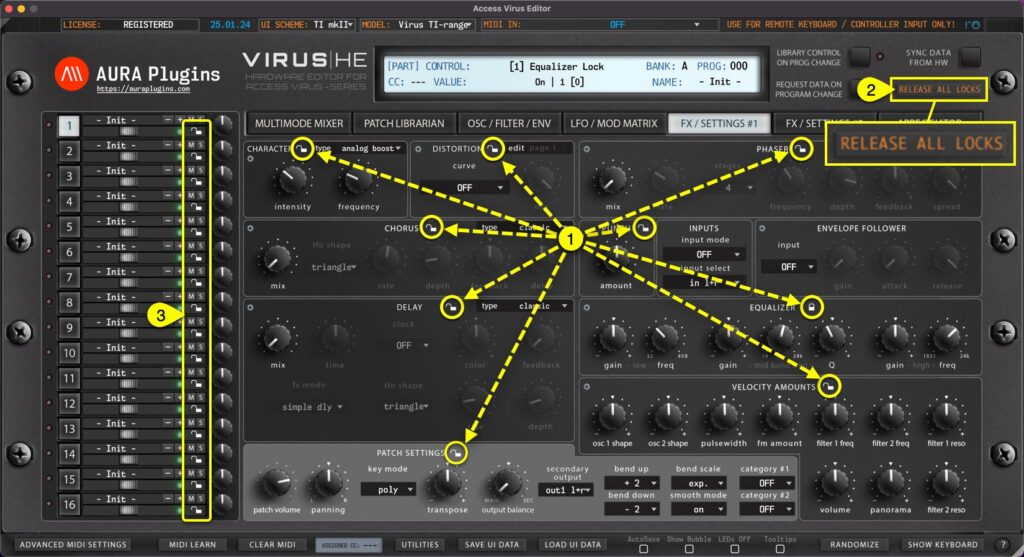
We added a Section Lock function to lock certain sections of the Editor to prevent changes up on part program changes or when a randomizer is triggered. This is great when you find a perfectly adjusted filter or oscillator: lock the section to keep those settings...
by Jani | AURA Plugins | Dec 19, 2025
Cancel current request / writing task by clicking ABORT PROCESS button, if the process is taking too long, or if you get constant Device ID checks while any data request is active. The Abort Process button will disappear after the Editor has scanned Device IDs and/or...