
Knowledge Base forAccess Virus Editor

Documentation
Resources
Access Virus Editor – Copy Part Data
Currently Selected Patch
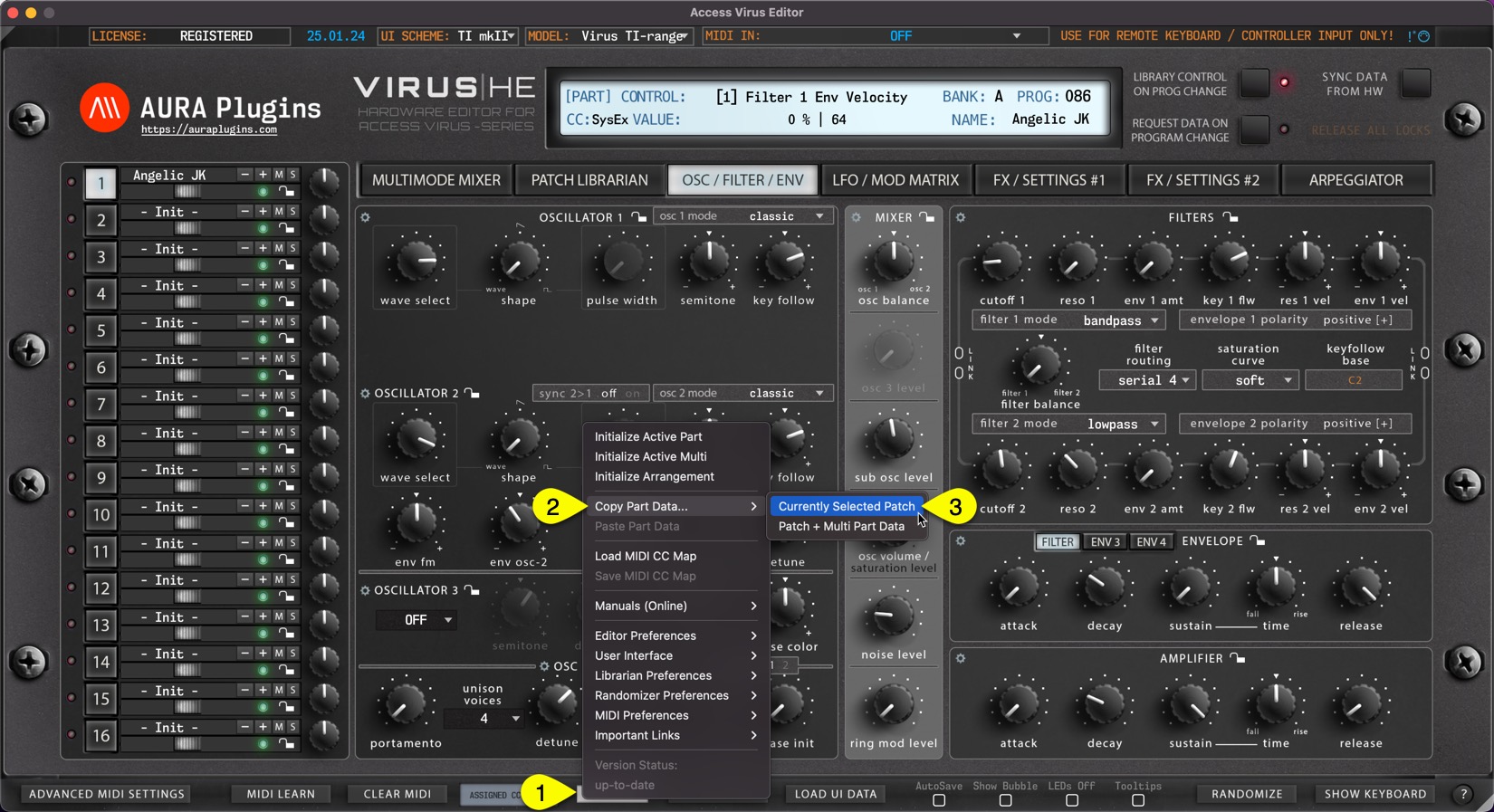
You can copy currently selected Part data to clipboard and paste the data to another Part for further processing. Here is how you can do it: Open Utilities Menu [1], select Copy Part Data… [2] and then select Currently Selected Patch [3].
This function will only copy the part patch data to clipboard.
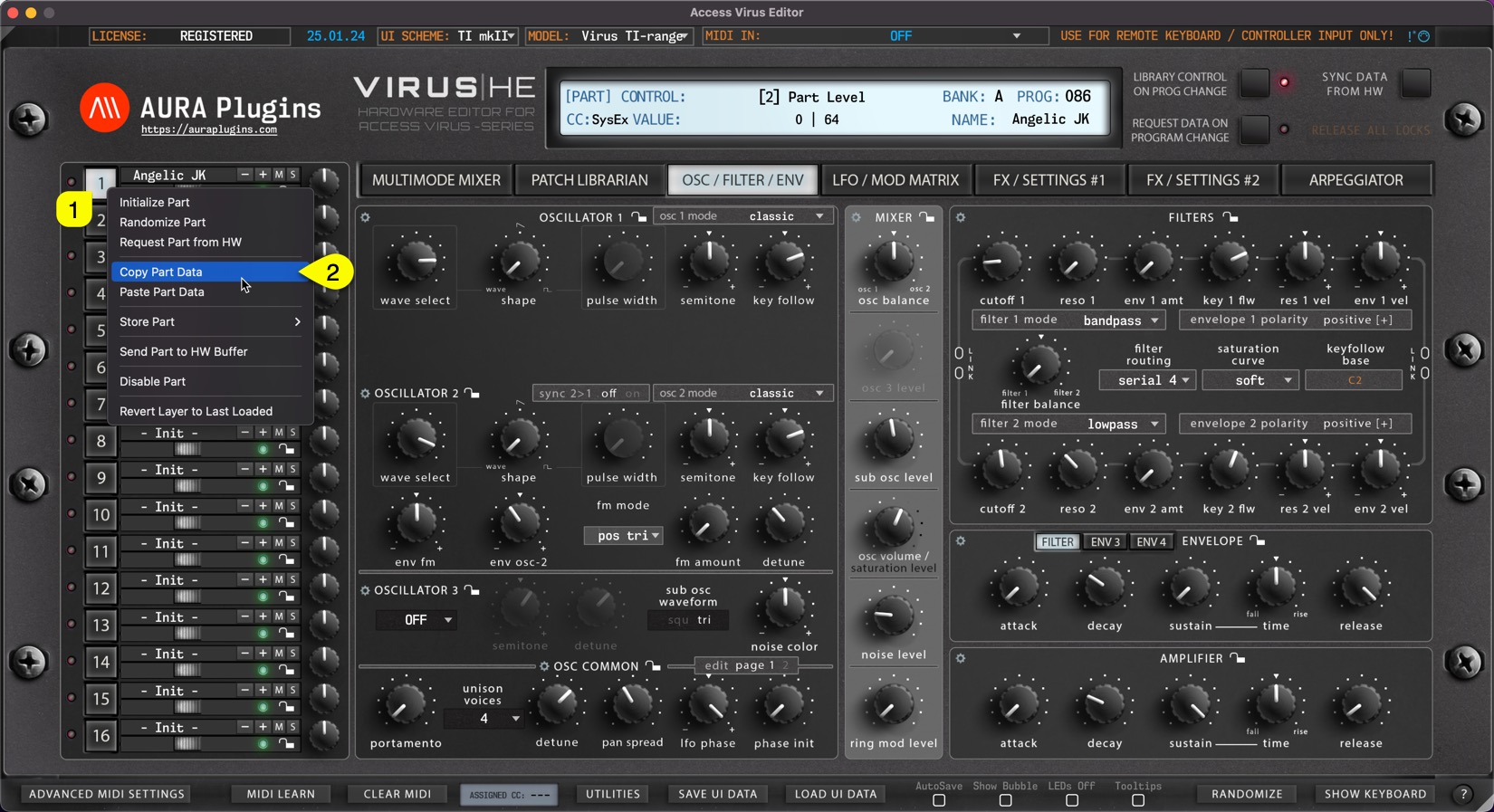
You can achieve this the same result if you right click on the currently selected part toggle [1] and select Copy Part [2] from the menu.
Patch + Multi Part Data
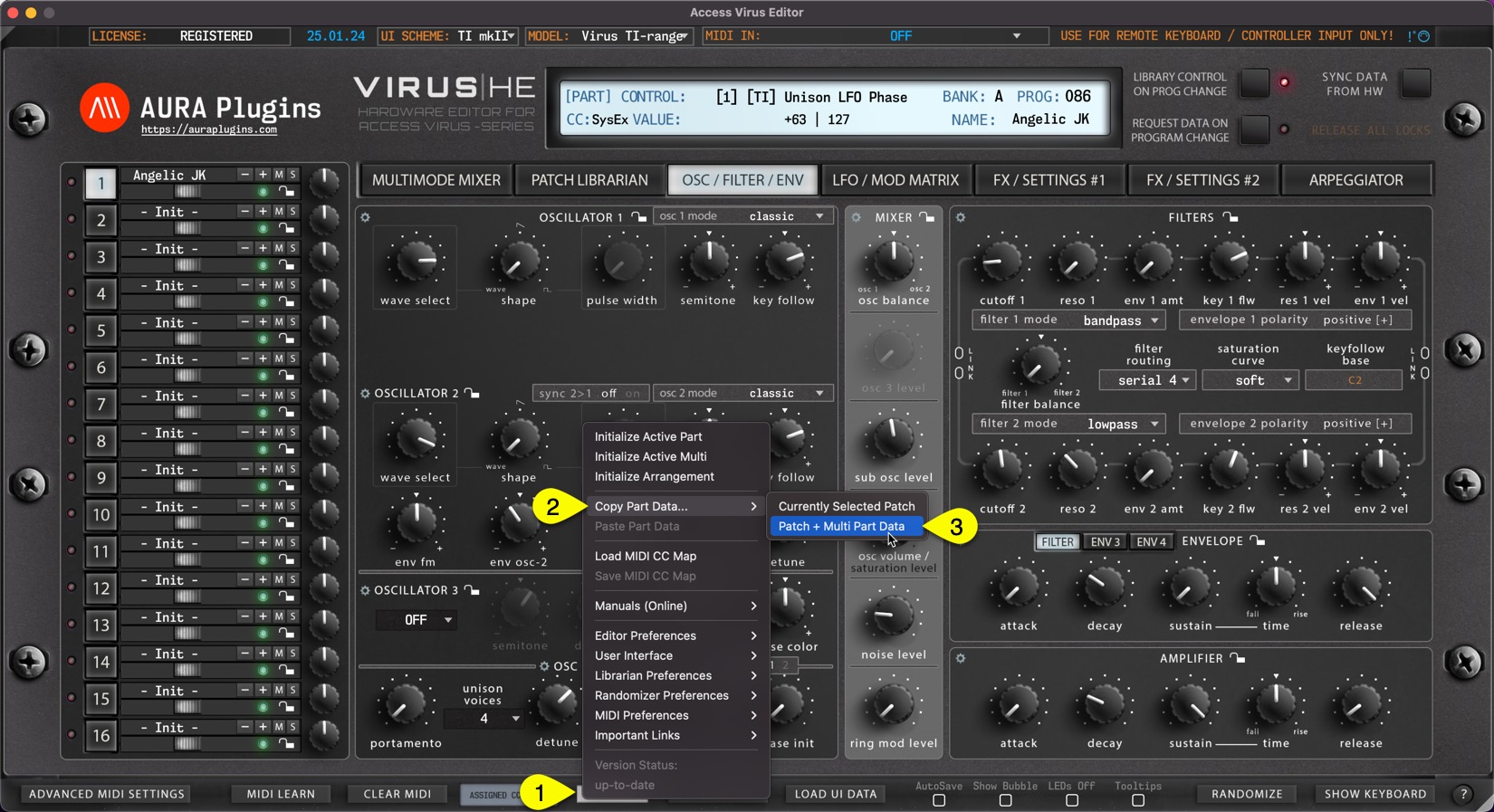
This functions works just like the function above but additionally it will copy the Multi Part data in clipboard as well. This data contains MIDI channel, Output routing, Key ranges settings etc. Open Utilities Menu [1], select Copy Part Data…[2] and then select Patch + Multi Part Data [3].
Share this with fellow producers



