
Knowledge Base forAccess Virus Editor

Documentation
Resources
Access Virus Editor – How To View Patch Name
Single Patch Name [1] can be viewed and/or set when the Editor MAIN TAB [2] is PATCH LIBRARIAN -> ARPEGGIATOR. You can also see the patch name in the Editor Control Display. Patch name is individual per part [3]. Rename part by clicking the patch name in the “Quick Mixer” area.
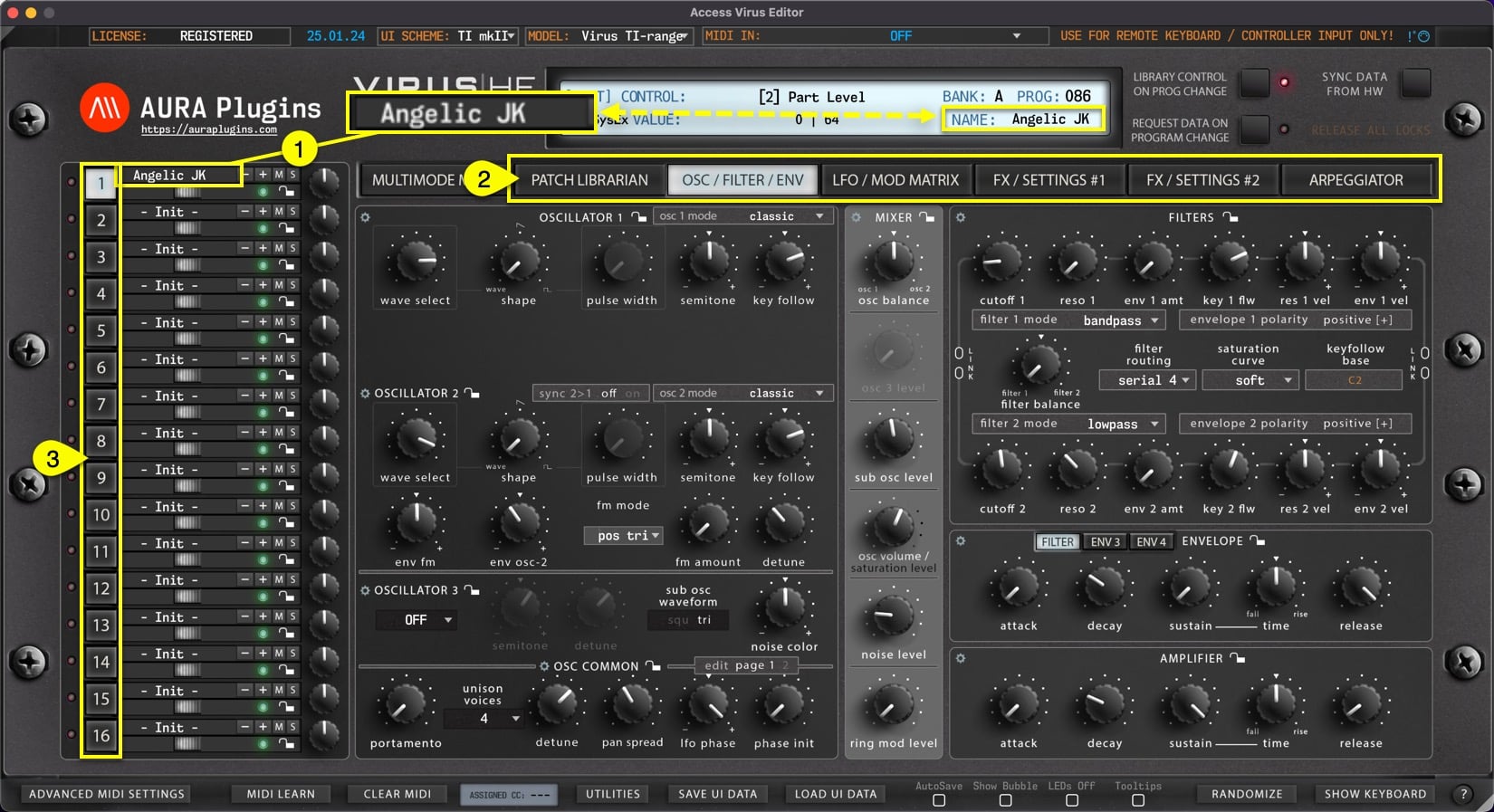
NOTE: Renaming single patch from the “Quick Mixer” view does not change the name in the librarian. If you want to rename librarian items, check Related Docs below or use search function.
Share this with fellow producers



