
Knowledge Base forAccess Virus Editor

Documentation
Resources
Access Virus Editor – Initialize Active Part
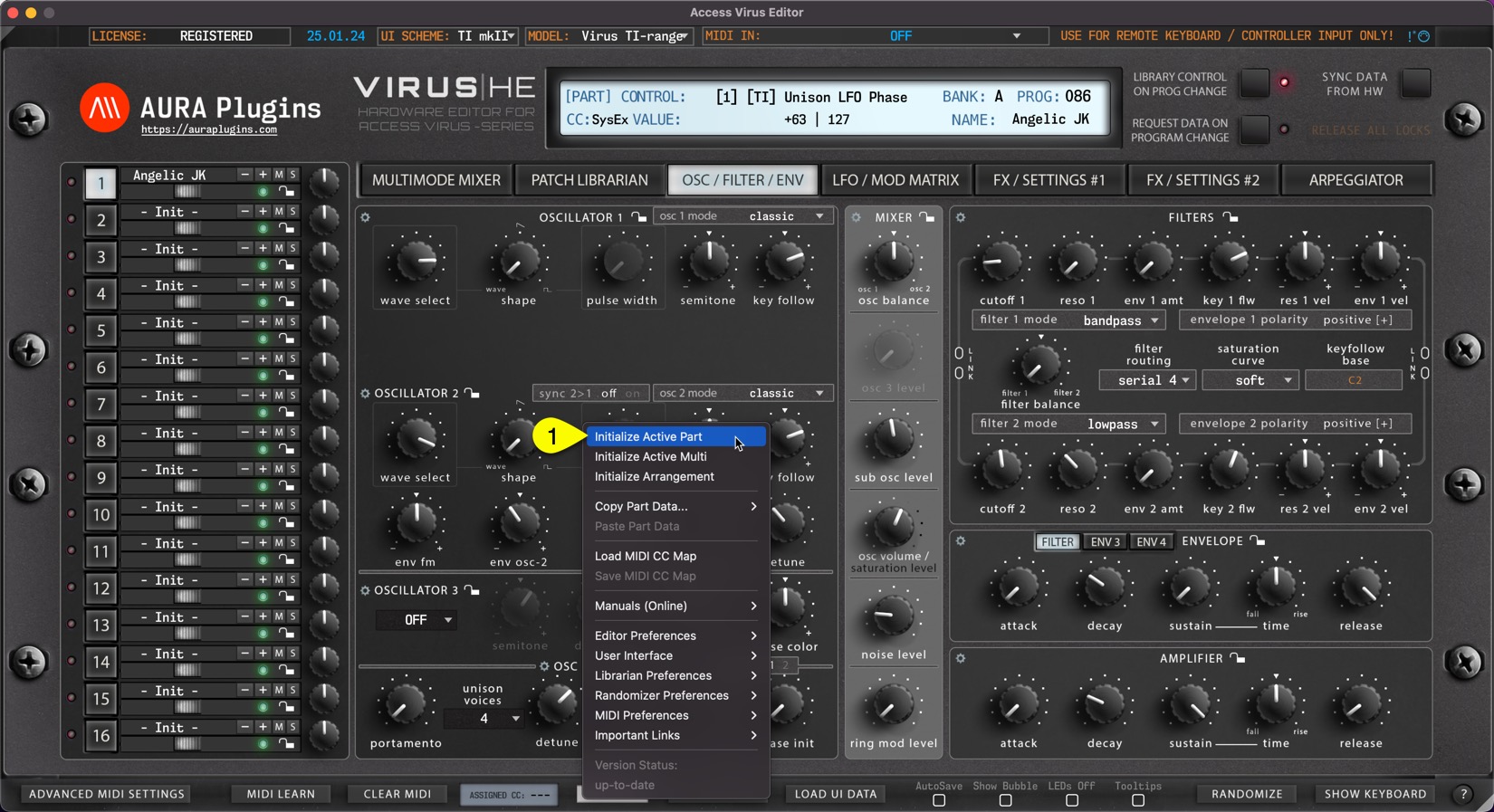
You can Initialize Active Part by clicking Utilities Menu [1] and then Initialize Active Part [2]. This function will initialize which ever Part you have active at the moment.
All current part parameters will initialized to default “init” patch values.
This is helpful if you load a multi which has a great patch on one layer, but the other one needs to crafting from a scratch.
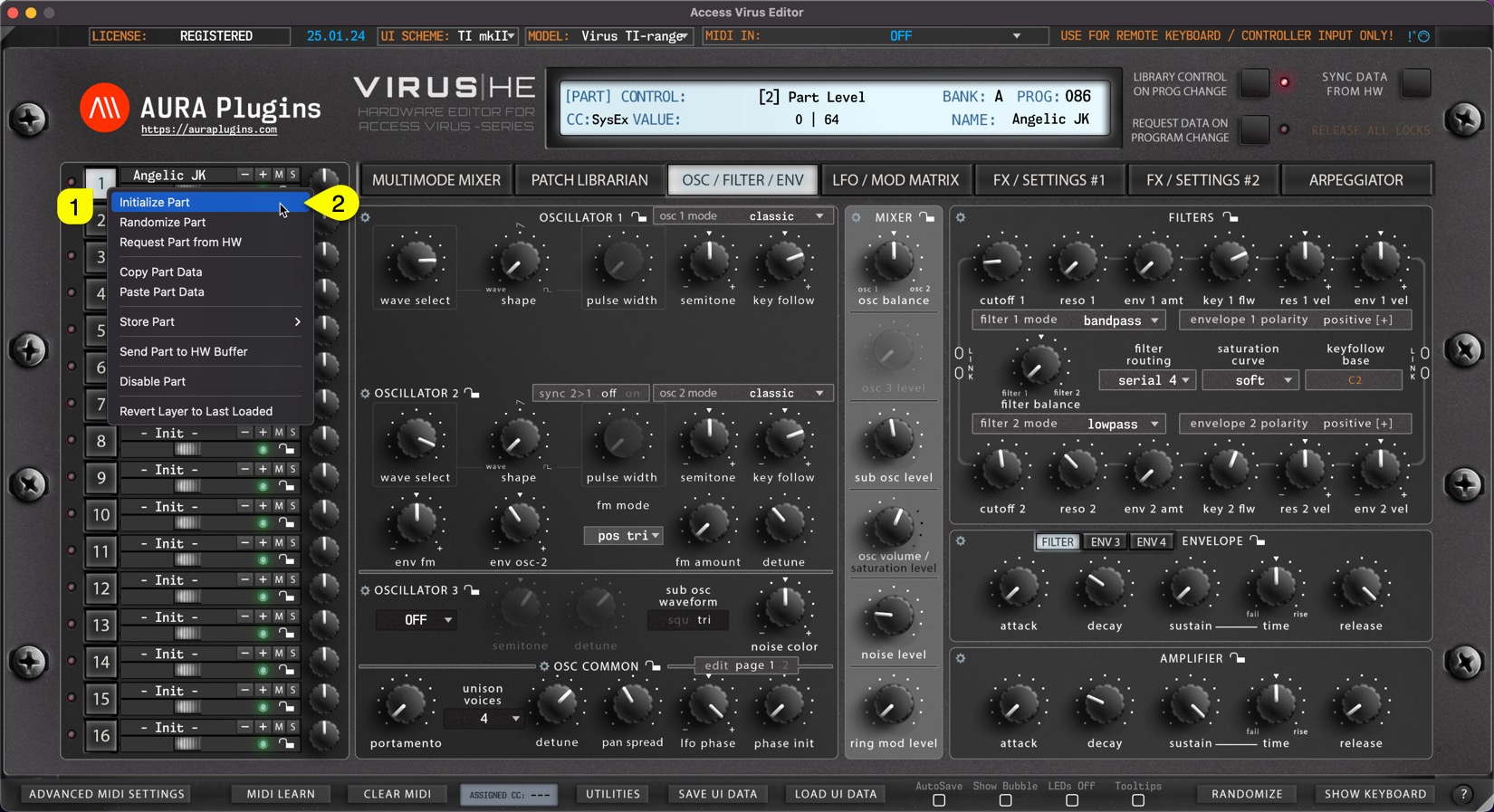
You can achieve this the same result if you right click on the currently selected part toggle [1] and select Initialize Part [2] from the menu.
Share this with fellow producers



