
Knowledge Base forAccess Virus Editor

Documentation
Resources
Access Virus Editor – Request Patch Data from Hardware
NOTE: To successfully request the patch data from the hardware, STOP all activities on your DAW so that the SysEx data is received as expected!
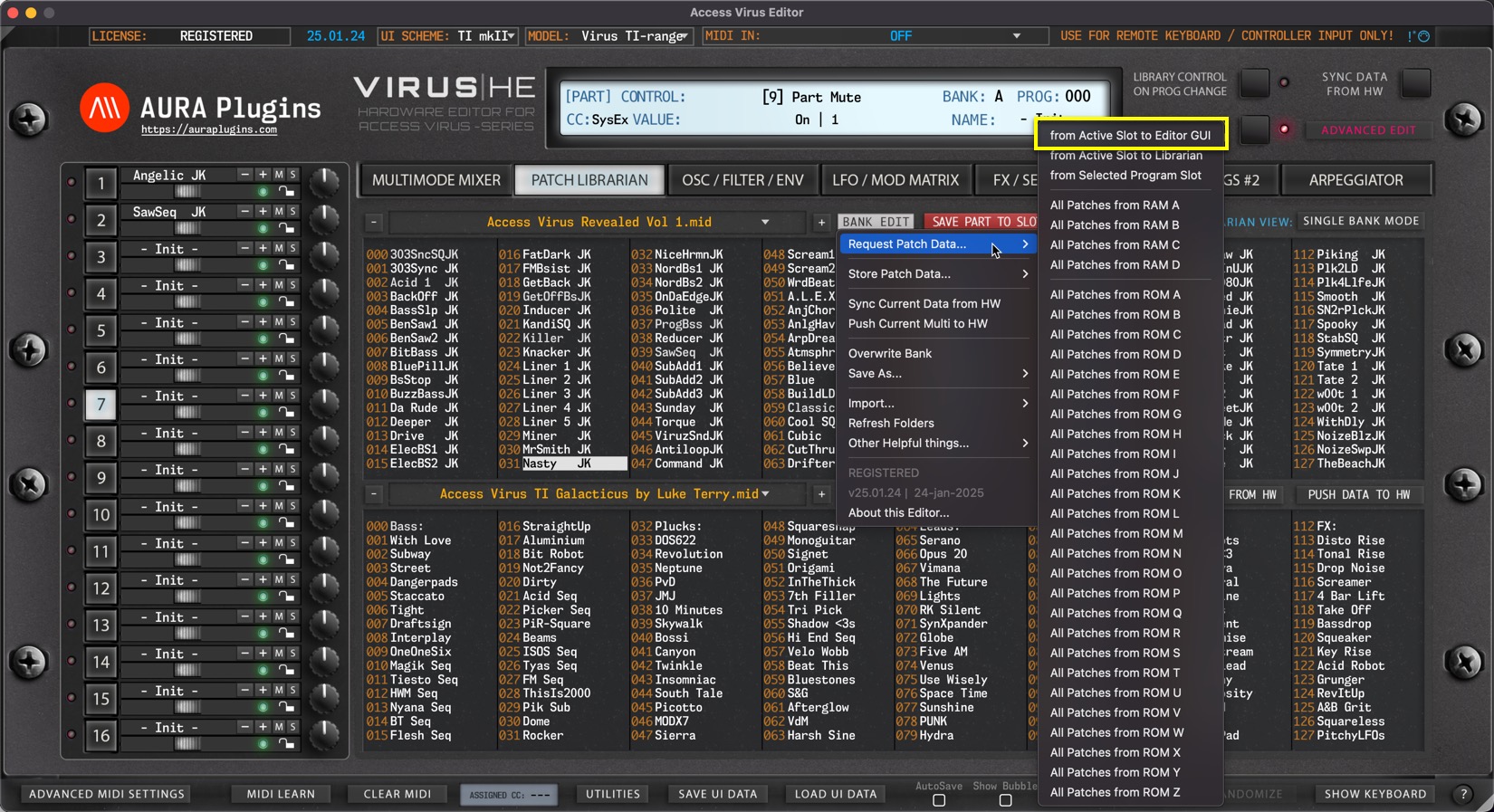
from Active Layer to Editor GUI
Open BANK EDIT menu and choose Request Patch Data … -> from Active Slot to Editor GUI to get the buffer data from the Hardware to the Editor User Interface. In this case, Librarian will get the data to Editor UI from the currently selected PART.
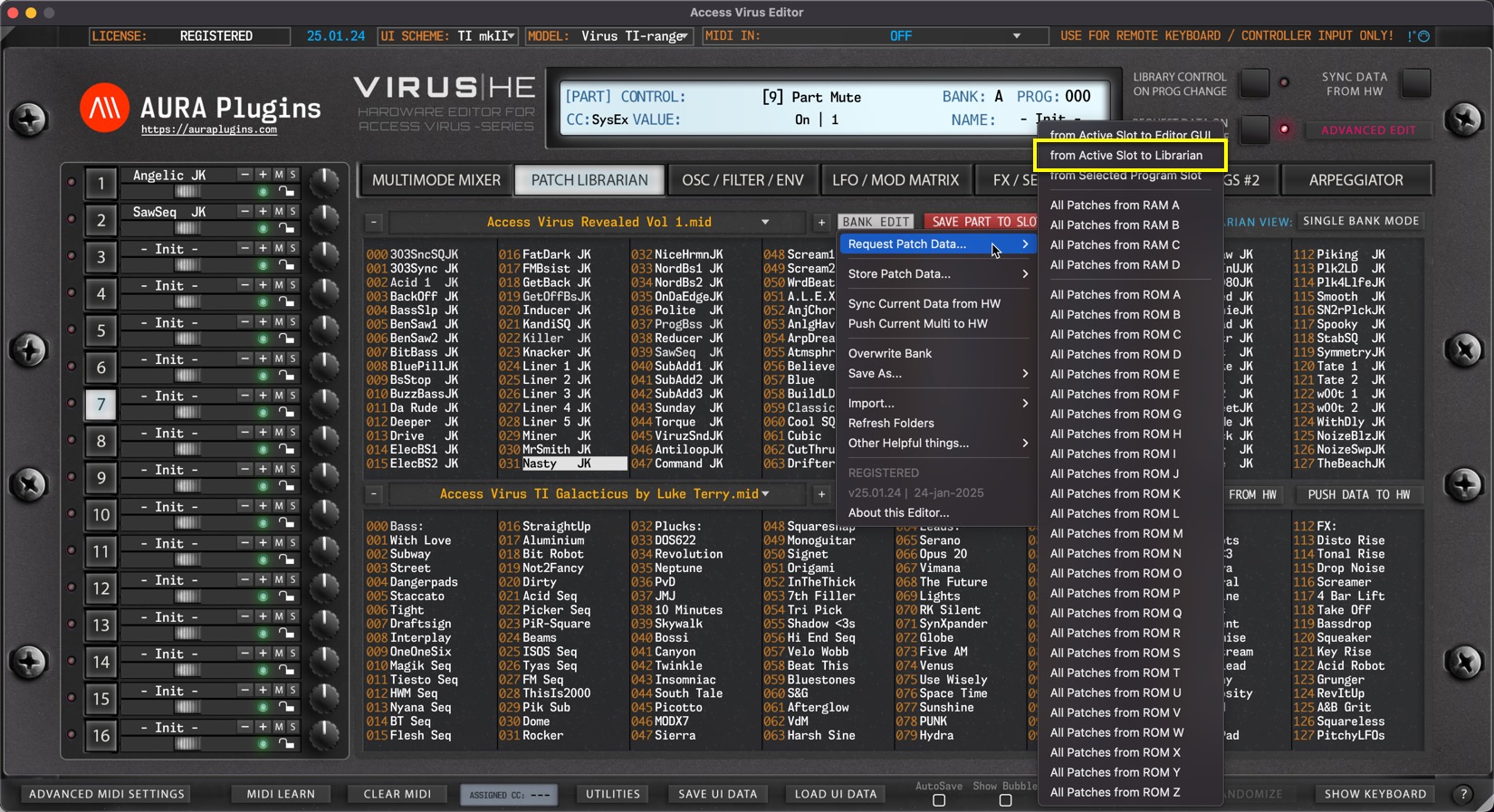
from Active Slot to Librarian
Open BANK EDIT menu and choose Request Patch Data … -> from Active Slot to Librarian to get the buffer data from currently selected part to the Librarian. In this case, Part 7 data is requested to selected slot, which is slot 31.
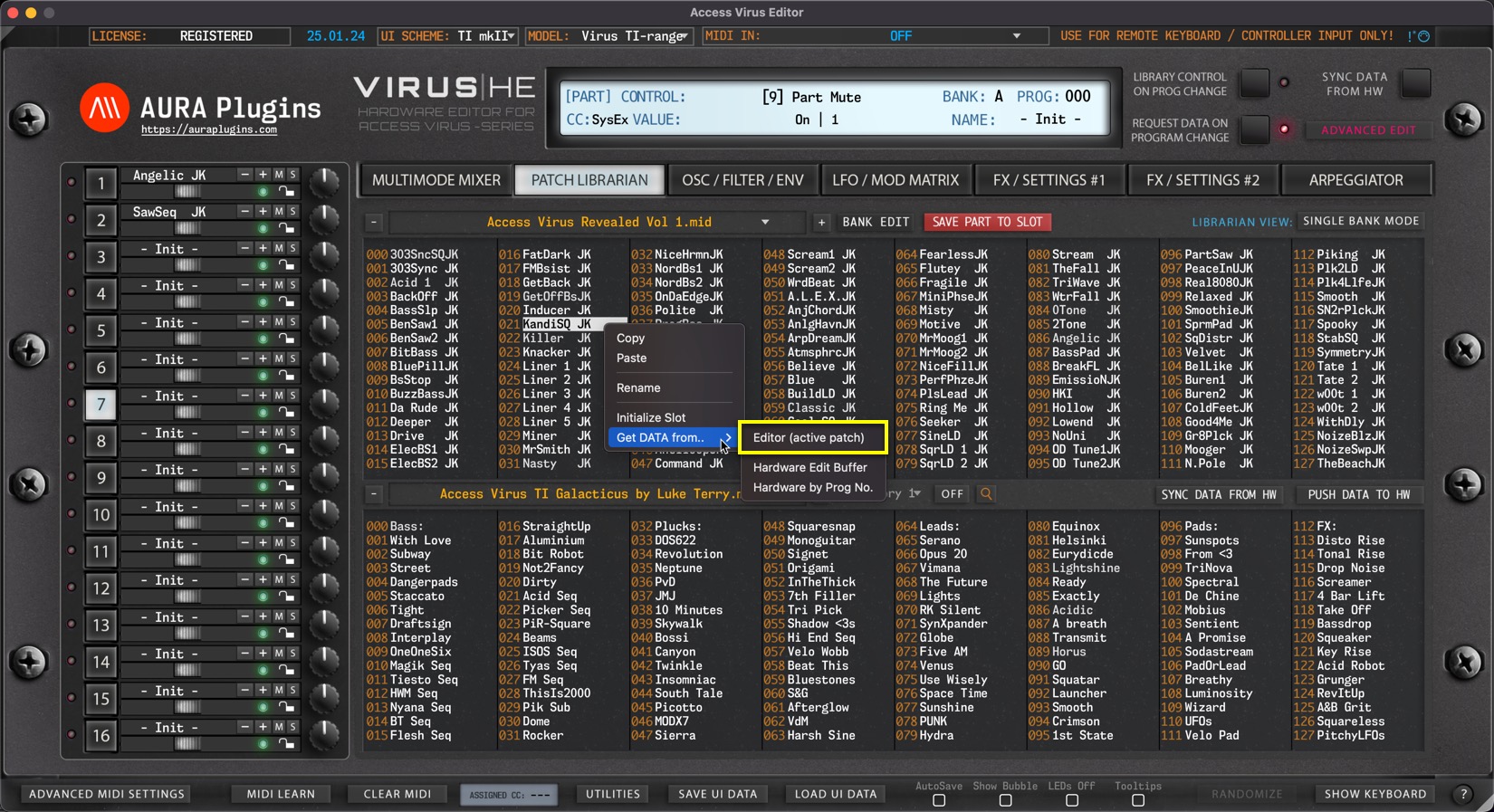
You can achieve the same result with Right mouse click a top of any slot and choose Get DATA from … -> Editor (active patch).
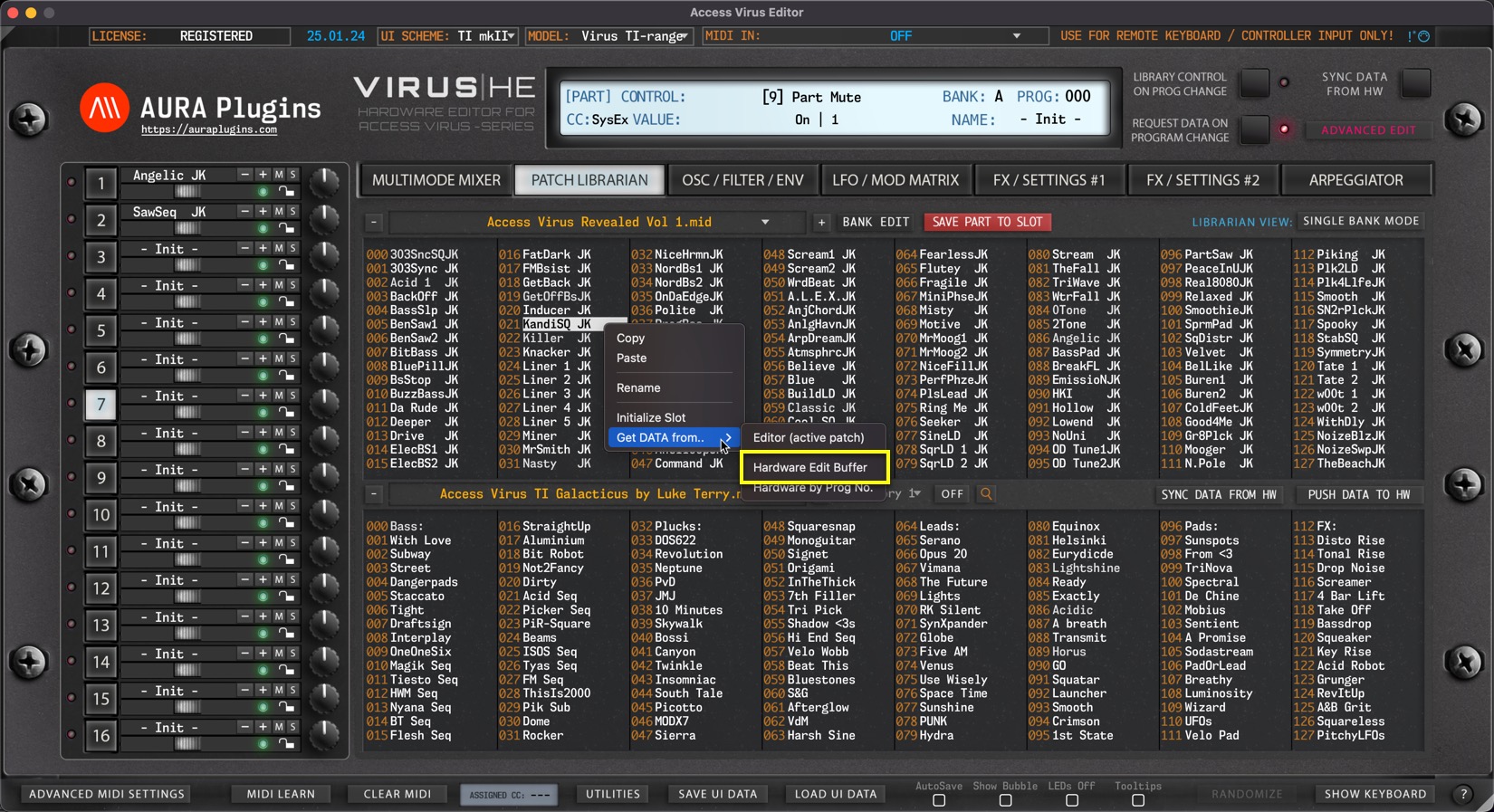
Hardware Edit Buffer
If the Edit buffer differs from the Editor buffer, you can also request Edit Buffer to Librarian slot with Right mouse click a top of slot and choose Get DATA from … -> Hardware Edit Buffer.
from Selected Program Slot
Open BANK EDIT menu and choose Request Patch Data … -> from Selected Program Slot to get Patch from Bank A prog 31.
Bank A is defined in the BANK menu on the editor control display. Slot is determined by the user selection in the Librarian View.
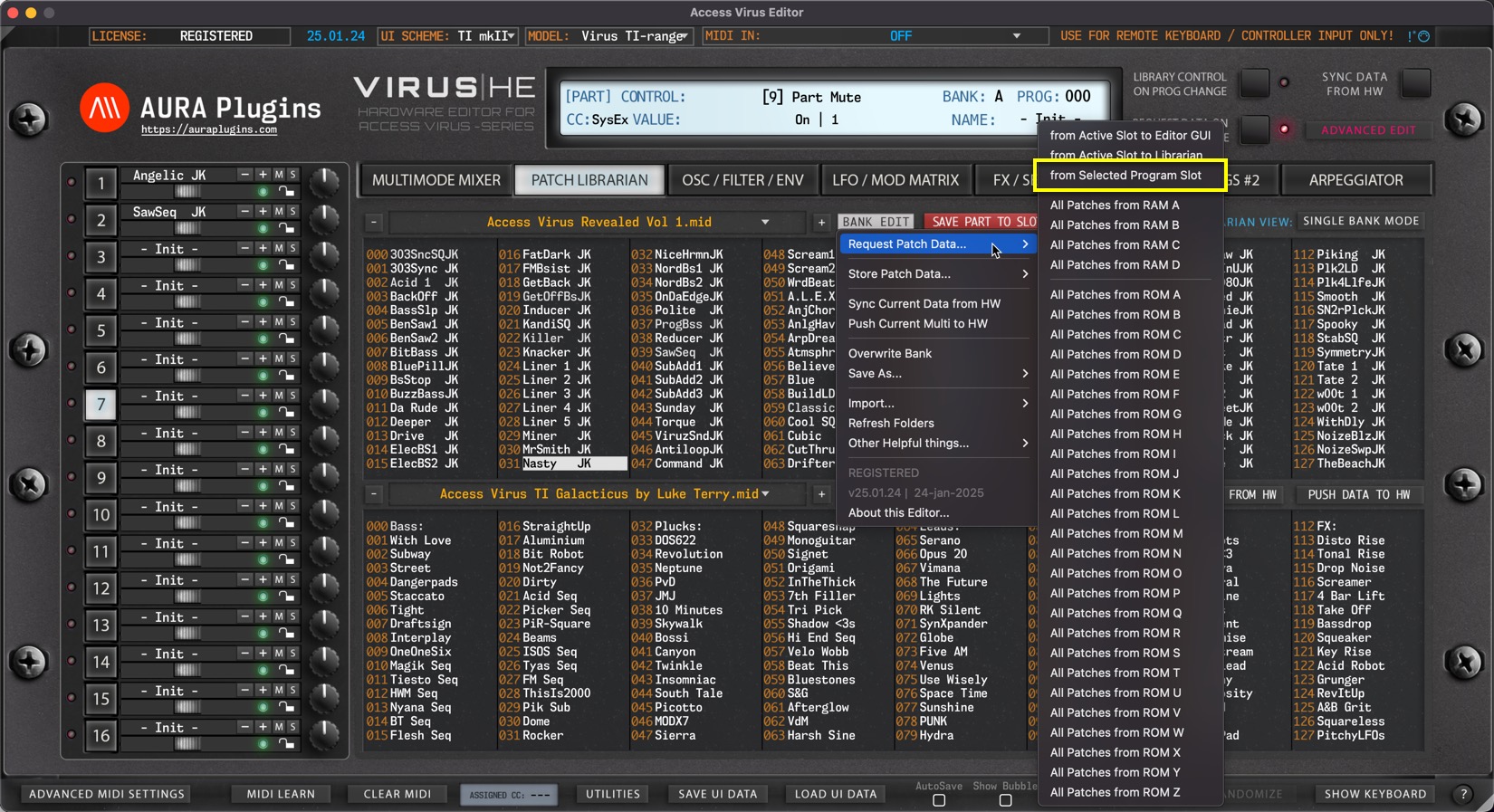
You can achieve the same result with Right mouse click a top of any slot and choose Get DATA from … -> Hardware by Prog No.

NOTE: BANK menu selection in Editor Control Display defines the Bank Address for hardware requests!
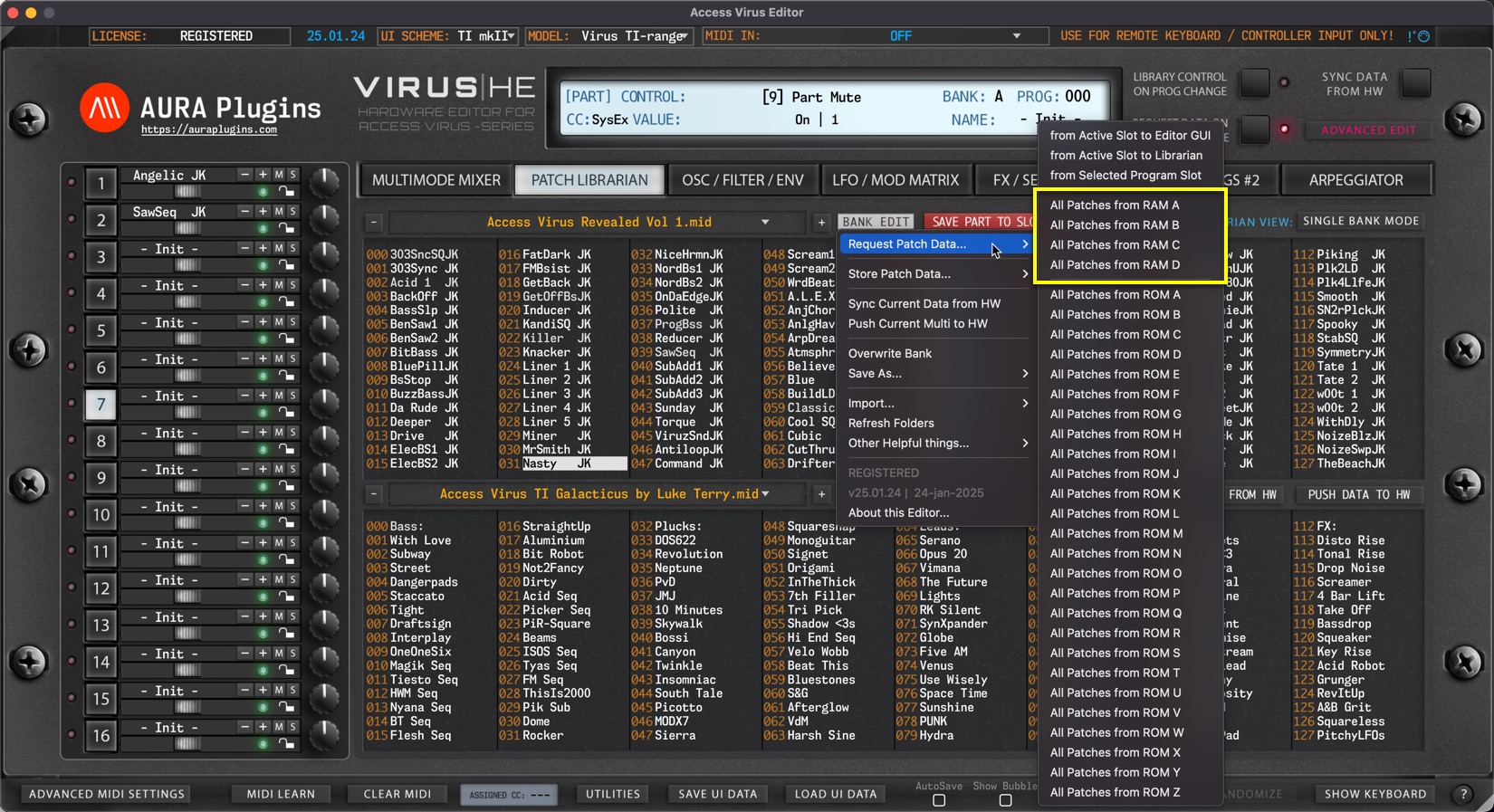
All Patches from RAM A…D
Open BANK EDIT menu and choose Request Patch Data … -> All Patches from RAM A … D of your choice.
This action will request all RAM bank Patches to the Librarian from your hardware.
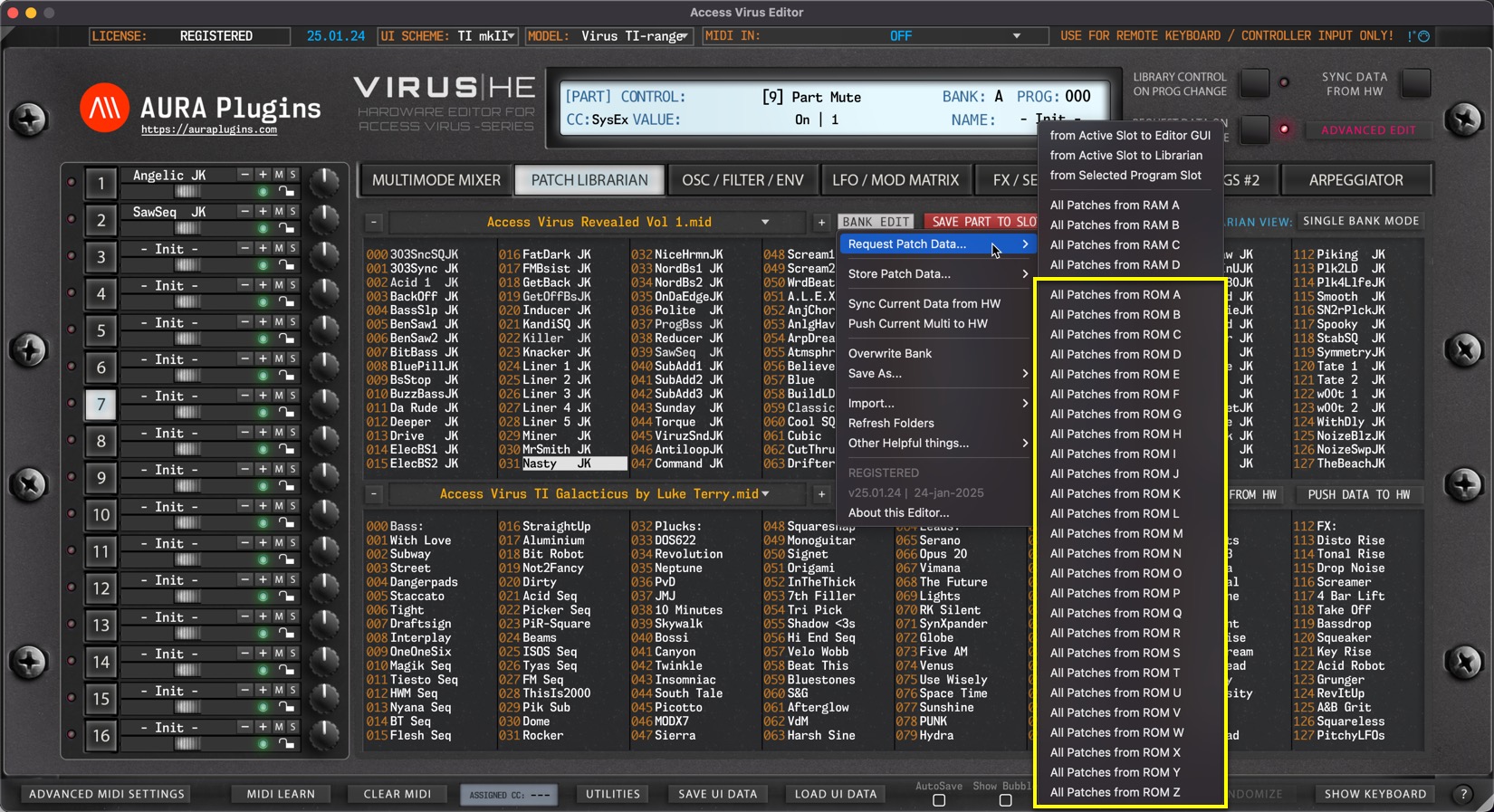
All Patches from ROM A…Z
Open BANK EDIT menu and choose Request Patch Data … -> All Patches from ROM A … Z of your choice.
This action will request all ROM bank Patches to the Librarian from your hardware.
Share this with fellow producers



