
Knowledge Base forAccess Virus Editor

Documentation
Resources
Access Virus Editor – Store Multi Data to Hardware
NOTE #1: Before you start data writing to hardware, make sure you know which slot you are overwriting and STOP all activities on your DAW in regards of the hardware to ensure data is written properly!
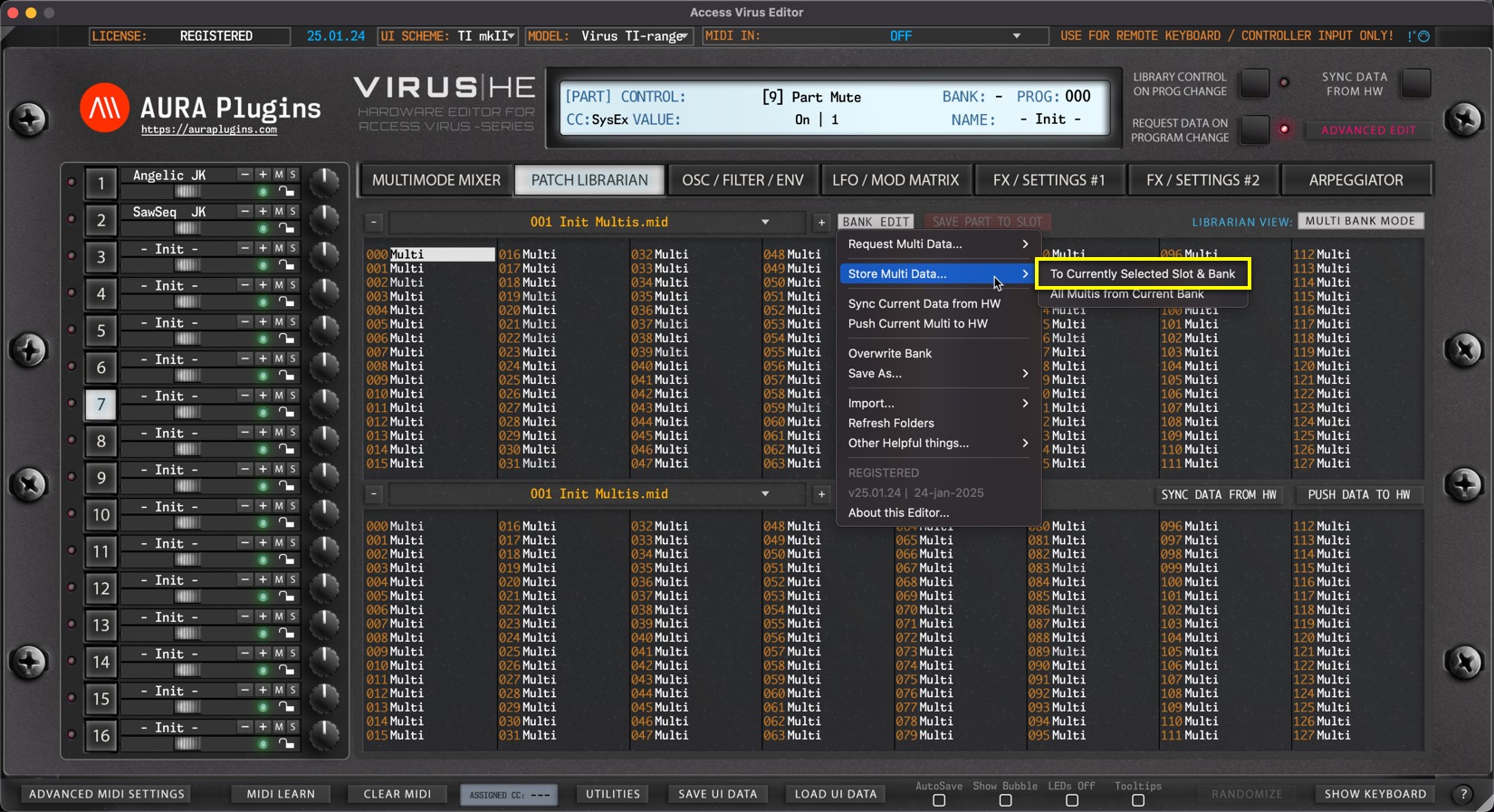
To Currently Selected Slot & Bank
Open BANK EDIT menu and choose Store Multi Data … -> To Currently Selected Slot & Bank to write currently selected Librarian Slot to hardware. In this case we would overwrite Slot 0.
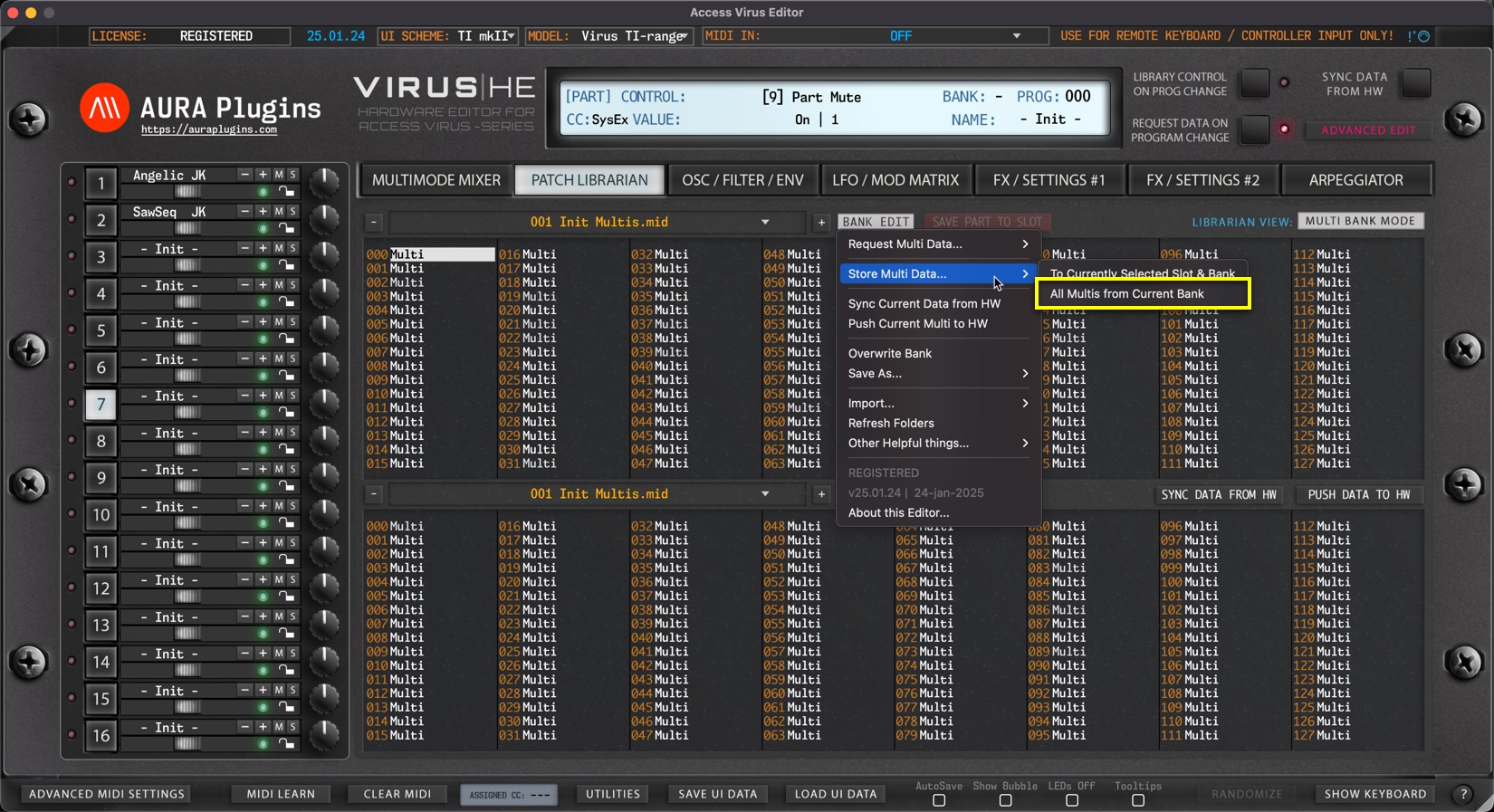
from Selected Bank to USER
Open BANK EDIT menu and choose Store Multi Data … -> All Multis from Current Bank to write the entire USER bank with the data from Active Librarian View which in this case is UPPER view (slot 0 chosen on UPPER list).
This means, you can select either view (UPPER / LOWER) and write the hardware memory with a bank in question.
Share this with fellow producers



