
Knowledge Base forAccess Virus Editor

Documentation
Resources
Access Virus Editor – Utilities Menu
UTILITIES [1] menu can be found from the bottom bar of the Editor. Once you click the UTILITIES button, a popup menu will appear giving you a lot of different utilities. We will go through these one by one.
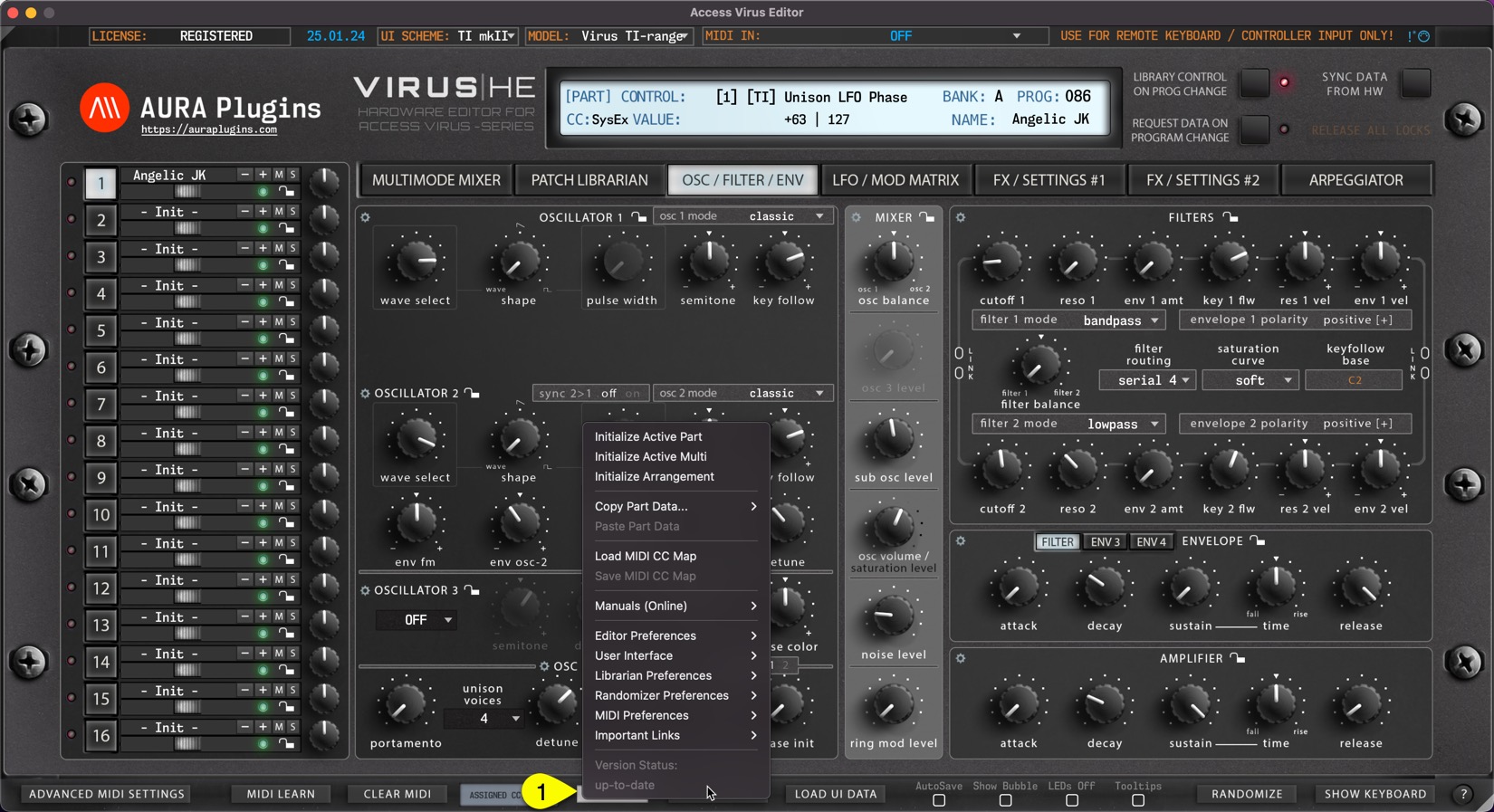
Utilities menu items
- Initialize Active Part
- Initialize Active Multi
- Initialize Arrangement
- Copy Part Data…
- Currently Selected Patch
- Patch + Multi Part Data
- Paste Part Data
- Load MIDI CC Map
- Save MIDI CC Map
- Manuals (Online)
These are obvious, so not covering these.. - Editor Preferences
- Use active Model as Default
- Enable LOG (CPU hungry)
- Force MIDI Data to Active Part
- Snap Slider to Mouse Position
- Disable Total Recall on Load
- Enable Hardware Auto-connect
- Enable DeviceID Scanning
- RX/TX Interval * 0.6 -> * 1.0
- Save all settings as Defaults
- Check available MIDI Ports
- Default HW Mode: …
- Disable Master Volume changes
- Set HW to SINGLE MODE on exit
- Control Link: Offset values
- User Interface
- Use active Skin as Default
- Use Hi-Res Graphics (4/5/8K)
- Size: Auto (default)
- Size: 50% – 175%
- Follow Hardware Select
- Enable Bubble Control by Default
- Disable LEDs by Default
- Enable Tooltips by Default
- Show param values on Mouse over
- Double Click resets control to…
- Librarian Preferences
- Limit Search to Active Bank
- Search results Containing…
- Limit Categories to Active Bank
- Enable AutoSave by Default
- Show Quick Edit by Default
- Randomizer Preferences
- Focus on Active TAB content
- Exclude Osc Pitch
- Exclude LFO Assign Slots
- Exclude Mod Matrix Sources
- Exclude Mod Matrix Destinations
- Exclude Mode Menus
- MIDI Preferences
- Enable KBD Local by Default
- Advanced MIDI Settings default overwrites
- DAW: Bypass Editor MIDI Processor
- Disable Adv MIDI Settings Warnings
- Important Links
These are obvious, so not covering these.. - Version Status
- up-to-date
- update available
Index – Utilities Menu
Share this with fellow producers



