
Knowledge Base forAccess Virus Editor

Documentation
Resources
Access Virus Editor – Utilities: MIDI Preferences
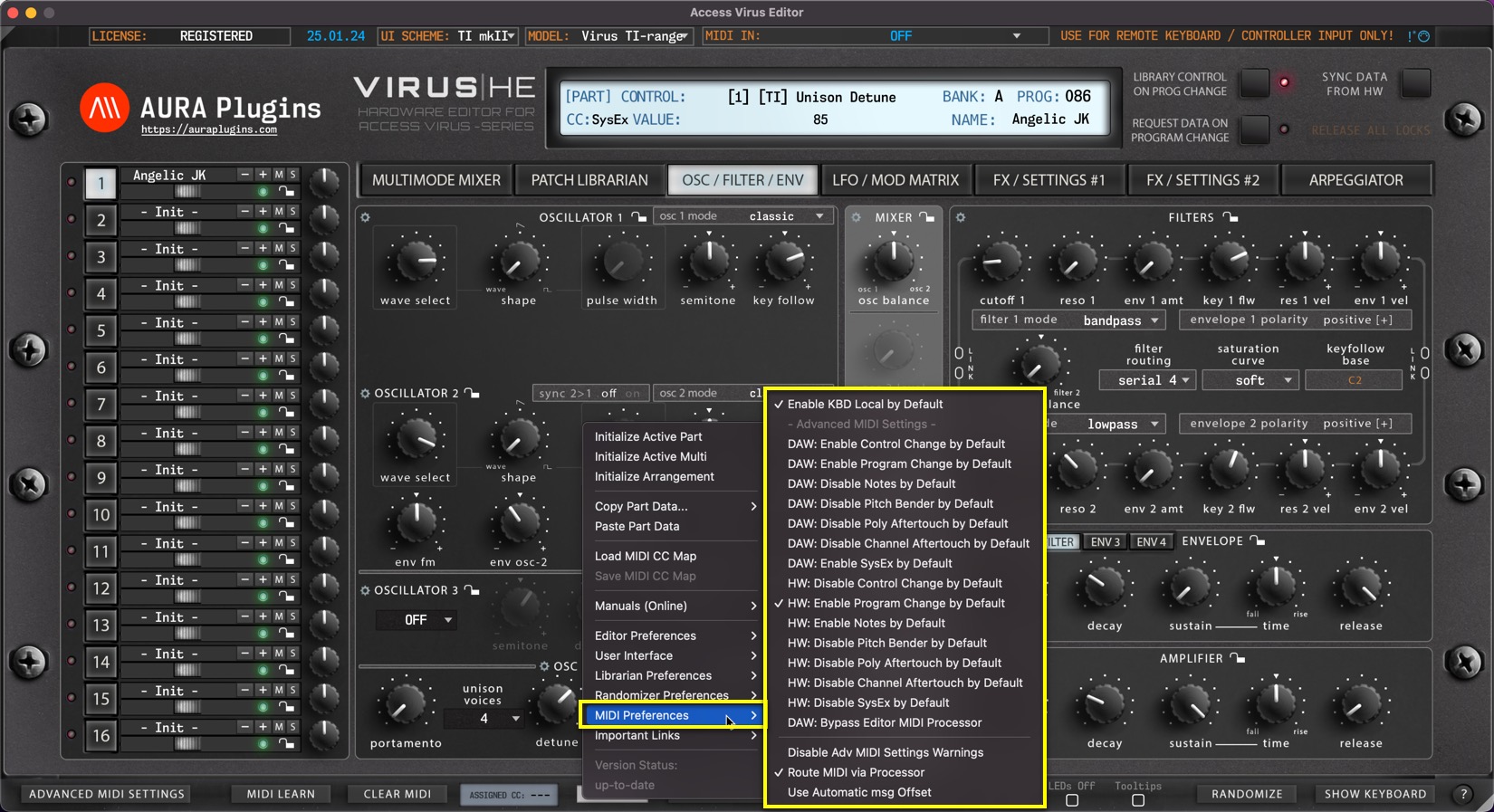
Utilities Menu – MIDI Preferences Breakdown
Enable KBD Local by Default
Set Local KBD control on by default on new Editor instances – Use case, if you have Virus TI Keyboard in your setup and it is NOT your default MIDI controller, you can keep the local control on to play it “independently”.
Advanced MIDI Settings Defaults
You can modify default Advanced MIDI Settings defaults behaviours here.
DAW: Bypass Editor MIDI Processor
In case you don’t want certain events to reach the Editor, you can bypass DAW MIDI event processing to Editor with this option.
Disable Advanced MIDI Settings Warnings
This will MUTE Editor control display messages indicating Advanced MIDI Settings filter actions. ie. if note is received but events are filtered via Advanced MIDI Settings, then control display will indicate warning that the message is filtered.
Route MIDI via Processor
This function will be deprecated soon, no point of using it.
Use Automatic msg Offset
This function will be deprecated soon, no point of using it.
Share this with fellow producers



