
Knowledge Base forRoland JP-80x0 Editor
Documentation
Resources
Roland JP-80×0 Editor – Importing Banks
Open BANK EDIT menu and choose Import … to import Performance / Single Patch banks into the Librarian.
We have variety of options to choose for import: MID, SYX, PAT, PFM, SHL, SHE and SVD file formats.
- PAT / PFM formats are files from the legacy WinJPLib software.
- SHL / SHE formats are files from the legacy Roland SH-201 Editor.
- SVD format is file from the legacy Roland GAIA Editor
With SHL / SHE & SVD imports you CAN import SH-201 and GAIA SH-01 sounds right into our JP-80×0 Editor. Keep in mind that some features are not available in the JP-8000 / JP-8080 which are used with SH-201 and/or GAIA and vice versa.
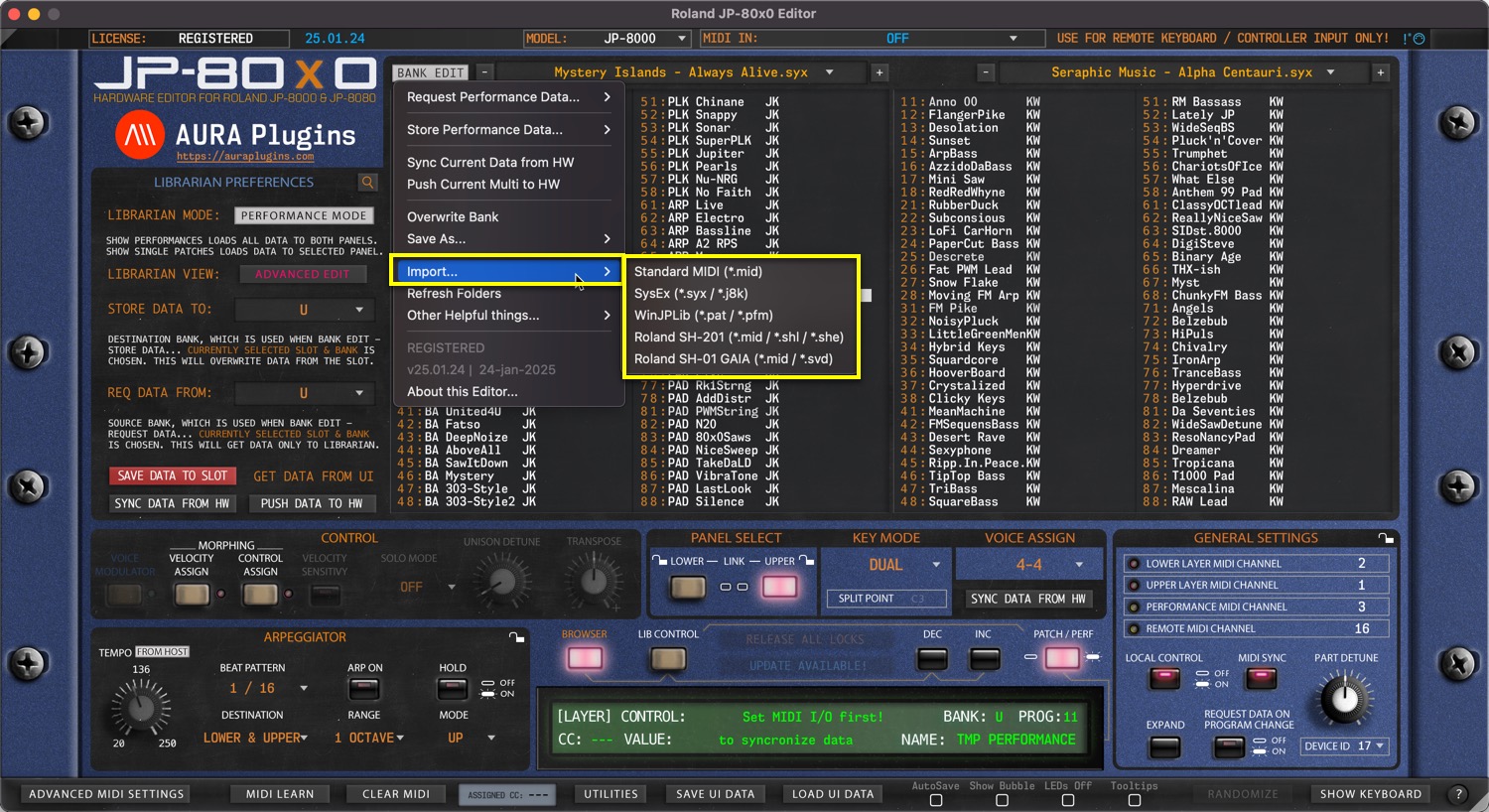
Standard MIDI (*.mid)
Import Standard MIDI files that contain Roland JP-8000 or Roland JP-8080 Performance / Patches
SysEx (*.syx / *.j8k)
Import System Exclusive / j8k (JP-80×0 Editor) files which contains Roland JP-8000 or Roland JP-8080 Performances / Patches
WinJPLib *.pat / *.pfm)
Import WinJPLib files that contain Roland JP-8000 or Roland JP-8080 Performances / Patches
Roland SH-201 (*.mid / *.shl / *.she)
Import Roland SH-201 Library or Single files and convert them to Roland JP-80×0 Editor format (as close as possible).
Roland SH-01 GAIA (*.mid / *.svd)
Import Roland GAIA SH-01 Library or Single files and convert them to Roland JP-80×0 Editor format (as close as possible).
Share this with fellow producers



