
Knowledge Base forRoland JP-80x0 Editor
Documentation
Resources
Roland JP-80×0 Editor – Initialize Active Layer
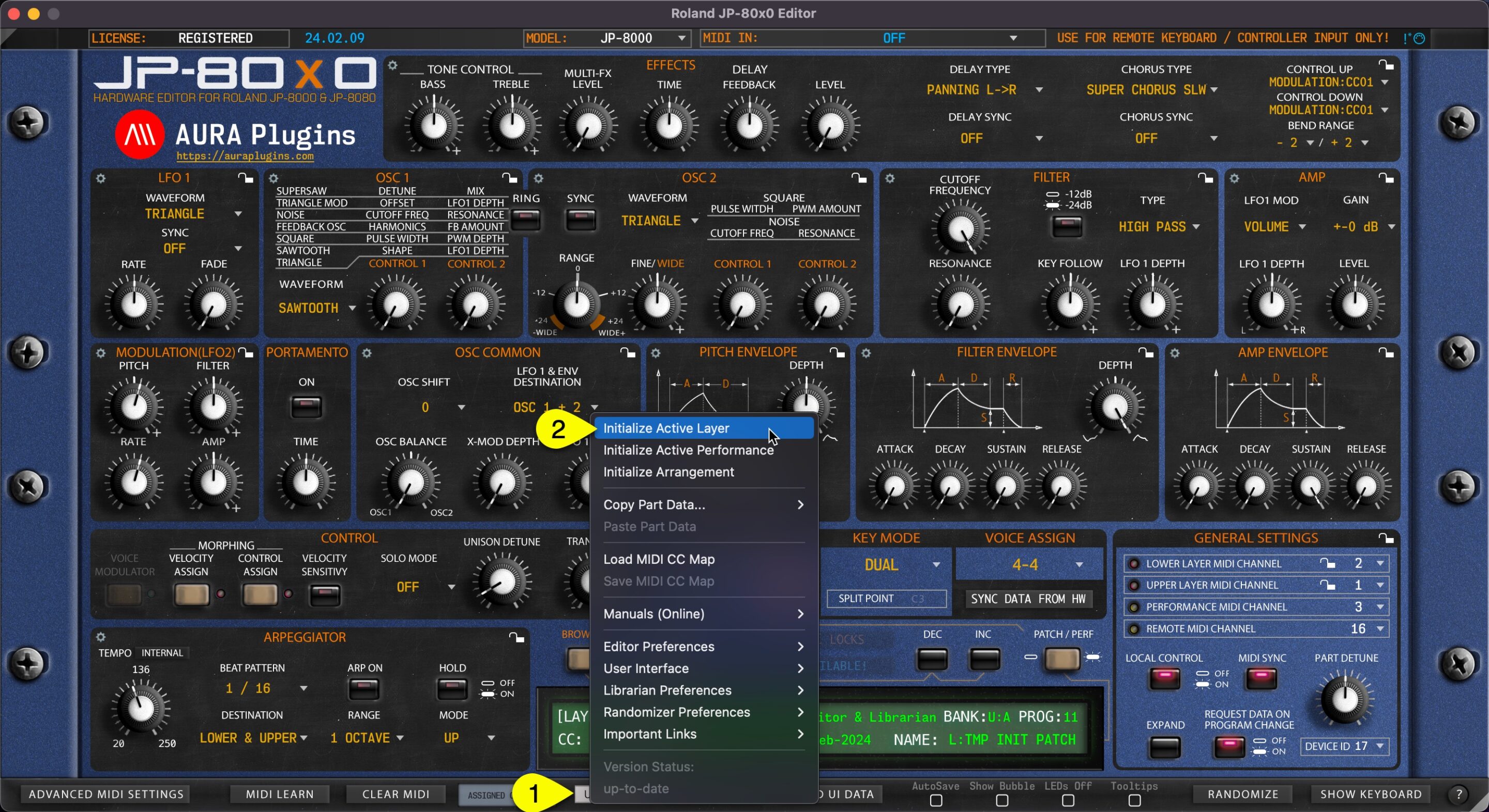
You can Initialize Active Layer by clicking Utilities Menu [1] and then Initialize Active Layer [2]. This function will initialize which ever Layer you have active at the moment.
Upper or Lower Layer Patch, Velocity and Control assign values will be initialized.
This is helpful if you load a performance which has a great patch on one layer, but the other one needs to crafting from a scratch.
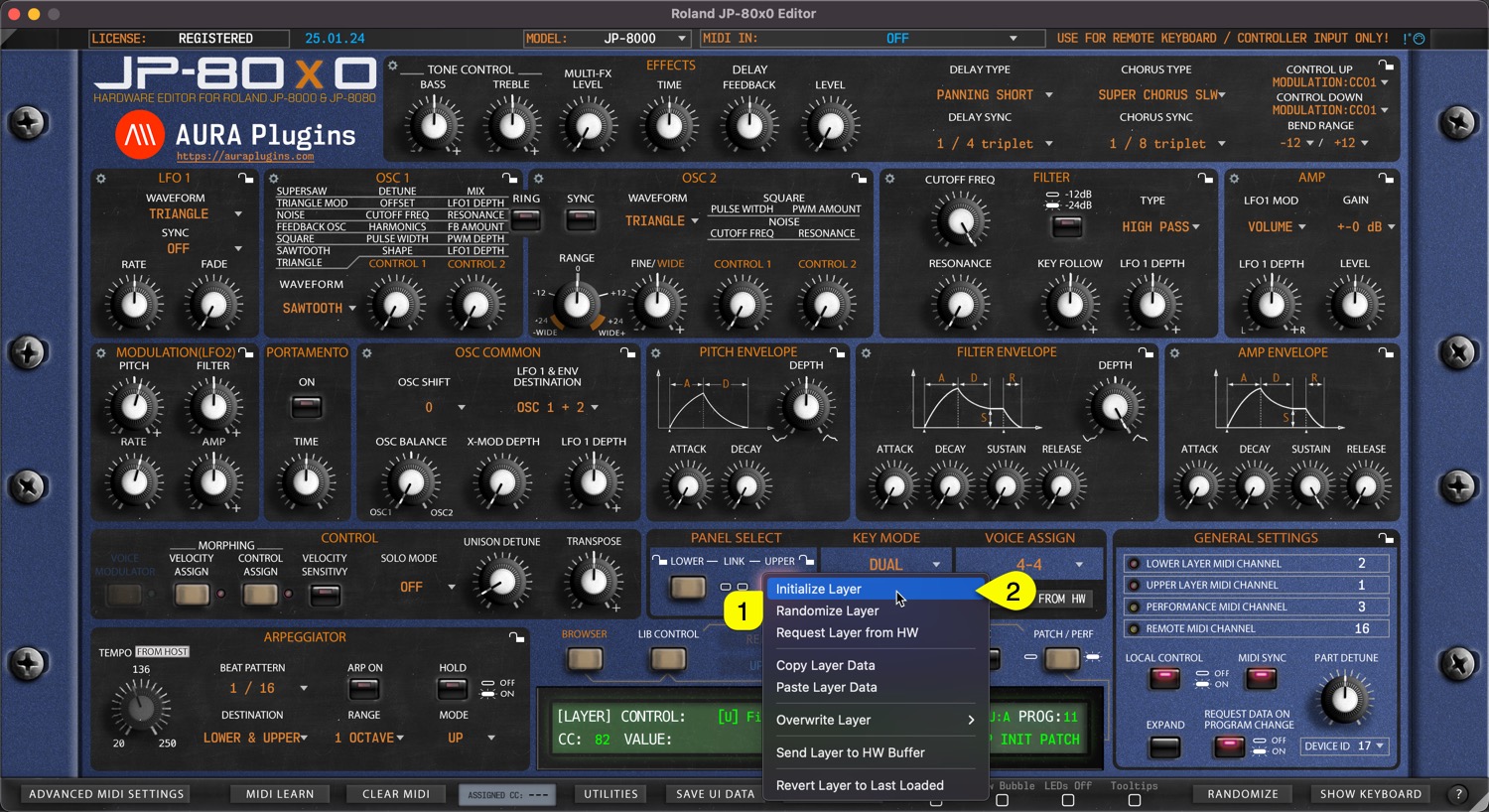
You can achieve this the same result if you right click on the currently selected layer toggle [1] and select Initialize Layer [2] from the menu.
Share this with fellow producers



