
Knowledge Base forRoland JP-80x0 Editor
Documentation
Resources
Roland JP-80×0 Editor – Refresh Folders
Open BANK EDIT menu and choose Refresh Folders to manually trigger PATCHES folder rescan. This is helpful in case you have copied files over or bought new content and placed it in but can’t see it when opening the Librarian View.
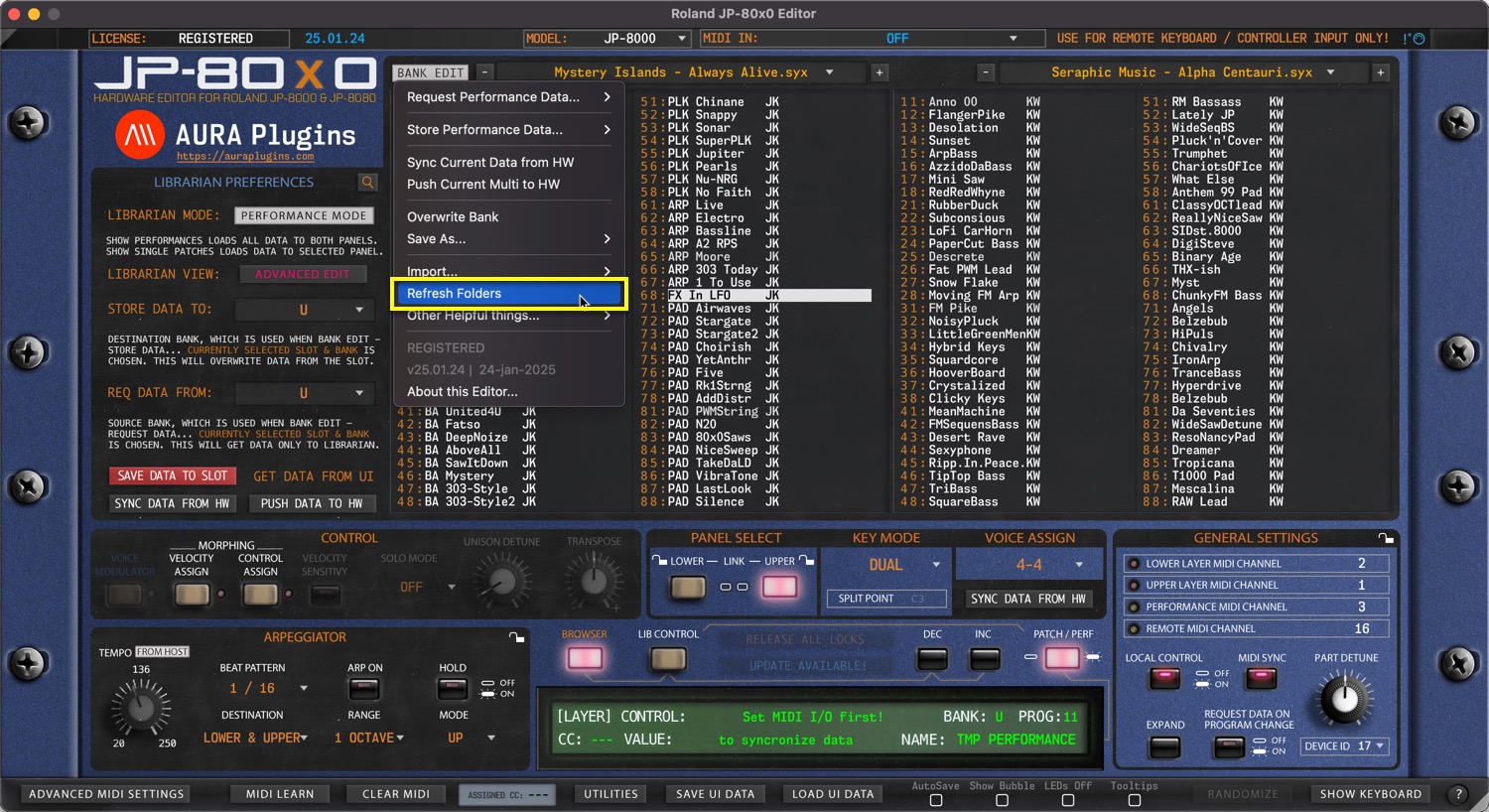
NOTE #1: If the Editor hangs or crashes while this action is in effect, see Enable LOG article from Utilities menu section to learn how to detect faulty banks.
NOTE #2: If you can’t see the file you have placed in the Patches folder, try toggling between Performance / Single Patch mode to see if the file is there.
Share this with fellow producers



