
Knowledge Base forRoland JP-80x0 Editor
Documentation
Resources
Roland JP-80×0 Editor – Rename Librarian Entities
If you want / need to rename items in the Librarian View, it can be done simply with Right mouse click [1] on a slot you want to rename and choose Rename…
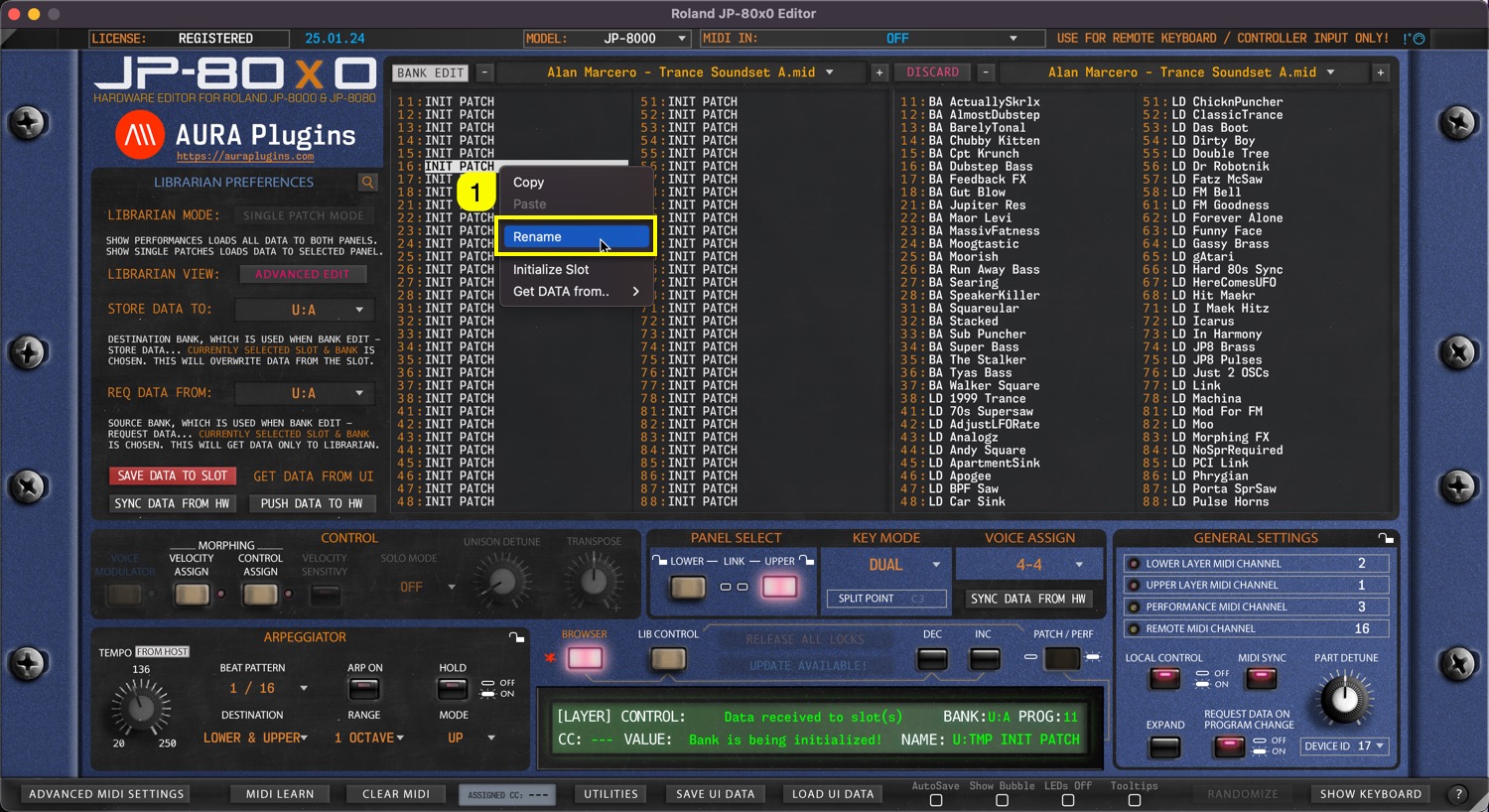
This will open a small window, where you have to click on the slot name [1] to activate renaming. Keep in mind that name length is defined by the hardware specifications, in this case: 16 characters
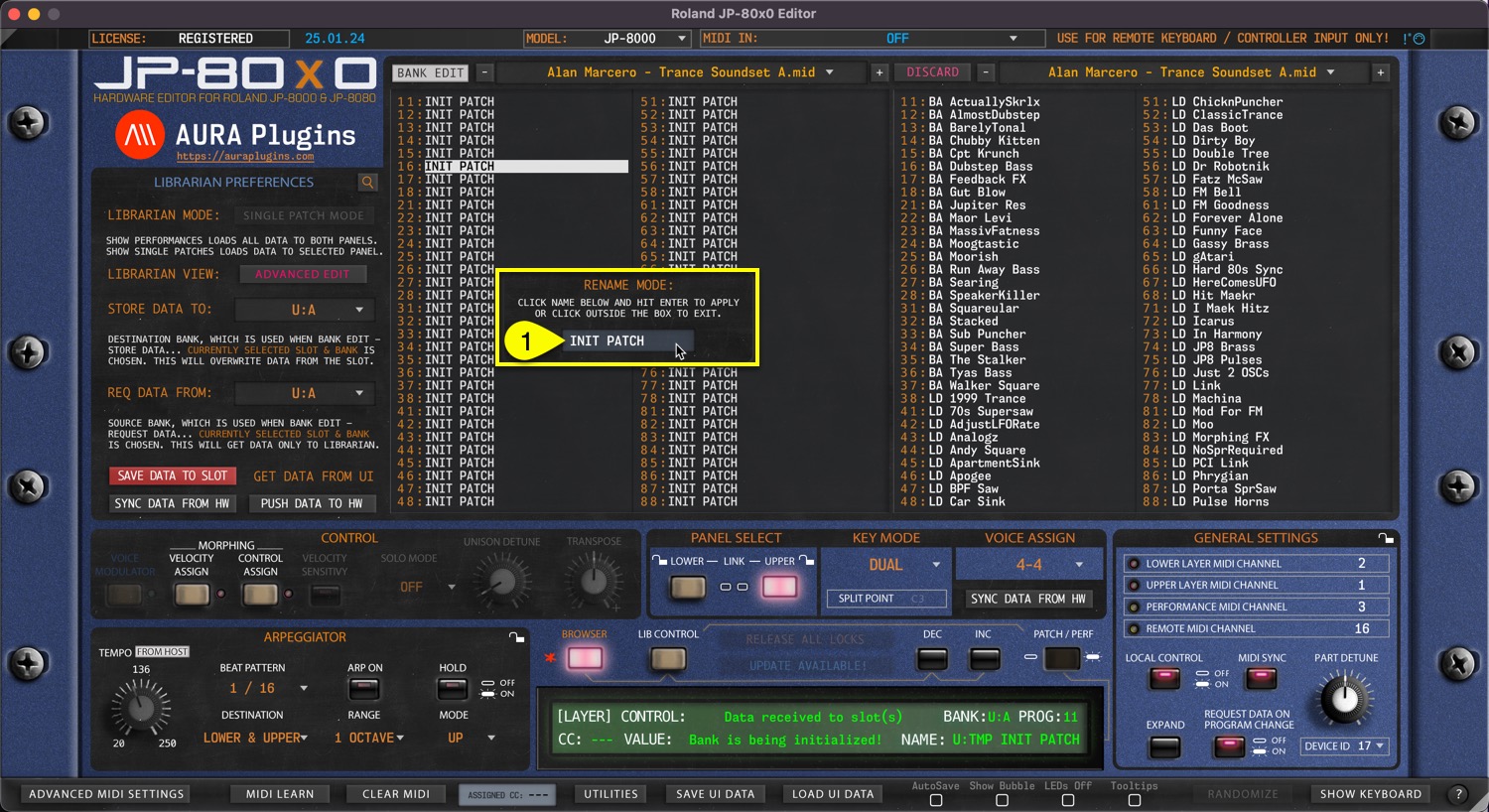
NOTE: New name is only applied by pressing ENTER on your keyboard. Clicking outside the box will cancel the renaming.
Share this with fellow producers



