
Knowledge Base forRoland JP-80x0 Editor
Documentation
Resources
Roland JP-80×0 Editor – Saving Banks
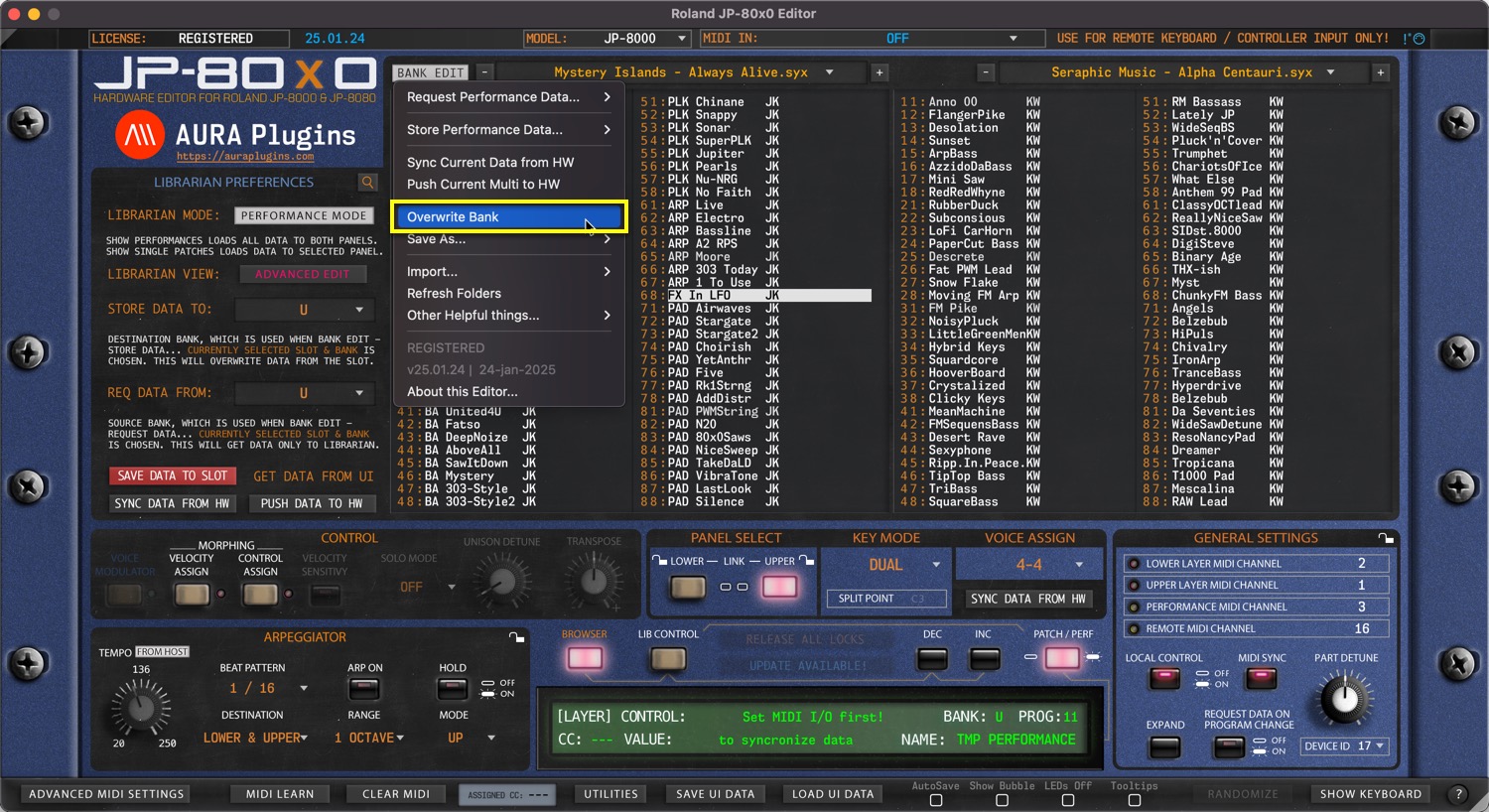
Overwrite Bank
Open BANK EDIT menu and choose Overwrite Bank to overwrite any changes you’ve made to the current Bank. This will permanently overwrite the currently selected bank in your HDD which in this case would be Mystery Islands – Always Alive.syx.
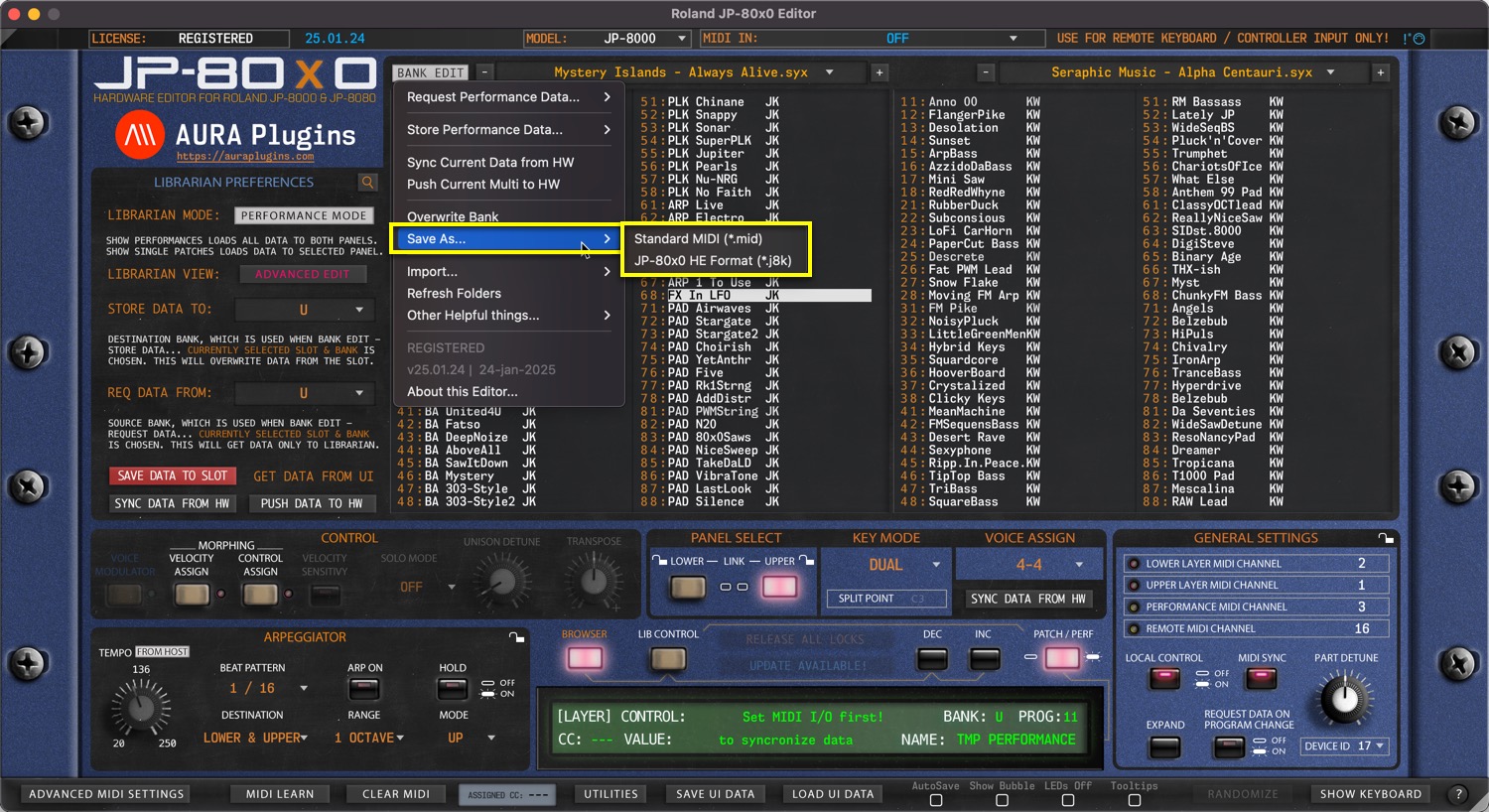
Save As…
Open BANK EDIT menu and choose Save As… -> Standard MIDI / JP-80×0 HE Format to save any changes you’ve made to the bank with a new name. This keeps the banks and their edits in good order – And you will always have the original file in hand just in case something goes wrong!
We recommend j8k format, but standard MIDI works too – it is upto you.
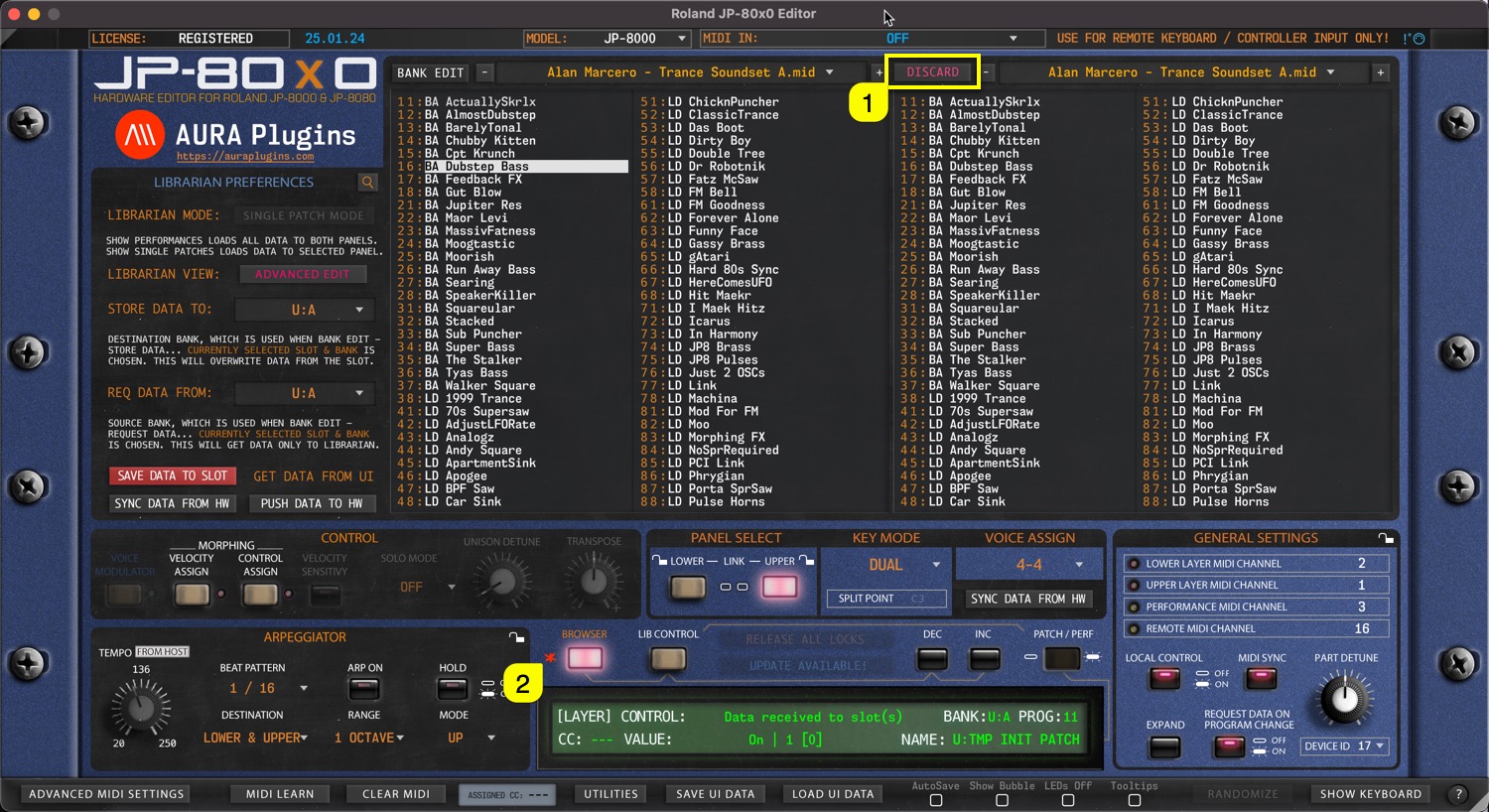
NOTE #1: You can always DISCARD any changes you’ve made in the Librarian by clicking the DISCARD [1] button.
NOTE #2: You can see a red asterix [2] right next to LIBRARIAN toggle in the main User Interface IF Librarian has any unsaved changes! This will disappear once save or discard is triggered.
NOTE #3: Librarian Mode toggle becomes unavailable IF there are any unsaved changes in the Librarian.
Share this with fellow producers



