
Knowledge Base forRoland JP-80x0 Editor
Documentation
Resources
Roland JP-80×0 Editor – Search Filter
Search Filter can be toggled on by clicking the SEARCH [1] icon in the Librarian View. Before entering the search term, you can define if search is taking character caps into account by clicking the “aa” [2] toggle.
Now once the search term [3] is input and you hit enter, you’ll see that Right (SOURCE) [4] list view gets updated with all programs containing the search term.
More search results is shown by clicking the bank name [5] area to reveal how many banks of search items were found.
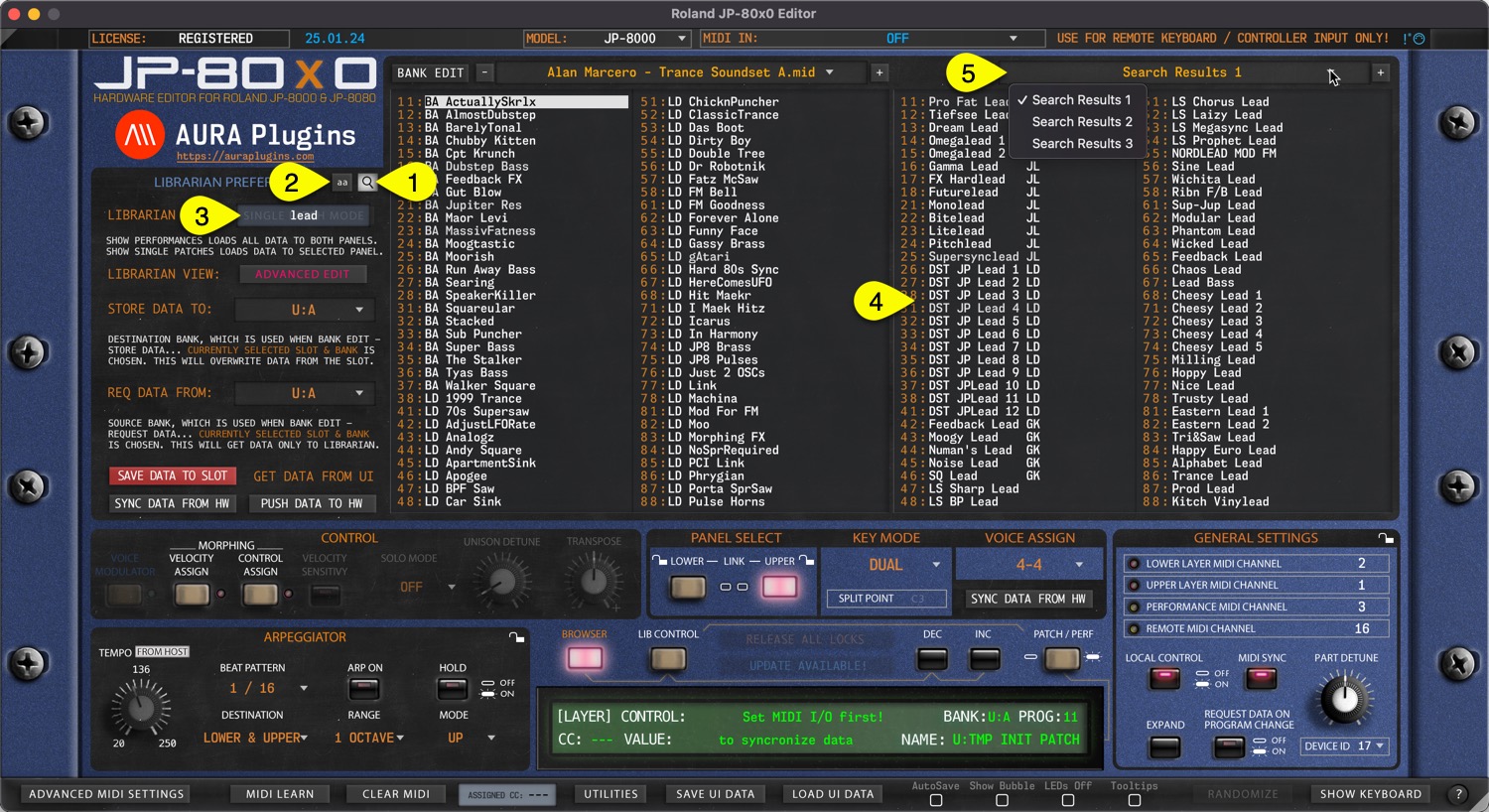
Search follows the current Librarian View mode, ie. PATCH mode shows results only from Patch banks, while Performance mode shows only results from Performance banks.
NOTE: To adjust how search works, use the Utilities Menu -> Librarian Preferences to determine how search works.
Share this with fellow producers



