by Jani | AURA Plugins | Dec 19, 2025
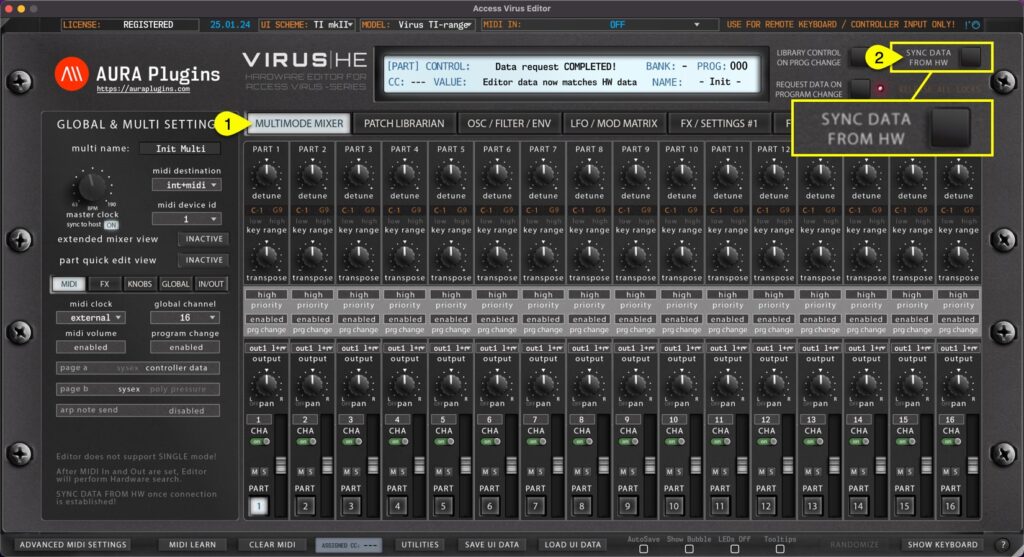
Multi data and individual parts Method #1 If MULTIMODE MIXER [1] view is toggled on, Sync Data from HW [2] button will request MULTI data and individual parts to the user interface like discussed earlier. This will take some time depending on the selected Virus model....
by Jani | AURA Plugins | Dec 19, 2025
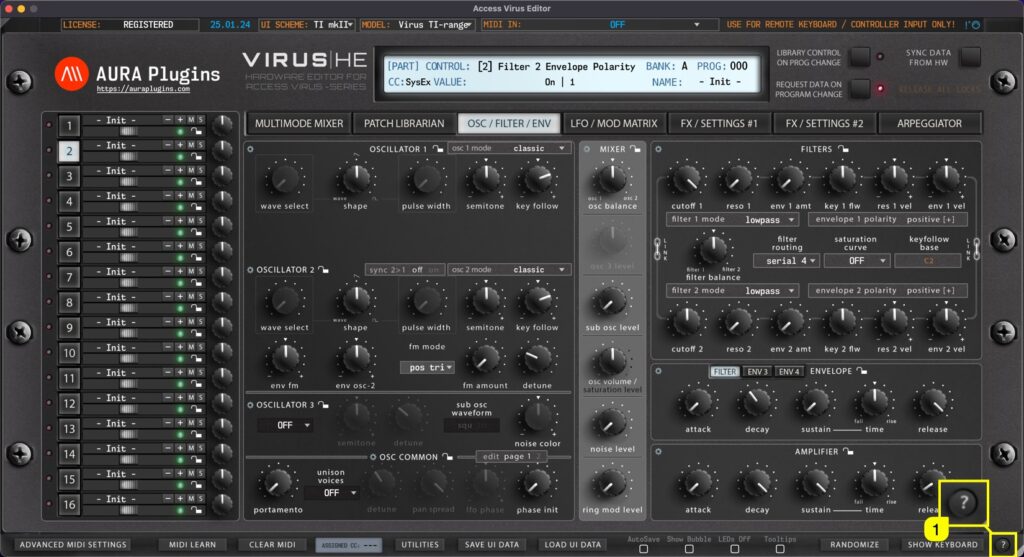
Get quick tips of the bottom bar functions when you click the ? [1] mark in the bottom bar. Use the same button to close the quick tips view. How To Show Keyboard (Part Focus) How To Sync Data From...
by Jani | AURA Plugins | Dec 19, 2025
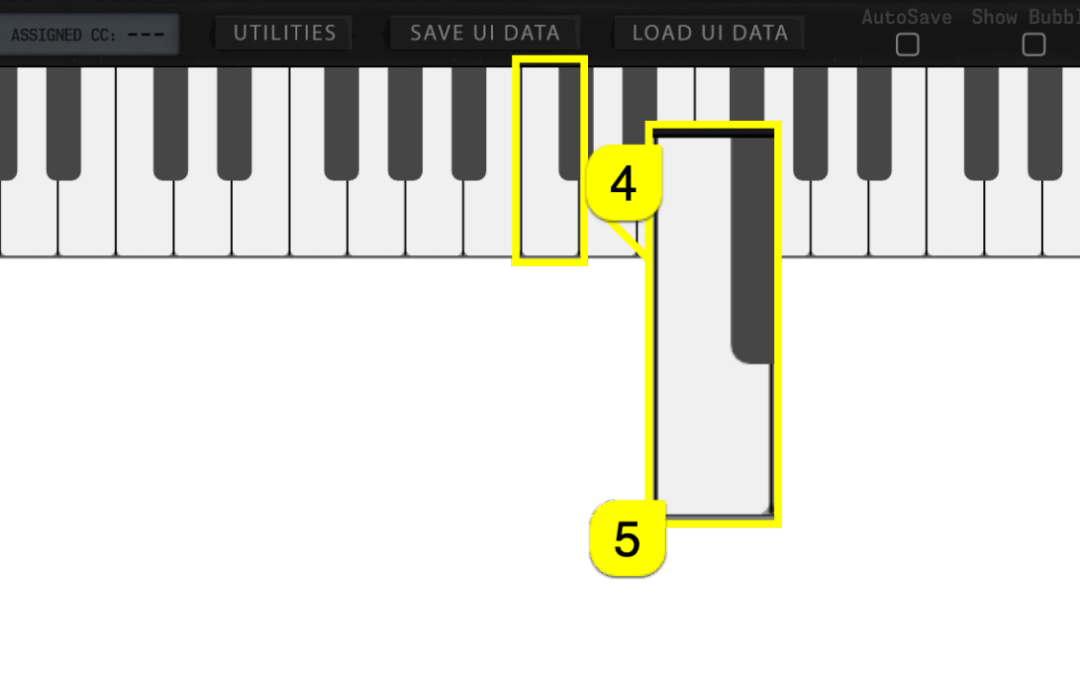
Toggle on SHOW KEYBOARD [1] to display “on-screen” keyboard, Pitch Wheel [2] and Modulation wheel [3] . You can play individual keys with mouse click or you can use your computer “QWERTY”-keyboard, in other words: normal typing keyboard to play in notes. Keyboard also...
by Jani | AURA Plugins | Dec 19, 2025
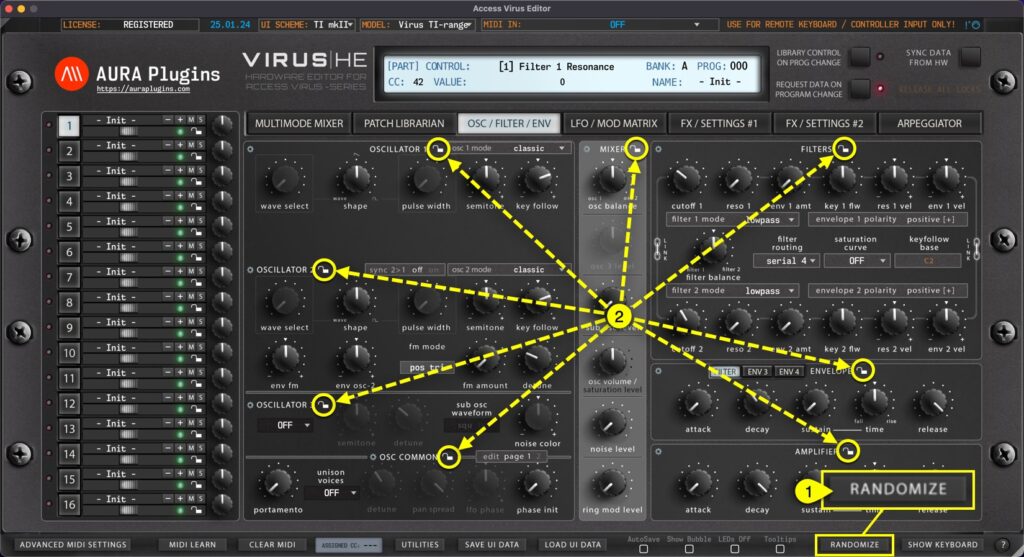
With the RANDOMIZE [1] button, you can trigger randomization on the currently active part. Different Sections [2] can be locked individually to prevent changes during randomize / patch change process. More about Section Locks further below. By default, Randomize will...
by Jani | AURA Plugins | Dec 19, 2025
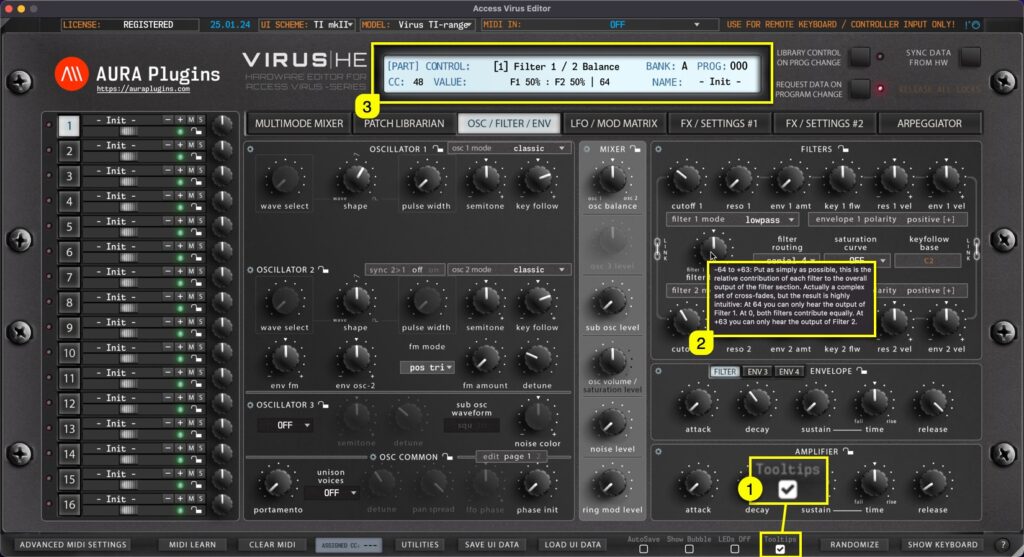
When Tooltips [1] is toggled on, tooltip text [2] will appear if you hold your mouse cursor steadily over the parameter. You also get parameter info displayed in the Editor control display [3] while hovering over parameters, like CC number assigned by default,...