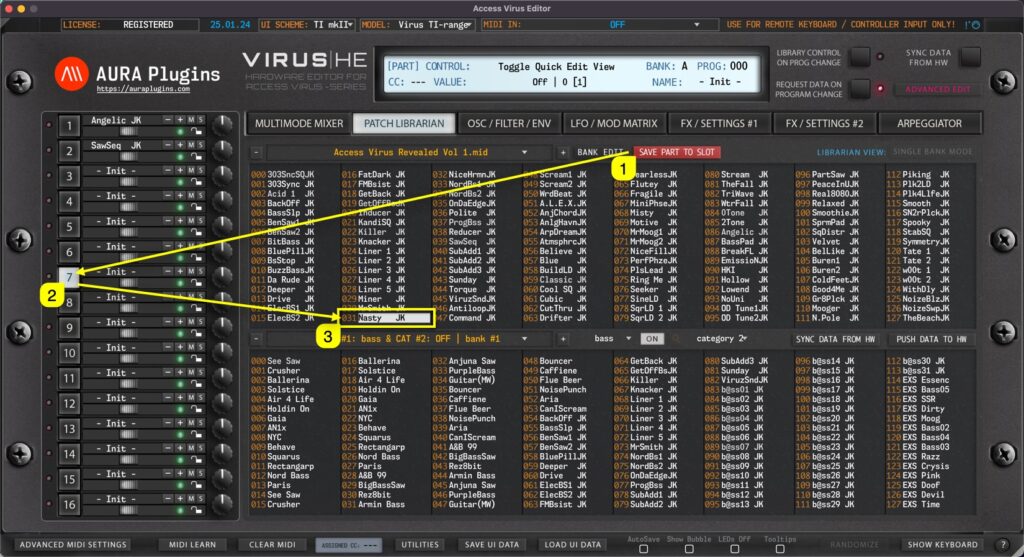
Save Part to Slot gets current User Interface data and places it into currently selected slot in the librarian. In this case we click the Save Part To Slot [1] button while PART 7 [2] is selected. This will then get Editor data from Part 7 slot and place it into...
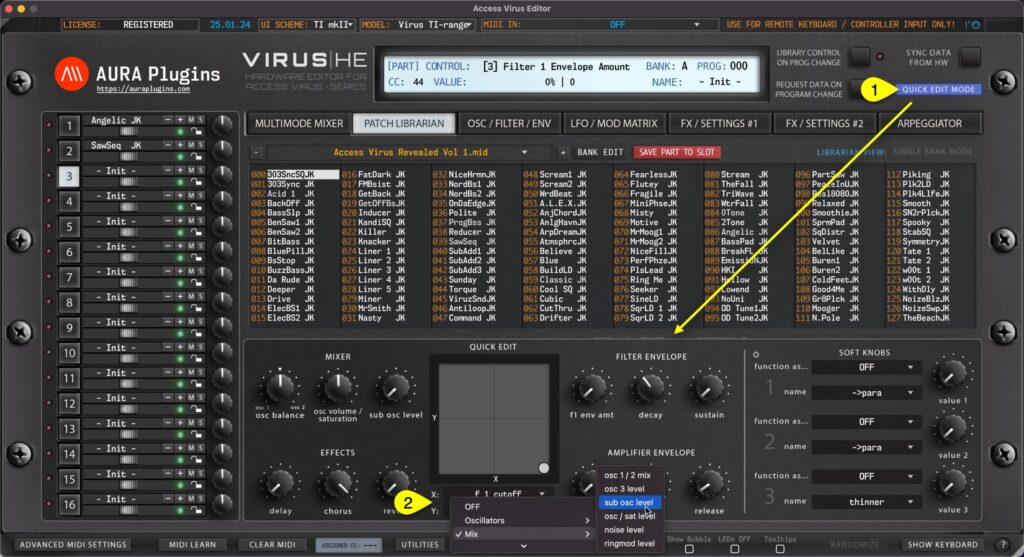
Patch Librarian has additional view to make quick edits on SINGLE PATCHES while browsing them through the Patch Librarian: Quick Edit Mode. Once Quick Edit Mode [1] is toggled on, LOWER list view is replaced with Quick Edit controls and customizable XY PAD. You can...
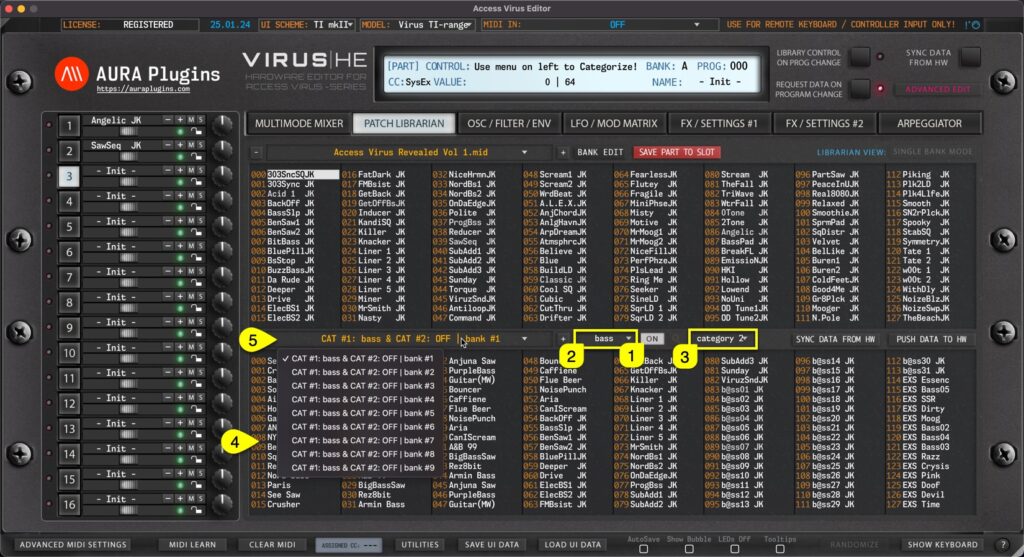
Category Filter can be toggled on by clicking the CATEGORY [1] on / off icon in the Patch Librarian View. You can define Category filtering with primary filter [2] and if you need further tuning to category drilling, use secondary filter [3] together. Once filters are...
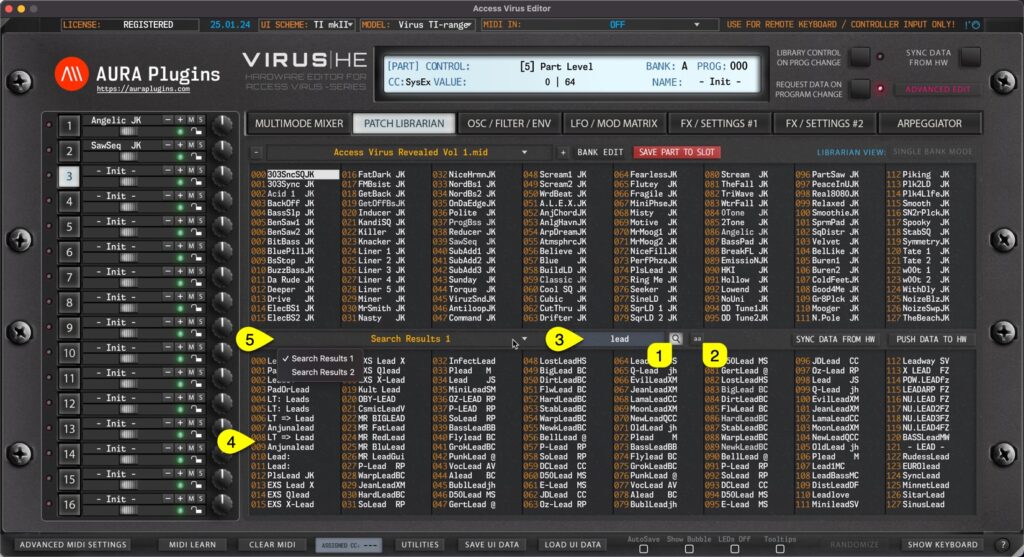
Search Filter can be toggled on by clicking the SEARCH [1] icon in the Patch Librarian View. Before entering the search term, you can define if search is taking character caps into account by clicking the “aa” [2] toggle. Now once the search term [3] is...
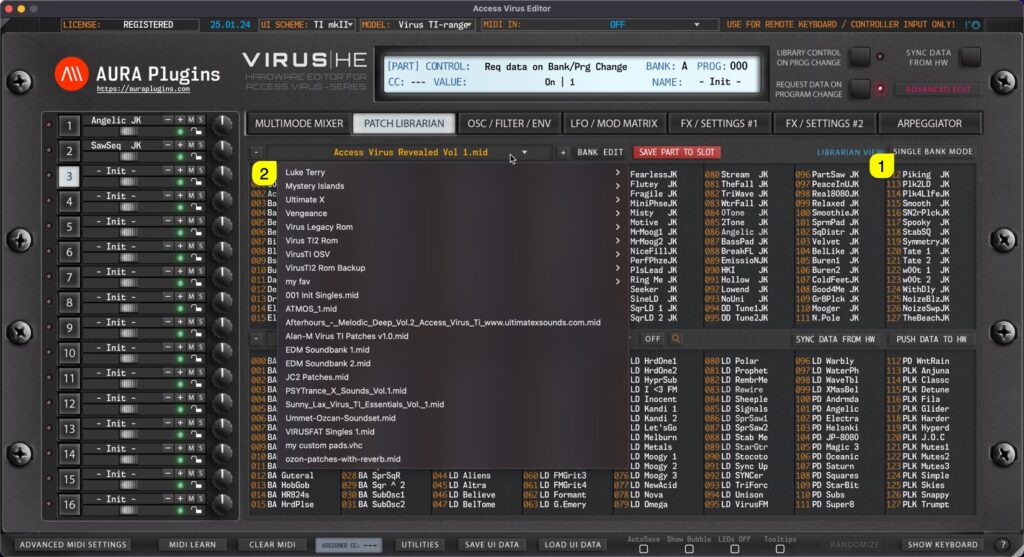
Single Bank mode When SINGLE BANK MODE [1] is selected, use can open a drop down menu by clicking the bank name [2] area with mouse click. With this drop down list, user can see all of the availabe banks detected by the Editor. Multi Bank mode Same applies to Multi...