by Jani | AURA Plugins | Dec 24, 2025
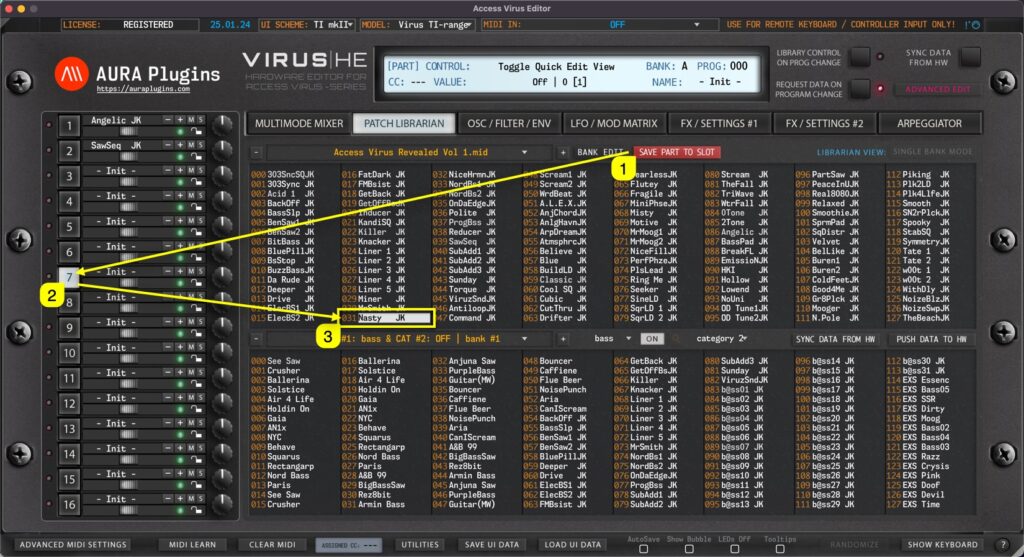
Save Part to Slot gets current User Interface data and places it into the currently selected slot in the librarian. In this case we click the Save Part To Slot [1] button while PART 7 [2] is selected. This will then get Editor data from Part 7 slot and place it into...
by Jani | AURA Plugins | Dec 24, 2025
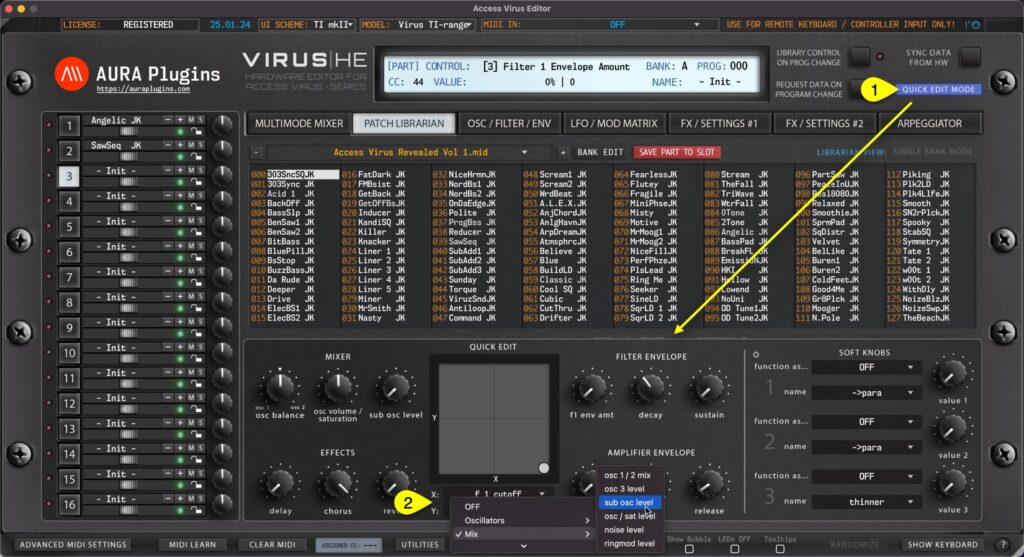
Patch Librarian has an additional view to make “ quick ” edits on SINGLE PATCHES while browsing them through the Patch Librarian: Quick Edit Mode. Once Quick Edit Mode [1] is toggled on, LOWER list view is replaced with Quick Edit controls and customizable XY PAD. You...
by Jani | AURA Plugins | Dec 24, 2025
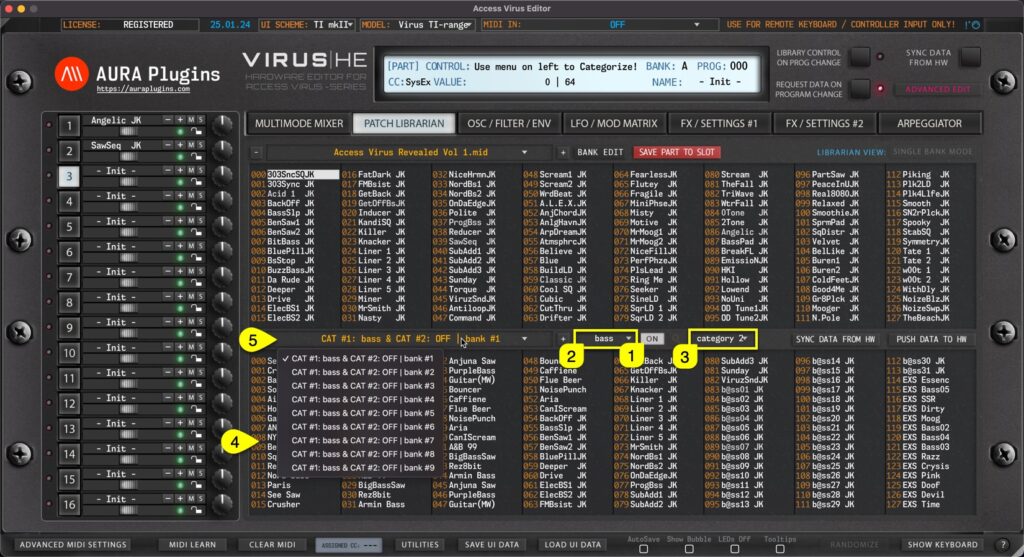
Category Filter can be toggled on by clicking the CATEGORY [1] on / off icon in the Patch Librarian View. You can define Category filtering with primary filter [2] and if you need further tuning to category drilling, use secondary filter [3] together. Once filters are...
by Jani | AURA Plugins | Dec 24, 2025
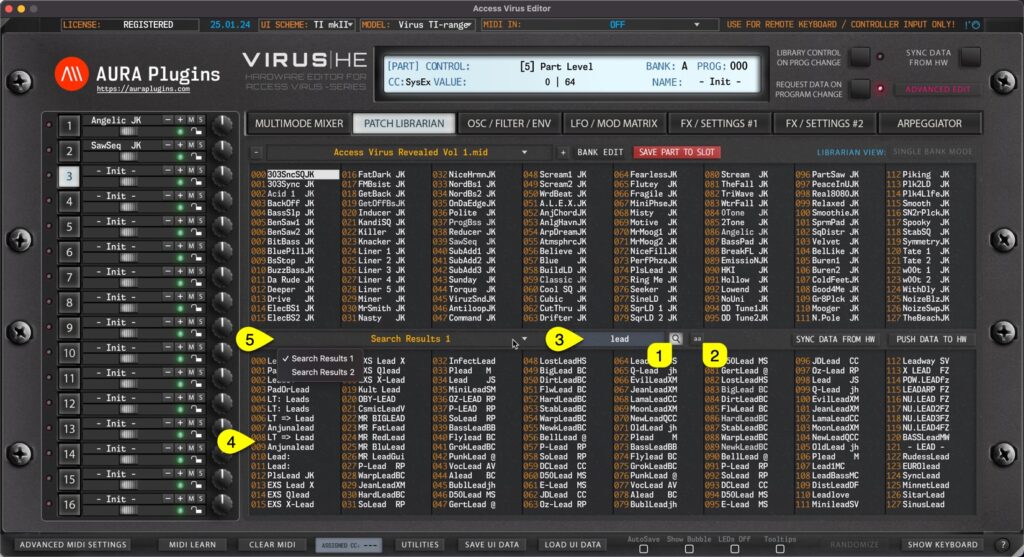
Search Filter can be toggled on by clicking the SEARCH [1] icon in the Patch Librarian View. Before entering the search term, you can define if search is taking character caps into account by clicking the “ aa ” [2] toggle. Now once the search term [3] is input and...
by Jani | AURA Plugins | Dec 23, 2025
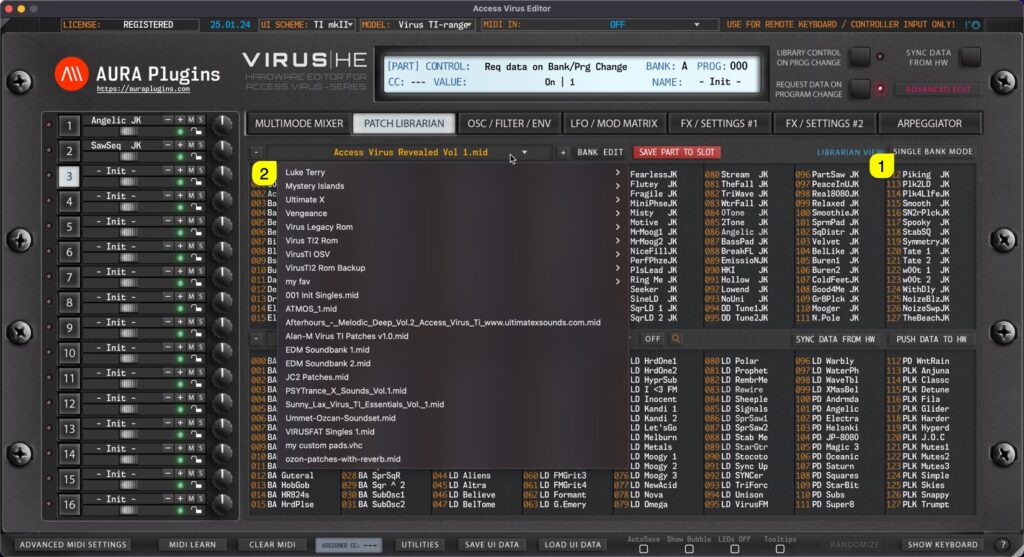
Single Bank mode When SINGLE BANK MODE [1] is selected, users can open a drop down menu by clicking the bank name [2] area with mouse click. With this drop down list, users can see all of the available banks detected by the Editor. Multi Bank mode Same applies to...