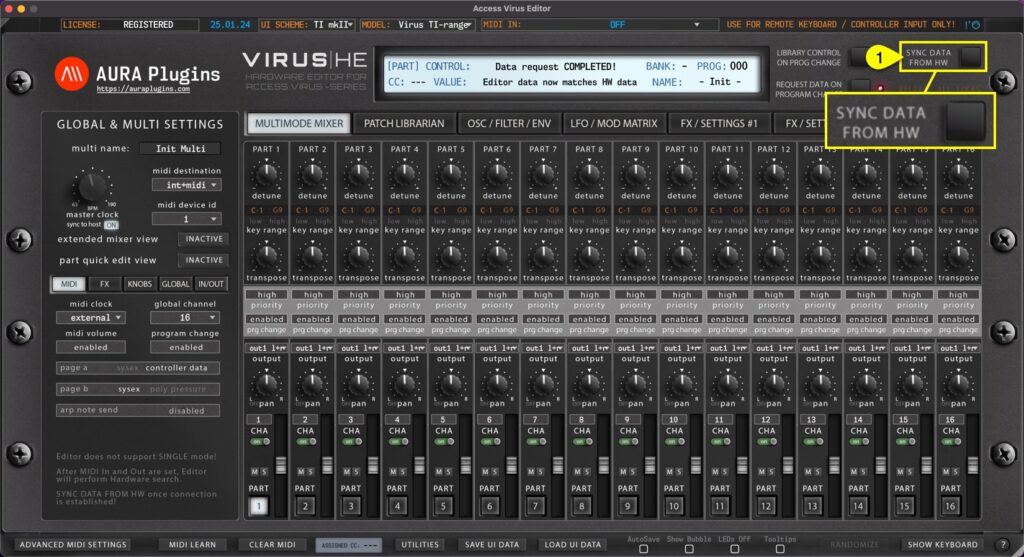
This is the final step before you can start making your own adjustments IF “Enable Hardware Auto-connect” is disabled from Utilities menu as explained in previous section! Click Sync Data From HW [1] button to synchronize active MULTI data and individual PARTS from...
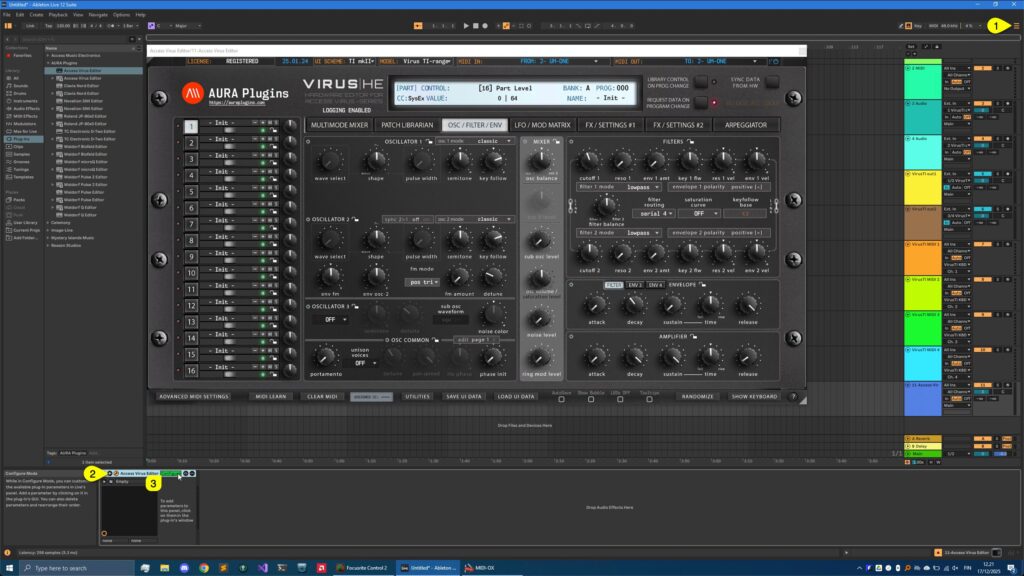
Learning Parameters for Automation You can automate almost every parameter of your Virus with our Editor in DAW without having to remember CC numbers or have spread sheets constantly open on your screen. Click toggle [1] to view arrangement view. Now click Unfold...
VST2 (legacy) You have the option to use the legacy VST2 format if you so wish to do. We would recommend to use VST3 for parameter automation simplicity and it has modern SDK (developer framework) under the hood. You can find the VST2 version from VST -> AURA...
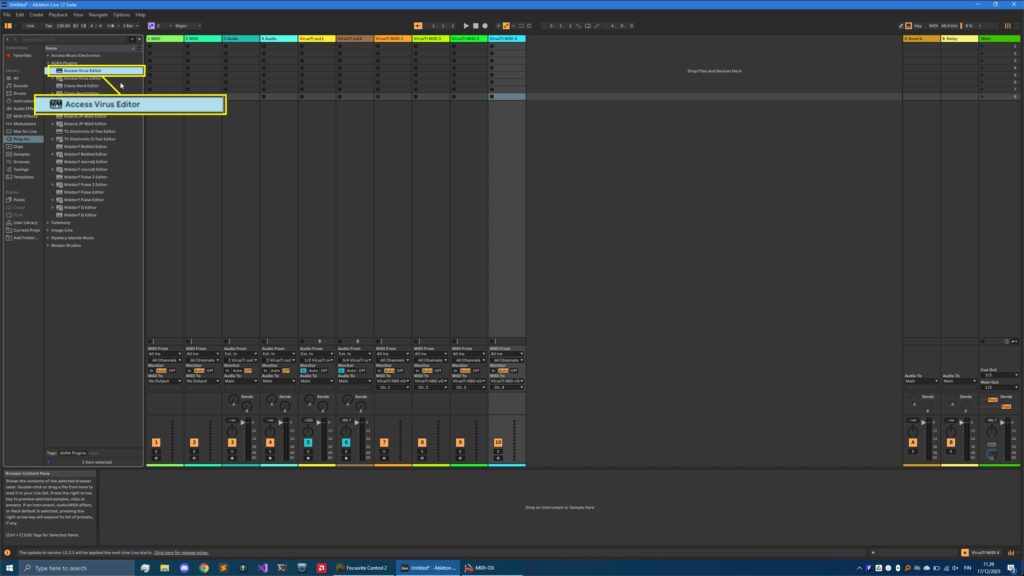
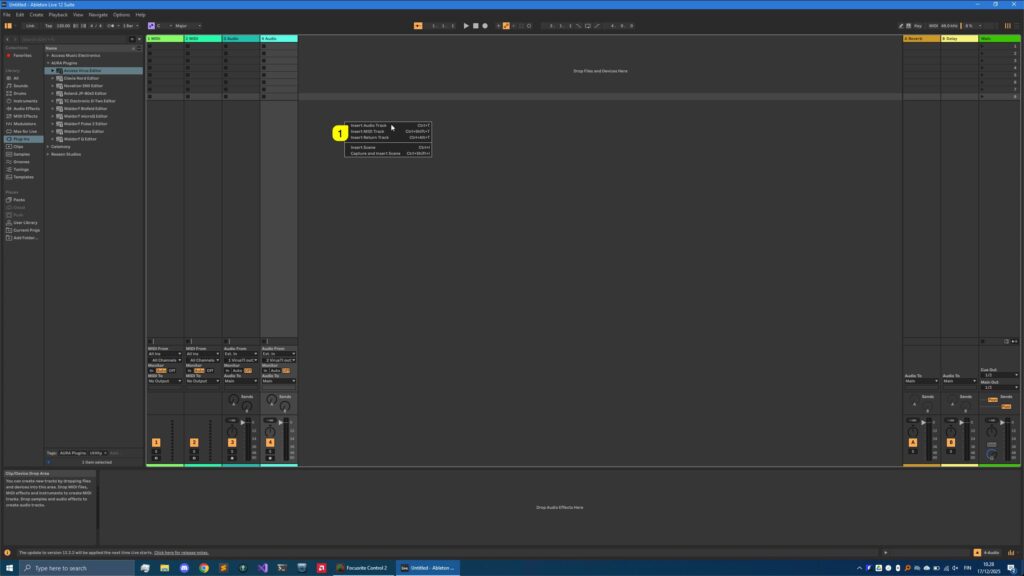
Before we add the Editor to the session, lets add AUDIO tracks and MIDI tracks for the Virus TI. Creating Audio track(s) Right click [1] on the session view and select Insert Audio Track or use key command Ctrl+T. I’ve added two Audio tracks since my Analog...
DISCLAIMER Our company & product has nothing to do with Ableton AG.If there is an issue with our product, open a support ticket in your account page.You can find support details at the end of this document.Support and updates are free to anyone who has bought the...