by Jani | AURA Plugins | Nov 14, 2025
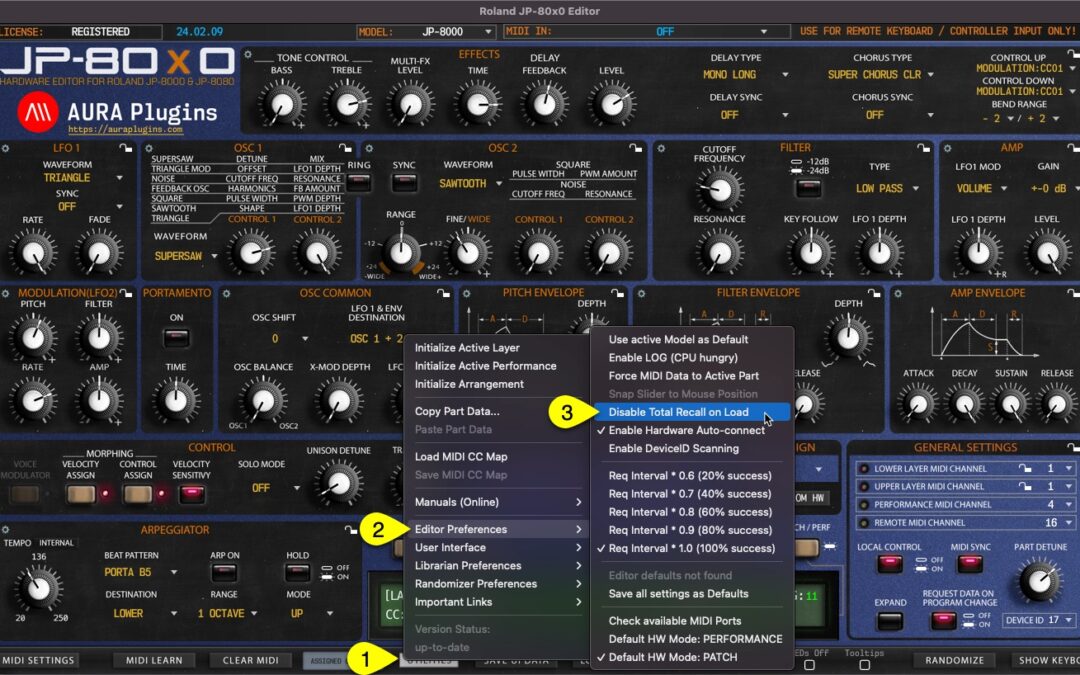
This is one of the best features we can think about our plug-in, total recall. It does what it says: recalls your saved session data from the plug-in user interface to your synthesizer, without the need of doing it manually! It is all automated, if you have the same...
by Jani | AURA Plugins | Nov 14, 2025
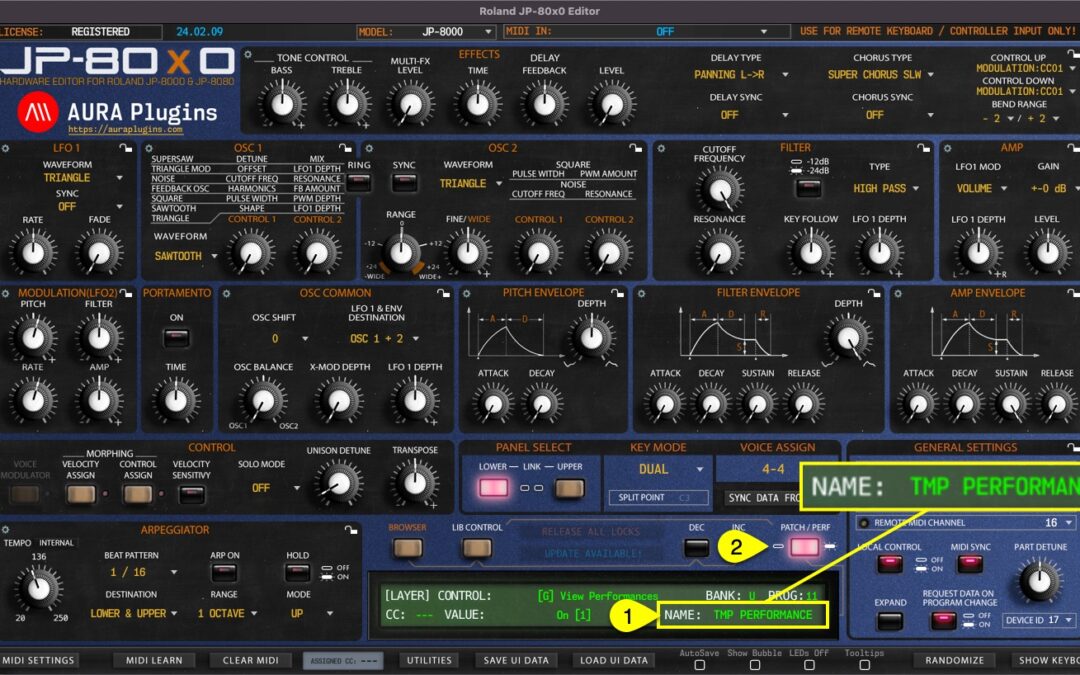
Performance Name [1] can be viewed and changed when the Editor is in Performance MODE [2] . Rename performance by clicking the performance name. NOTE: Renaming the Performance from the “Control Display” window does not change the name in the librarian. If you want...
by Jani | AURA Plugins | Nov 14, 2025
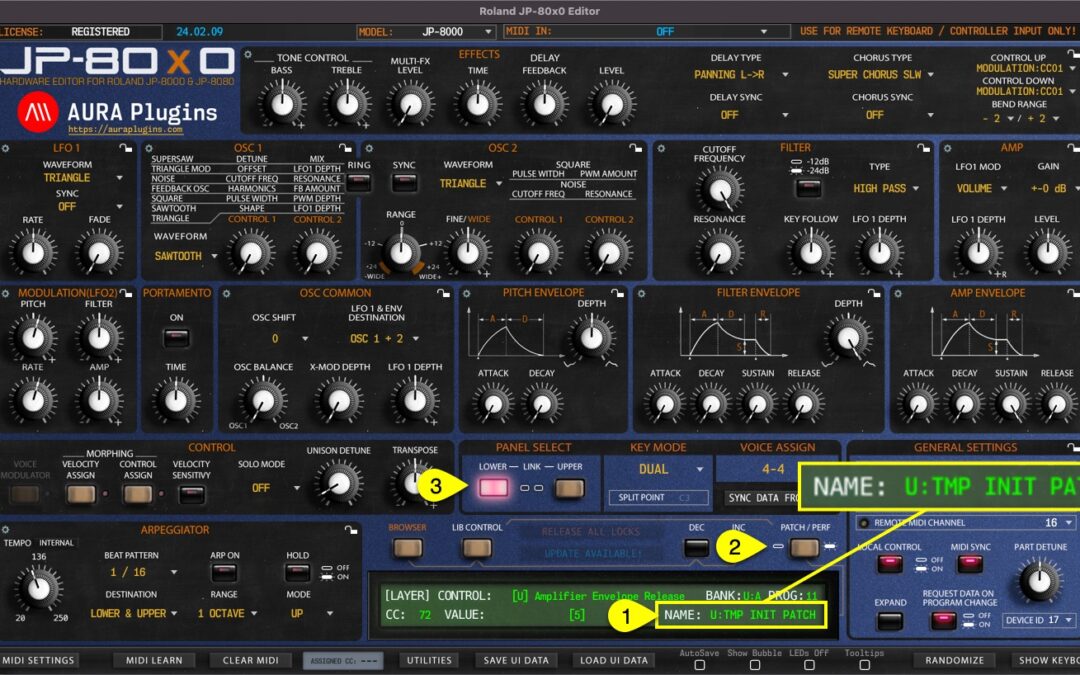
Patch Name [1] can be viewed and/or set when the Editor is in Patch MODE [2]. Patch name is individual per layer [3]. Rename layer by clicking the patch name. NOTE: Renaming a single patch from the “Control Display” does not change the name in the librarian. If you...
by Jani | AURA Plugins | Nov 14, 2025
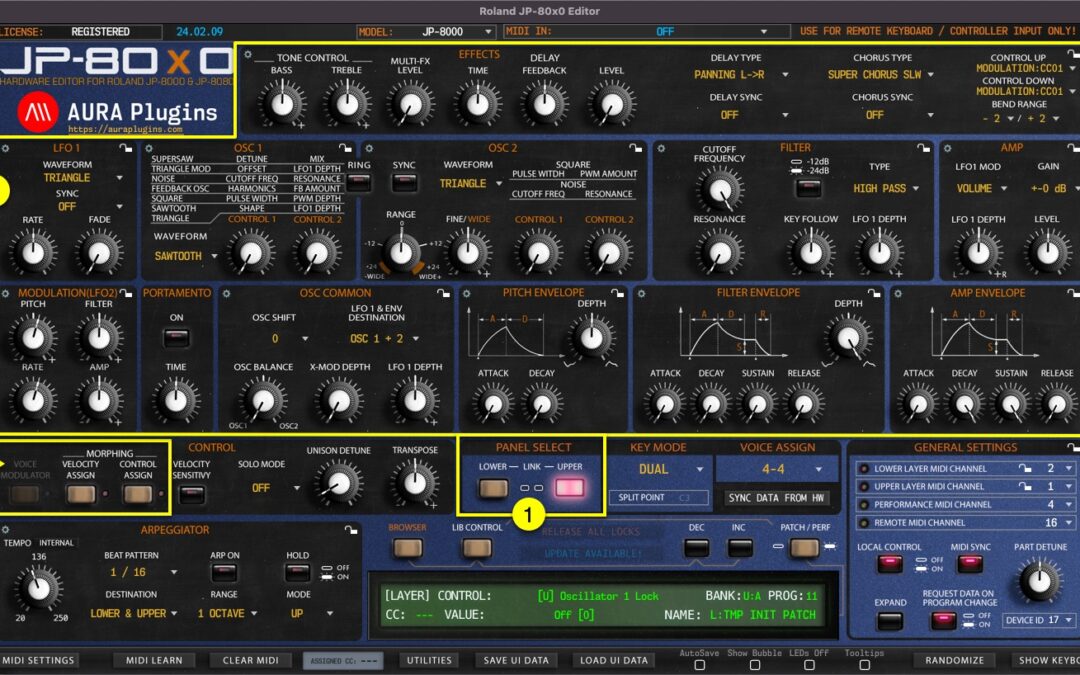
LAYER SELECT Layer Select [1] is a standard feature of the JP, which will change the current Performance Layer of the synthesizer. Data from the Editor user interface will be sent to the currently selected layer. i.e., if you move Filter Cutoff 1 from the UI while...
by Jani | AURA Plugins | Nov 14, 2025
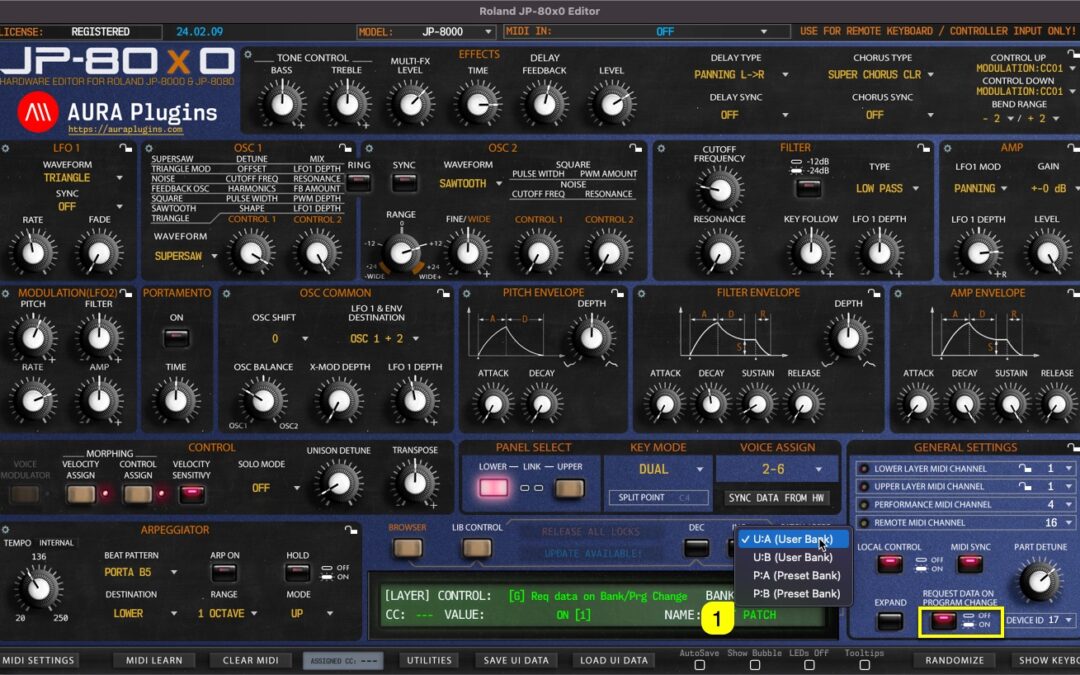
BANK Display [1] acts as a menu as well as a display to show the active Layer Patch bank number. You can navigate to different banks based on your selected JP model. If your model is set to JP-8000, the bank menu does not have as many options as when JP-8080 is set as...