by Jani | AURA Plugins | Dec 24, 2025
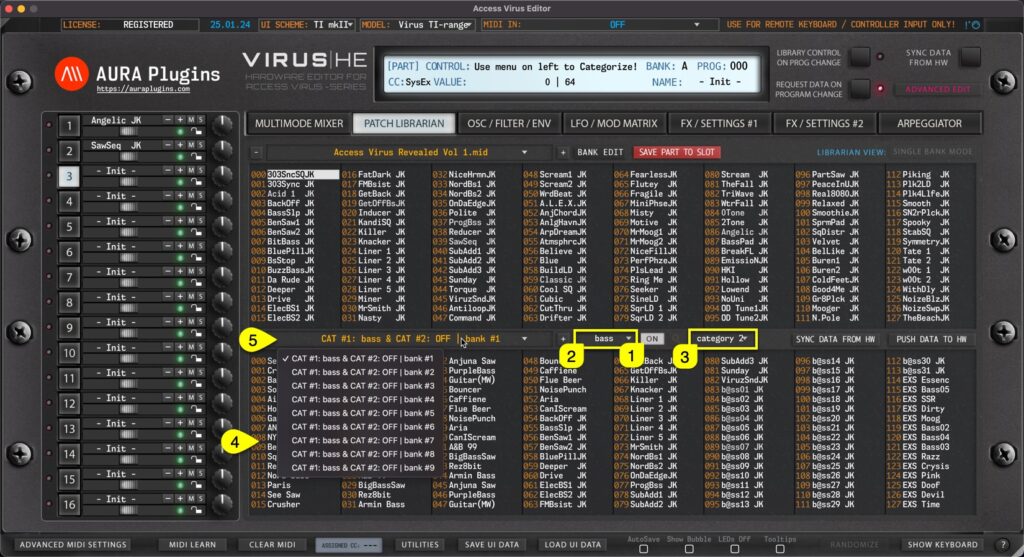
Category Filter can be toggled on by clicking the CATEGORY [1] on / off icon in the Patch Librarian View. You can define Category filtering with primary filter [2] and if you need further tuning to category drilling, use secondary filter [3] together. Once filters are...
by Jani | AURA Plugins | Dec 24, 2025
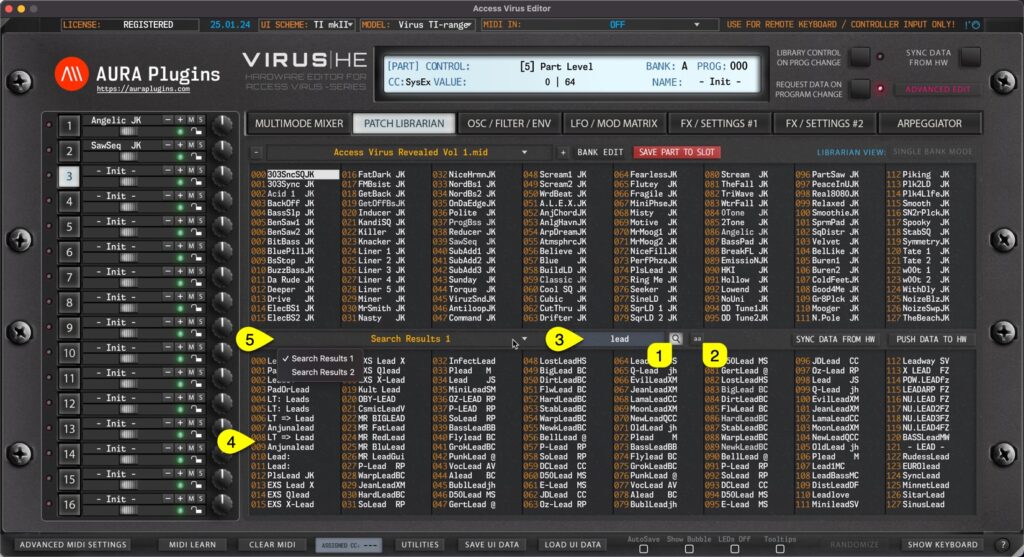
Search Filter can be toggled on by clicking the SEARCH [1] icon in the Patch Librarian View. Before entering the search term, you can define if search is taking character caps into account by clicking the “ aa ” [2] toggle. Now once the search term [3] is input and...
by Jani | AURA Plugins | Dec 23, 2025
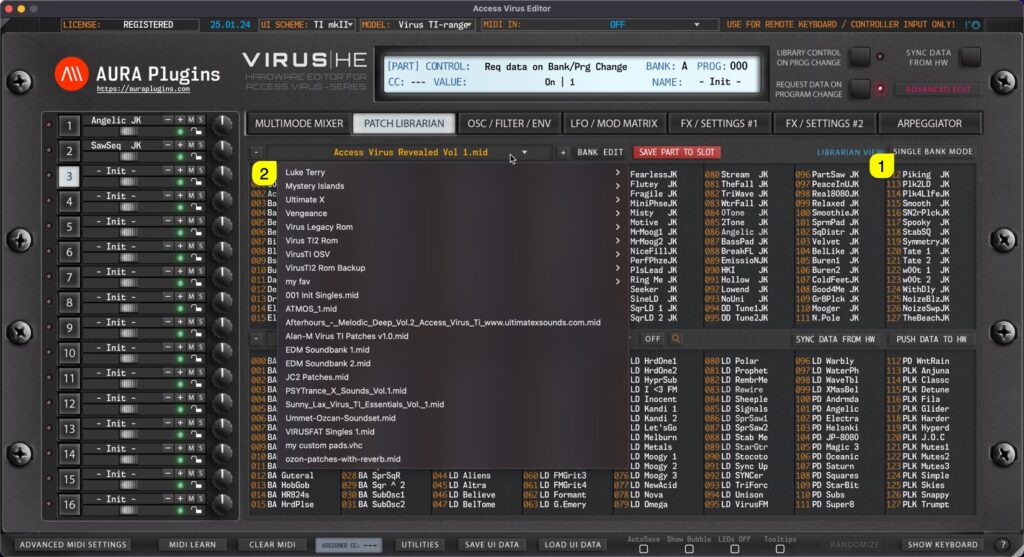
Single Bank mode When SINGLE BANK MODE [1] is selected, users can open a drop down menu by clicking the bank name [2] area with mouse click. With this drop down list, users can see all of the available banks detected by the Editor. Multi Bank mode Same applies to...
by Jani | AURA Plugins | Dec 23, 2025
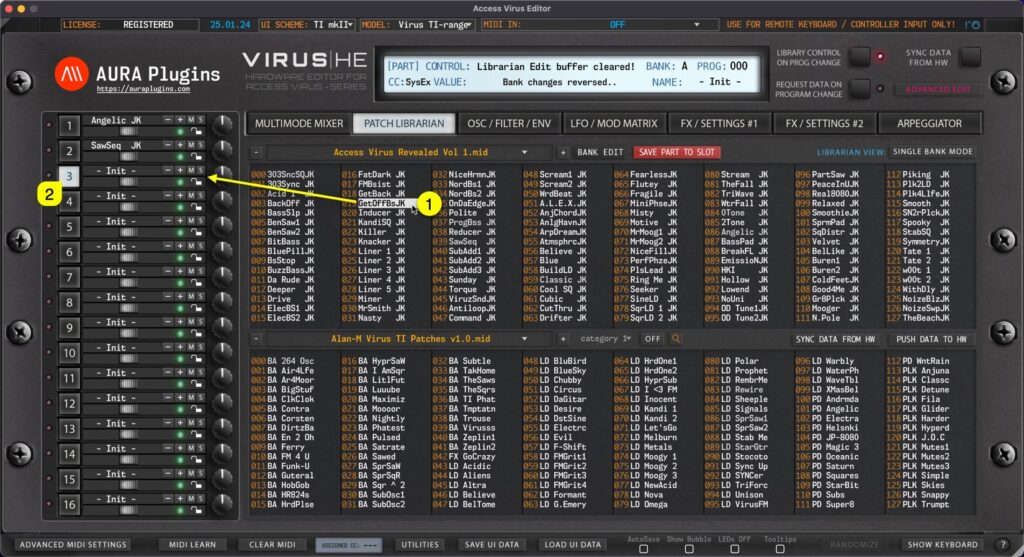
Double Click You can send any slot data [1] from the Librarian view to a selected Part [2] by double clicking the item. In SINGLE BANK mode this data will be sent to the currently selected [2] Part. In MULTI mode the data will only replace the MULTI settings, not...
by Jani | AURA Plugins | Dec 23, 2025
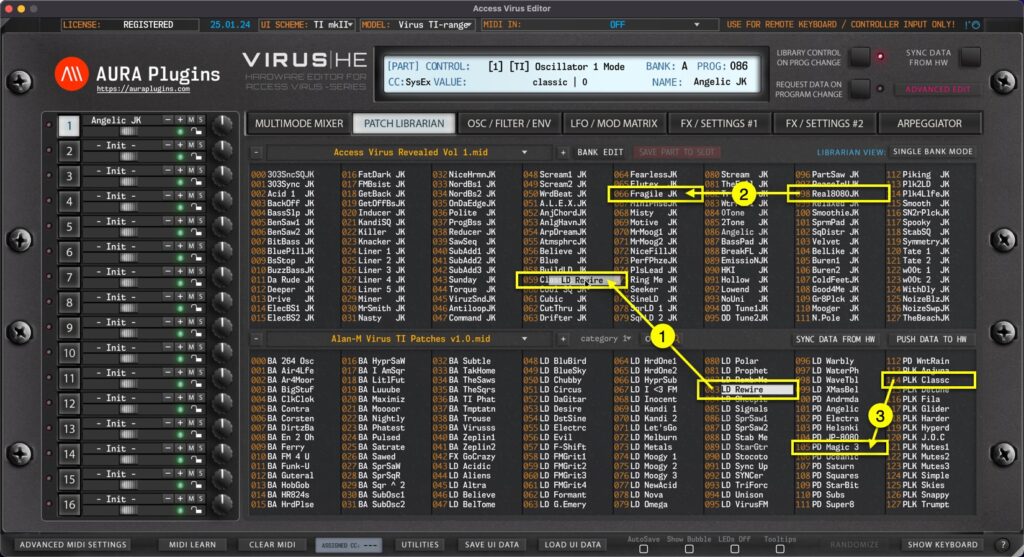
Librarian Drag’n’Drop You can drag’n’drop data from: [1] SOURCE list slot -> BUFFER list slot. [2] BUFFER list slot -> BUFFER list slot. BUT you can NOT drag’n’drop data from [3] SOURCE -> SOURCE list. BUFFER -> SOURCE list is also disabled....