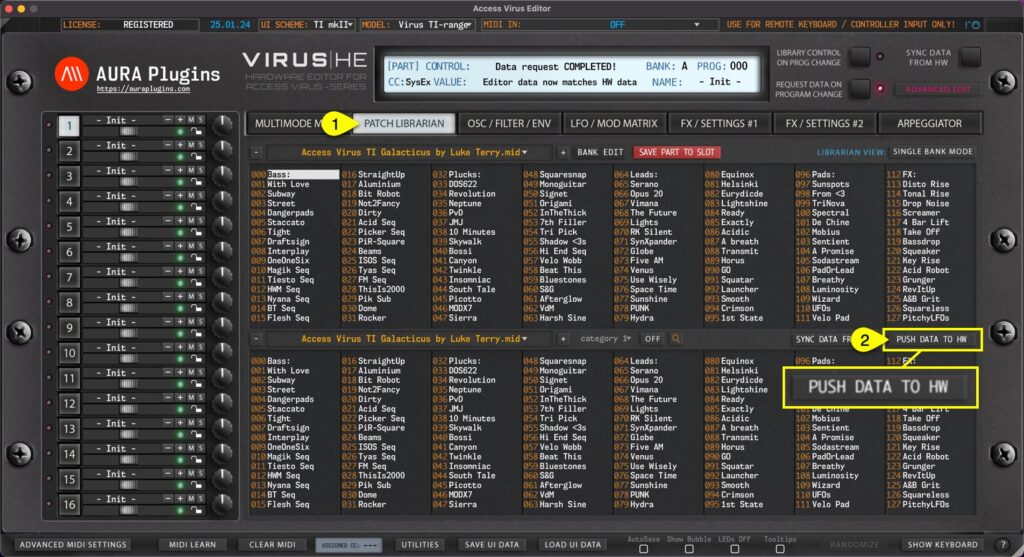
Another great feature we added is the ability to force data being sent to your synthesizer if needed. This could happen for couple of reasons: MIDI interface ports are no longer available, and you have assigned new MIDI ports manually. You open your session in a...
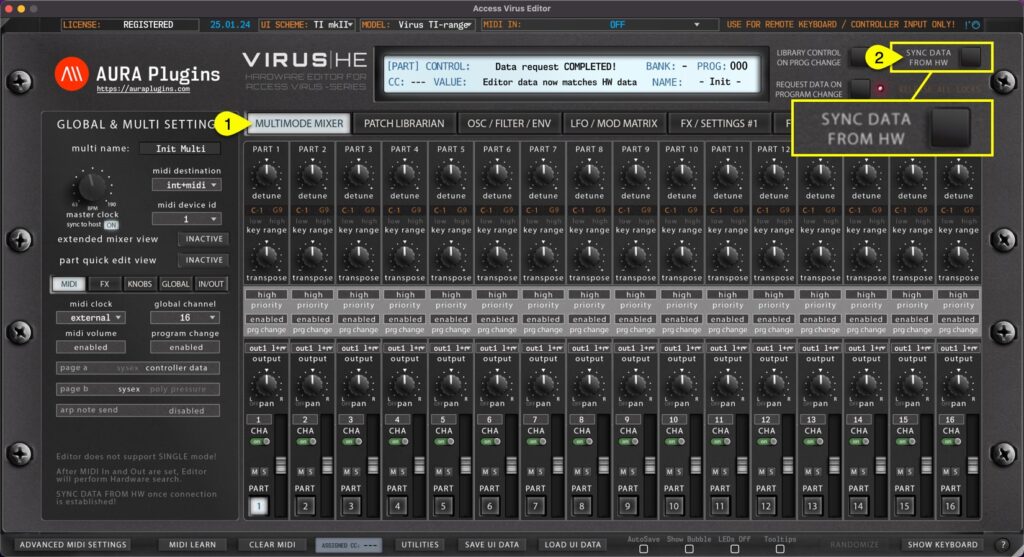
Multi data and individual parts Method #1 If MULTIMODE MIXER [1] view is toggled on, Sync Data from HW [2] button will request MULTI data and individual parts to the user interface like discussed earlier. This will take some time depending on the selected Virus model....
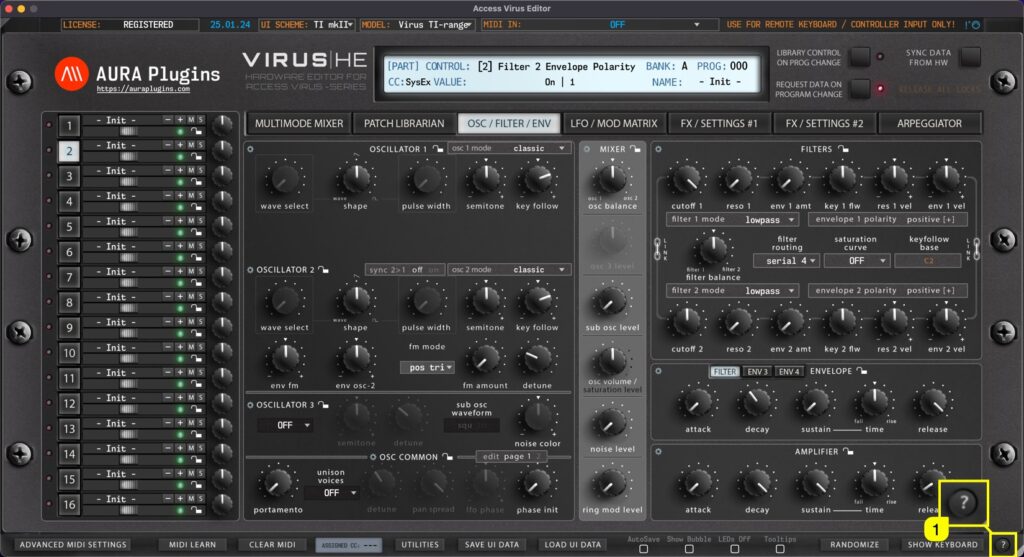
Get quick tips of the bottom bar functions when you click the ? [1] mark in the bottom bar. Use the same button to close the quick tips view. How To Show Keyboard (Part Focus) How To Sync Data From...
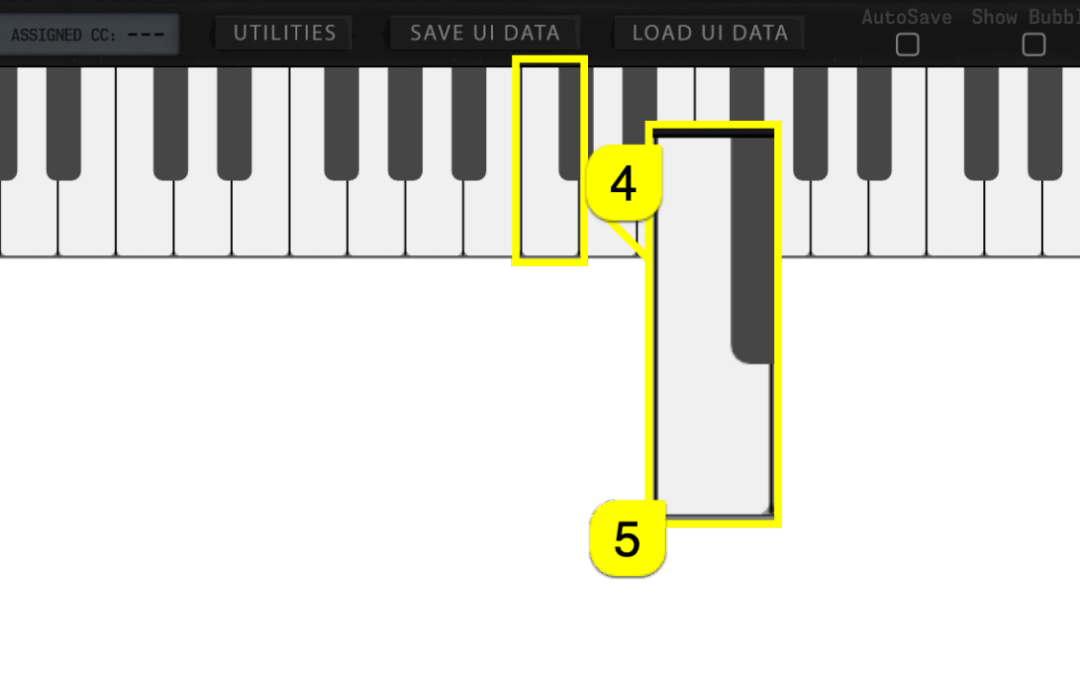
Toggle on SHOW KEYBOARD [1] to display “on-screen” keyboard, Pitch Wheel [2] and Modulation wheel [3]. You can play individual keys with mouse click or you can use your computer “QWERTY”-keyboard, in other words: normal typing keyboard to play in notes. Keyboard also...
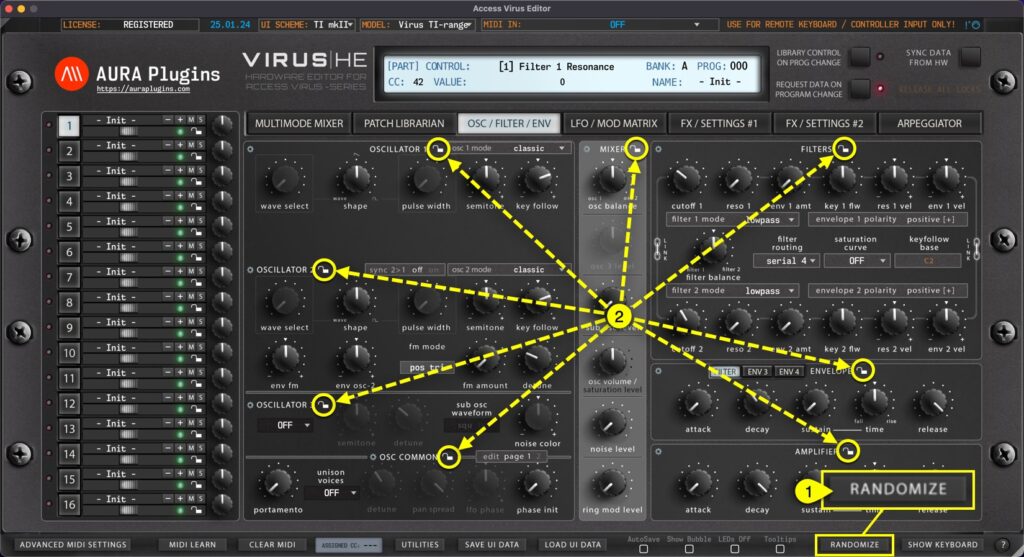
With RANDOMIZE [1] button, you can trigger randomization on currently active part. Different Sections [2] can be locked individually to prevent changes during randomize / patch change process. More about Section Locks further below. By default, Randomize will take...