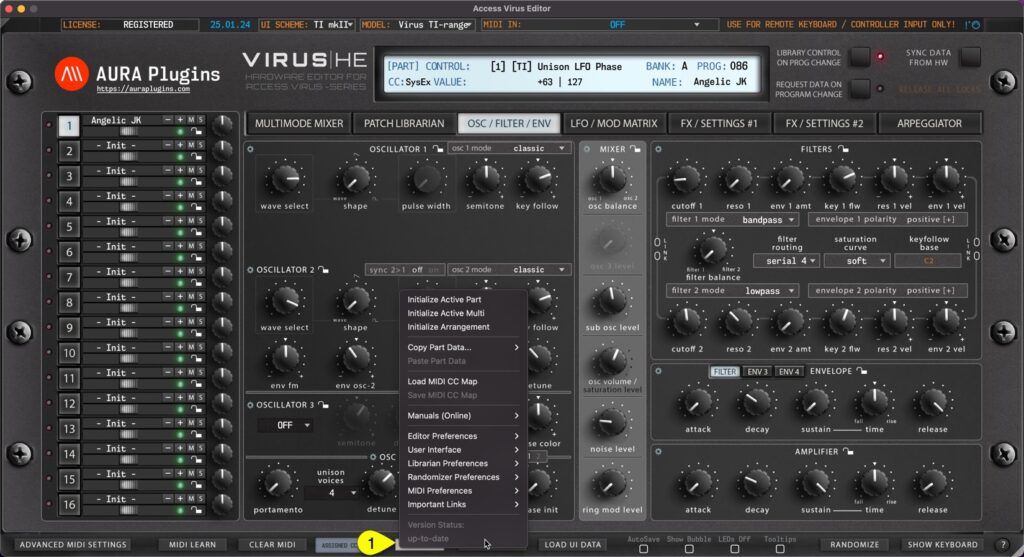
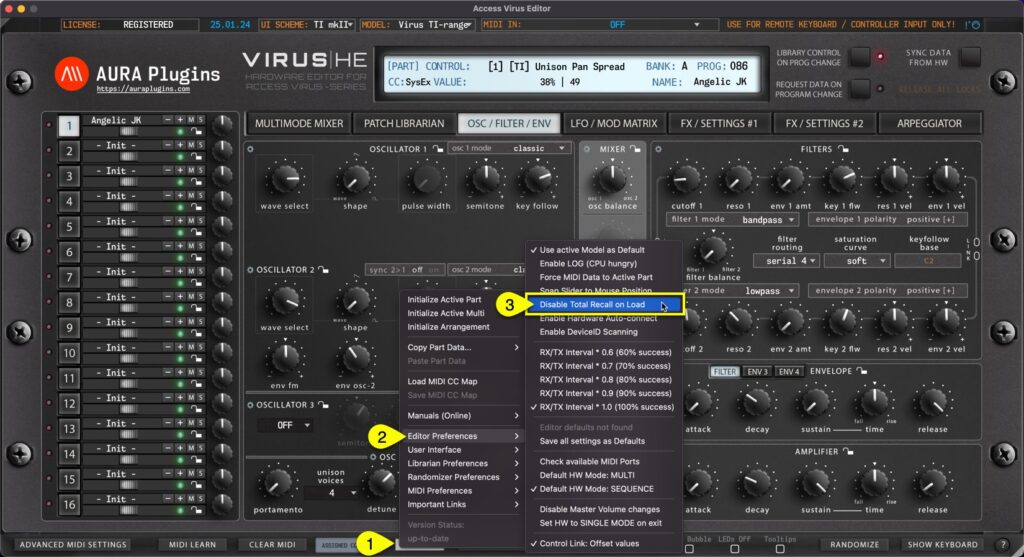
UTILITIES [1] menu can be found from the bottom bar of the Editor. Once you click the UTILITIES button, a popup menu will appear giving you a lot of different utilities. We will go through these one by one. Utilities menu items Initialize Active Part Initialize Active...
This is one of the best features we can think about our plug-in, total recall. It does what it says: recalls your saved session data from the plug-in user interface to your synthesizer, without the need of doing it manually! It is all automated, if you have the same...
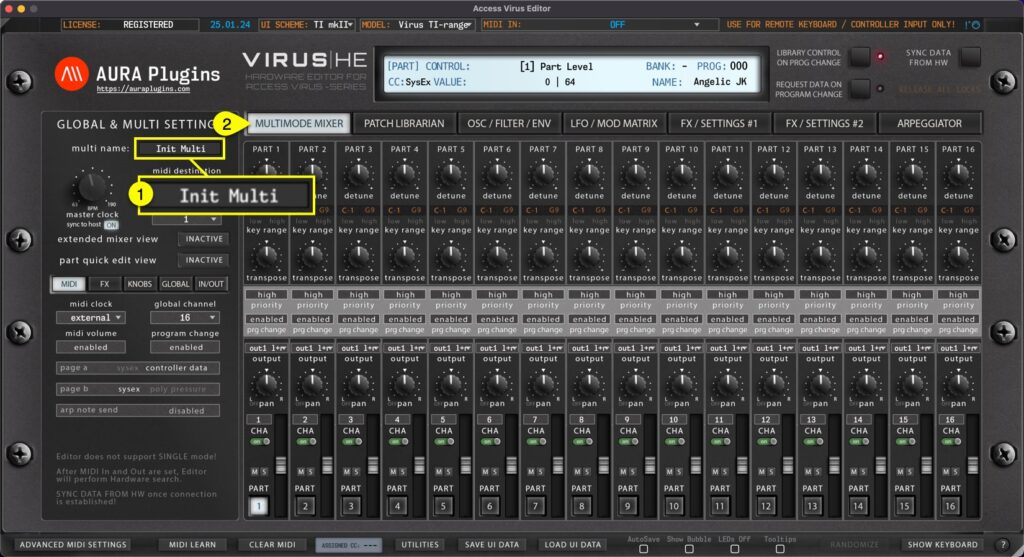
You can view and Edit MULTI NAME [1] when Editor MAIN TAB is set to MULTIMODE MIXER [2]. NOTE: Renaming Multi from the “MULTI SETTINGS” view does not change the name in the librarian. If you want to rename librarian items, check Related Docs below or use search...
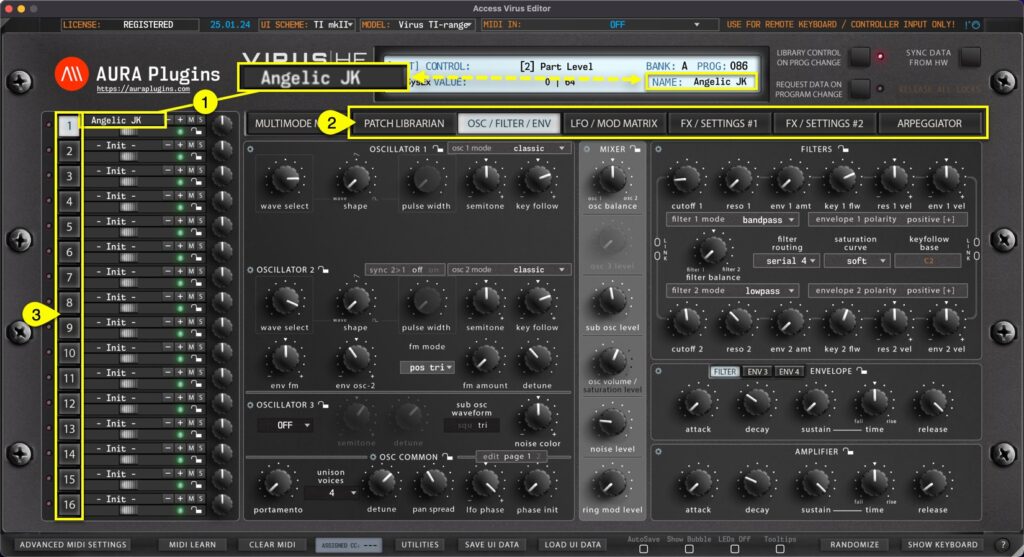
Single Patch Name [1] can be viewed and/or set when the Editor MAIN TAB [2] is PATCH LIBRARIAN -> ARPEGGIATOR. You can also see the patch name in the Editor Control Display. Patch name is individual per part [3]. Rename part by clicking the patch name in the...
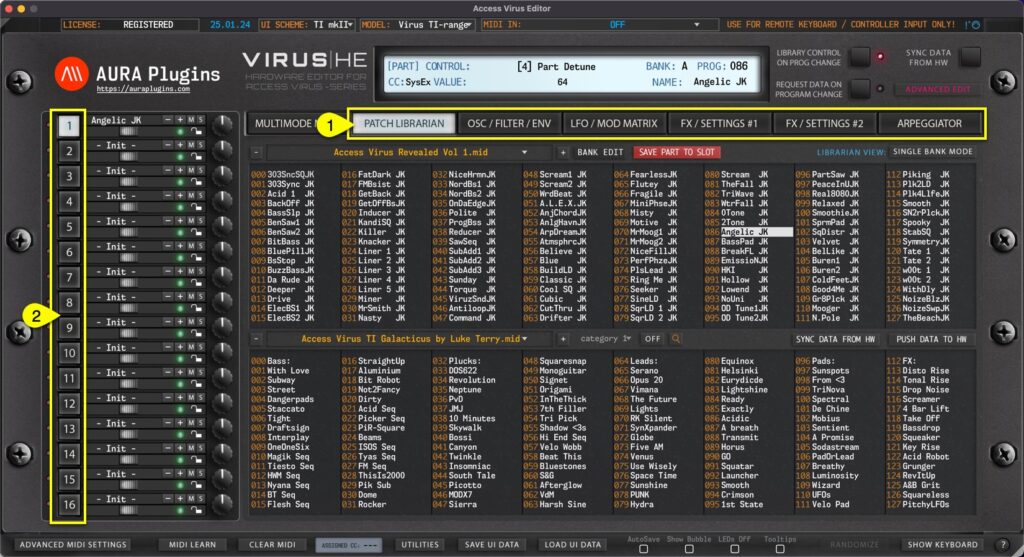
PART SELECT Virus has 16 multitimbral parts (except Virus TI Snow, which has 4). When MAIN EDIT TAB [1] is set to PATCH BROWSER -> ARPEGGIATOR, you can select different PART [2] by clicking the number toggles. Main Edit Tab Content Each edit TAB has specific set of...