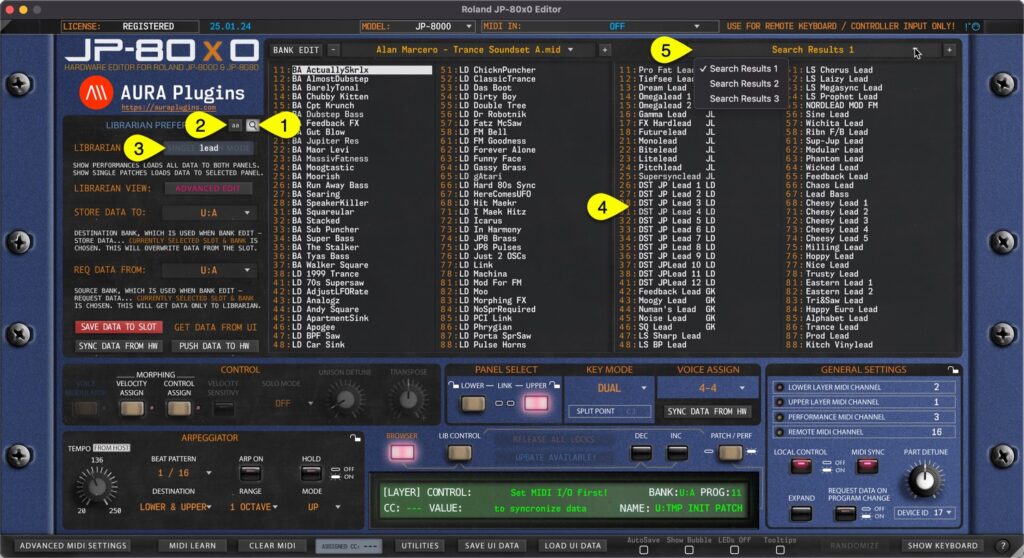
Search Filter can be toggled on by clicking the SEARCH [1] icon in the Librarian View. Before entering the search term, you can define if search is taking character caps into account by clicking the “aa” [2] toggle. Now once the search term [3] is input...
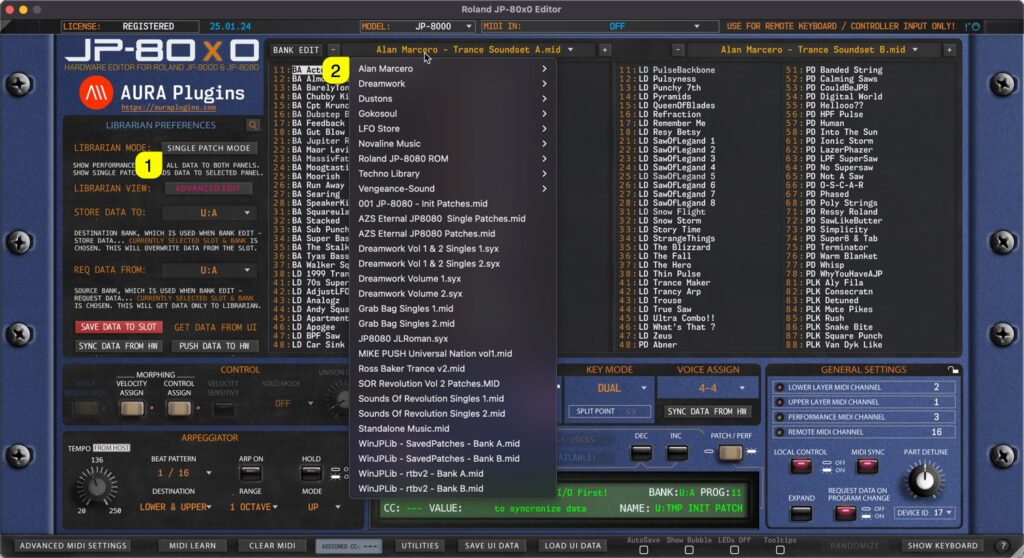
Single Patch mode When SINGLE PATCH MODE [1] is selected, use can open a drop down menu by clicking the bank name [2] area with mouse click. With this drop down list, user can see all of the availabe banks detected by the Editor. Performance mode Same applies to...
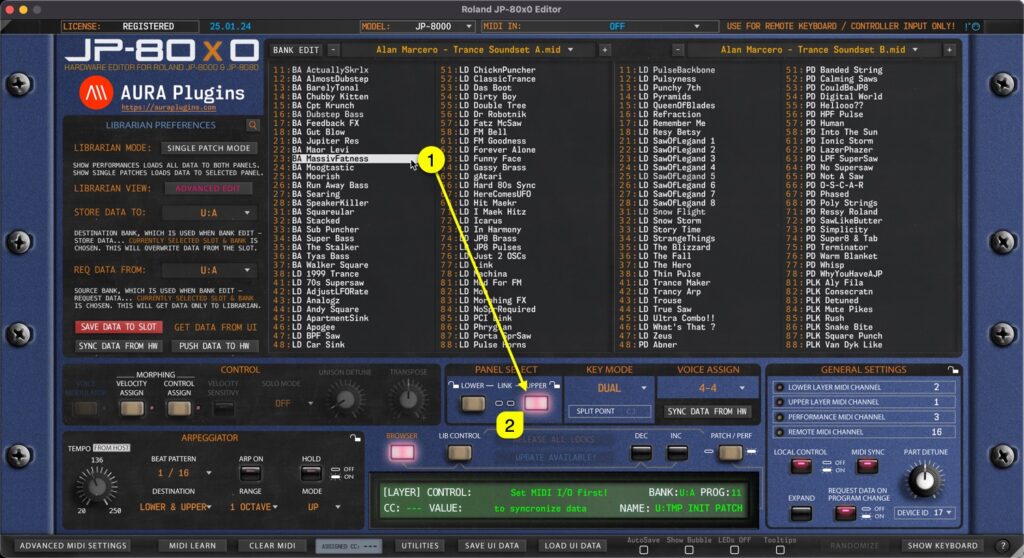
Double Click You can send any slot data [1] from the Librarian view to a selected Panel / Layer [2] by double clicking the item. In SINGLE PATCH mode this data will be sent to the currently selected [2] Layer. In PERFORMANCE mode the data will replace both layers....
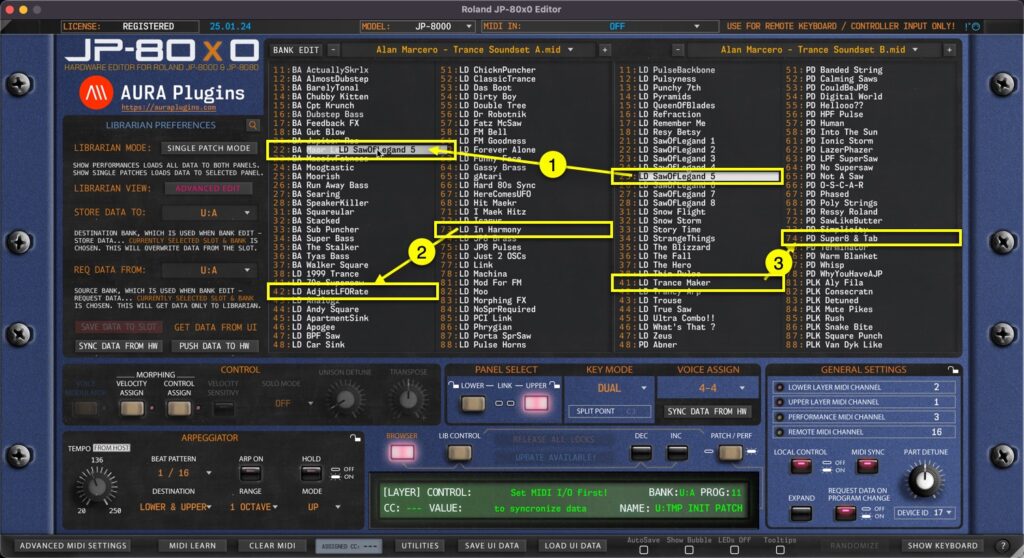
Librarian Drag’n’Drop You can drag’n’drop data from: [1] SOURCE -> BUFFER list [2] BUFFER -> BUFFER list BUT you can NOT drag’n’drop data from [3] SOURCE -> SOURCE list. BUFFER -> SOURCE list is also disabled. This is by...
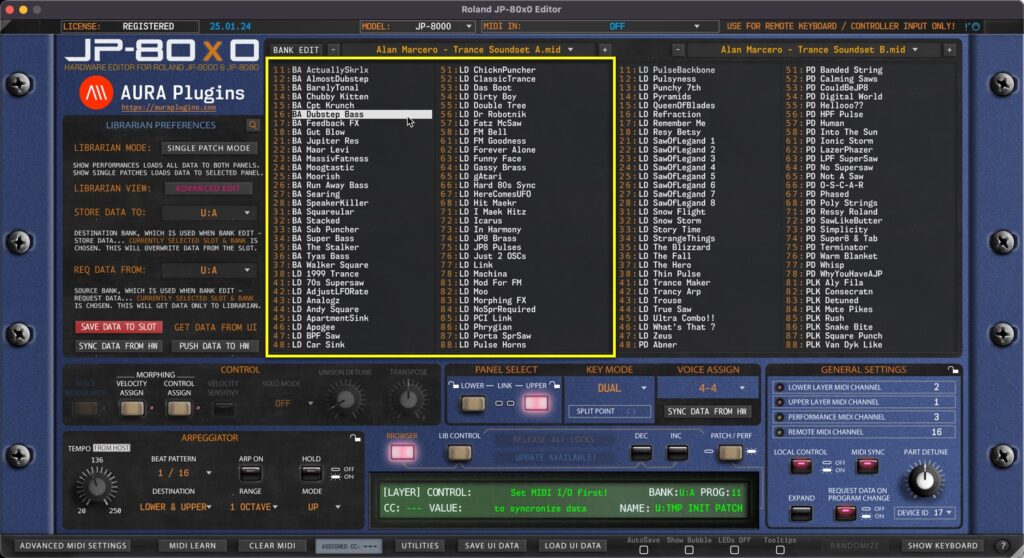
Our Librarian has two views: primary is “Edit Buffer” view and secondary is “Source” view. This is really straight forward, left is your Edit Buffer, where you can request, rename, move and paste data. Right view is your Source of copy / search...