
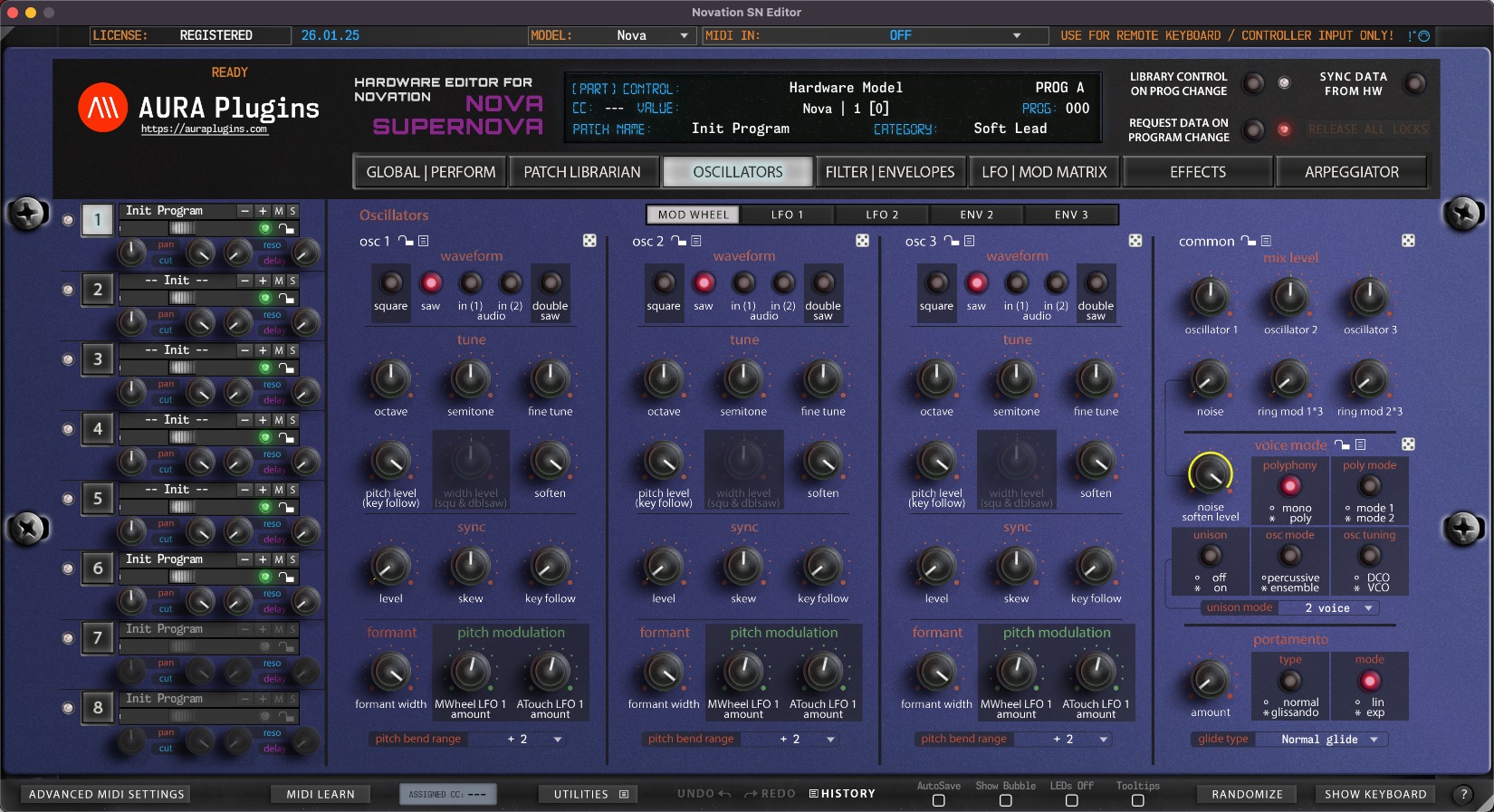
Download Novation SN Editor & Librarian
Hardware Editor and Librarian for Novation Nova Desktop and Supernova Rack.
It is time to reconnect – don’t leave the hardware behind
Hardware requirements
– Novation Supernova Rack and/or Nova Desktop
– MIDI Interface with SysEx support
MIDI Clock note
Novation SN Editor works the best when you set MIDI Clock to External in the hardware.
Note: Get a good USB to MIDI interface, like ESI MIDIMATE EX to connect your hardware with your DAW
Latest version: 26-01-25 | 2026-Jan-25
User Manual
Can’t see your license and downloads?
Refresh page after login to view FULL downloads and license
FULL Downloads require license purchase from our store.
Demo Limitations to be aware of:
- Parameters can not be automated from your DAW.
- Parameter MIDI CC Mapping is disabled.
- Parts 2-15 are disabled (if applicable).
- Total Recall is disabled.
- UI Data can not be saved or loaded.
- MIDI CC Mapping Data can not be saved or loaded.
- Librarian Bank Edits can not be saved.
- Librarian "Store Data to Hardware" is disabled.
- Demo can not be registered.
Install and Launch instructions
Download the installer for macOS or Windows.
- Extract the zip file on Windows.
Open the installer executable and run it.
- Select all plugin formats to install - otherwise it will fail.
- Read the hardware and DAW configuration guides from our documentation site. Link below.
Optional:
If you have banks you've purchased for the specific product, copy them to:
~/Music/AURA Plugins/(product name)/Patches/ folder.
- Open the plugin or Standalone application and you can view your banks in the Patch Librarian tab.
- Enjoy!
- Support our continuous development via https://ko-fi.com/auraplugins!
Available plug-in formats
- VST2 (macOS and Windows)
- VST3 (macOS and Windows)
- AAX (macOS and Windows)
- Audio Unit (macOS)
- Standalone Application (macOS and Windows)
64-bit macOS or Windows
System requirements
Windows 7 or greater (64 bit)
macOS 10.12 (High Sierra) or greater with Metal graphics
Intel & Apple Silicon
Please ensure system and DAW compatibility with the plug-in or standalone application DEMO before committing to purchasing a full license. All purchases are final.



VST is a trademark and software of Steinberg Media Technologies GmbH.
Recent changes:
[ New ] Complete overhaul of the SNx Editor with Apple Silicon support.
[ New ] Windows AAX, VST2, VST3 and Standalone Application for Win 7 and greater.
[ New ] macOS AU, AAX, VST2, VST3 and Standalone Application for macOS 10.12 and greater.
[ New ] User Interface redesign - requires macOS with Metal support.
[ New ] Realtime resizable graphics.
[ New ] Editor has dedicated 20-to-50 step Edit History with Undo and Redo.
[ New ] Librarian has dedicated 20-to-50 step Edit History with Undo and Redo.
[ New ] MIDI Learn per CC control can be defined with right clicking on parameter.
[ New ] LED is lit below the parameter name if MIDI CC is assigned.
[ New ] Randomizer dice to randomize each section with one click.
[ New ] Section controls to allow Section based presets and functions.
[ New ] Multi selection of items in librarian with shift+click or shift+arrow keys.
[ New ] Copy and Paste items with normal copy / paste commands.
[ New ] Onscreen Keyboard to trigger notes.
[ New ] MIDI mappings can be loaded or saved to hdd.
[ New ] Saving and Loading UI DATA which is essentially all parameters of the instance.
[ New ] Show Bubble control of current parameter when adjusting value.
[ New ] Show parameter values on Editor display when mouse is over the control.
[ New ] Adjust parameter Mod assignment with shift + mouse. Reset Mod assignment to default / last loaded value with shift + double click.
[ Fixed ] All previous bugs with the Editor should be cleared now.
[ Other ] User Manual is not yet available. Use tooltips to show function purpose. Most are self-explanatory.
[ Other ] Windows: Our signing certificate expired, so use right click -> open to install.
Issues with Editor? Open Support Ticket.
Join our Novation SN Editor community over at Discord!
Want to support our development and free updates? Buy us a coffee!
Complete change log: https://auraplugins.com/kb/article/novation-sn-editor-changelog/
Share this with fellow producers



