
Knowledge Base forAccess Virus Editor

Documentation
Resources
Access Virus Editor – Creating Tracks
Before we add the Editor to the session, lets add AUDIO tracks and MIDI tracks for the Virus TI.
Creating Audio track(s)
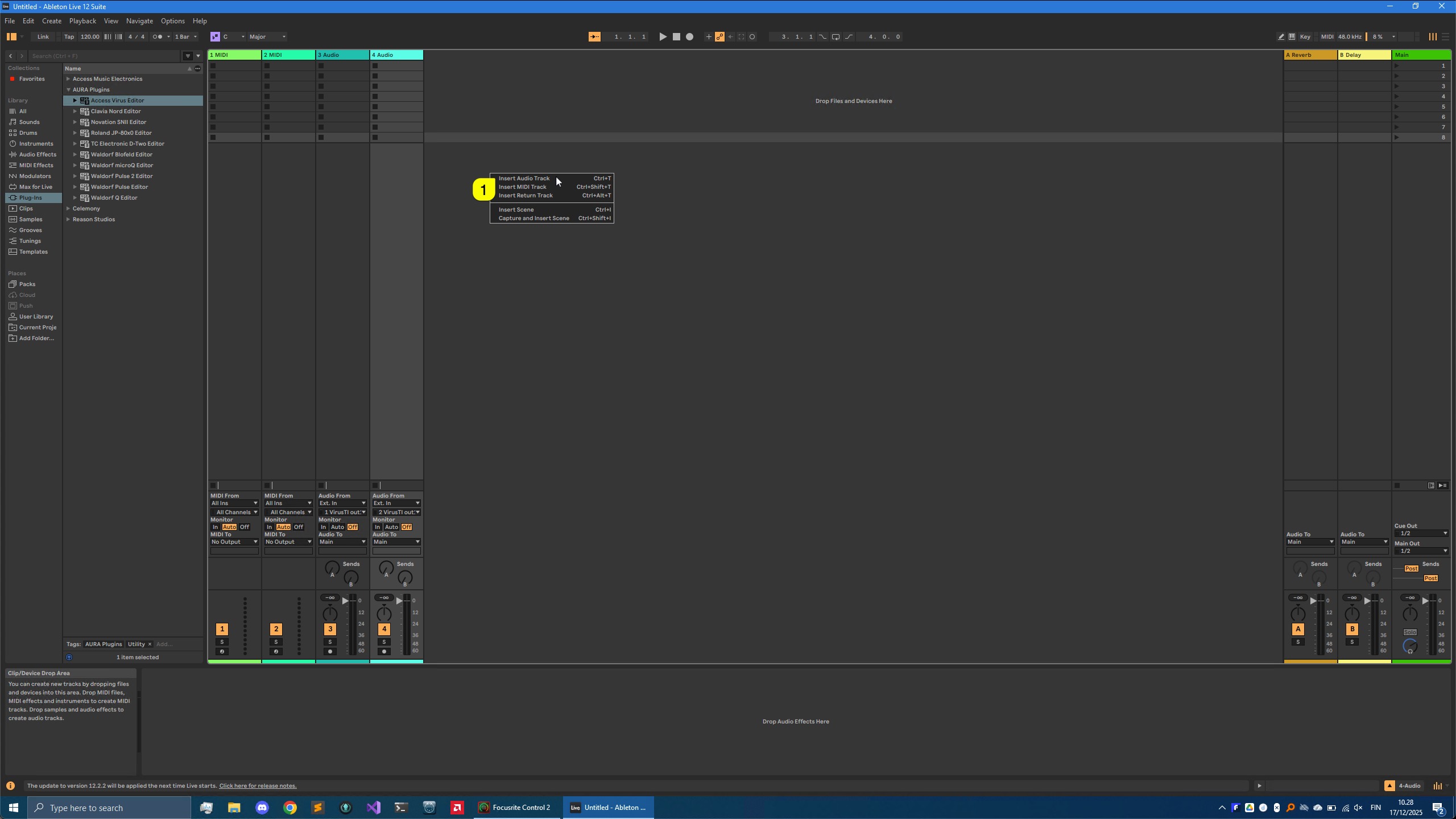
Right click [1] on the session view and select Insert Audio Track or use key command Ctrl+T.
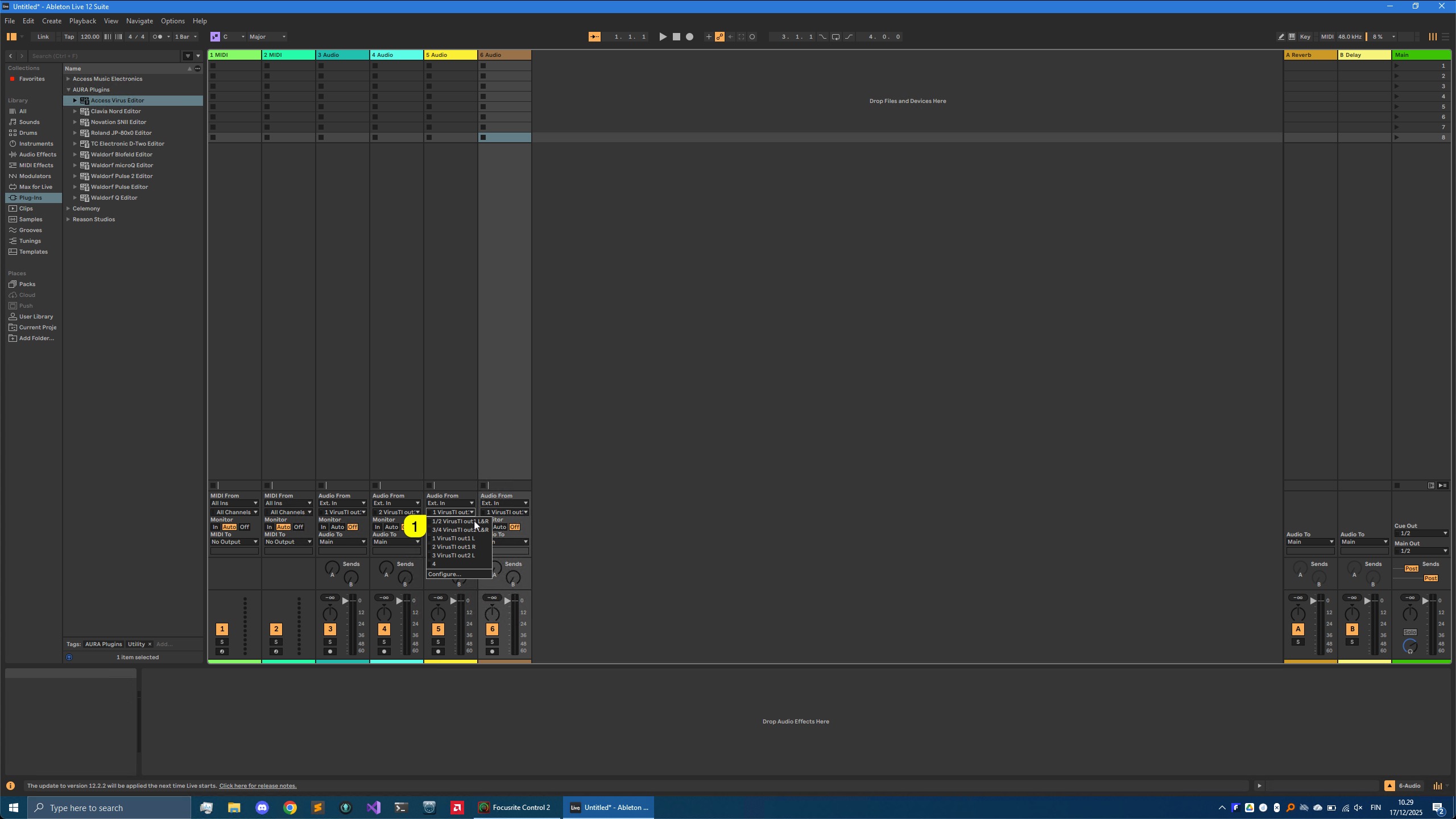
I’ve added two Audio tracks since my Analog outputs 1 & 2 are routed to my soundcard inputs 1-4. Assign input [1] accordingly so that you get the Virus signal into Live.
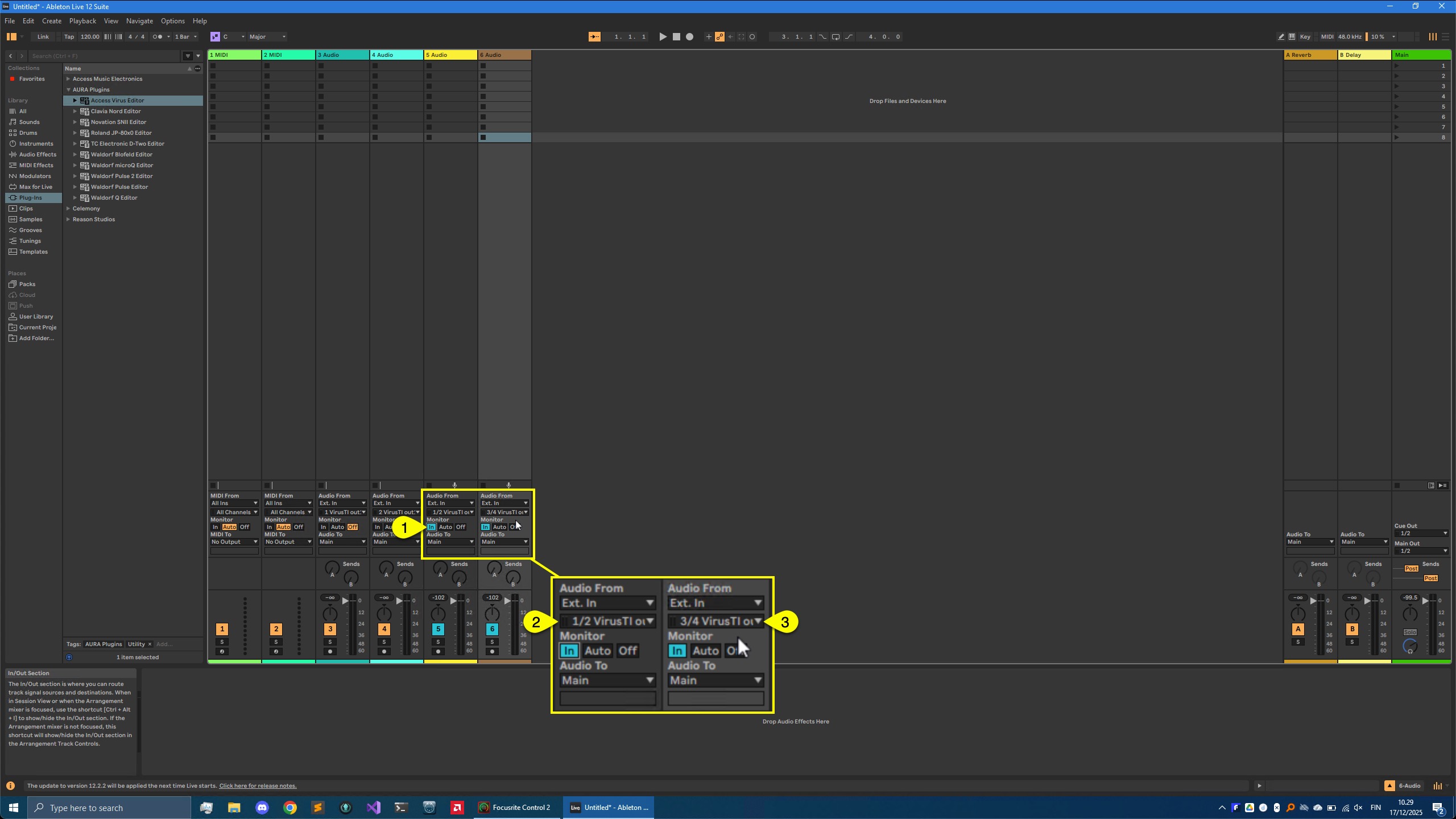
Now you can enable Input Monitoring [1] to hear the Virus via Live. If you play any keys and you have your inputs [2 & 3] configured properly, you should get Audio in!
Creating MIDI tracks
Now we are ready to create MIDI tracks which we are going to use for making sequences
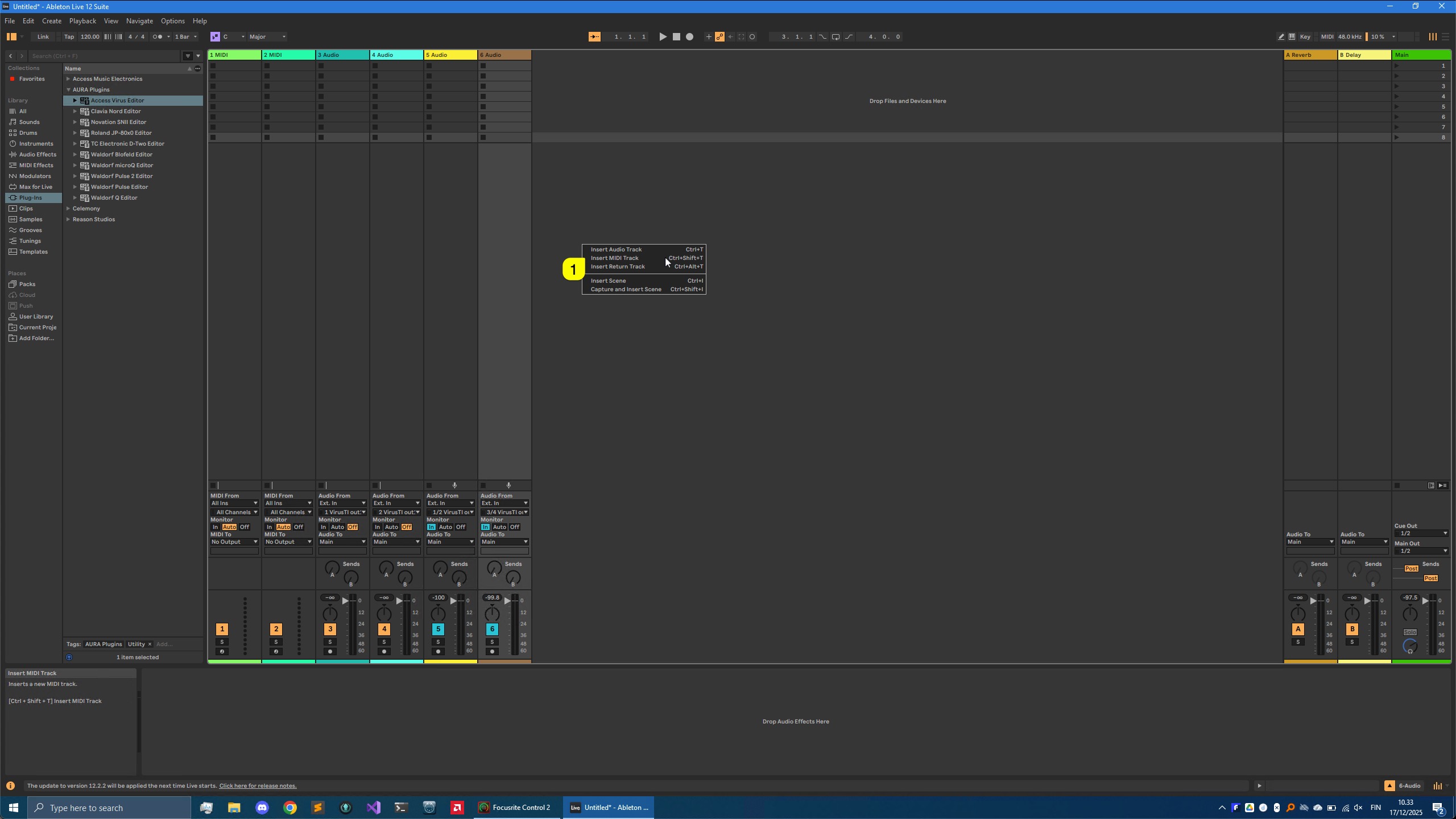
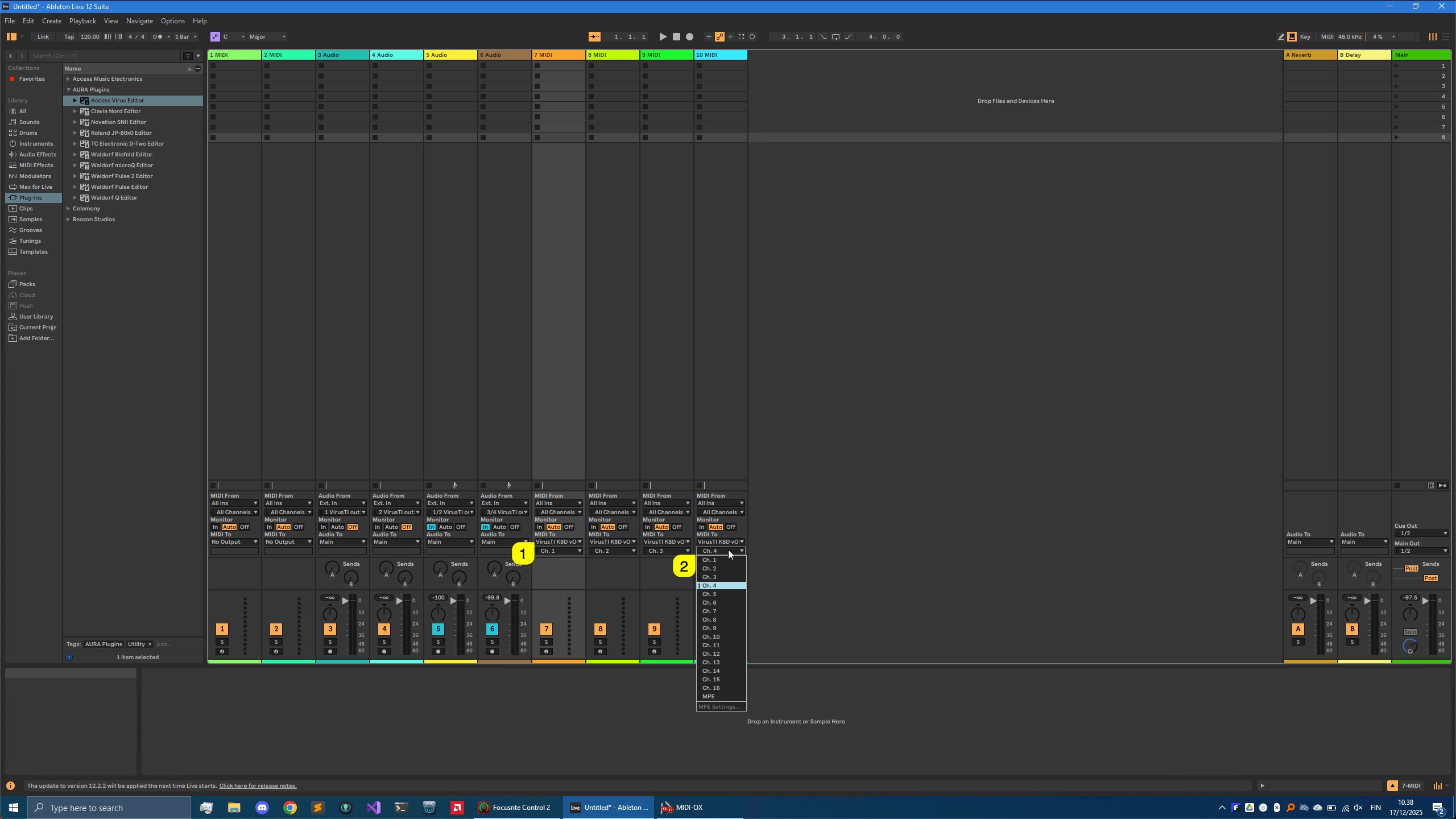
Right click [1] on the session background and select Insert MIDI Track to create MIDI tracks or use Ctrl+Shift+T key combination.
I have added 4 MIDI tracks to my session for the Virus. Assign MIDI output port to virtual Virus port [1] for all MIDI tracks just created. Make sure each of the MIDI tracks have unique MIDI channel [2] so that you don’t get double events.
Renaming tracks for clarity
To finalize this part of configuration, rename tracks as you prefer. Here is a screenshot how we’ve done it

Now we are ready to add the Editor (finally huh?!)
Share this with fellow producers



