
Knowledge Base forAccess Virus Editor

Documentation
Resources
Access Virus Editor – How To Change Banks
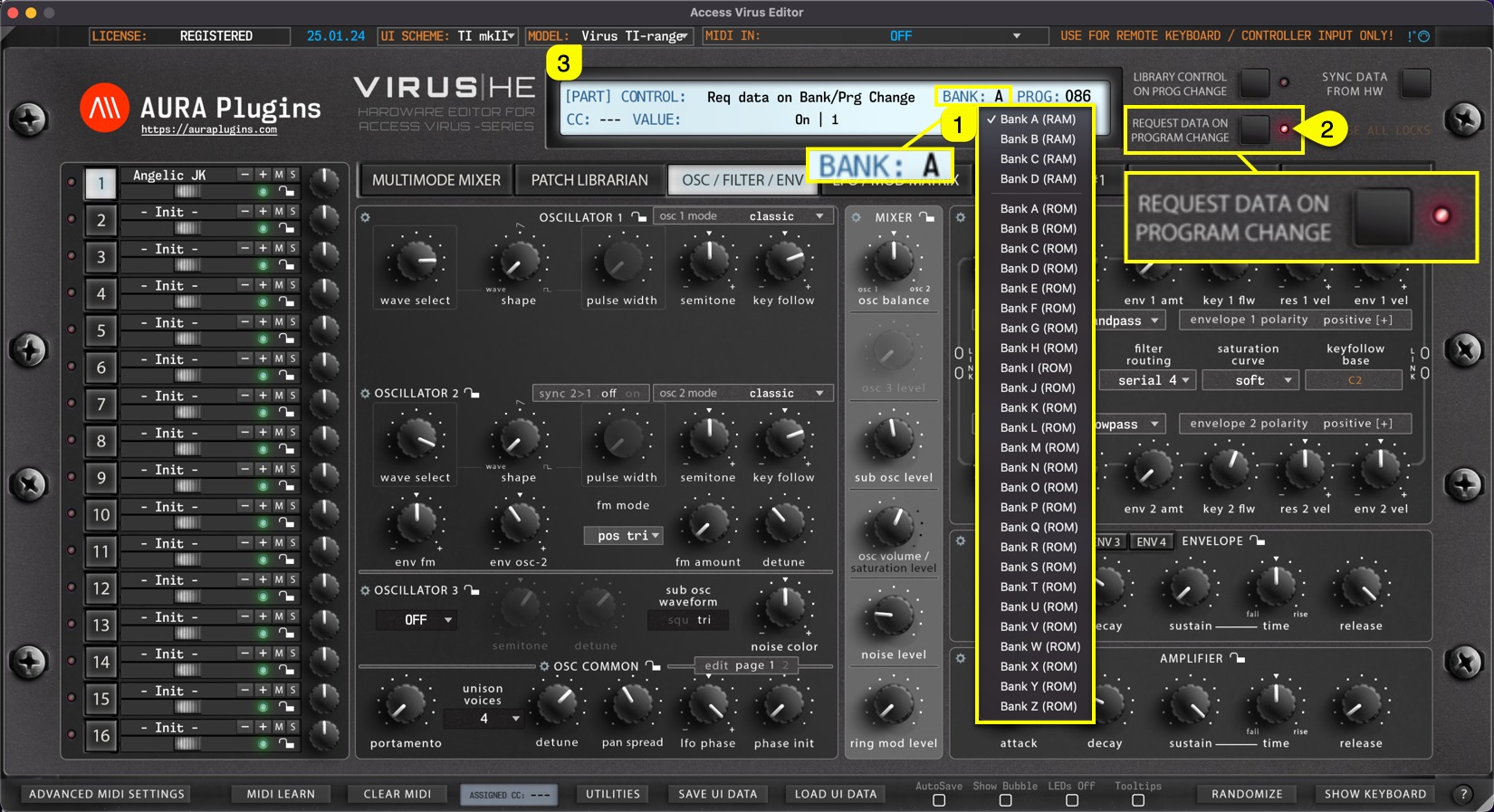
BANK Display [1] acts as a menu as well as a display to show the active Part Patch bank number. You can navigate to different banks based on your selected Virus model.
If your model is set to Virus TI, bank menu does not have as many options as when Virus C is set as a current model. This is because Virus TI has a bigger memory capacity. When REQUEST DATA ON PROGRAM CHANGE [2] is toggled on, this popup menu will display bank numbers available to browse. See image below.
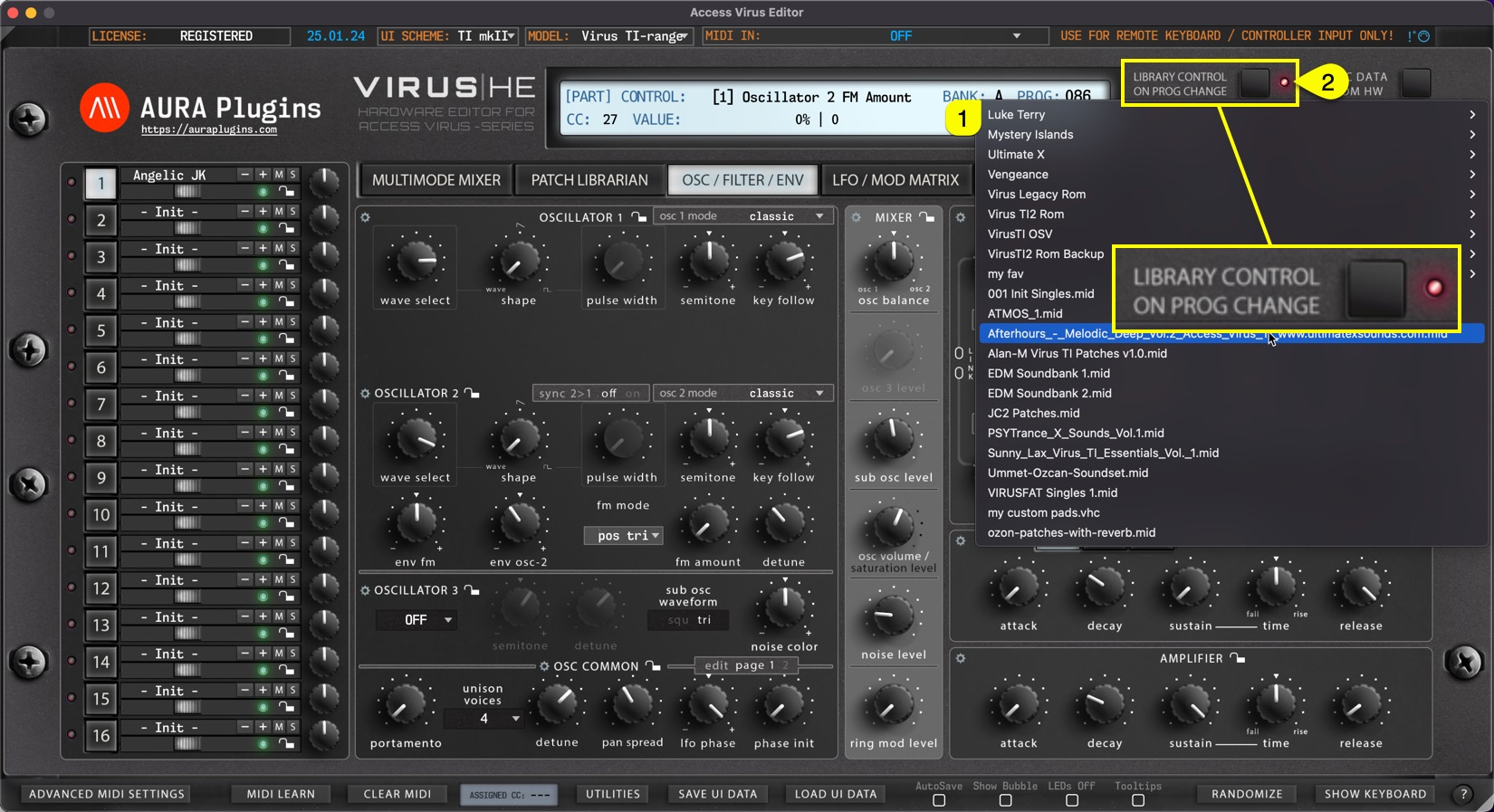
Like with PROG Display, BANK Display [1] will behave completely different when LIBRARY CONTROL ON PROG CHANGE [2] is toggled on. You can now view all available Patch Banks located in Patches folder.
Share this with fellow producers



