
Knowledge Base forAccess Virus Editor

Documentation
Resources
Access Virus Editor – How To Change Programs
PROGRAM CHANGE BUTTONS
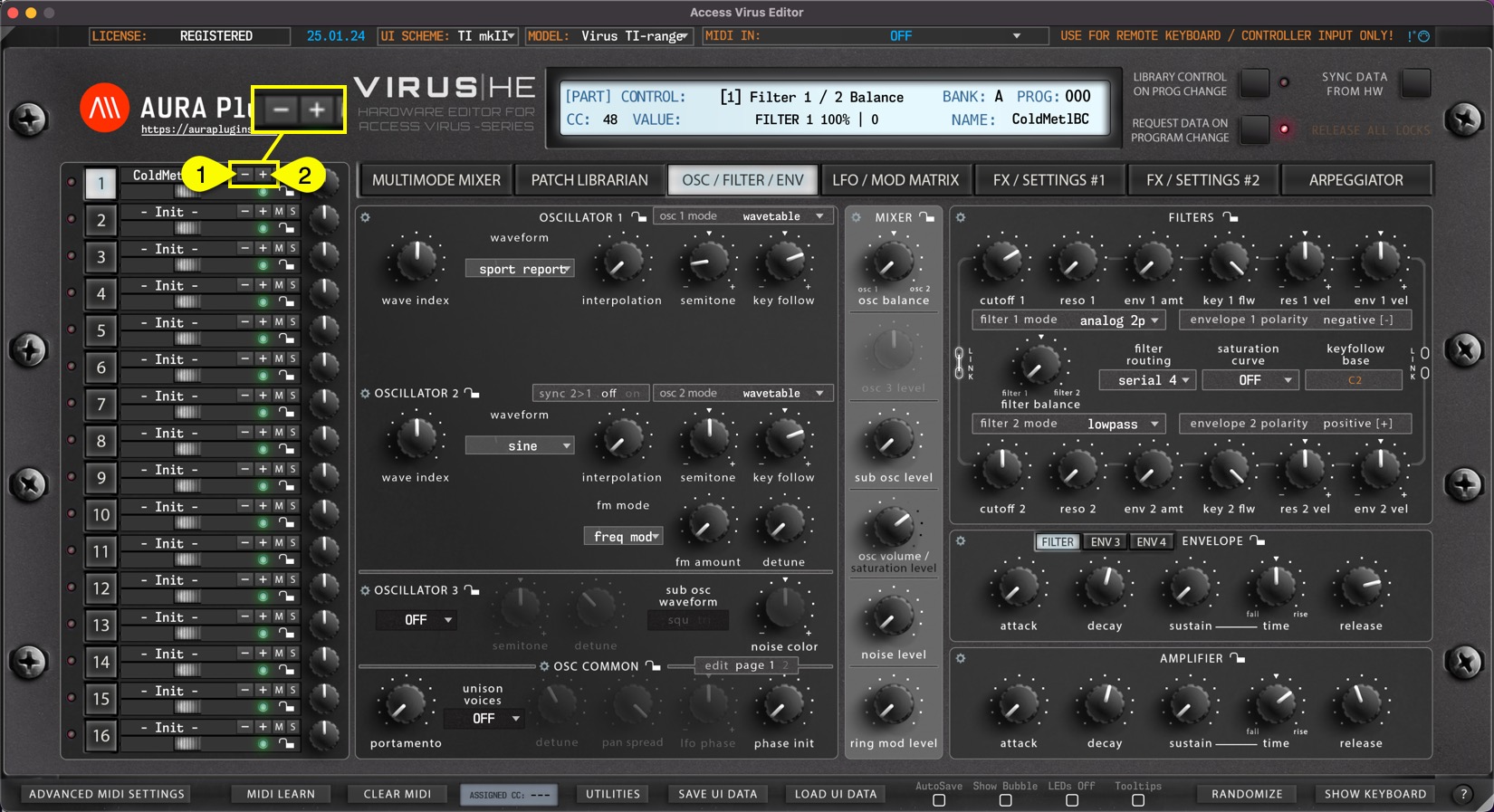
– [1] button will change to previous program.
+ [2] button will change to next program.
This will trigger MIDI Out message with appropriate program number based on the PROG Display value. Each part has its own set of Program Change buttons.
See below how it will behave when Request Data on Program Change is toggled on / off.
REQUEST DATA ON PROGRAM CHANGE
REQUEST DATA ON PROGRAM CHANGE means that if the Editor receives program and/or bank change message from MIDI input, our Editor will initiate Data request from the Virus to the Editor user interface.
Inputs valid for this function:
- MIDI In port (Plug-in).
- DAW gateway (Plug-in).
- Remote Keyboard MIDI In port (Standalone Application).
- Editor Program Change buttons (per part) (*1).
- Editor Program Number display (per part) (*2).
- Editor Bank Number display (per part) (*3).
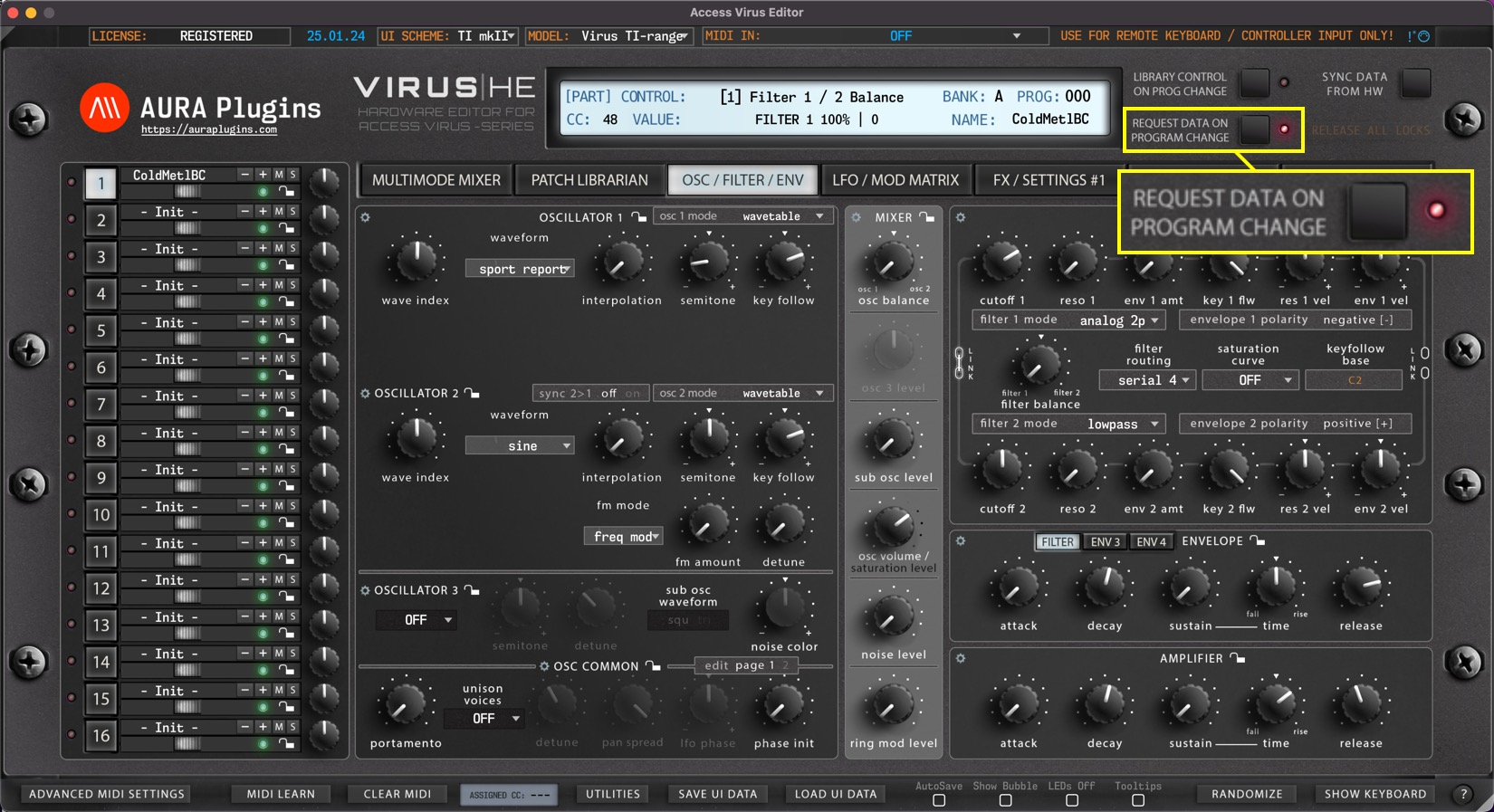
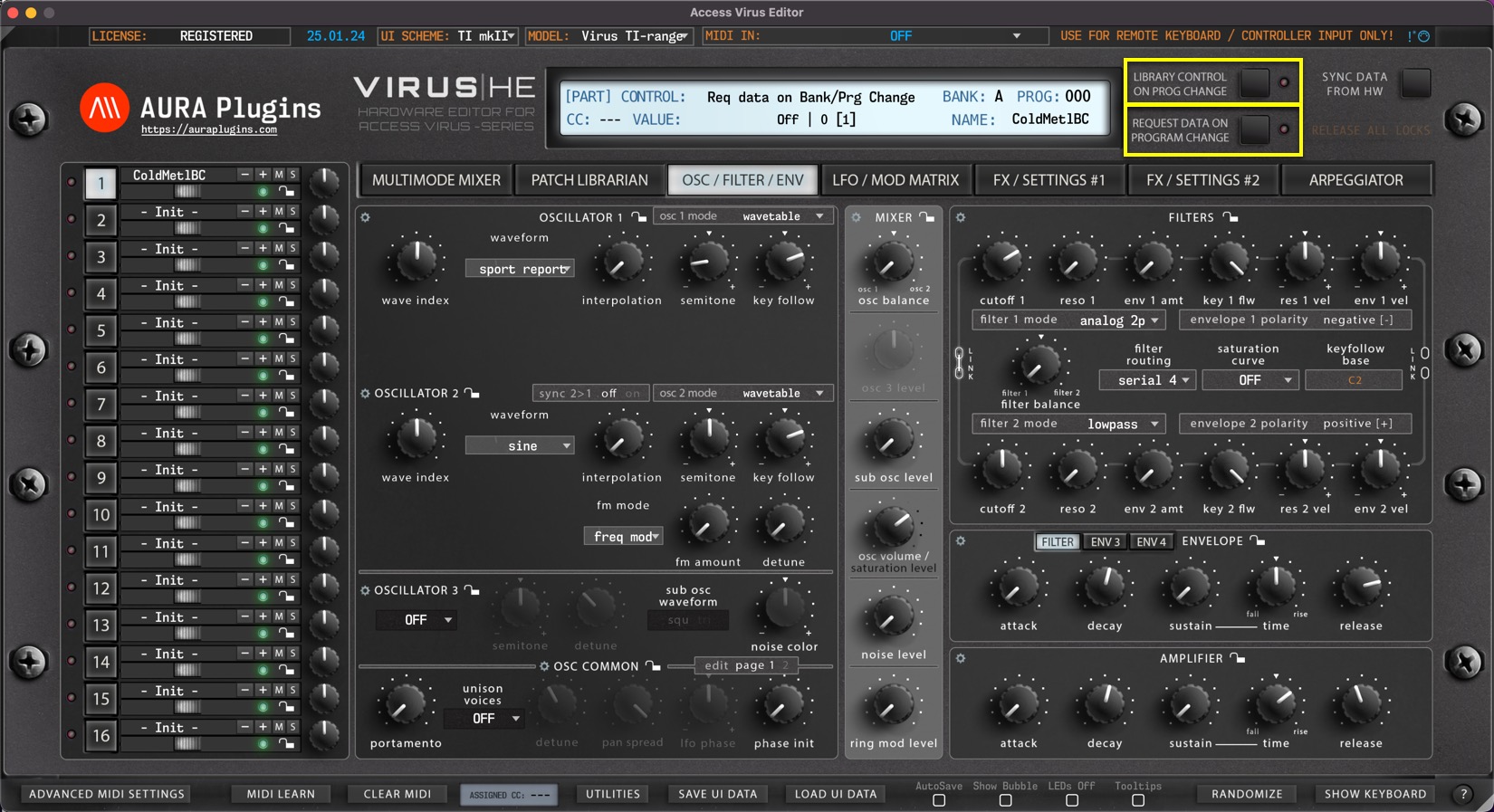
If this switch is toggled off, our Editor will only send the program change messages to the hardware but won’t be requesting any data back. This is good in some cases where you might want to quick browse hardware patches.
(*1 See above for Program Change Buttons).
(*2 See below for Program Number Display).
(*3 See next page for Bank Number Display).
TIP: Turn off Request Data On Program Change and Library Control On Prog Change to quickly browse through the hardware presets. Once you hit a sound you want to work on, click Sync Data from HW button to request the data to the Editor user interface and work it from there!
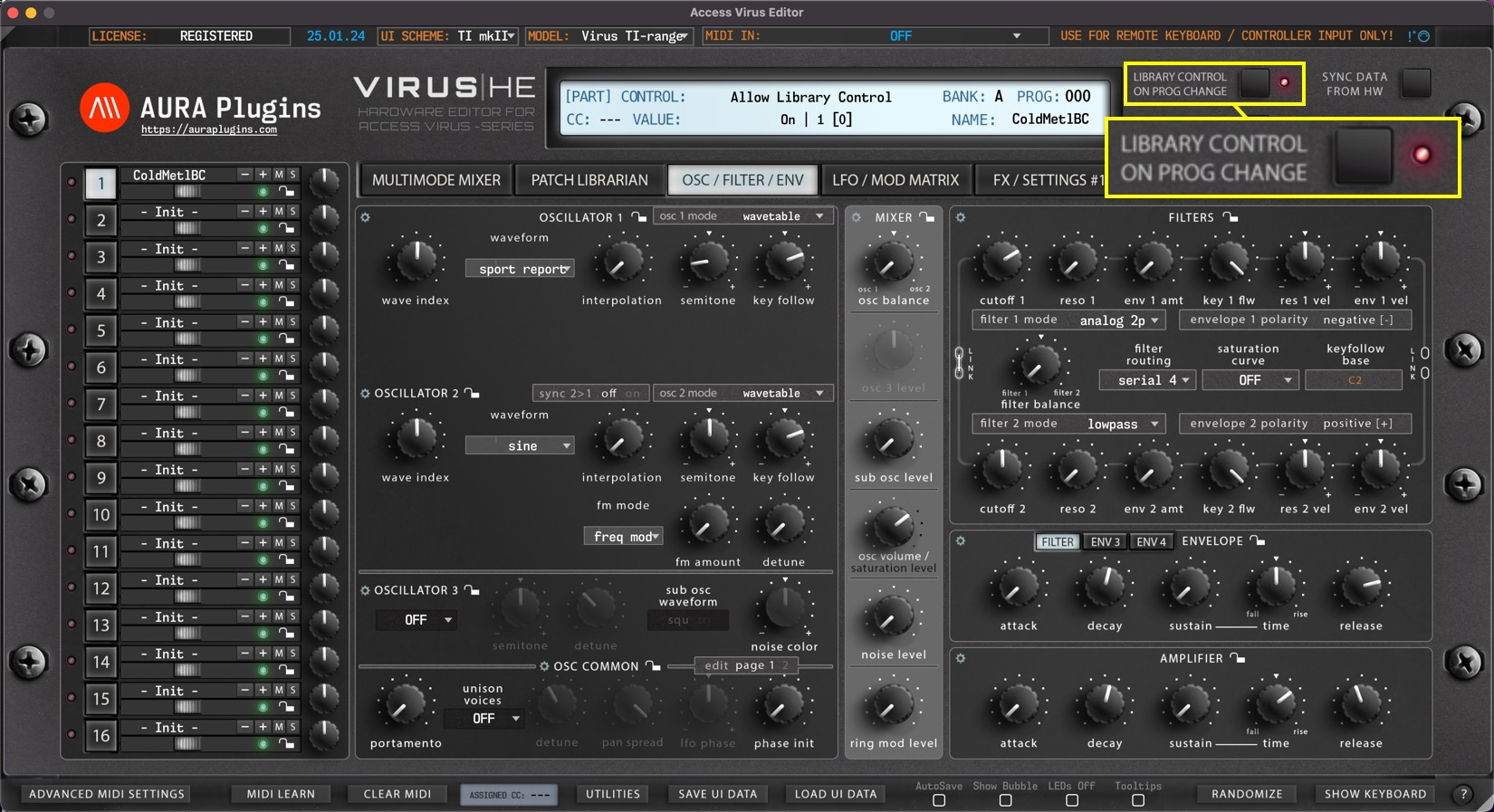
LIBRARY CONTROL ON PROGRAM CHANGE
Library Control On Prog Change switch allows you to take control of your library patches with incoming program changes via MIDI or with the Editor user interface – / + buttons and Bank Number Display / Program Number Display menus.
Note #1: Patches are sent to the hardware on currently selected part when menu is used to change programs.
Note #2: If the program change message is received from MIDI channel 4 and none of your layers are set to channel 4, no action will be taken.
Note #3: If the program change message is received from MIDI channel 1 and both layers are set to channel 1, no action will be taken. Change the MIDI channel temporarily to different channel.
PROGRAM NUMBER DISPLAY / SELECTION MENU (*3)
PROG Display [1] acts as a menu as well as a display to show the current Part Patch program number. You can quickly navigate to different banks of programs without having to click Program Change buttons like crazy.
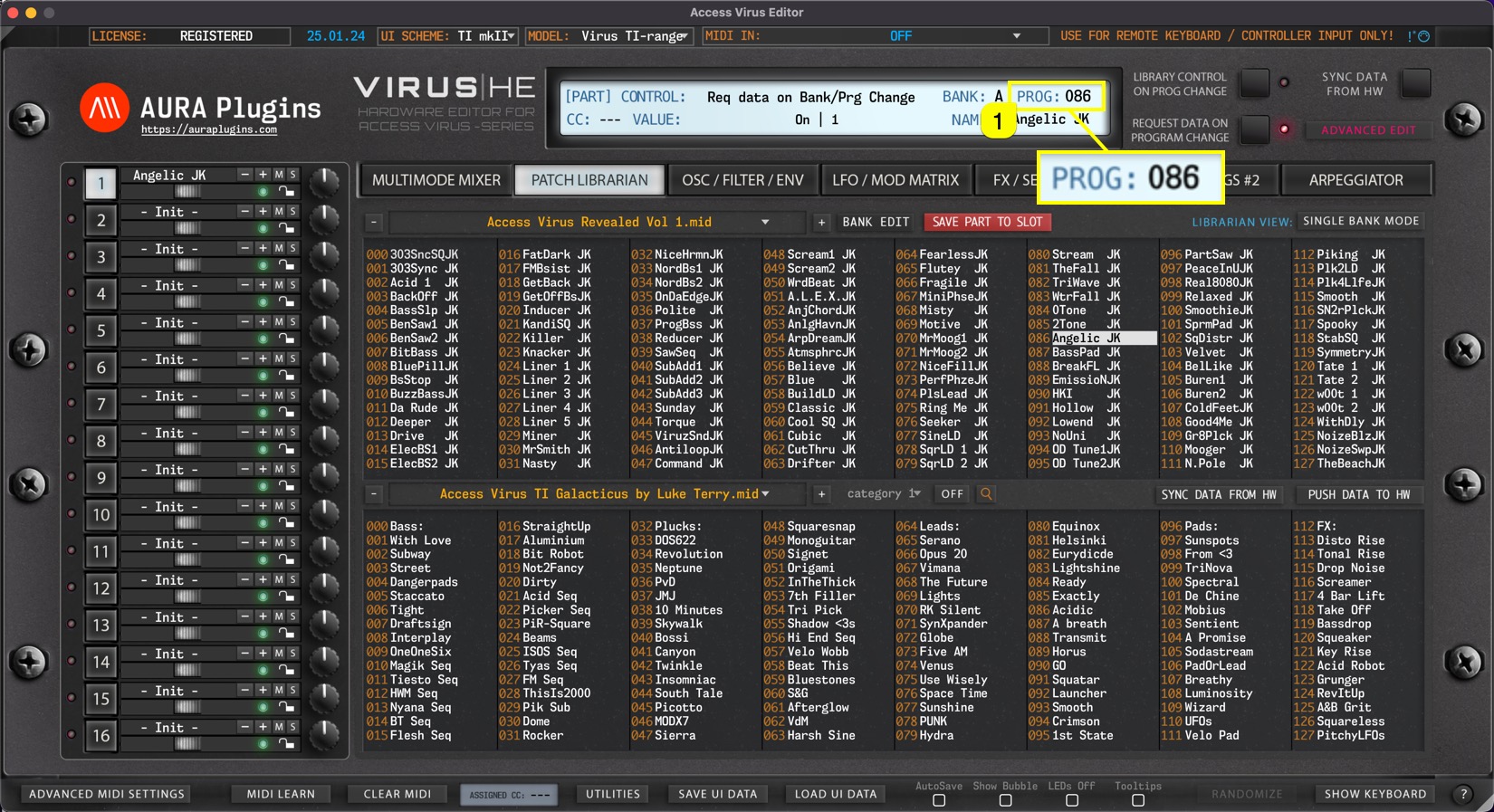
In default status (REQUEST DATA ON PROGRAM CHANGE), this popup menu will display program numbers in different banks of programs. See image below.
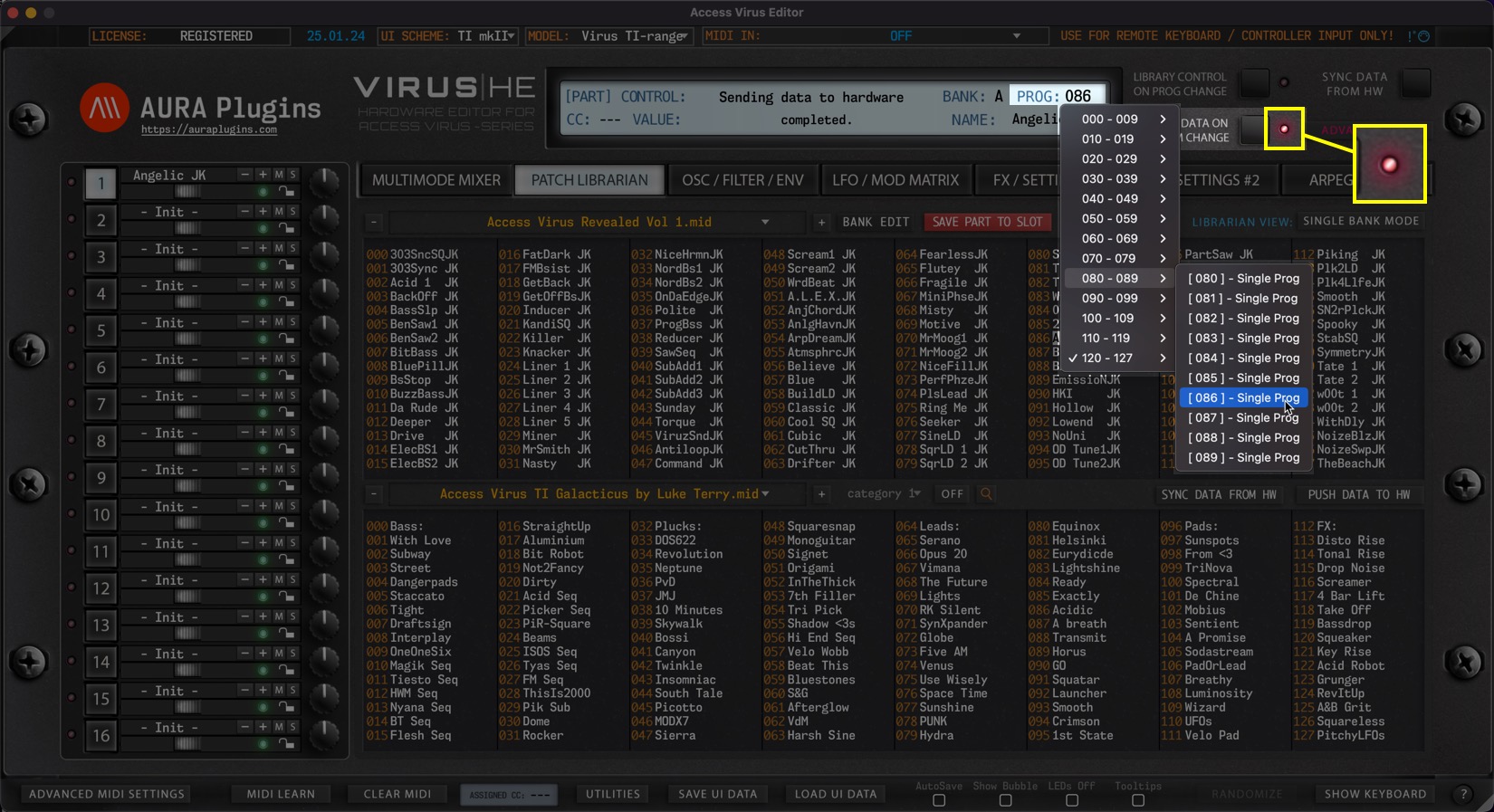
But things get exciting when you toggle on LIBRARY CONTROL ON PROG CHANGE [1] switch:
You can now view currently active Librarian Bank patches on the menu and browse them directly from the main user interface!
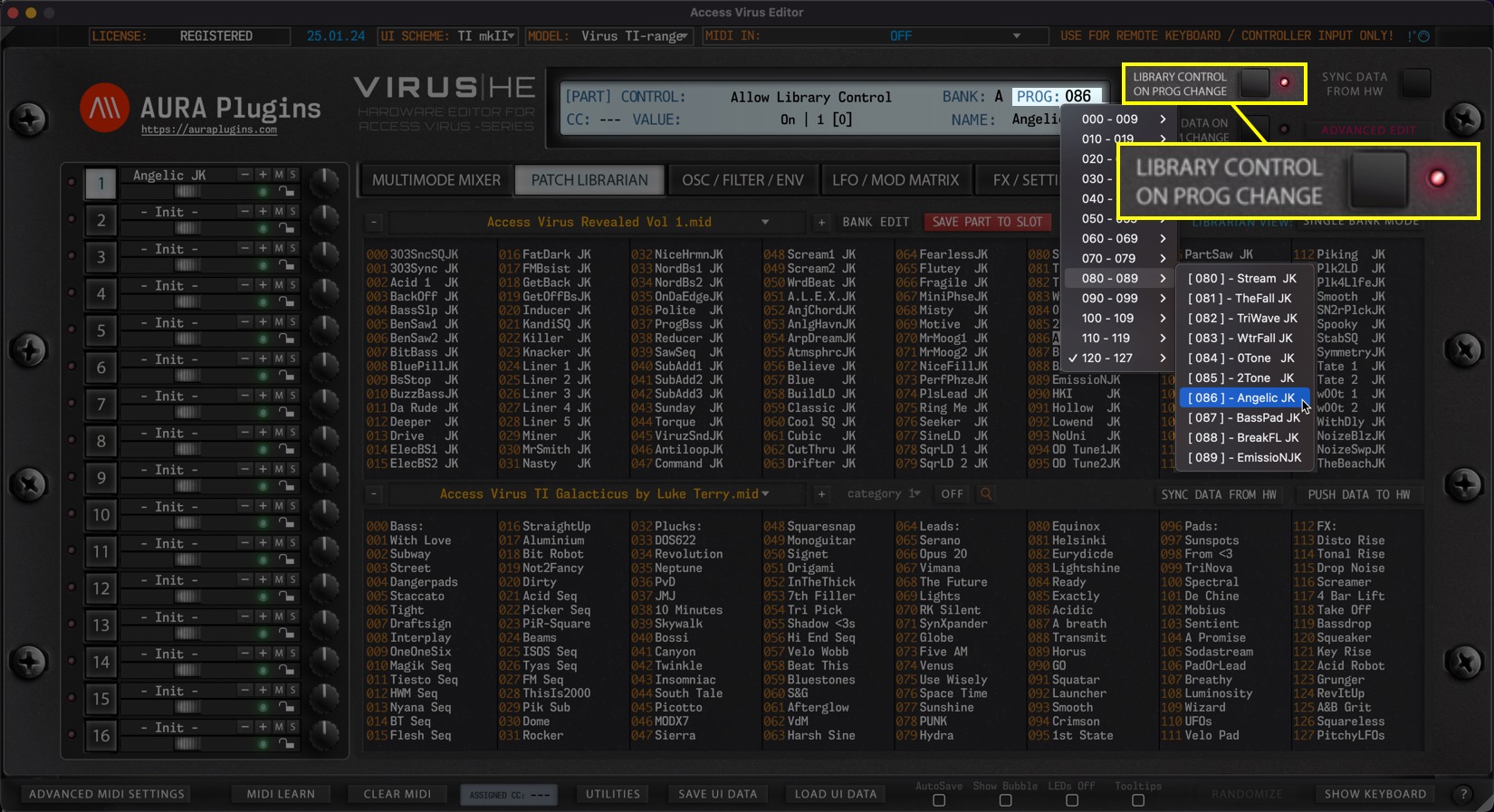
Check above for further details about the Library Control function.
Share this with fellow producers



