
Knowledge Base forAccess Virus Editor

Documentation
Resources
Access Virus Editor – How To Register our Editor
If you made the decision to purchase the license for our Editor, you are the best! Just wanted to thank YOU.
License owners can enjoy the full advantages of the Editor, like:
- Plug-in parameters can be automated directly from your DAW.
- Librarian is fully functional and allows full editing capabilities.
- You can save your UI Data (full performance) to HDD.
- You can save your custom MIDI CC maps to HDD.
- Total Recall: Once you open your project after your last session, all the data used in your previous session will be automatically sent to your synthesizer.
- Get tech support and updates for current major version for free!
- version information: yy(year/major).mm(month).dd(date)
If you purchased Editor license from our store, download the license and the full installer from
https://auraplugins.com/downloads/access-virus-editor/ after you login.
Manually placing the license file
If you have plug-in inserted to your project, now it is time to delete the track / plug-in instance from your DAW.
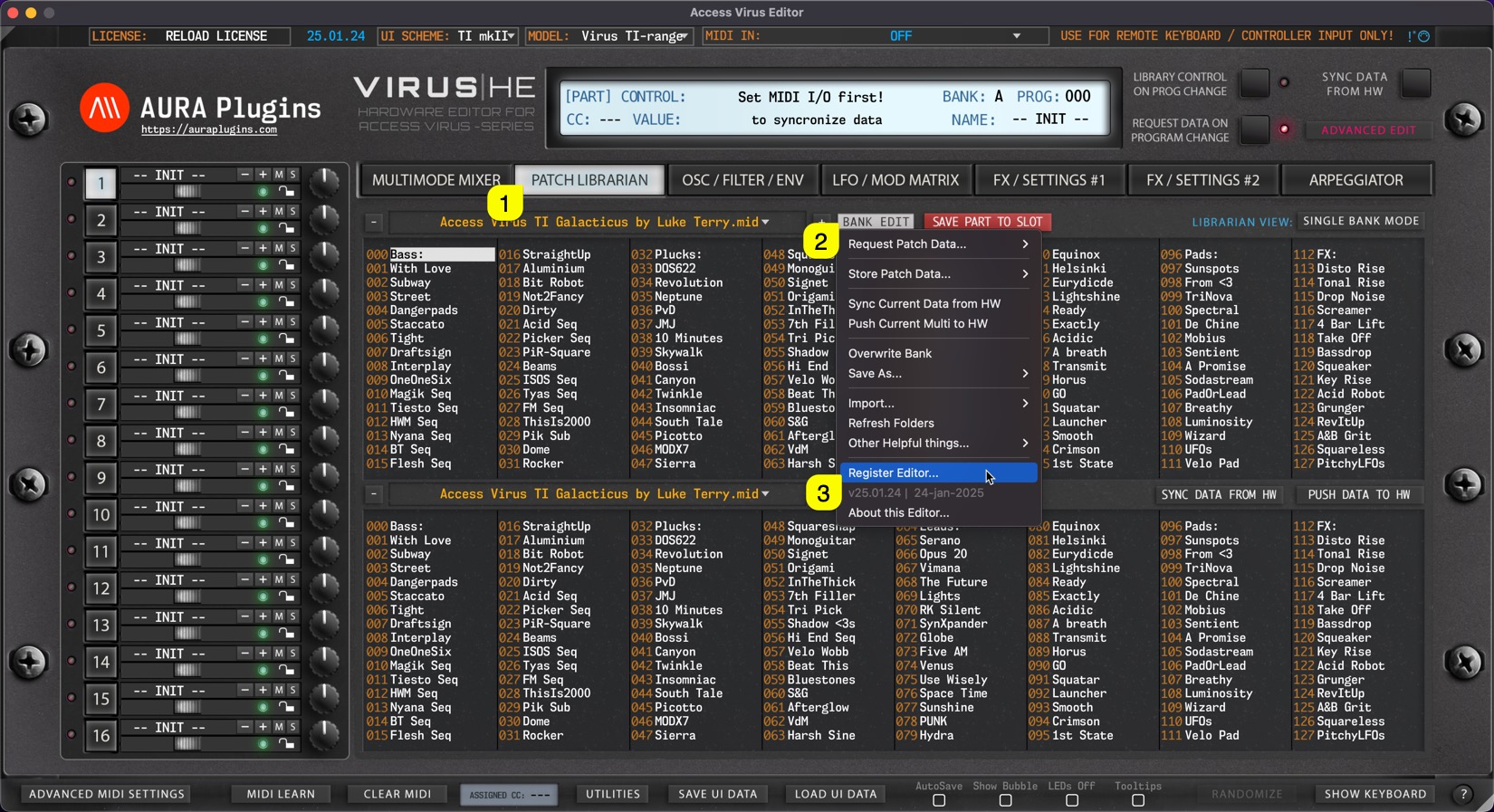
Rename license.key manually as instructed below and copy it to the Editor data folder (see location mentioned earlier). If all is good, you can now re-insert your plug-in to your DAW.
[Rename license to] Access Virus Editor.license
NOTE: Right click the license file on macOS and select “show info”. After that make sure the file name is shown as above. If it has .key extension in it, remove it!
Register product from User Interface
Method #1
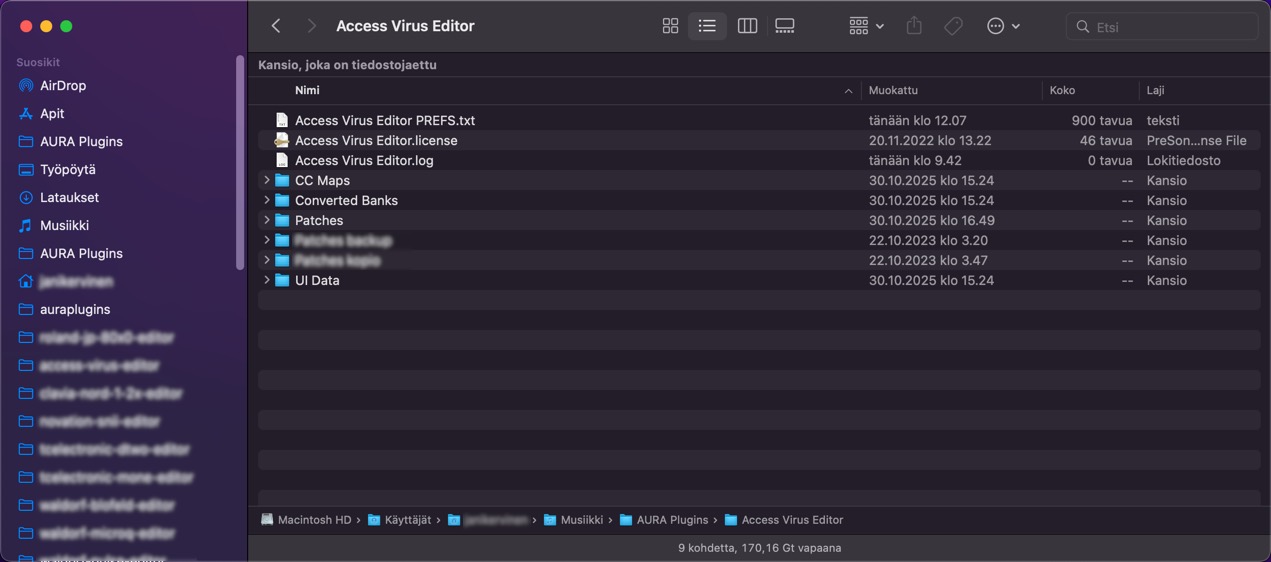
Open the Editor Standalone Application and click the top left corner of the user interface where the Editor says, “RELOAD LICENSE [1]”. New window will open to prompt for license [2]. Locate the license [3] and hit OK to register. See image below.
Method #2
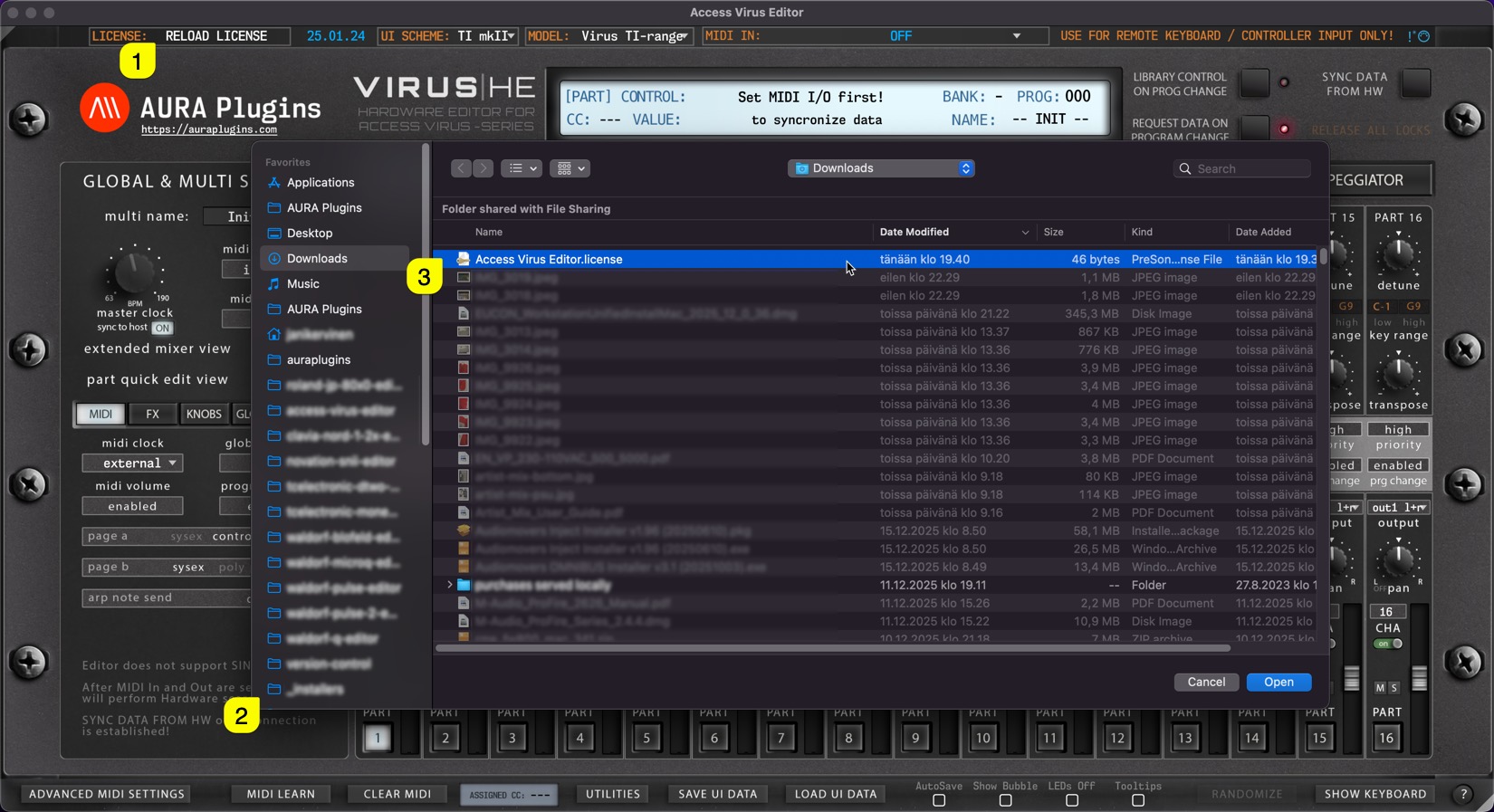
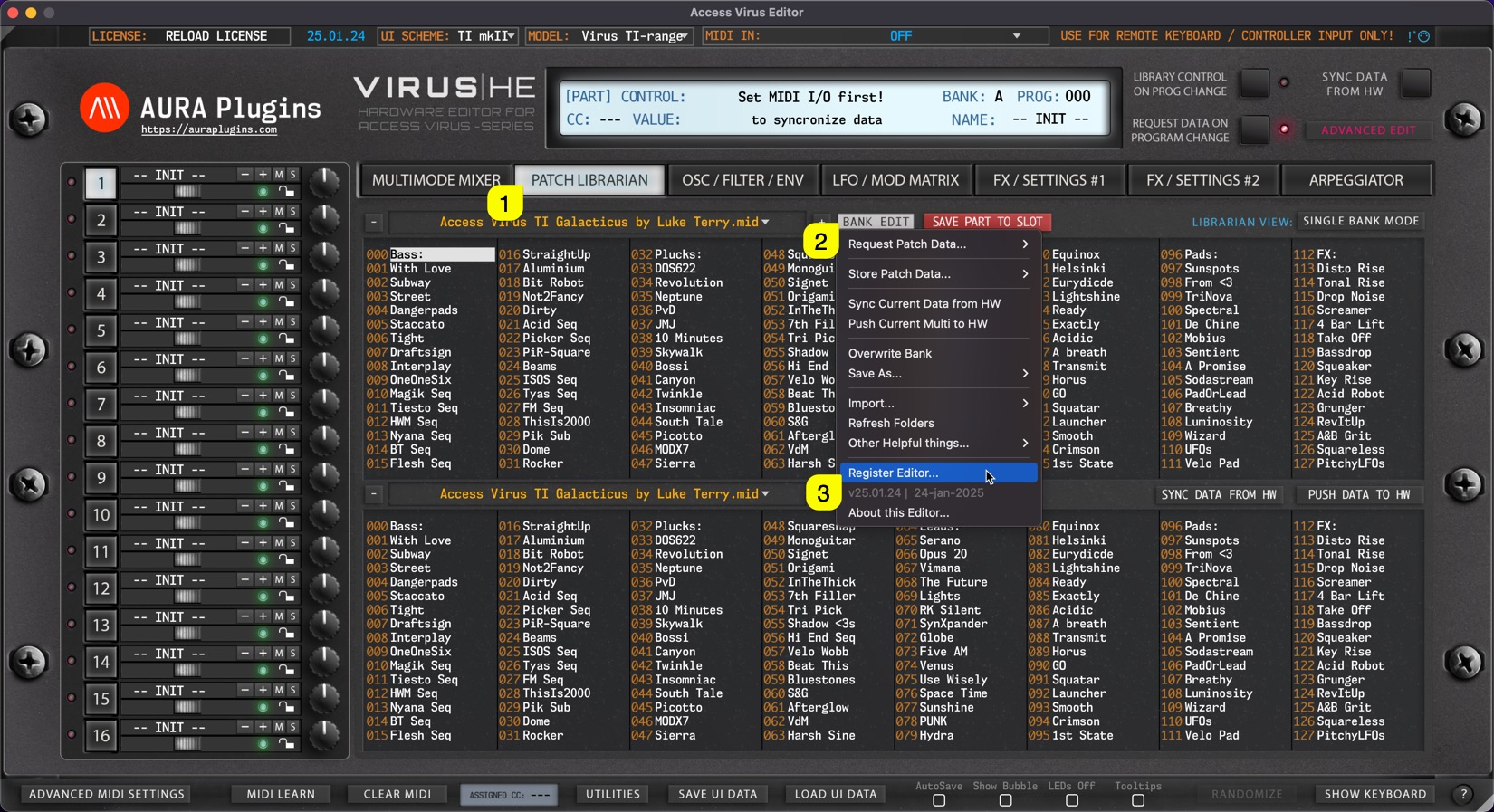
Open the Editor Standalone Application and enter PATCH LIBRARIAN [1], click Bank Edit [2] and choose Register Editor… [3]. A file prompt dialog will pop up just like in the image above.
After you have chosen the license file, close the application and reopen it. Editor display should now indicate “REGISTERED” in the top left corner.
IF the Editor shows “** DEMO VERSION **” you haven’t installed the FULL version yet or you might have the plug-in installed in several locations! Check solution from FAQ before you submit a ticket. You can submit ticket from My Account page once logged in
Share this with fellow producers



