
Knowledge Base forAccess Virus Editor

Documentation
Resources
Access Virus Editor – How To Use Randomizer
With RANDOMIZE [1] button, you can trigger randomization on currently active part. Different Sections [2] can be locked individually to prevent changes during randomize / patch change process. More about Section Locks further below.
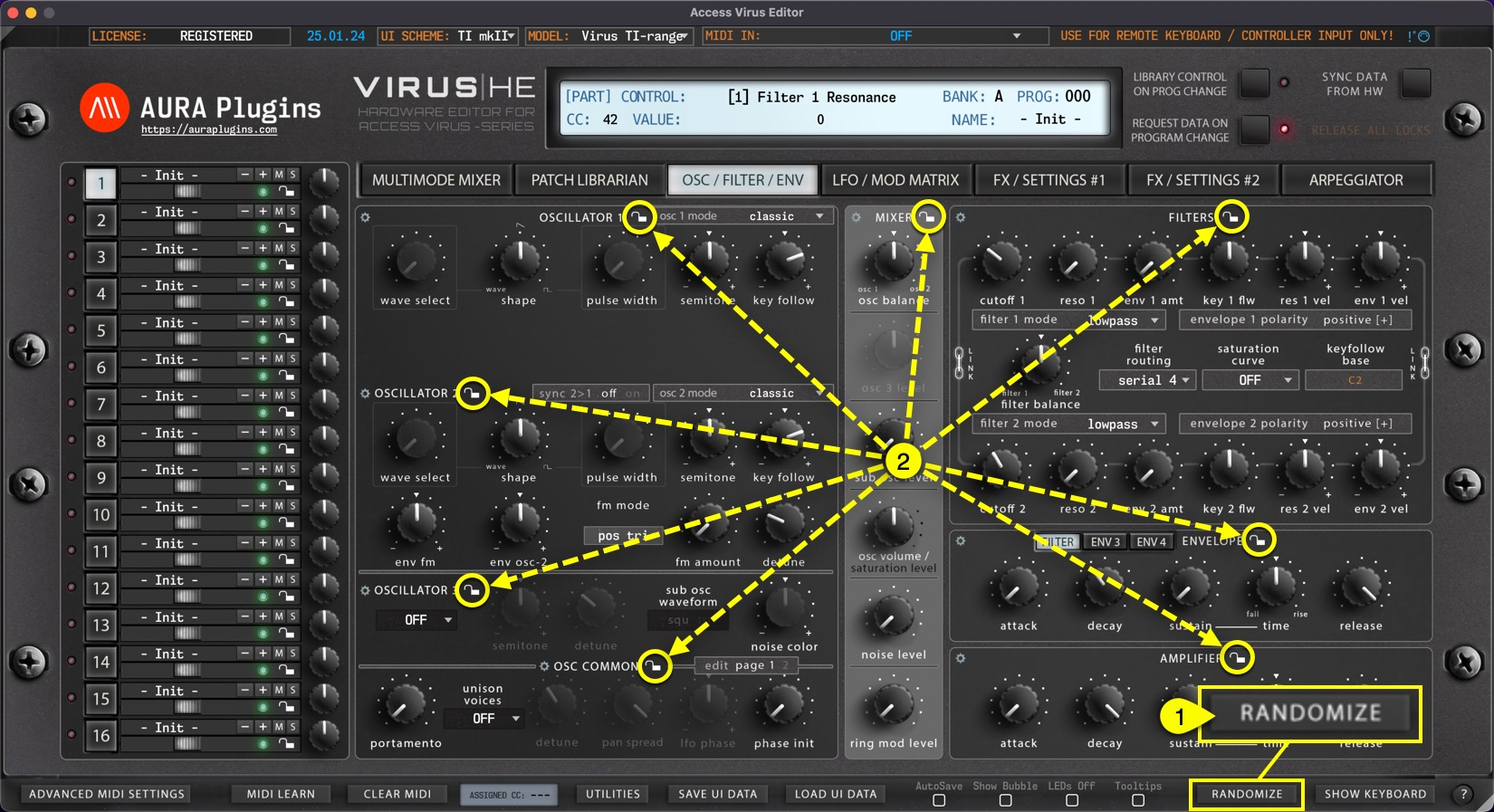
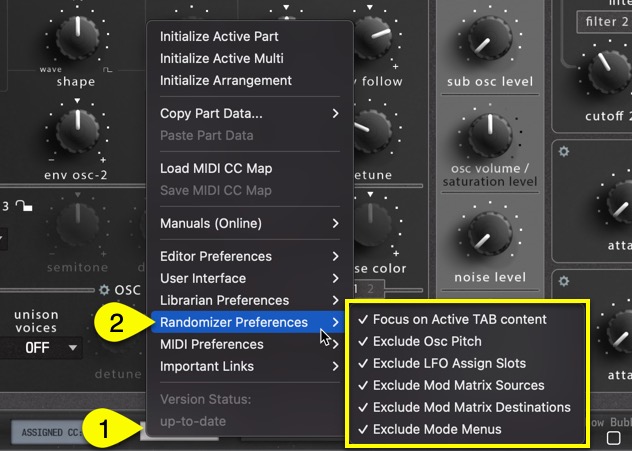
By default, Randomize will take effect on active edit tab. If you want to randomize the whole patch at once, open Utilities [1] menu -> Radomizer Preferences [2] and uncheck Focus on Active TAB content. You can further fine-tune your randomization process by unchecking excluded options below that or then check them if they are off.
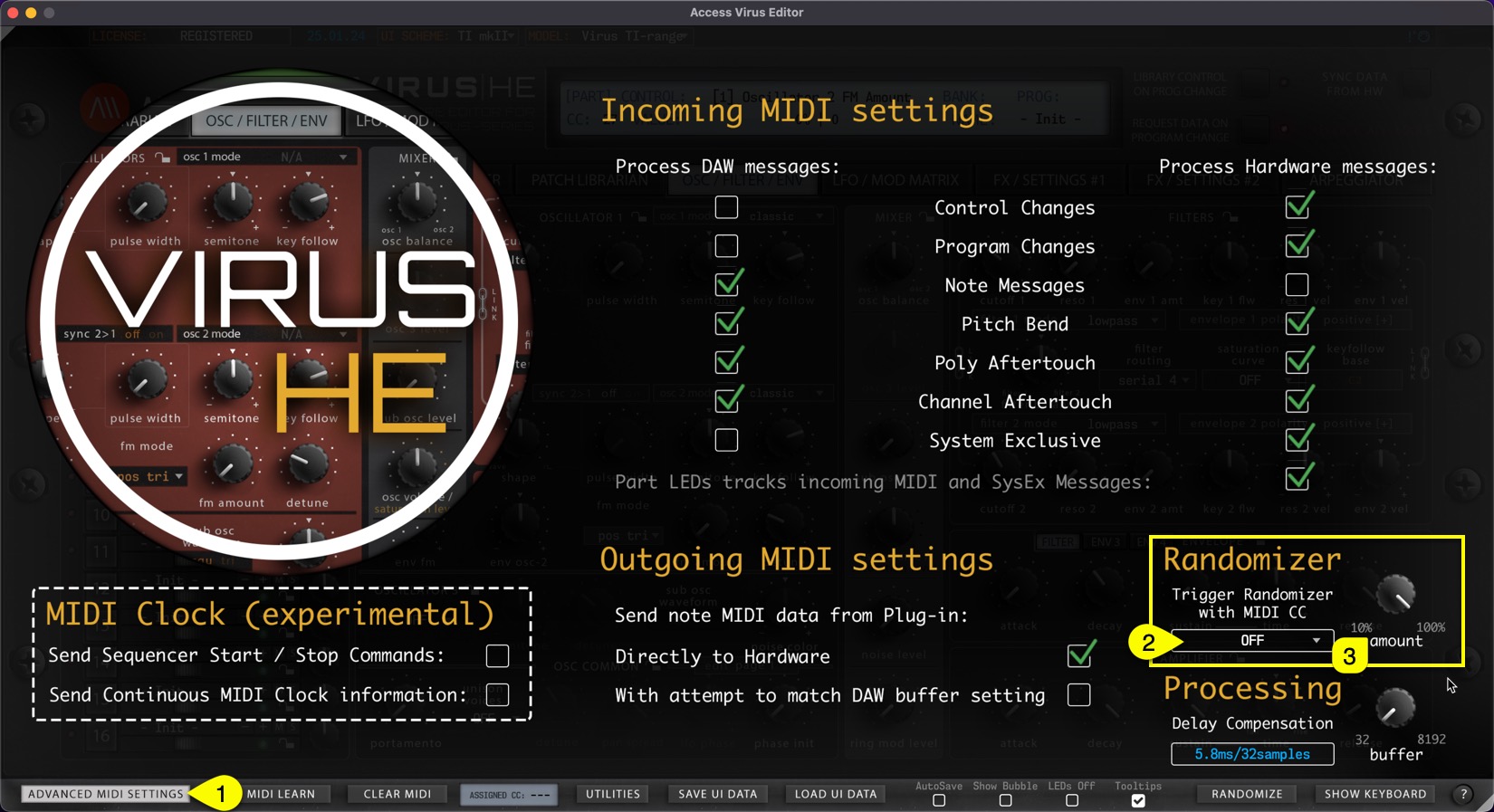
Open Advanced MIDI Settings [1] view to further adjust Randomizer settings. You can set MIDI CC [2] from the menu which will be used trigger the randomization, and the randomizer amount [3] in percentages to get more subtle randomization or turn it all the way for maximum effect.
Share this with fellow producers



