
Knowledge Base forAccess Virus Editor

Documentation
Resources
Access Virus Editor – Sync Data From HW
This is the final step before you can start making your own adjustments IF “Enable Hardware Auto-connect” is disabled from Utilities menu as explained in previous section! Click Sync Data From HW [1] button to synchronize active MULTI data and individual PARTS from your Virus to the Editor user interface. This needs to be done only when new instance is loaded so that the Editor and you know what was set in the hardware already.
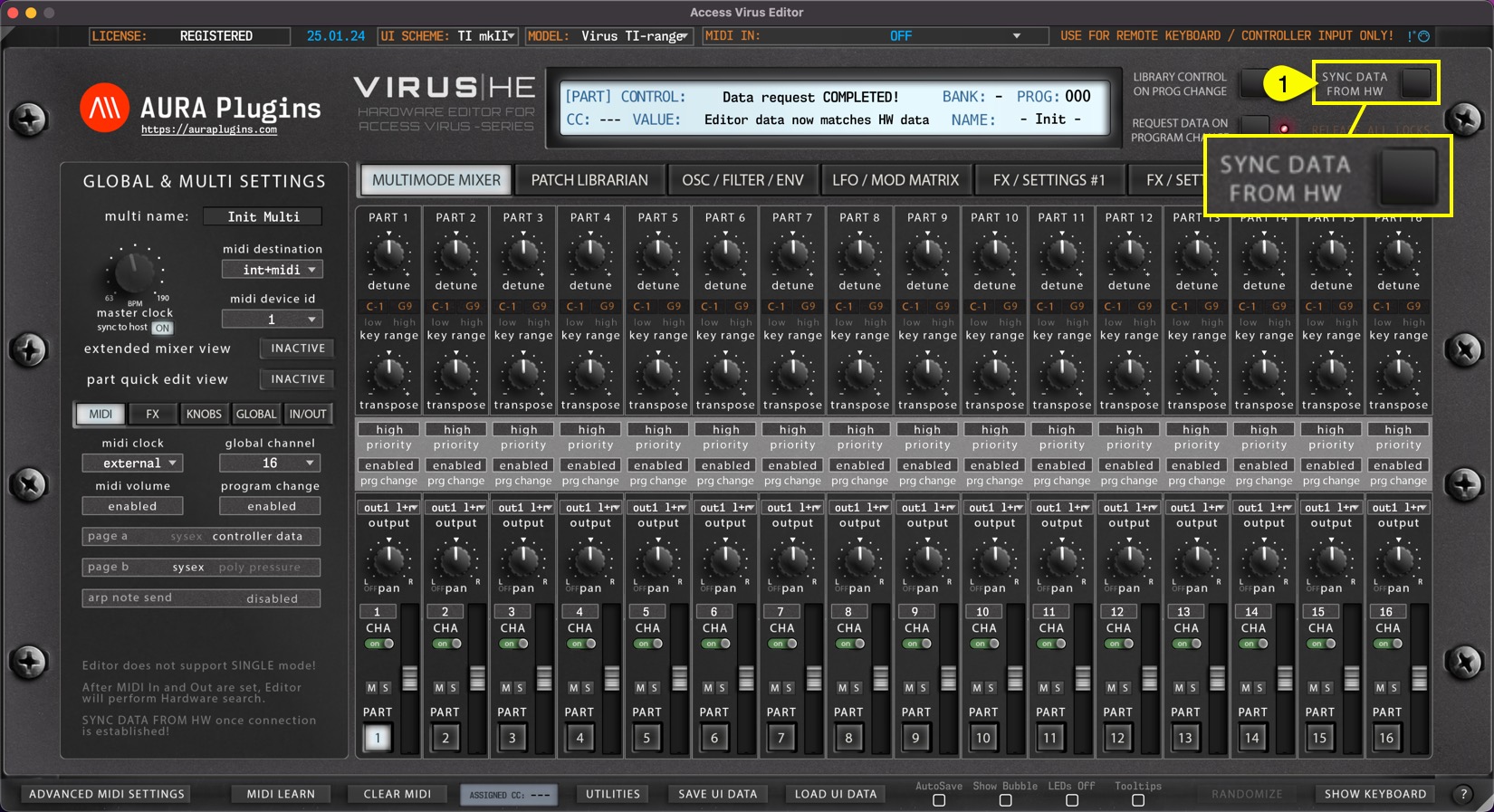
After the “Sync data from HW” process is completed, you should check the MULTIMODE MIXER [1] view. Verify part settings are what you expect them to be. Key range, outputs, midi channels etc.
Also check GLOBAL & MULTI SETTINGS [2] area for Device ID and MIDI Destination. Finally, check MIDI, FX, KNOBS, GLOBAL and IN/OUT [3] tabs for their settings.

You can now pursue with your own editing tasks, patch manipulations and experiments as you wish!
NOTE #1: Be patient and do not disturb the data flow with any knob movements or so. This will ensure the data packages are being sent and received as expected and you are not going to receive any SysEx error messages!
NOTE #2: All layers should ideally have individual MIDI channels to avoid control change conflicts. You can stack sounds together by setting the MIDI channel to same value, just keep in mind that control changes affect both layers!
Issues with hardware data sync? Check our FAQ before opening a ticket.
Share this with fellow producers



