
Knowledge Base forRoland JP-80x0 Editor
Documentation
Resources
Roland JP-80×0 Editor – Browsing Banks
Single Patch mode
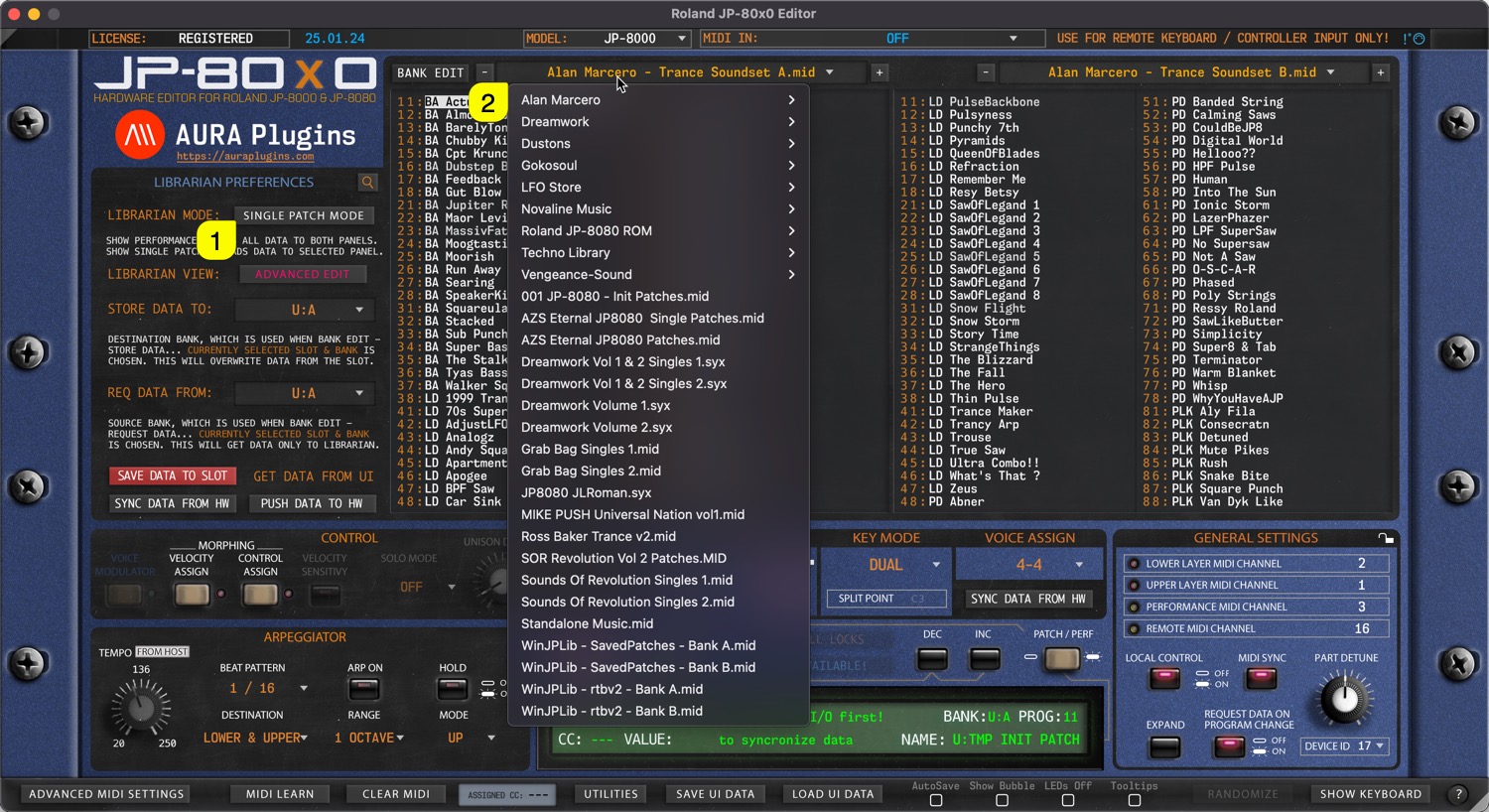
When SINGLE PATCH MODE [1] is selected, use can open a drop down menu by clicking the bank name [2] area with mouse click. With this drop down list, user can see all of the availabe banks detected by the Editor.
Performance mode
Same applies to Performances when PERFORMANCE MODE [1] is toggled on. User can view all of the detected Performance Banks by clicking the bank name [2] area.
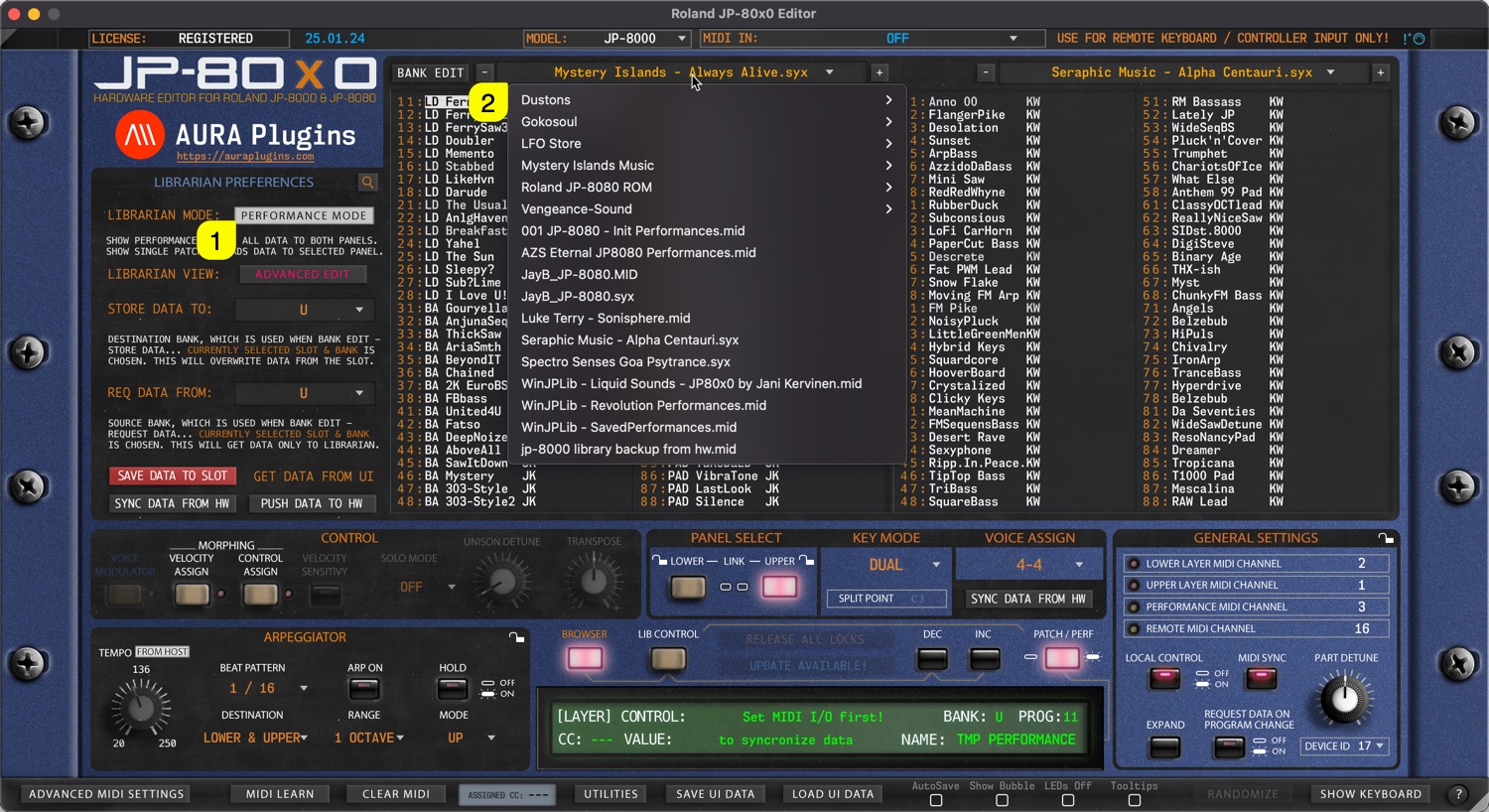
NOTE: When bank is selected, slot names are updated in the list view with corresponding program names.
Share this with fellow producers



