
Knowledge Base forRoland JP-80x0 Editor
Documentation
Resources
Roland JP-80×0 Editor – Product Capabilities
What you can do with Roland JP-80×0 Editor?
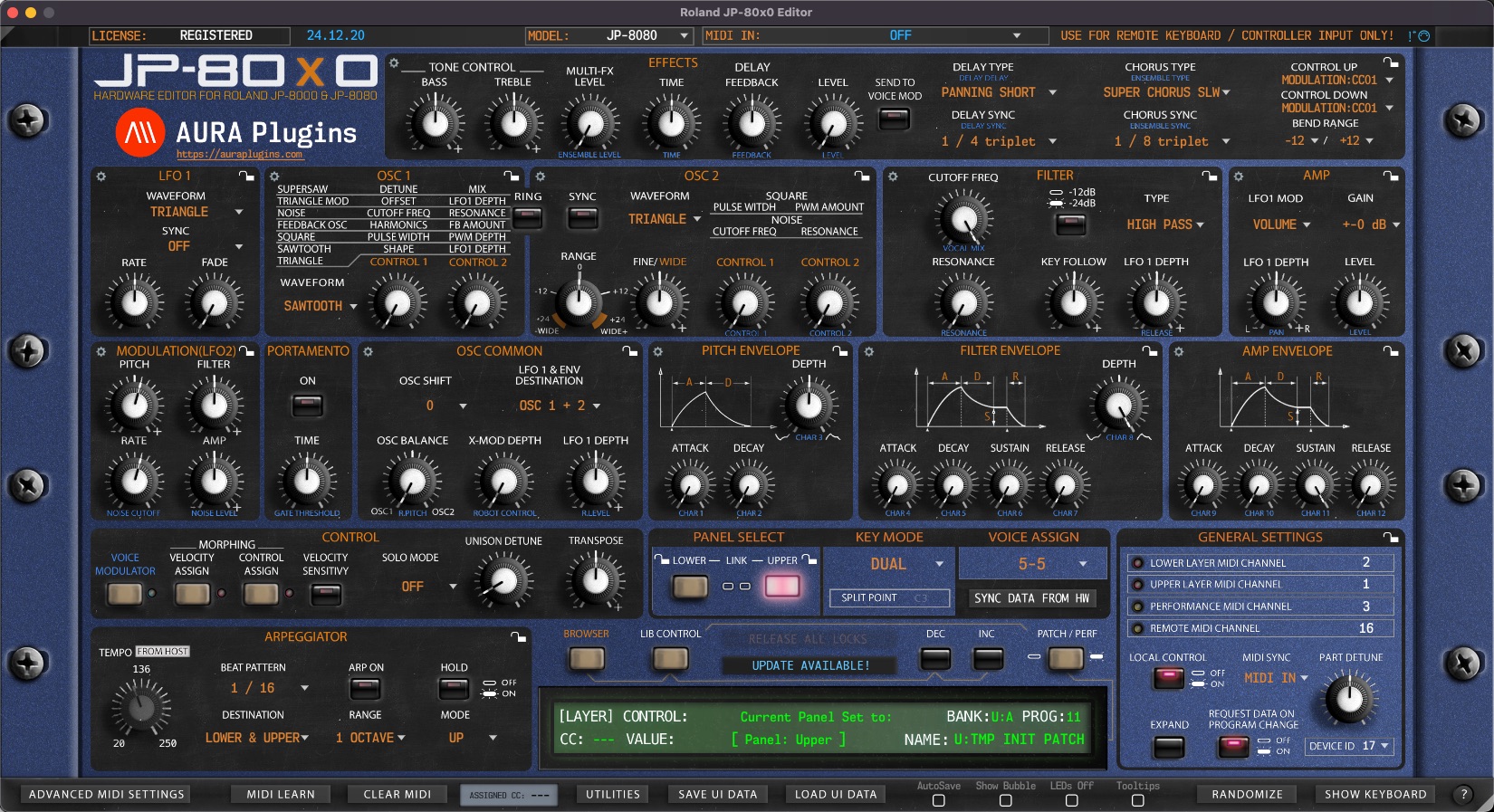
- Connect your Roland JP-8000 and / or JP-8080 directly with your DAW using MIDI.
- Edit almost every parameter of your synthesizer from our Editor.
- Automate almost every parameter in your DAW.
- Editor user interface reacts to hardware knob & buttons movements.
- Edit both layers from the Editor individually or link layers together.
- You can request through JP’s User, Preset and Memory Card** data within the Editor librarian.
- You can send the patches from the Editor to your synthesizers Temp memory buffer OR you can write user memory slots through our Editor.
- JP-8000 incompatible parameters marked with **.
- Knob & button values are sent to hardware.
- View & edit performance name in the Editor interface .
- Request current patch from selected slot to librarian.
- Request all patches from selected bank to librarian.
- Store currently selected patch from librarian to hardware.
- Store current patch bank from librarian to hardware.
- Request temp performance data to librarian.
- Request current performance from selected slot to librarian.
- Request all performance data from selected bank to librarian.
- Store currently selected performance data from librarian to hardware.
- Store current performance bank from librarian to hardware.
- Load any midi / sysex patch or performance bank to librarian.
- Browse performance & patch banks within plugin librarian.
- Load currently selected performance data to plugin memory.
- Load currently selected performance bank to plugin memory.
- Load selected single patch to selected performance slot (upper / lower).
- Software stores last used performance data with plug-in to it’s memory.
- Software loads last used performance data with project load and sends it to hardware.
- Organize performance data in librarian and save a new performance bank to hard drive.
- Organize patch data in librarian and save a new patch bank to hard drive
- Send performance data to hardware from plugin by using white user interface buttons.
- Request performance data from selected bank to plugin white buttons memory (8×8=64 slots).
- Option to scroll thru hardware programs without sending performance / patch data to hardware.
- View & edit upper / lower part patch name.
- View & edit upper / lower part velocity sensitivity levels.
- View & edit upper / lower part control assign sensitivity levels.
- More knobs & buttons now reacts to hardware knob / button movements.
- Select performance midi channel.
- Select remote kbd midi channel.
- Randomize either layer or both!
- Import Roland SH-201 files to JP-80×0 Librarian.
- Import Roland GAIA SH-01 files to JP-80×0 Librarian.
What your CANNOT do with Roland JP-80×0 Editor?
- Generate any audio. This product is an Editor for Roland JP-8000 / JP-8080 Synthesizers. Audio must be routed with Audio Jack cables from the hardware to your console inputs or sound card inputs.
- Remotely power up or shut down your synthesizer.
Share this with fellow producers



