
Knowledge Base forRoland JP-80x0 Editor
Documentation
Resources
Roland JP-80×0 Editor – Sending Data To Hardware
Double Click
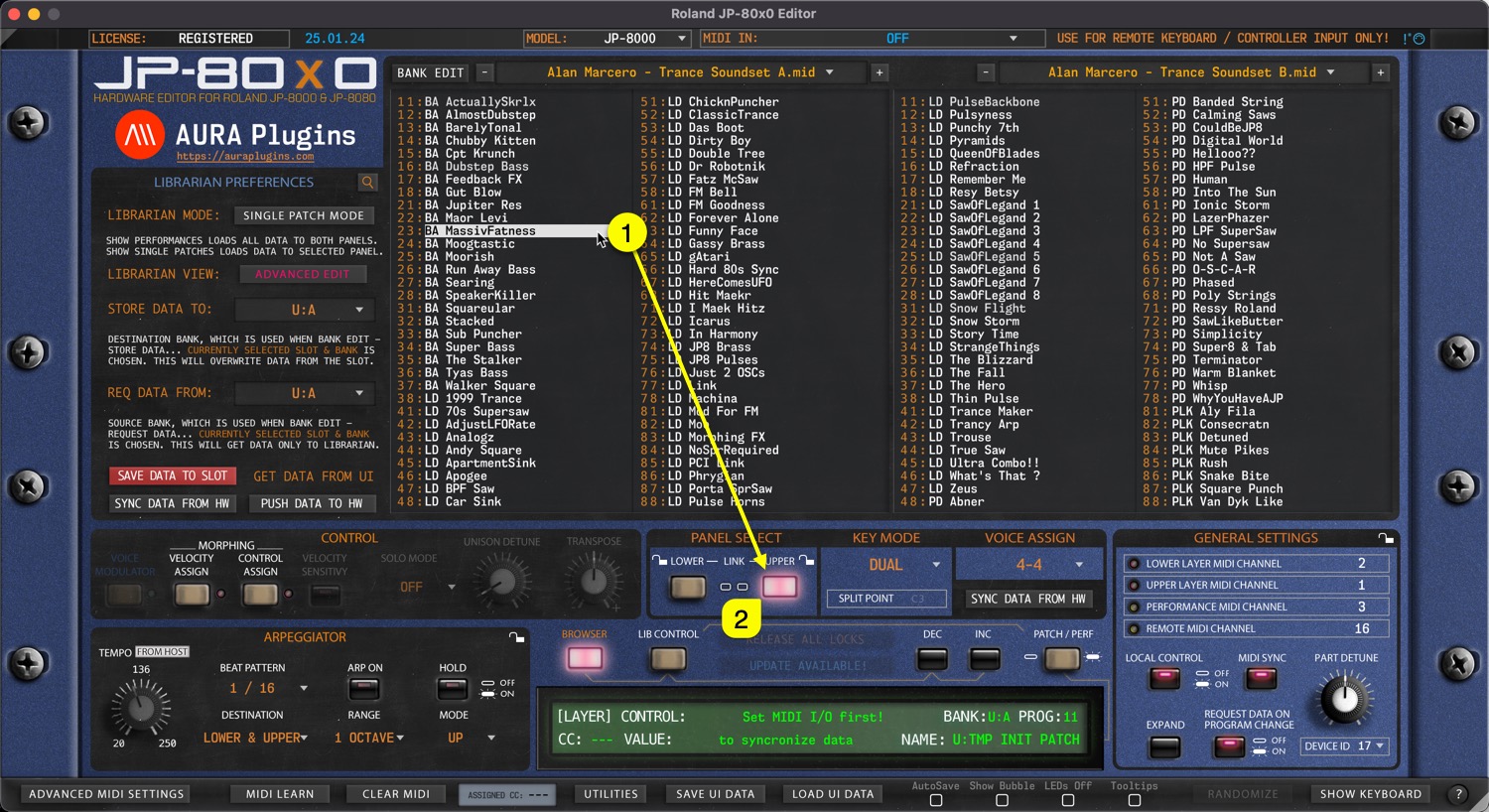
You can send any slot data [1] from the Librarian view to a selected Panel / Layer [2] by double clicking the item.
In SINGLE PATCH mode this data will be sent to the currently selected [2] Layer.
In PERFORMANCE mode the data will replace both layers.
Arrow Keys
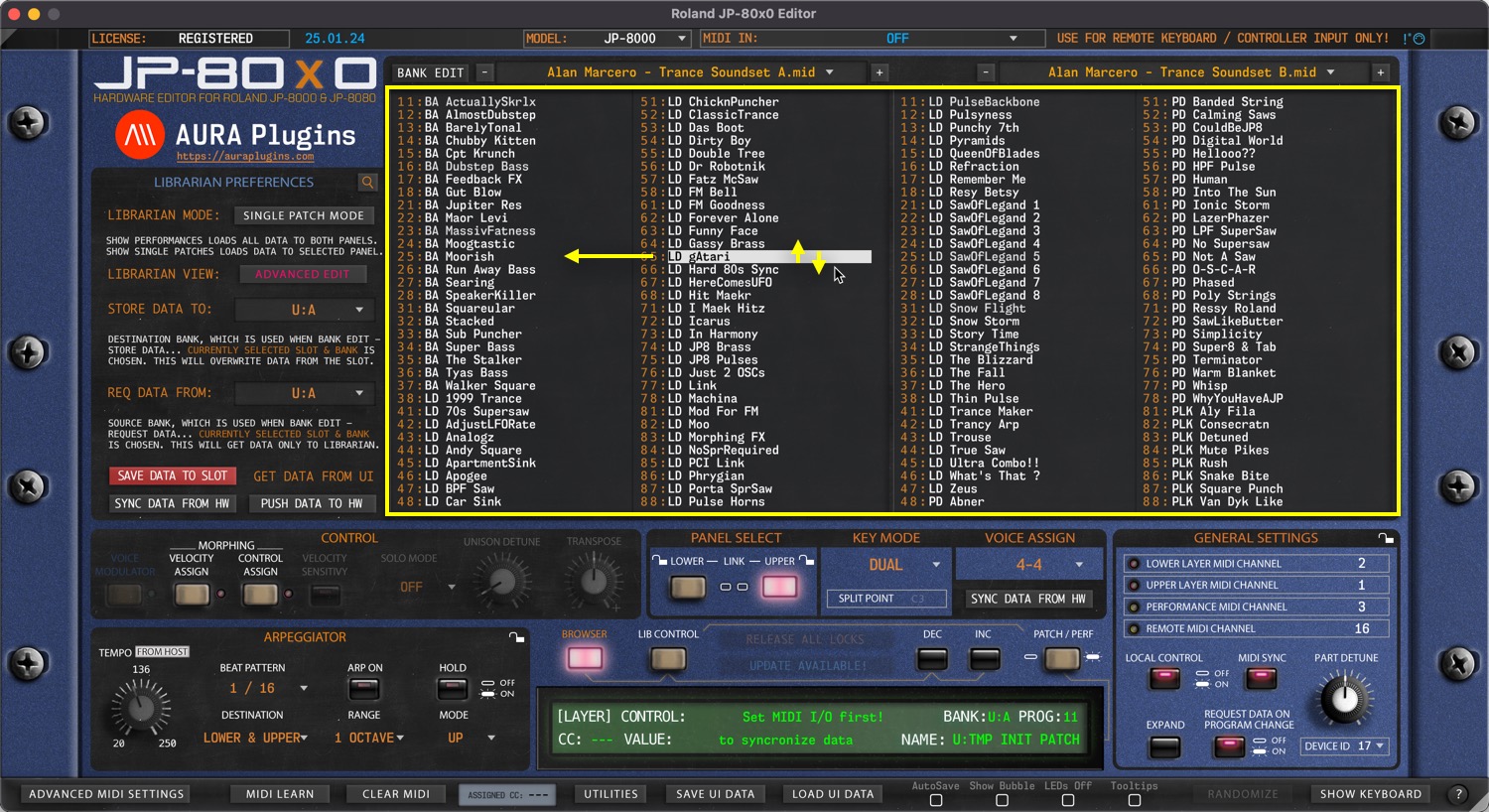
You can use computer keyboard arrow up, down, left and right keys to navigate librarian slot content as long as the mouse cursor is above the librarian view.
Data is sent to currently active slot in the hardware while Librarian View is in SINGLE PATCH mode. PERFORMANCE mode overwrites both layers.
Program Change Buttons
Program Change DEC / INC buttons have two functions:
1) If LIB CONTROL [1] is toggled on, then data from the Librarian View is sent to currently active slot on Program DEC / INC [2] trigger, ie. INC is clicked, then BA Maor Levi is sent to currently active slot.
2) If LIB CONTROL [1] is toggled off, then Program Change command is sent to hardware based on BANK and PROG menu [3] values, ie. if PROG is 11 and INC is clicked, then PROG 12 is requested from hardware to the currently active layer.

MIDI Program Change
Similar to User Interface Program Change DEC / INC buttons, incoming MIDI Program Change has the same effect. You can optionally disable incoming MIDI Program Change commands from Advanced MIDI Settings view.
Data is either sent to hardware from the Librarian View based on the incoming Program Change value or requested from the hardware to the Editor User Interface based on the same Program Change value.
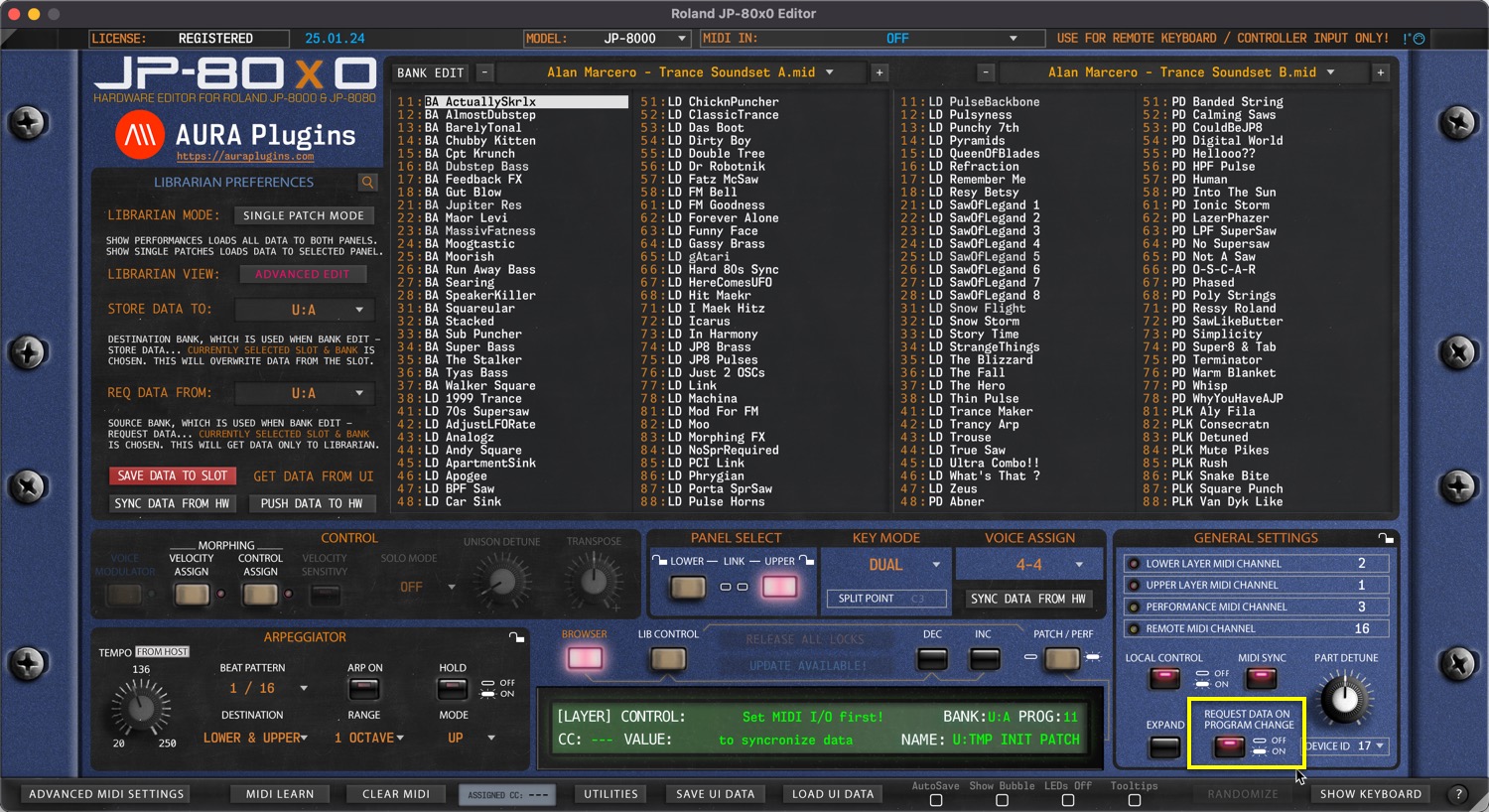
NOTE: When user toggles between LIB CONTROL states, REQUEST DATA ON PROGRAM CHANGE button gets disabled. Engage the button again if you want to request hardware programs to the Editor User Interface after MIDI Program Change is sent. See image below.
PROG menu
User can also send Programs to the hardware by clicking the PROG [1] menu and selecting an item from the list. Note that LIB CONTROL [2] is on, so data is sent to hardware from the Librarian View and PROG menu items are populated with the currently active Librarian View program names.

and BANK menu…
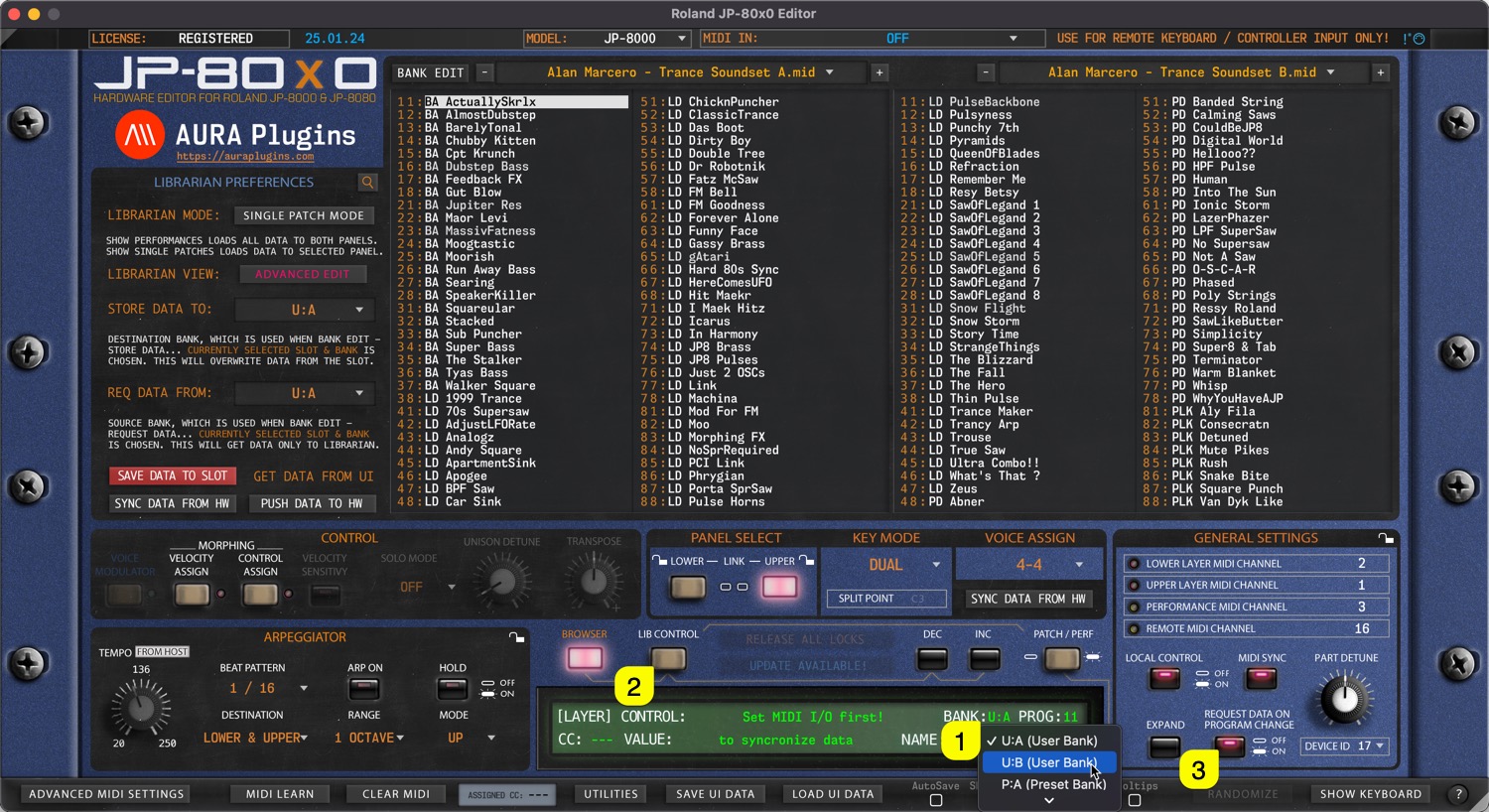
Other option is to change BANK via the BANK [1] menu. Note that in this case the LIB CONTROL [2] is toggled off, which results renaming menu items with hardware bank locations. Also, REQUEST DATA ON PROGRAM CHANGE [3] is on, which means data is requested to the User Interface instead sending it to the hardware.
Share this with fellow producers



